

GoHighLevel how-to · Setup guide
Yes, GoHighLevel connects to Claude through an official MCP server. Here is how to set it up in Claude.ai and Claude Code, what you can do with it, and how to keep it safe.
If you use Claude every day and run your business in HighLevel, you want them talking to each other. Now they can.
This guide shows you the official way to connect them, step by step, plus safe first prompts and the guardrails I use. It is for agency owners and business owners with a HighLevel account and a Claude account. No code needed for the Claude.ai setup.
Quick answer
Yes. GoHighLevel integrates with Claude through its official MCP server. In Claude.ai, go to Settings, Connectors, Add custom connector, and paste https://services.leadconnectorhq.com/mcp/anthropic/v2. Click Connect, sign in to HighLevel, pick your sub-accounts, and approve. Then ask Claude things like "Find the last 5 contacts I added."
Why I love Claude for this
I've said it before: "I've been loving Claude lately. ChatGPT is great as well but Claude's just a lot more in depth."
Connecting it to HighLevel means I can ask plain questions about my pipeline instead of clicking through ten screens. I have also hit Claude's limits mid-project, so I keep a backup plan: everything Claude can do here, you can still do by hand in HighLevel.
What MCP means, in plain English
MCP stands for Model Context Protocol. It is a standard way for AI tools like Claude to connect to other apps and use them safely.
HighLevel runs an official MCP server. Once connected, Claude can look up contacts, conversations, calendars, opportunities, and more, based on the permissions you approve. HighLevel says its Claude endpoint covers hundreds of operations (its help article says 625 across 40 areas, and its developer docs say more than 550 across 38) (source).
Training: my beginner tutorial on Claude, so you know your way around before you connect it to HighLevel.
Step 1: Start in a test sub-account
What to do: Create or pick a test sub-account with fake contacts. Connect that one first.
Why it matters: You will see exactly what Claude can do before it touches real client data.
Step 2: Add the connector in Claude
What to do: In Claude.ai, open Settings, then Connectors, then Add custom connector. Name it HighLevel. Paste the server URL.
Why it matters: This is the official HighLevel endpoint built for Claude. It works in Claude.ai, Claude Code, and Claude Cowork.
Step 3: Sign in and pick sub-accounts
What to do: Click Connect. HighLevel opens a sign-in page. Sign in, pick the sub-account (agencies can pick more than one), review the permissions, and approve.
Why it matters: You control which accounts Claude can reach. HighLevel uses OAuth, so you never paste a password into Claude.
Step 4: Test with a read-only prompt
What to do: Start a new chat, turn on the HighLevel connector, and ask: "Find the last 5 contacts I added in HighLevel."
Why it matters: A read-only test proves the connection without changing anything.
Claude Code setup
If you use Claude Code in a terminal, run this one command, then sign in when the browser opens. Check it with claude mcp list.
Source: HighLevel MCP developer docs, checked October 15, 2026.
Two endpoints compared
| Endpoint | Best for | Cost type | Difficulty | My take |
|---|---|---|---|---|
| /mcp/anthropic/v2 (Claude) | Claude.ai, Claude Code, Claude Cowork | Included with HighLevel and Claude plans you already have | Easy | Use this for Claude. OAuth, full catalog, multiple sub-accounts. |
| /mcp/openai/v2/ (OpenAI) | ChatGPT, Codex, other OpenAI clients | Same | Easy | OAuth sign-in, same operation catalog. |
From HighLevel help docs, October 15, 2026. Claude plan limits and HighLevel plan features still apply.
Keep it safe
- Least access. Connect only the sub-accounts you need.
- Read first. Use lookups and summaries before any action that sends or changes data.
- Keep tool approvals on. Review what Claude is about to do before you allow it, especially sending messages.
- Draft, don't send. Ask Claude to draft follow-ups for you to review in HighLevel.
- Remove access you don't use. Disconnect the connector when a project ends.
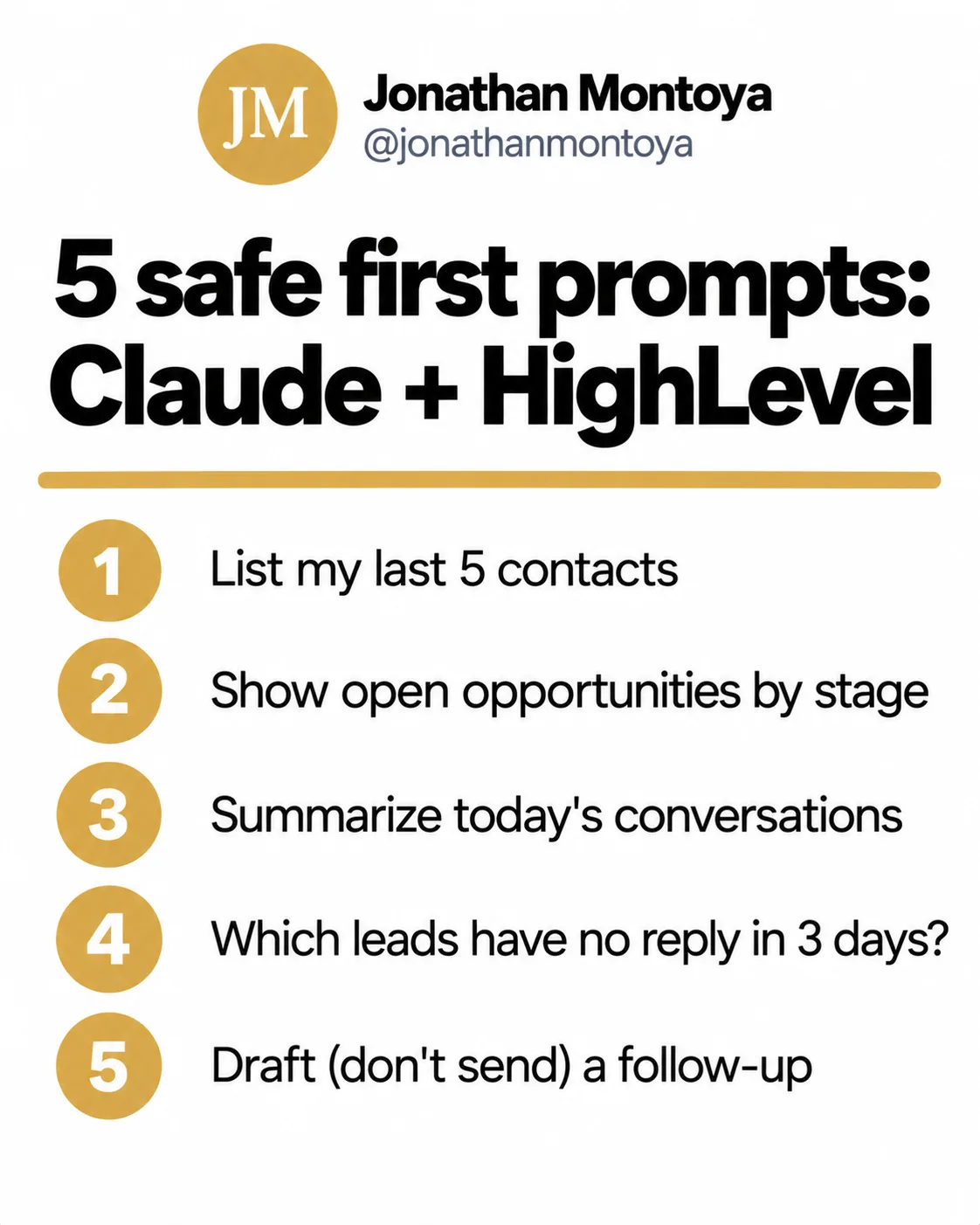
Want a clean pipeline for Claude to read? See GoHighLevel contact vs opportunity. New to HighLevel? Start with the GoHighLevel tutorial for beginners. Learning Claude? Try vibe coding with Claude. To try HighLevel, you can start a HighLevel trial through my link (affiliate link: I may earn a commission).
Connect Claude to GoHighLevel
Nothing you check here is sent or saved. Download it if you want to keep it.
Run your business by asking questions
Start a HighLevel trial, connect it to Claude in five minutes, and ask your first question about your pipeline.
Start a HighLevel trialAffiliate link: I may earn a commission if you sign up. Billing starts after the trial unless you cancel, and phone, email, and AI usage can cost extra, even during the trial.
Frequently asked questions
Does GoHighLevel integrate with Claude?
Yes. HighLevel has an official MCP server with a Claude endpoint at https://services.leadconnectorhq.com/mcp/anthropic/v2. It works with Claude.ai, Claude Code, and Claude Cowork.
How do I connect GHL to Claude?
In Claude.ai, go to Settings, Connectors, Add custom connector, paste the HighLevel MCP URL, click Connect, sign in to HighLevel, pick sub-accounts, and approve.
Can Claude access multiple GoHighLevel sub-accounts?
Yes. The Claude endpoint supports multiple sub-accounts in one connection for agencies. You choose which ones during sign-in.
Is the GoHighLevel MCP free?
HighLevel does not list a separate fee for the MCP server in its docs. You still need your HighLevel and Claude plans, and Claude usage limits apply.
Can I connect ChatGPT or Cursor to GoHighLevel?
ChatGPT, yes. HighLevel has an OpenAI endpoint at https://services.leadconnectorhq.com/mcp/openai/v2/ for ChatGPT and Codex. HighLevel does not list a Cursor endpoint in its docs right now, so check the developer docs first.
Sources
Checked October 15, 2026. Plans, prices, and rules can change.
