
Overskill money basics
If your Overskill app has AI features, you pay for every AI action your users take. Buyer credits let your customers cover that usage through the plans you sell. Here is how it works, in plain words.
Disclosure: Some links in this post are affiliate links. I earn a commission if you buy through this link. It does not change the price you pay. MakerAI is my own company.
Quick answer
Overskill buyer credits are an AI allowance you include in each plan you sell inside your app. Your customers' AI use draws down their allowance at a markup you set, like 2x. You still pay the real AI cost from your own Overskill credits. When a customer runs out, they top up or upgrade through your checkout. Allowances reset each billing period and do not roll over.
The problem buyer credits solve
Here is something many new builders miss. If your published app has AI features, like a chatbot or a "generate" button, every time a visitor uses them, it spends your credits. Not theirs.
Overskill's help article on this says it plainly: "if you publish an app with AI features, you, the owner, pay for them." It is charged per action, not per visit. Ten visitors each making five images is fifty charges.
That is fine for a small free tool. But if you sell an AI product, your most active users would cost you the most. Buyer credits are Overskill (I earn a commission if you buy through this link.)'s answer to that.
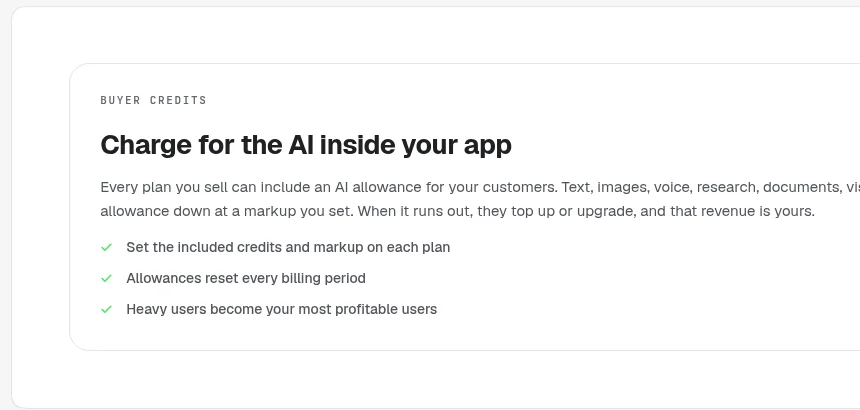
How buyer credits work
Overskill describes two meters running side by side:
| Meter | Who it belongs to | What happens |
|---|---|---|
| Your Overskill credits | You, the app owner | Still pay the real AI cost, same as before |
| Buyer credits | Your customer | Drawn down for the same AI use, at your markup |
From Overskill help, "Monetize AI usage in your app with buyer credits," checked Oct 16, 2026.
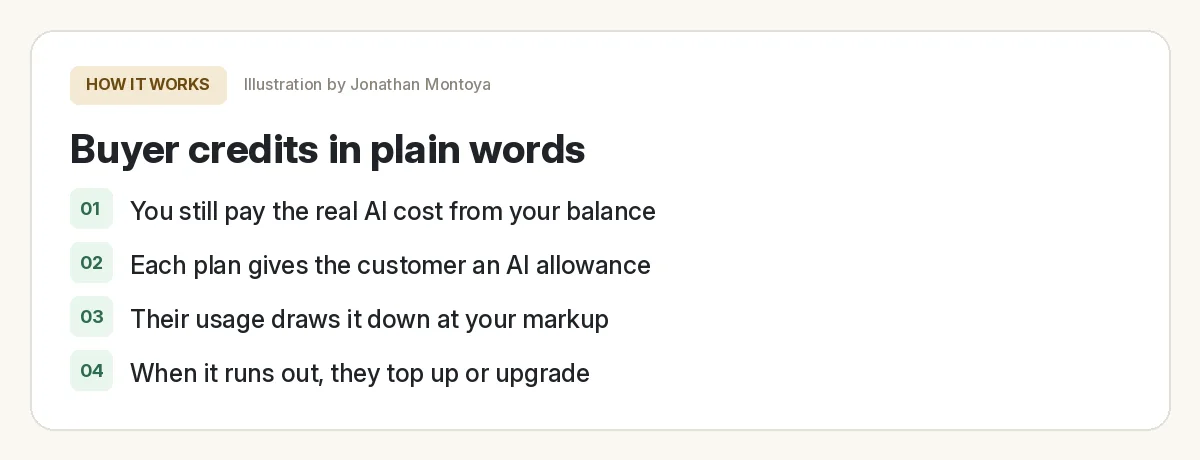
The markup is one number per plan. At a 2x markup, an AI action that costs you 1 credit uses 2 of your customer's buyer credits. Overskill suggests starting at 2.0.
A simple worked example
Overskill gives this example: a customer's chatbot use costs you 100 credits in a month. At a 2x markup, it uses 200 of their buyer credits.
Now let's use Overskill's own numbers for one AI action. Its "what costs credits" article says a typical "analyze this" action costs about 2 credits on a budget model, 4 for a vision or document scan, and 7 on a mid-range model.
| AI action type | Your real cost (Overskill credits) | Buyer credits used at 2x | Actions covered by a 2,000 buyer credit allowance |
|---|---|---|---|
| Budget model | 2 | 4 | About 500 |
| Vision or document scan | 4 | 8 | About 250 |
| Mid-range model | 7 | 14 | About 142 |
Per-action costs from Overskill help, checked Oct 16, 2026. The 2,000 allowance is my example, not a recommendation.
This table is only arithmetic to show how the meter works. Real costs depend on the model and how long each request is. Overskill says longer requests use more credits.
How to set up buyer credits
Everything lives in your app's editor under Monetize. Here are the steps from the help article:
- Open your app in the editor and go to Monetize.
- Add a plan, or open one you already have.
- Set Included AI credits / period. That is the allowance.
- Set the markup multiplier. Overskill suggests 2.0 to start.
- Republish your app so customers get their balance card and the out-of-credits prompt.
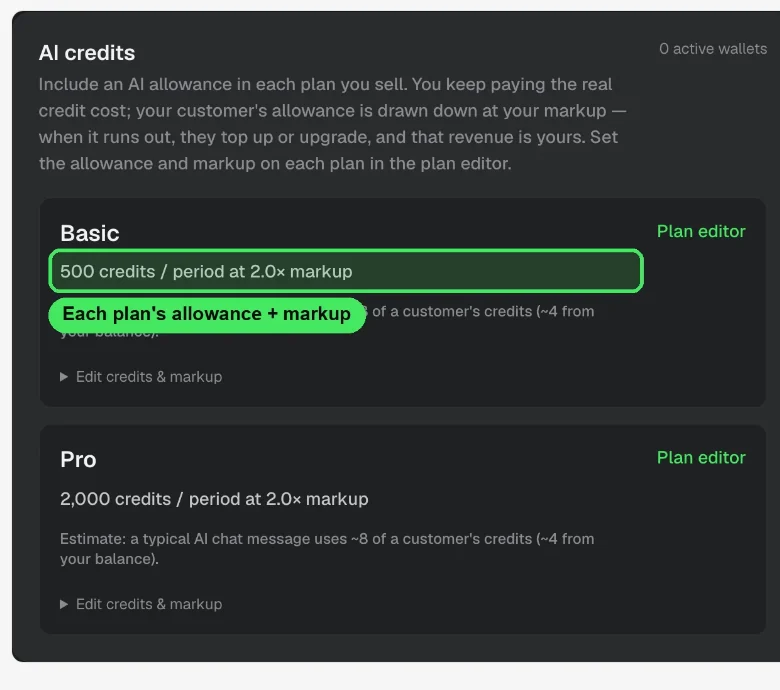
You can ask the AI in your app's chat to create and confirm your plans. But the allowance and markup numbers are set by you in the Monetize, AI credits panel. Overskill says that last step is "intentionally yours, not the AI's."
Overskill's own prompt even says, "If that Monetize option isn't available on my account yet, say so honestly instead of guessing." So check that it shows up for your account before you plan around it.
What your customers see
- A plan with a stated AI allowance, so they know what they get.
- AI features that just work while they have credits.
- A clear message when they run out, pointing to your pricing page to top up or upgrade.
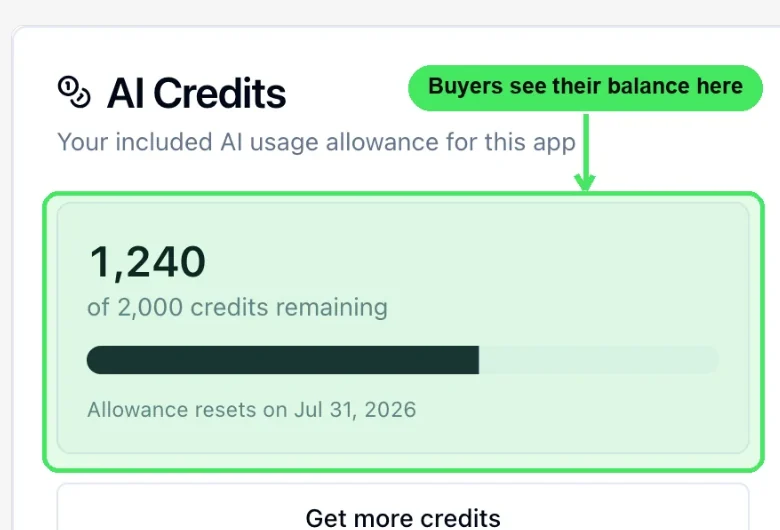
- An AI Credits card in settings with their balance, a usage meter, the reset date, and a top-up button.
The fine print
| Question | Answer from Overskill help |
|---|---|
| Do unused buyer credits roll over? | No. They reset to the plan amount each billing period. |
| Can I give a customer free credits? | Yes. Open the Users view in the editor and grant credits. |
| What if I change the markup mid-month? | Current customers keep their rate until their next billing period. |
| What if my own balance runs out? | AI features pause for everyone until you top up. Keep auto top-up on. |
| How do refunds work? | Through your app's own checkout, like any other sale. |
| Does it cost me extra? | No. You pay the same real AI cost. It adds a meter on the customer side. |
From Overskill help, "Monetize AI usage in your app with buyer credits," checked Oct 16, 2026.
For how your own Overskill plan credits work, see my Overskill pricing guide. Prices checked Oct 16, 2026: Starter is $25 a month with 2,500 credits, and Studio is $99 a month with 12,000 credits. Plan credits do not roll over, but credit packs never expire.
Plan before you turn it on
Buyer credits plan check
Nothing you check here is sent or saved. Download it if you want to keep it.
If you want my full take on the platform first, read my Overskill review.
Want help planning an AI product people will pay for?
In my free AI workshop, I show how I pick a software idea, check that people want it, and think through how to charge for it. No income promises, just the process.
Join my free AI workshopMakerAI is my company. The workshop is free. No income promises, just the process.
Frequently asked questions
What are Overskill buyer credits?
They are an AI allowance included with each plan you sell in your app. Your customers' AI use draws it down at a markup you set. You still pay the real AI cost from your Overskill credits.
Who pays for AI in an Overskill app by default?
You do, the app owner. Overskill says every AI action a visitor takes in your live app uses credits from your balance, per action.
What markup should I use for buyer credits?
Overskill suggests 2.0 to start. At 2x, an AI action that costs you 1 credit uses 2 of your customer's buyer credits. Pick what fits your pricing.
Do buyer credits roll over?
No. Overskill says buyer credits reset to the plan's included amount at the start of each billing period. Unused credits do not carry forward.
How much does one AI action cost?
Overskill's help center says a typical action costs single-digit credits, about 2 on a budget model, 4 for a vision scan, and 7 on a mid-range model. Longer requests cost more.
Where do I turn on buyer credits?
In your app's editor under Monetize, AI credits. Set the included AI credits per period and the markup for each plan, then republish. Check that the option is available on your account.
Sources
All checked October 16, 2026. Overskill is in beta and changes often, so plans, features, and rules can change. Links to overskill.com below include my affiliate code. I earn a commission if you buy through this link.
