
Overskill · Your data
Before you put real customers in any app, you should know how to get your data back out. In Overskill it is free and takes a few clicks. Here is exactly how.
Here is a question I ask before I trust any tool with my business: can I get my stuff out? If the answer is no, that is a trap. If the answer is yes, I can build with confidence.
With Overskill (I earn a commission if you buy through this link), the answer is yes. Its help center says, "Your data is yours." You can download any table as a CSV, and you can download your whole app as a ZIP file. Both are free. This guide shows how, plus the limits you should know. I checked all of it on October 17, 2026.
Quick answer
To export data from Overskill, open Data in the editor sidebar, click a table, and click Export. You get a CSV file, up to 50,000 rows, free and with no credit cost. To get your whole app, open the Publish dialog and click Export ZIP. Overskill emails you a link to a ZIP with your code, database structure, and data.
Two kinds of export
Overskill gives you two ways to get things out. They do different jobs.
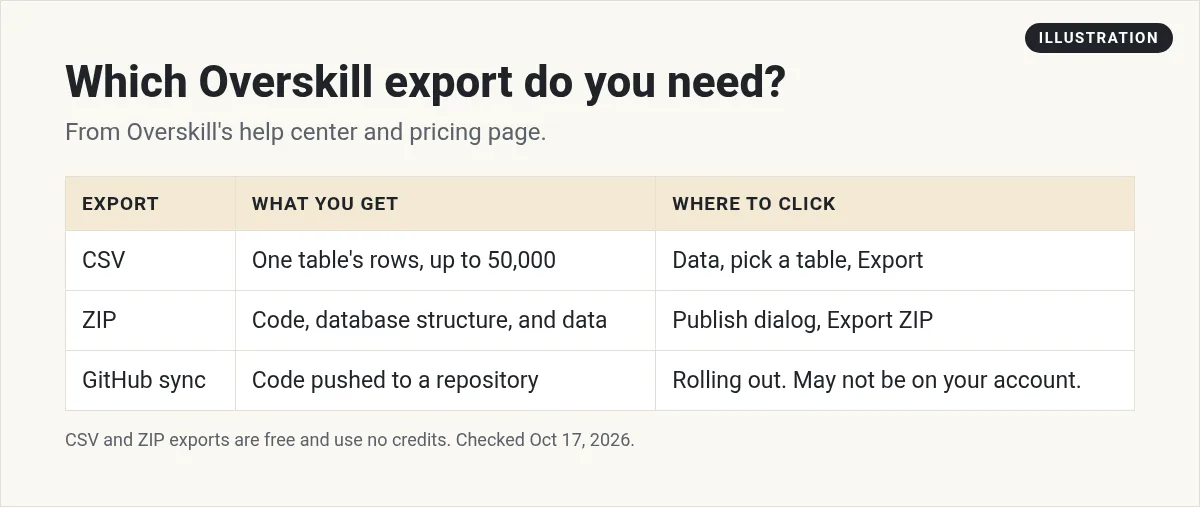
| Table export (CSV) | App export (ZIP) | |
|---|---|---|
| What you get | One table's rows as a spreadsheet file | Your app's code, database structure, and data |
| Where to click | Data, then a table, then Export | Publish dialog, then Export ZIP |
| How you get it | Downloads right away | Built in the background, link emailed to you |
| Row limit | Up to 50,000 rows per table | Up to 50,000 rows per table |
| Cost | Free, no credits, no plan limit | Free on every account |
| Best for | Working with your data in a spreadsheet | A full backup or moving on |
From Overskill's help article "Exporting your data" and its pricing FAQ, checked October 17, 2026.
How to export a table as a CSV
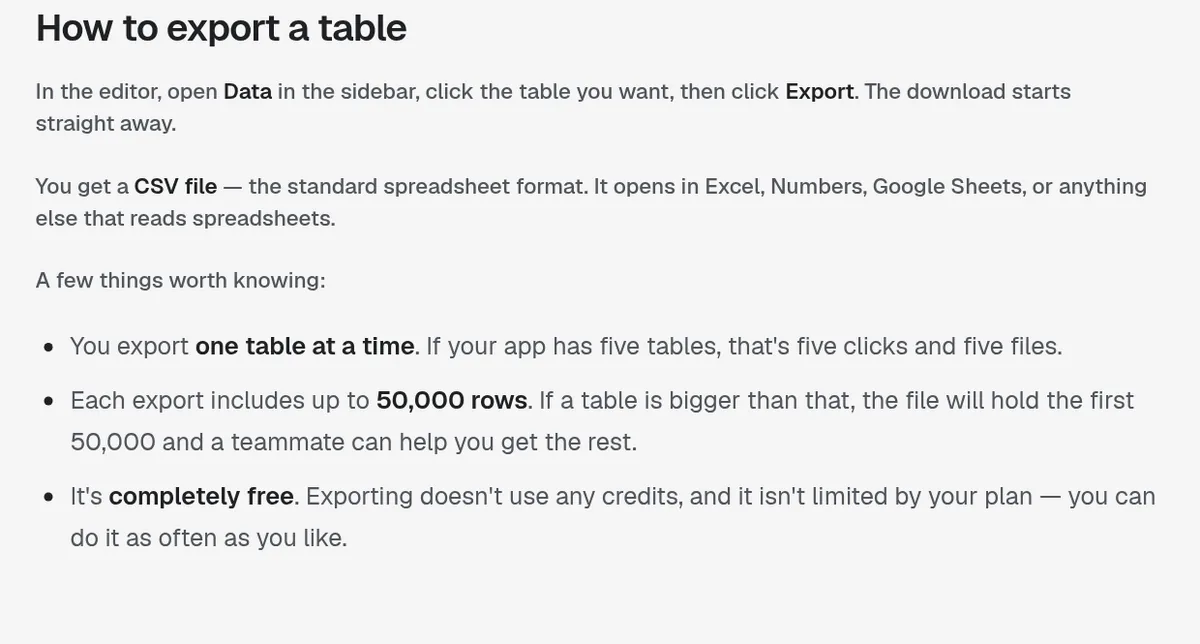
- Open your app in the editor.
- Click Data in the sidebar.
- Click the table you want.
- Click Export. The download starts right away.
A CSV is the standard spreadsheet format. Overskill says it opens in Excel, Numbers, Google Sheets, or anything else that reads spreadsheets.
Some things to know, straight from Overskill's help center:
- One table at a time. If your app has five tables, that is five clicks and five files.
- Up to 50,000 rows per export. A bigger table gives you the first 50,000. Overskill says a teammate can help you get the rest.
- It is free. No credits, no plan limit. Do it as often as you like.
How to export your whole app as a ZIP
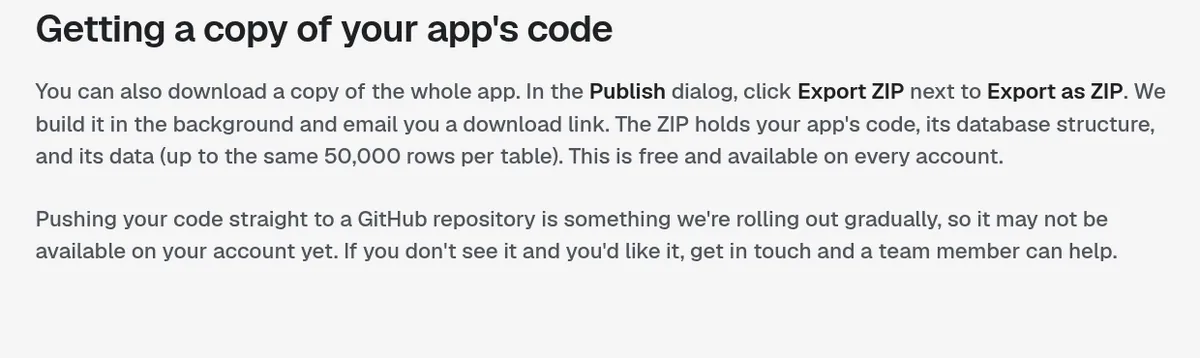
In the Publish dialog, click Export ZIP next to "Export as ZIP." Overskill builds the file in the background and emails you a download link. The ZIP holds:
- Your app's code
- Its database structure
- Its data, up to 50,000 rows per table
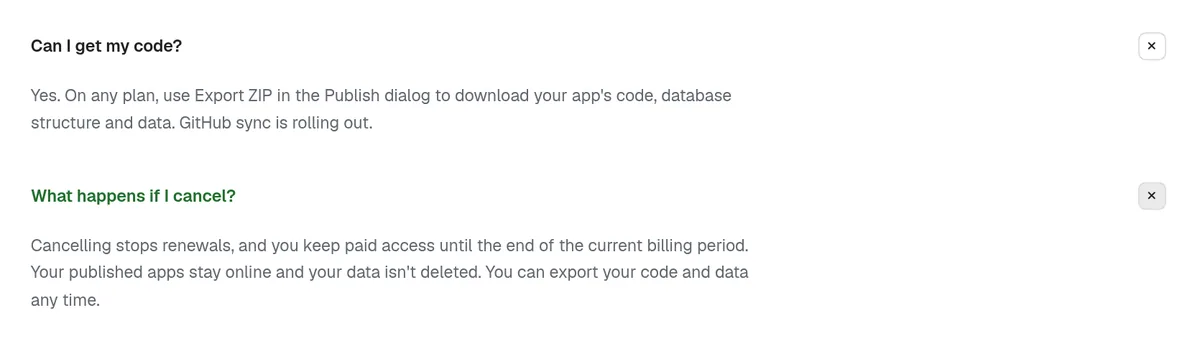
Overskill's pricing page backs this up. Its answer to "Can I get my code?" is yes, on any plan, with Export ZIP in the Publish dialog.
One honest note. Overskill's help center tells you how to download the ZIP. I did not find an Overskill guide on how to run that code somewhere else. If you plan to host it yourself one day, plan on a developer helping with that step.
What about GitHub?
Overskill says pushing your code straight to a GitHub repository is "rolling out gradually," so it may not be on your account yet. If you want it, Overskill says to get in touch and a team member can help.
Which export should you use?
Here is a quick guide based on what you are trying to do:
| You want to | Use |
|---|---|
| Send your customer list to an email tool | CSV of that table |
| Look at your orders in a spreadsheet | CSV of that table |
| Share data with your accountant | CSV of the tables they need |
| Keep a full copy of your app, just in case | Export ZIP |
| Hand your app to a developer | Export ZIP |
| Move to another tool someday | Export ZIP, plus a CSV of each table |
When you open a CSV for the first time, check three things. Are the column names what you expect? Is the row count close to what you see in the app? Do dates and prices look right? If something looks off, ask the AI in the editor to explain the table before you rely on the file.
What you cannot export (yet)
I like that Overskill is upfront about this. Its help center lists what it does not do:
| You might want | Overskill today | Workaround |
|---|---|---|
| Excel (.xlsx) file | Not offered | Open the CSV in Excel and save as .xlsx |
| JSON per table | Not offered | Use the CSV or the ZIP |
| Scheduled or automatic backups | Not offered | Export by hand on a schedule you set |
| Live sync to Google Sheets or Airtable | Not offered | Re-export when you need fresh data |
| All apps in one export | Not offered | Exports are per app and per table |
From Overskill's help article "Exporting your data," checked October 17, 2026.
Overskill says an export is a snapshot. It is the data as it stood when you clicked the button, and it does not keep updating. If a regular backup matters to your business, Overskill says to tell its team what you need.
A simple backup habit
Here is the routine I would use once real people are using your app:
- Weekly: export your most important table, like customers or orders, as a CSV.
- Monthly: run Export ZIP from the Publish dialog and save the file somewhere safe.
- Before big changes: export first. If an edit goes wrong, you have a copy.
- Name files with the date, like customers-2026-10-17.csv, so you can find the right one fast.
My old engineering job taught me this. You never regret having a backup. You only regret not having one.
The reverse: bringing data in
Exports and imports work differently, which surprises people. Overskill's help article "Importing data into your app" says there is no Import button in the Data tab. Bringing a file in always goes through the chat.
- Drag your CSV into the editor chat and say something like, "Import this spreadsheet as my customer list."
- CSV is the only format the bulk import reads. Small bits of JSON or plain text are fine in chat.
- Excel files are not accepted. Save as CSV first.
- An import is a one-time copy, not a live link to your spreadsheet.
That means a CSV you export can come back in later, through the chat, if you ever need it.
What if you leave Overskill?
Overskill's help center says: "There's no lock-in and nothing to ask permission for." Export each table and you have your data.
Its pricing FAQ adds what happens if you cancel your plan. Renewals stop, and you keep paid access until the end of the billing period. Your published apps stay online, your data is not deleted, and you can export your code and data any time.
For me, that is what makes it safe to start. You are not betting your business on never leaving. If you want to compare builders first, see my Overskill vs Lovable comparison or my full Overskill review.
Still deciding whether to trust Overskill with your data? Read is Overskill legit.
Export and backup checklist
Nothing you check here is sent or saved. Download it if you want to keep it.
Build on a tool that lets you leave
Overskill lets you export your data and code for free on every plan. That makes it a safe place to start.
Try OverskillI earn a commission if you buy through this link.
Want an AI team to help run your business? Meet AIM Agent, an AI Chief of Staff for business owners. I am a co-founder of AIM Agent and have a financial interest in the product.
Frequently asked questions
How do I export data from Overskill?
Open Data in the editor sidebar, click the table, and click Export. You get a CSV file with up to 50,000 rows. It is free and uses no credits.
Can I download my Overskill app's code?
Yes. Open the Publish dialog and click Export ZIP. Overskill emails you a link to a ZIP with your code, database structure, and data. It is free on every account.
Can I export to Excel from Overskill?
Not directly. Overskill exports CSV only. Open the CSV in Excel and save it as .xlsx if you need that format.
Does Overskill back up my data automatically?
Overskill says there is no scheduled or automatic export. Exporting is something you do by hand, so set your own reminder.
Does Overskill sync with Google Sheets?
No. Overskill says there is no live sync with Google Sheets or Airtable. An export is a snapshot of your data when you click the button.
What happens to my data if I cancel Overskill?
Overskill's pricing FAQ says your published apps stay online and your data is not deleted. You can export your code and data any time.
Sources
Checked October 17, 2026. Plans, prices, and rules can change. Links to overskill.com carry my referral code. I earn a commission if you buy through those links.
