
Overskill builds
Your salon has rules a plain booking link cannot follow. Here is how to plan and build a salon or barber booking app in Overskill. I use its own salon guide and the Bookslot template.
Disclosure: Some links in this post are affiliate links. I earn a commission if you buy through this link. It does not change the price you pay. MakerAI is my own company.
Quick answer
Start from the Bookslot template or Overskill's salon booking page. Use the order Overskill suggests: service, staff, time, details, then confirm. Keep consults as a separate request path. Save services, staff hours, and bookings as clear records. Then test double bookings and cancels with sample people before real clients book.
Should your salon build a booking app?
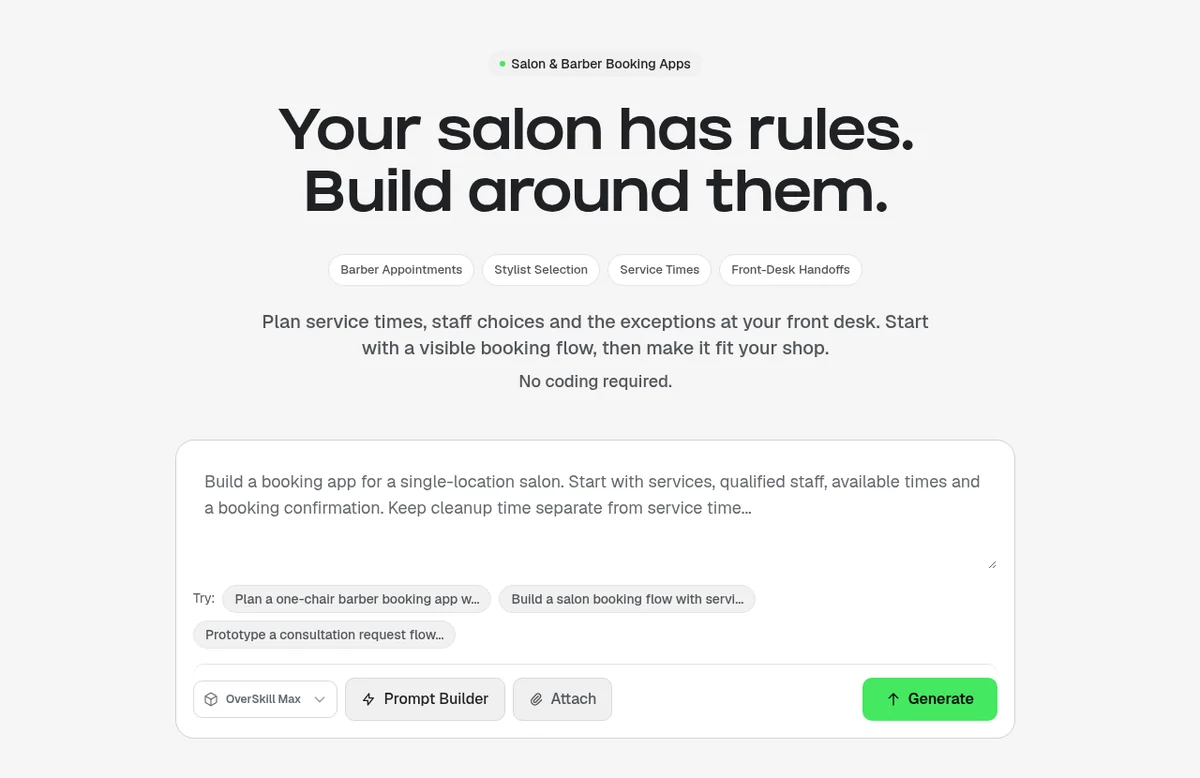
Overskill (I earn a commission if you buy through this link.) has a page just for salon and barber booking apps. Its headline says it well: "Your salon has rules. Build around them."
That page gives an honest test. A custom app makes sense when one front desk rule keeps getting lost. "Our color consultations need a staff review before we confirm a longer visit" is a good reason. "We want our own app" is not.
| Your situation | A sensible first move |
|---|---|
| Normal appointments already fit your booking tool | Improve your service descriptions and booking link |
| Customers pick the wrong service for longer treatments | Prototype a consultation request with staff review |
| Several services share a chair, basin, or specialist | Write the resource rules before picking software |
| The calendar works, but follow-up is scattered | Build a small staff request board next to it |
| You need payroll, stock, and many locations on day one | Compare a dedicated salon system first |
Adapted from Overskill's salon booking app page, checked Oct 16, 2026.
Start from the Bookslot template
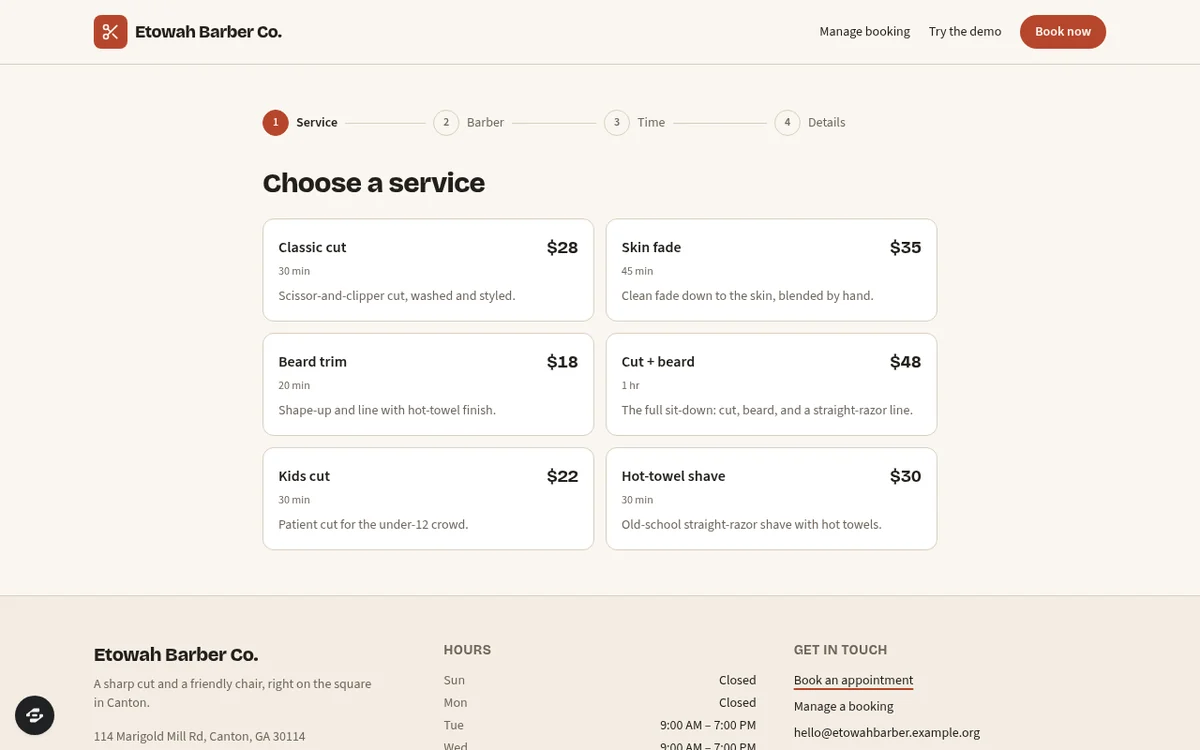
Overskill points salon builders to a template called Bookslot. It is a booking site for one local shop. Its page says a barber, salon, tutor, detailer, or trainer can use it.
| What Bookslot includes (from its template page) | What it does not do |
|---|---|
| A services and prices table, staff cards, and business hours | It does not collect payments. Customers pay in person. |
| A four-step booking flow: service, staff (or any available), 30-minute time slot, details | It was built as a starter for DECA student teams, so expect to change wording |
| A confirmation code and a calendar file (.ics) | Sample shop, prices, and staff are example content |
| A page to cancel or reschedule, plus an owner dashboard with today's agenda | Real scheduling rules still need your setup and testing |
From the Bookslot template page, checked Oct 16, 2026.
For a nail salon, there is also the Lacquer template. Its page says customers book with their tech, browse a nail art lookbook, and earn perks in a loyalty club. For barbers, the Fade template lets clients pick a barber and a cut.
Two paths: bookings and consultations
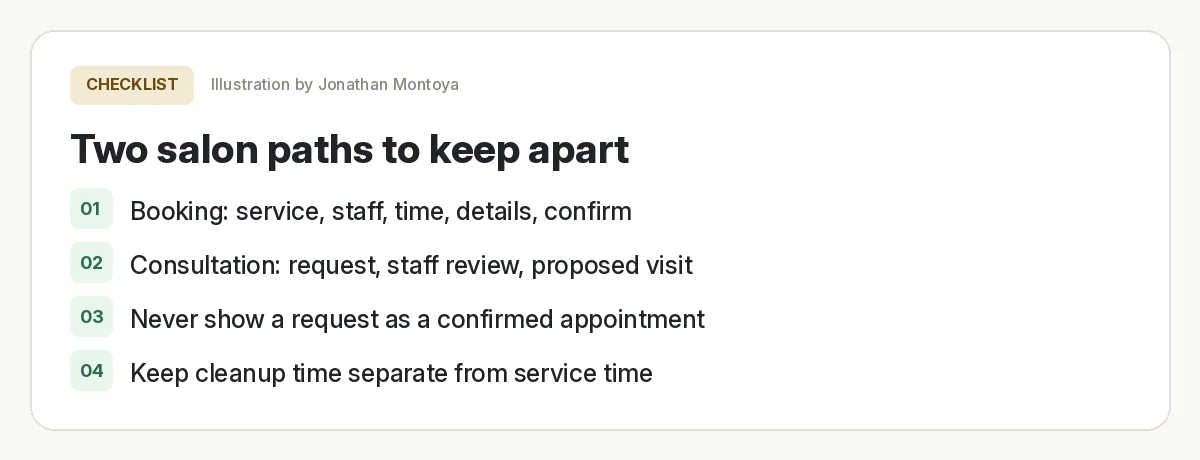
This is the smartest idea in Overskill's salon guide. A normal booking and a consult are not the same promise.
| Path | Steps | What the customer should know |
|---|---|---|
| Booking | Service, staff, time, details, confirm | "I have a time saved for me." |
| Consult | Request, staff review, proposed time, customer says yes | "I asked the shop to contact me." |
The guide is firm on this. A request must not look like a booked time while staff still need to check it. Make the difference clear on the button, the result screen, and any message you send.
Turn your shop rules into records
Overskill uses a made-up shop called Cedar Chair to show this. It has two stylists and one shared wash basin. Here is the kind of records that guide says to save:
| Record | What to save | Why it matters |
|---|---|---|
| Service | Name, client time, cleanup time, which staff can do it, any shared equipment | Two services with similar names can use very different time |
| Staff member | Working hours, breaks, services they offer | An open slot does not mean that person can do that service |
| Shared resource | Which item, and when it is in use | Two free stylists cannot use one basin at once |
| Appointment | Service, staff, start, end, resource, status | Availability must match what the front desk changes |
| Request | Service wanted, contact info, owner, review status | Keeps consultations separate from bookings |
Adapted from Overskill's salon booking app page (fictional example), checked Oct 16, 2026.
Build your salon booking app step by step
- Write your one broken rule. This is the reason the app exists.
- Remix Bookslot or open the salon page prompt box. Overskill notes that remixing goes through sign-in, so check your account and credits first.
- Paste a clear brief with your services, staff, and rules.
- Rebrand it with your shop name, real services, and real prices.
- Add a daily staff view. Show breaks. Mark requests that are not confirmed yet.
- Test with sample people before real clients.
Here is a brief in the same shape as Overskill's example. For general build steps, see how to build an app with Overskill.
Want to watch Overskill in action first? This ClickFunnels session is a long intro to building apps in it.
From the ClickFunnels channel (not mine): An intro to building apps in Overskill.
Deposits and payments
Overskill's How it works page actually uses a booking example: "A booking app for my studio, clients pay a deposit up front." So deposits are a normal ask.
But the salon guide gives wise advice. Keep your first version small. Add deposits, calendar sync, or reminders only after you name the provider, set it up, and decide what happens when it fails.
- Overskill includes a built-in checkout. Its help center says it works out of the box and is what the AI builds by default.
- Using your own Stripe account is limited to a small number of accounts right now. Do not plan around it.
- Overskill gives you a 100% off test code, so you can run a real $0 test purchase through your own checkout first.
Test the handoffs before taking bookings
Overskill lists five tests on its salon page. Use sample people and a separate staff account:
Salon booking app test
Nothing you check here is sent or saved. Download it if you want to keep it.
After the booking: follow-up
A booking app handles the booking. Salons also need reminders, rebooking nudges, and replies to missed calls. That is CRM work. I use HighLevel (I earn a commission if you buy through this link.) for that. Its site lists a CRM, inbound SMS, and Missed Call Text-Back, with a 14-day free trial.
Looking at other local niches? See my list of AI app ideas and my guide to selling AI websites to local businesses.
Meet AIM Agent
AIM Agent is an AI Chief of Staff for business owners. You give it a real task, and it brings the work back for you to review. You stay the one who approves.
Meet AIM AgentI am a co-founder of AIM Agent and have a financial interest in the product.
Frequently asked questions
Can Overskill build a salon booking app?
Yes. Overskill has a salon and barber booking page. It also has a template called Bookslot. Bookslot has a four-step booking flow, a code for each booking, a calendar file, and an owner dashboard.
Does the Bookslot template take payments?
No. The Bookslot page says it does not take payments. Customers pay in person. You can ask Overskill to add checkout. By default it uses its own built-in checkout.
Can I take deposits in an Overskill salon app?
Yes. Overskill's own example is a booking app where clients pay a deposit up front. It has a built-in checkout. Its salon guide says to add deposits after basic booking works. Test with its 100% off test code.
What is the best booking order for a salon app?
Overskill suggests service, staff, time, details, then confirm. For a consult, use request, staff review, a proposed time, then the customer confirms.
Is there a template for nail salons or barbers?
Yes. Lacquer is a nail salon template with booking, a lookbook, and a loyalty club. Fade is a barbershop template where clients pick a barber and a cut.
Can my salon app go in the App Store?
Not yet. Overskill says App Store publishing is waitlist only. Clients can add your app to their phone home screen from the browser today.
Sources
All checked October 16, 2026. Overskill is in beta and changes often, so plans, features, and rules can change. Links to overskill.com below include my affiliate code. I earn a commission if you buy through this link.
- Overskill: Salon and barber booking apps
- Template: Bookslot
- Bookslot public live preview
- Template: Lacquer
- Template: Fade
- Overskill: How it works
- Help: Connecting Stripe for payments
- Help: Test your checkout without paying
- Help: App Store publishing FAQ
- HighLevel homepage (features and 14-day trial)
- YouTube: Intro to Overskill, Coaching Corner #042 (ClickFunnels)
