
Overskill · Beginner steps
From idea to a published app in Overskill, in 7 beginner steps. With a brief you can copy, a change log to save credits, and a launch checklist.
Overskill (affiliate link: I may earn a commission) can turn a plain English description into a working app. The quality of that app depends on what you give it.
This guide takes you from a blank page to a published app people can use. You'll plan it on one page, build it, add sign-in and saved data, test it like a customer, and publish. It is for beginners who have never built software.
Quick answer
To build an app with Overskill, write a one-page brief with who it is for, the main job, the screens, and the data to save. Paste it in, review the first version, and make one change at a time. Add sign-in and saved data, test with two user accounts on your phone, then publish and show it to five people.
How my daughter started
When my daughter built her story app, I didn't hand her a manual. "I was like, just start talking to it and let's build something cool."
That is the spirit. But for an app other people will use, I add one step first: "Before you build anything, talk to people." Do that, and Overskill does the rest of the heavy lifting.
Step 1: Pick one problem
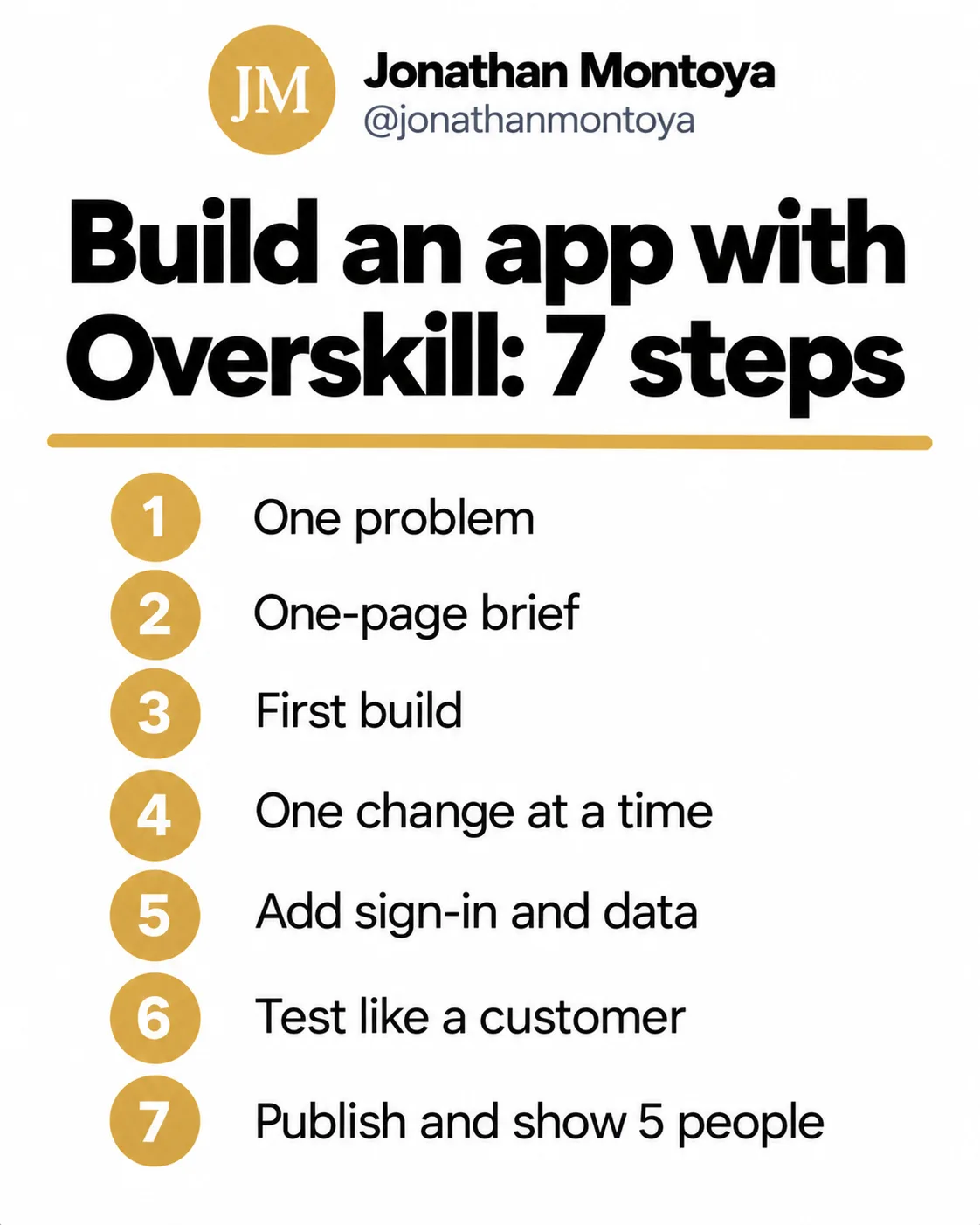
What to do: Pick one problem for one type of person. Example: a yoga studio owner who takes bookings by text and loses track.
Why it matters: A small, clear problem gives you a small, clear app. Small apps get finished.
Step 2: Write a one-page brief
What to do: Fill in this brief. Overskill's own guidance says to include who uses it, what information they need, and what a successful result looks like.
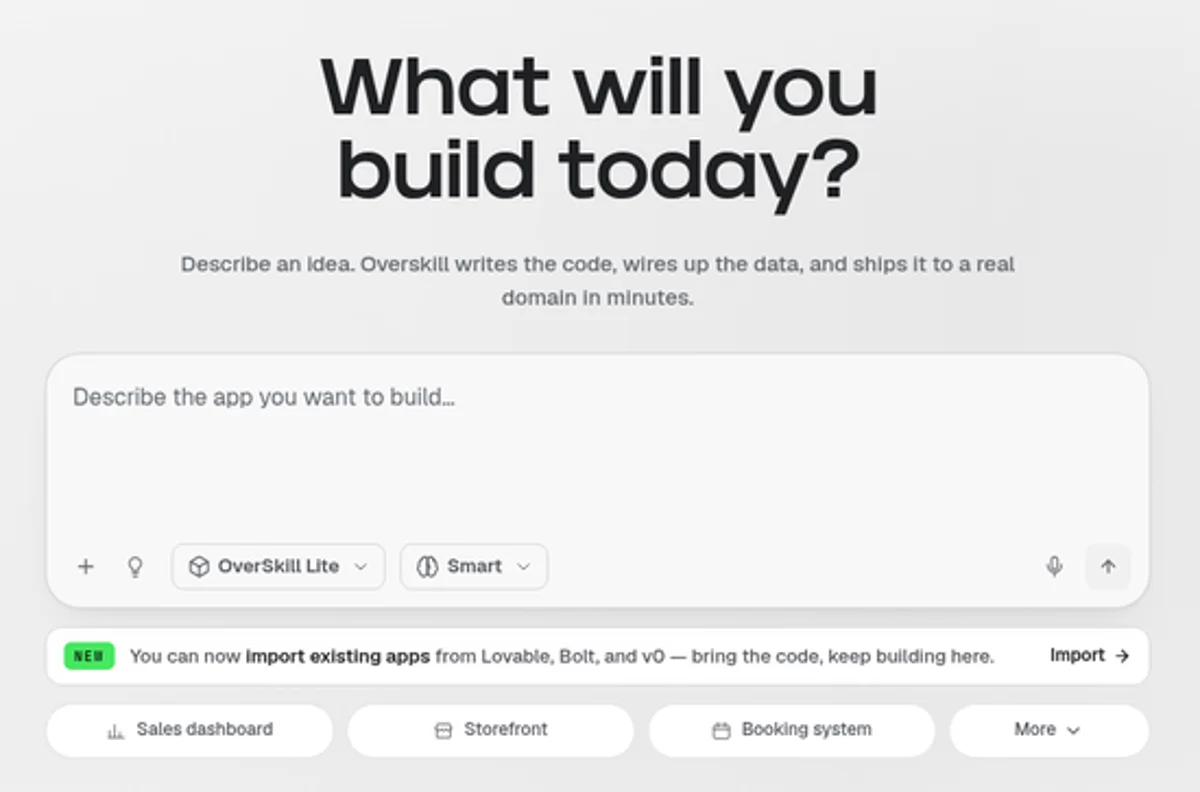
Why it matters: Clear input means fewer fix-up changes, which means fewer credits spent.
Step 3: Generate the first version
What to do: Paste the brief and generate. Answer any questions it asks. Then click through every screen.
Why it matters: A fresh build uses about 2,000 to 8,000 credits, per Overskill. Get the brief right before you spend them.
From the ClickFunnels channel (not mine): a ClickFunnels coaching session that builds a first app in Overskill on screen, so you can see the real builder before you start. Not my video.
Step 4: Make one change at a time
What to do: Keep a simple change log. Write one change, send it, check it, then write the next.
Why it matters: A typical change uses about 400 to 1,500 credits. One clear change per prompt wastes less and breaks less.
Step 5: Add sign-in and saved data
What to do: Ask Overskill to add sign-in for clients and an owner role. Then make a booking, reload, and confirm it is still there.
Why it matters: Overskill lists sign-in and a database as built in. But you still need to check that each person only sees their own records.
Step 6: Test like a customer
What to do: Make two client accounts. Book as each. Make sure client A cannot see client B's bookings. Test on your phone. If you take payments, test a full checkout before going live.
Why it matters: This is what Overskill itself recommends: test sign-in for each role, saved data, setup for connections, and the journey on desktop and mobile.
Step 7: Publish and get 5 users
What to do: Publish when the main journey works. Send the link to five people who have the problem. Watch where they get stuck.
Why it matters: Real use shows you what to fix next. It is also how you learn if the app is worth more credits.
From the ClickFunnels channel (not mine): part 2 of the ClickFunnels Overskill series, focused on refining an app after the first build. Not my video.
What to build first in Overskill
| App type | Best for | Cost type | Difficulty | My take |
|---|---|---|---|---|
| Booking app | Studios, coaches, services | Credits + Whop fees if paid | Medium | Great first paid app. Test payments carefully. |
| Client portal | Coaches, agencies | Credits | Medium | Strong test of sign-in and privacy. |
| Calculator or quiz | Lead capture | Credits | Easy | Cheapest first build. Fast win. |
| Internal tracker | Your own team | Credits | Easy | Good practice, no customers needed. |
Want a click-by-click first session? See the Overskill tutorial for beginners. Watching credits? Read how to save Overskill credits and Overskill pricing. New to building? Start with how to build an app with no coding experience.
Build and launch with Overskill
Nothing you check here is sent or saved. Download it if you want to keep it.
Ready to build your first Overskill app?
Copy the brief above, swap in your idea, and build it this week. Start with my recommended link.
Try Overskill (my recommended link)Affiliate link: I may earn a commission if you sign up through it. Plans and credits can change. Check the live pricing page before you buy.
Want help planning your app before you build? See MakerAI, my own tool.
Frequently asked questions
How do I use Overskill?
Write a short brief describing your app, paste it into Overskill, and review the first version. Make changes one at a time with prompts, test sign-in and data, then publish.
Can Overskill build apps without coding?
Yes. You describe the app in plain English and Overskill writes the code. You can export the source code later if you want a developer to take over.
How long does it take to build an app with Overskill?
A simple first version can come together in an afternoon. Testing, fixing, and getting first users usually takes a week or more.
Can I take payments in an Overskill app?
Overskill lists payments as a feature, and customer payments run on Whop. Check Whop's requirements and fees, and test a full checkout before going live.
Sources
Checked October 15, 2026. Plans, prices, and rules can change.
