
Capstone
You built an app. Now you want one real person to pay for it. This is the full checklist I would follow, from the first conversation to the first sale, in one place.
Disclosure: Some links in this post are affiliate links. I earn a commission if you buy through this link. It does not change the price you pay. MakerAI is my own company.
Quick answer
To get your first customer for an Overskill (I earn a commission if you buy through this link.) app: talk to one real buyer about a task they already do, write a one page brief, build the smallest version that solves it, and test it like a stranger on your live link. Then show a short demo to the people you talked to, ask for the sale with one clear price, run a $0 test checkout first, and list the app where buyers look. Follow up with everyone who said "maybe."
The goal: one customer, not a launch
Most people picture launch day: a big post, a flood of sign ups. That almost never happens with a first app. And chasing it makes you build too much.
Your real goal is smaller and better: one person who pays because the app solves a problem they have. One customer proves the idea. It teaches you more than a thousand likes.
In this video I talk about why most AI-built apps go nowhere. The few that work start with a buyer, not a feature list.
My video: Why most AI-built apps fail, and what the few that work do differently.
Step 1: talk to one real buyer
Before you build more, talk to someone who does the task your app helps with. Not a friend being nice. Someone who would actually pay.
Overskill's idea validation guide gives great advice here: ask about "the last real occurrence." Do not ask "would you use this?" Ask what happened the last time they did the task.
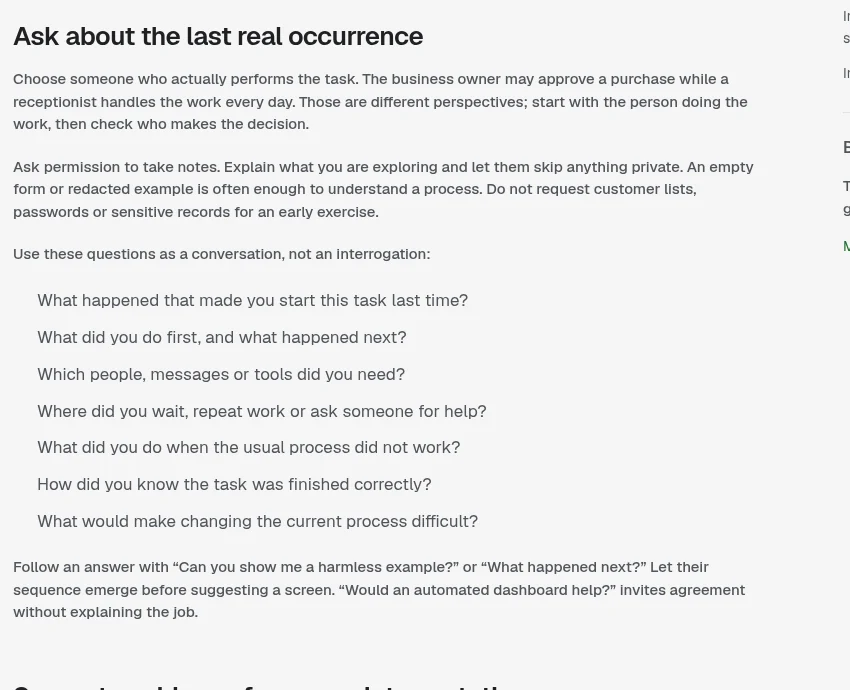
| Ask this | Not this |
|---|---|
| "What did you do first, and what happened next?" | "Would you use an app for this?" |
| "Where did you wait or repeat work?" | "Do you like my idea?" |
| "What did you do when it did not work?" | "How much would you pay?" (too early) |
Left column from Overskill Learn, checked Oct 17, 2026. Right column is mine.
Step 2: write a one page brief
A brief keeps you from building the wrong thing. It also makes a much better prompt for Overskill. Keep it to one page.
| Brief section | Example |
|---|---|
| Who it is for | Owners of small cleaning companies |
| The one job | Answer quote requests that come in after hours |
| What "done" looks like | A visitor gets a ballpark quote and the owner gets their details |
| What to save | Name, phone, home size, service, notes |
| What is not in version 1 | Scheduling, payments, team accounts |
Example only. Fill in your own buyer's words.
Not sure what to build? Start with my list of AI app ideas or what to build with Overskill.
Step 3: build the smallest version that solves it
Paste your brief into Overskill and ask for version 1 only. Small builds use fewer credits and break less. You can always add more after someone pays.
This is how I build software now: by describing it to AI. In this video I show the method. It is not an Overskill tutorial, but the thinking is the same.
My video: How I build software by describing it to AI, with no hand-written code.
Any results mentioned in videos are not typical and are not a promise of income. Your results depend on your work and your market.
For the actual clicks, see my Overskill tutorial for beginners. To make your credits last, read how to save Overskill credits.
Step 4: test it like a stranger
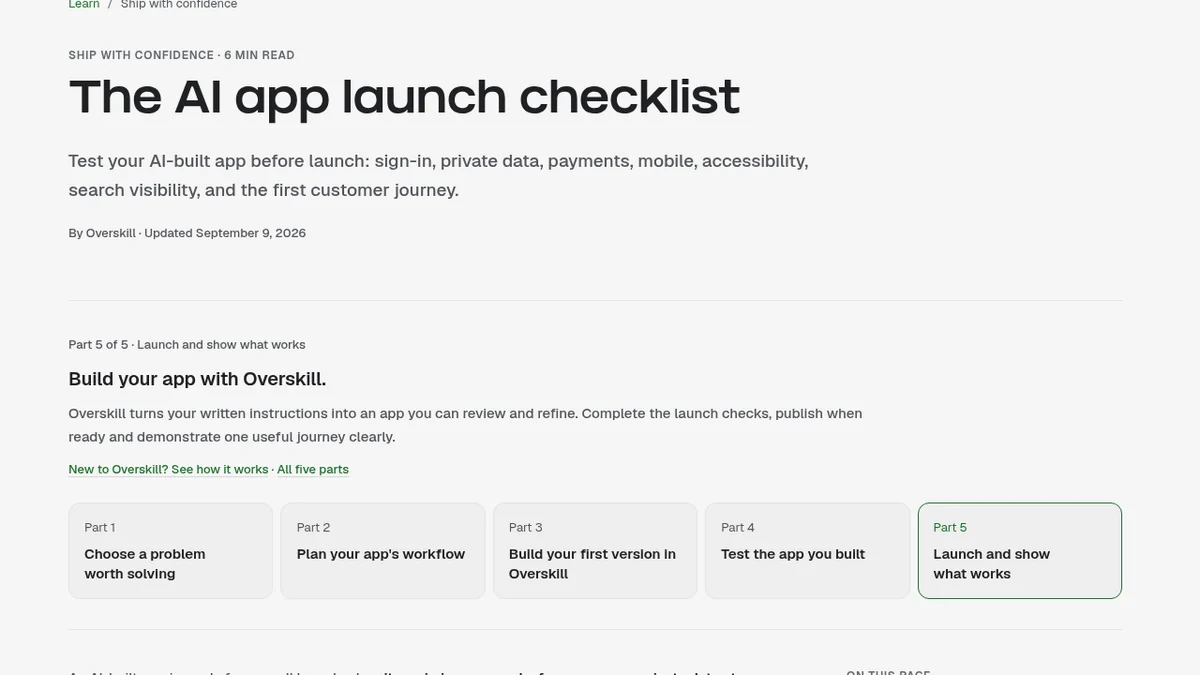
This is the step people skip, and it is the one that loses the first customer. Overskill's own launch checklist says an app is ready for a small launch when "its main journey works for a new user, private data stays private, and failures have a clear recovery path."
- Use the live link in a fresh browser, not the preview.
- Sign up as a new user and do the main job from start to finish.
- Refresh and check your data is still there.
- Test with two accounts. Account B must not see Account A's data.
- Use it on your phone. Most people will.
- Run the Security Review in the publish panel and fix anything critical.
My guide to building without code covers more of the honest limits. For the money side, see how to sell an AI app built with Overskill.
Step 5: show a short demo
Go back to the people you talked to in step 1. Show them the app. Keep it under five minutes. Use their business name or their task in the demo if you can.
Do not explain how you built it. Nobody cares about the tool. Show the before and after: "Here is what happens now when a quote comes in at 9pm."
Step 6: ask for the sale with one clear price
After the demo, ask. Out loud. "It is [price] a month. Want me to send you the link?" One price. One next step.
| Before you ask | How in Overskill (checked Oct 17, 2026) |
|---|---|
| Turn on payments | Tell the AI, for example: "Let me charge $20 a month for access to this app." |
| Test checkout for $0 | Create a 100% off test code and buy on your live link |
| Check you get access after paying | The test purchase should sign you in and unlock paid parts |
| Set up payouts | Complete business details, an approval review, and a one-time identity check |
Sources: Overskill help articles on selling and test checkout, checked Oct 17, 2026. The $20 is Overskill's example prompt, not a suggested price.
Not sure what to charge? The pricing section of how to sell an AI app walks through it. Customer payments run on Whop, and Overskill says you pay Whop's published rates.
Step 7: list it where buyers look, then follow up
Once a few real people have used it, put it where more buyers can find it. One option is the MakerAI Marketplace, which is run by my company. The free listing needs no account, and every submission is reviewed before it goes live. Approval is not guaranteed.
| Where | Why |
|---|---|
| Where your buyer already hangs out | Groups, forums, and communities for their industry |
| The MakerAI Marketplace | A public software directory; free listing with admin review |
| Your own content | A short video or post showing the before and after |
| Direct follow up | Everyone who said "maybe" in step 6 |
My list. Pick the one or two your buyer actually uses.
Follow up within a week. Most first sales come from the second conversation, not the first.
The full first customer checklist
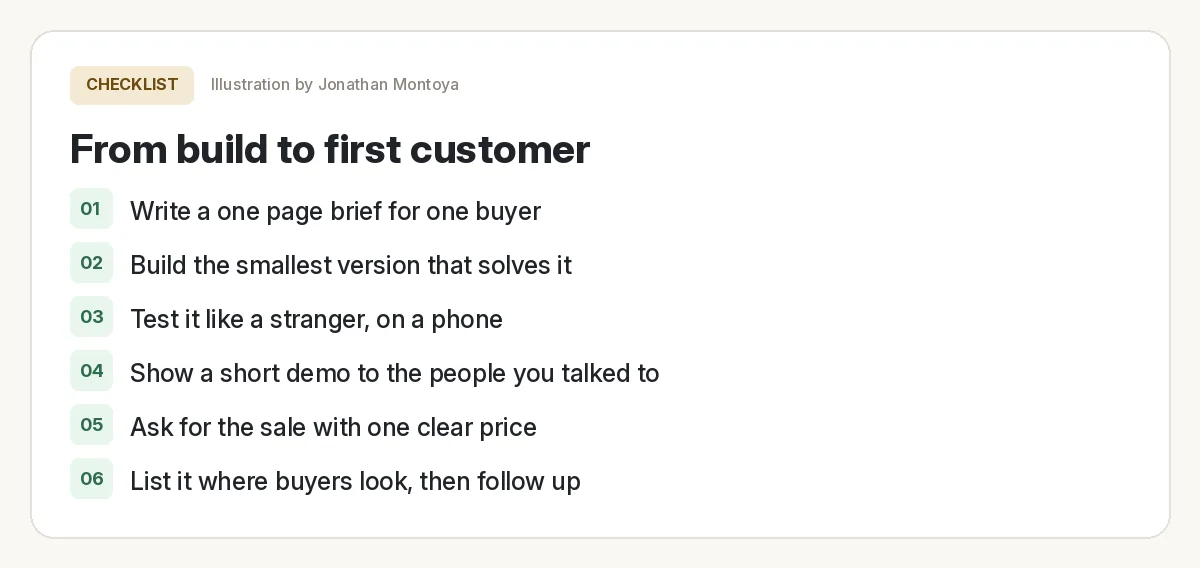
From Overskill build to first customer
Nothing you check here is sent or saved. Download it if you want to keep it.
That is the whole path. It is not fast, and it is not flashy. But it is how real software businesses start: one buyer, one problem, one sale.
Meet AIM Agent
AIM Agent is an AI Chief of Staff for business owners. You give it a real task, and it brings the work back for you to review. You stay the one who approves.
Meet AIM AgentI am a co-founder of AIM Agent and have a financial interest in the product.
Ready to build version 1?
Write your one page brief, paste it into Overskill, and build only what is in it.
Try OverskillI earn a commission if you buy through this link. Check the live pricing page before you buy.
Frequently asked questions
How do I get my first customer for an app?
Talk to one real buyer about a task they already do, build the smallest version that solves it, test it like a stranger, show a short demo, and ask for the sale with one clear price.
Should I launch publicly or find one customer first?
Find one customer first. One paying customer proves the idea and teaches you what to fix. A big launch for an untested app usually wastes effort.
How do I test my Overskill app before selling it?
Use the live link in a fresh browser, sign up as a new user, finish the main job, and refresh. Test with two accounts, check it on a phone, and run the Security Review.
Can I test my Overskill checkout without paying?
Yes. Overskill lets you create a 100% off test code and complete a $0 purchase on your live link to confirm you get access after paying.
Where can I list my app to find customers?
Start where your buyers already spend time. You can also submit it to the MakerAI Marketplace, which has a free listing with admin review. Approval is not guaranteed.
What questions should I ask a potential customer?
Ask about the last time they did the task: what they did first, what happened next, where they waited or repeated work, and what they did when it did not work.
Sources
All checked October 17, 2026. Overskill is in beta and changes often, so plans, features, and rules can change. Links to overskill.com below include my affiliate code. I earn a commission if you buy through this link.
- Overskill Learn: Validate an app idea with a customer
- Overskill Learn: The AI app launch checklist
- Help: Selling your app
- Help: Test your checkout without paying
- Help: Payment fees explained
- Help: Run the Security Review before you publish
- MakerAI Marketplace: Submit your software
- YouTube: Why 99% of Lovable Apps Fail (Jonathan Montoya)
- YouTube: The "Vibe Coding" Method (Jonathan Montoya)
