
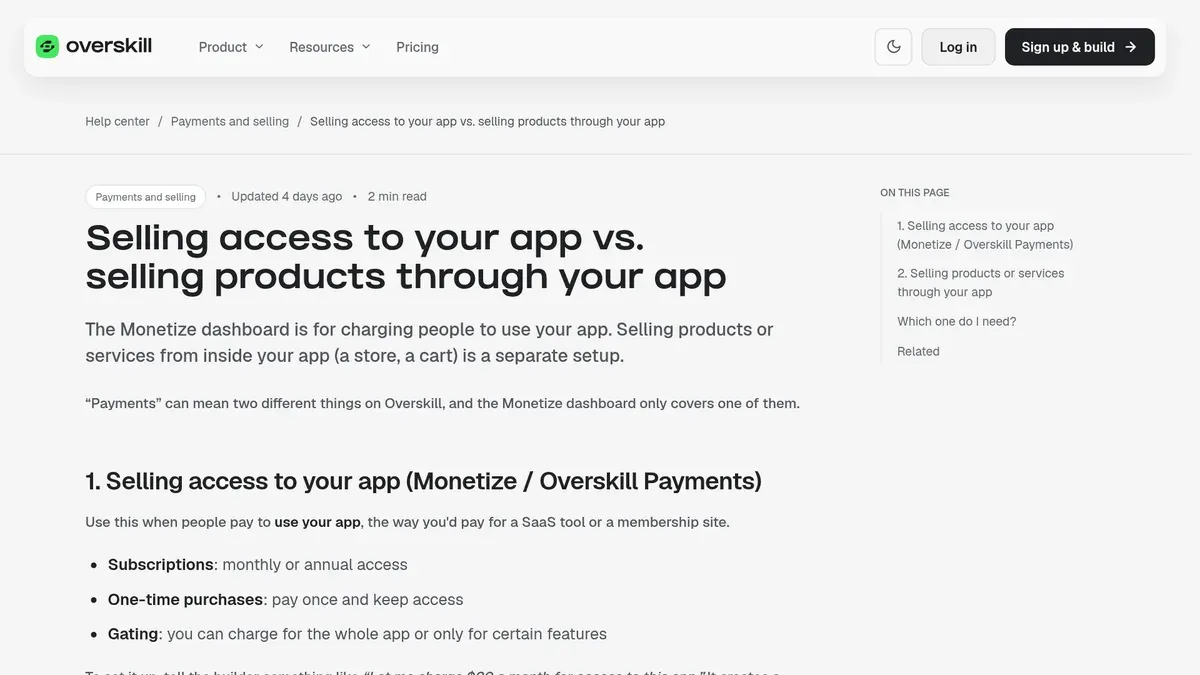
Overskill · Selling your app
The exact steps to start charging for an app you built in Overskill, plus the part most people skip: finding the first buyer.
You built an app in Overskill (I earn a commission if you buy through this link). It works. Now you want people to pay for it.
Good news: Overskill has payments built in. You do not need to set up a payment company or write code. The harder part is not the checkout. It is getting the right people to see it. This guide covers both, step by step.
Quick answer
Tell the Overskill builder your price, like "Let me charge $20 a month for access to this app." Fill in your business details so your app can accept payments, test your checkout with a free 100% off code on your live link, then share it. Money lands in your Overskill wallet. To cash out to your bank, you do a one-time identity check. Before all of that, make sure real people want it.
Before you sell: make sure someone wants it
Most apps do not fail because of the checkout. They fail because nobody needed them. I made this mistake before AI tools existed. In my words: "I built things nobody asked for. Launched to crickets. Wondered why nobody was buying."
So before you turn on payments, ask yourself three things:
- Can I name the exact kind of person who would pay?
- Have I talked to at least five of them?
- Did at least one say "I would pay for that" without me pushing?
If you cannot answer yes yet, go back a step. My list of AI app ideas for beginners can help you find a problem worth solving. Then come back.
My video: why most AI-built apps fail and what the few that work do differently. It is about Lovable, but the lessons apply to any builder, including Overskill.
The 3 ways Overskill lets you charge
Overskill's help center lists three ways to make money from an app. You can use all three in the same app.
| Way to charge | How it works | Good for |
|---|---|---|
| Subscription | People pay monthly or yearly to keep access | Tools people use every week, member sites |
| One-time purchase | Pay once, keep access | Templates, single tools, one-time events |
| Marketplace listing | Other creators buy a copy of your app as a template | Apps that solve a common problem for other builders |
From Overskill's "Selling your app" help article, checked October 16, 2026.
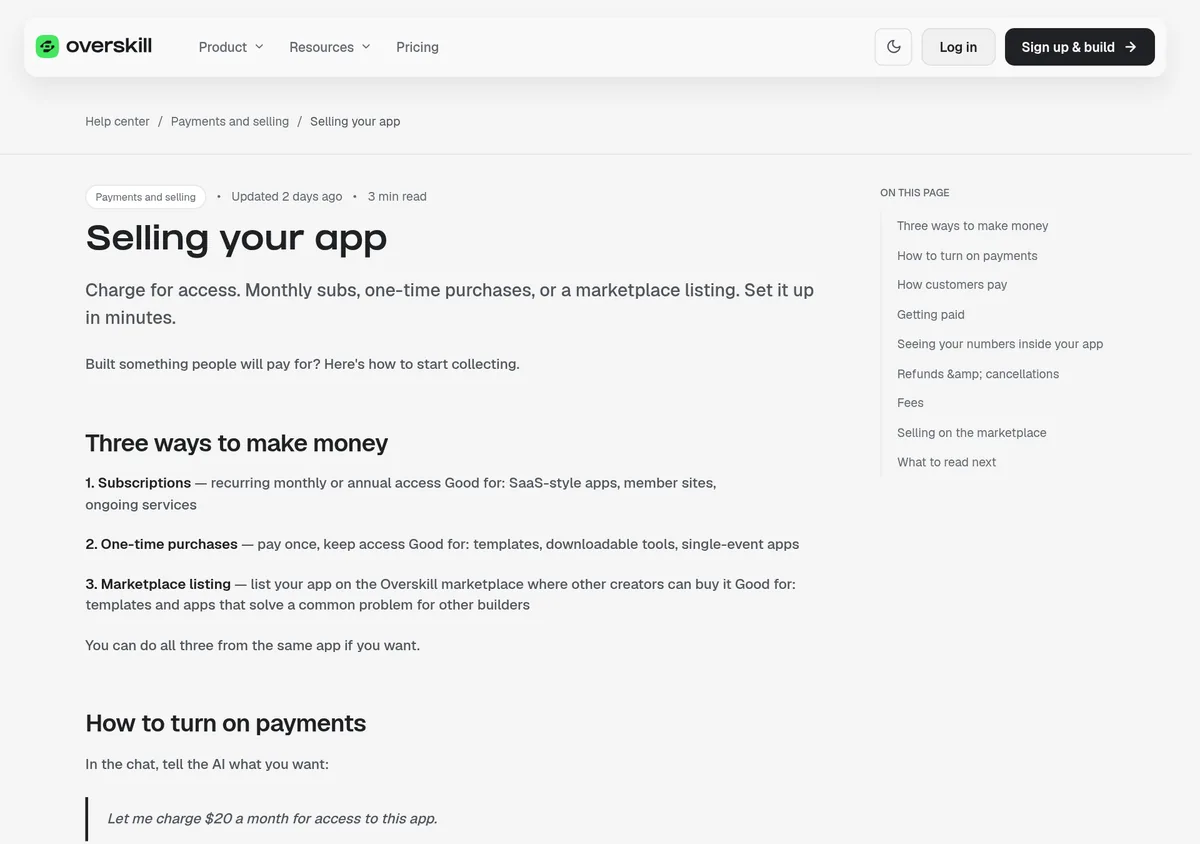
Selling access vs. selling products
This trips people up. Overskill's payments tool is for charging people to use your app. If your app is a store where people buy a product with a cart, shipping, or tax, that is a different setup. Overskill's help center says that kind of checkout usually runs through your own payment company, a Shopify store, or an outside checkout link like Gumroad.
How to sell your Overskill app, step by step
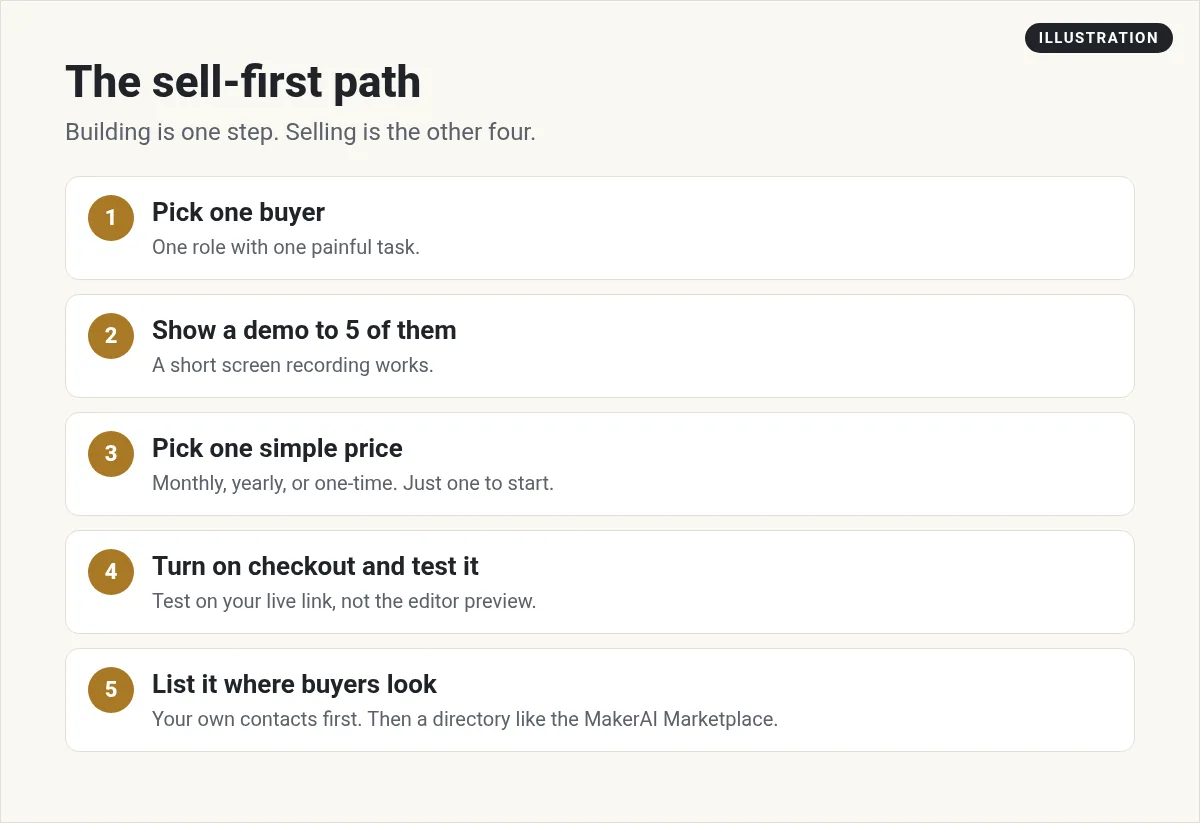
Step 1: Pick your price model
Overskill's help center gives example price models. These are examples from their article, not advice for your app:
| Model | Example Overskill gives |
|---|---|
| Monthly | $20 a month for access |
| Yearly with a discount | $20 a month or $200 a year |
| One-time | $99 once for lifetime access |
| Tiers | Free, Pro at $15 a month, Team at $49 a month |
| Per user | $10 per user per month |
| Pay per use | $0.10 per request, billed monthly |
If you are not sure, start with one simple monthly price. You can change it later. Overskill says existing customers keep their old price by default, and new customers see the new one.
Step 2: Tell the builder to turn on payments
In the builder chat, type something like this:
Overskill says the AI then asks you a few questions: the price, monthly or yearly or one-time, whether the whole app or only some features are paid, and what the signup page should say. It builds the checkout and the "members only" rules for you.
Step 3: Fill in your business details
Overskill's help center says that before your app can accept payments, you fill in your business details in the payment verification panel and pass an approval review. Do this early so it is not holding you up on launch day.
Step 4: Test your checkout for $0
Be your own first customer. Overskill gives you a 100% off test code, so you can run a real purchase through your checkout for $0. Find it under Payments in your account, on the "Test your checkout" card.
Step 5: Share your live link
Customers pay with a normal card checkout. Overskill says they do not need an account anywhere else.
Step 6: Cash out
Money goes into your Overskill wallet. To send it to your bank, you do a one-time identity check. Overskill says you will need a government ID, a quick selfie, your business or personal info, and bank details. They say it takes about 5 minutes.
Fees, refunds, and cancellations
- Fees. Overskill says customer payments run on Whop, and you pay Whop's published rates. Check the current numbers on Whop's fee page. I am not listing a number here because fees change.
- Cancellations. Customers can cancel on their own with the "Manage subscription" button in your app's settings.
- Refunds. You can refund a one-time purchase from your payments dashboard. Overskill says refunds usually reach the card in 5 to 10 business days.
Let other people sell it for you
Here is a feature many people miss. Overskill's help center says apps sold through Overskill Payments come with an affiliate program already built in, through Whop.
| What | What Overskill's help center says |
|---|---|
| Starting rate | 20% of the sale. You can change it. |
| Tracking window | 30 days from the click on a Whop referral link |
| Who can promote | Anyone with a free Whop account. They do not need an Overskill account. |
| Payouts | Calculated and paid by Whop automatically |
This is different from Overskill's own affiliate program, where you earn a commission for sending people to Overskill itself. That one is set up in your Overskill account under Account, then Affiliate Program.
Where to find your first buyers
A checkout with no visitors earns nothing. These are the places I would start:
- The people you talked to. Go back to them first. They told you the problem. Show them the fix.
- Groups where your buyer hangs out. Facebook groups, forums, and local business groups. Help first. Share the link when it fits.
- Short videos of the app solving one problem. Show the before and after in under a minute.
- Software directories. List it where people already look for tools.
That last one is something I built for this exact problem. The MakerAI Marketplace is a public directory of software from members and independent makers. Free listings are reviewed by an admin before they go live. Premium listings get a gold badge and featured spots. It showed 286 listings when I checked on October 16, 2026.
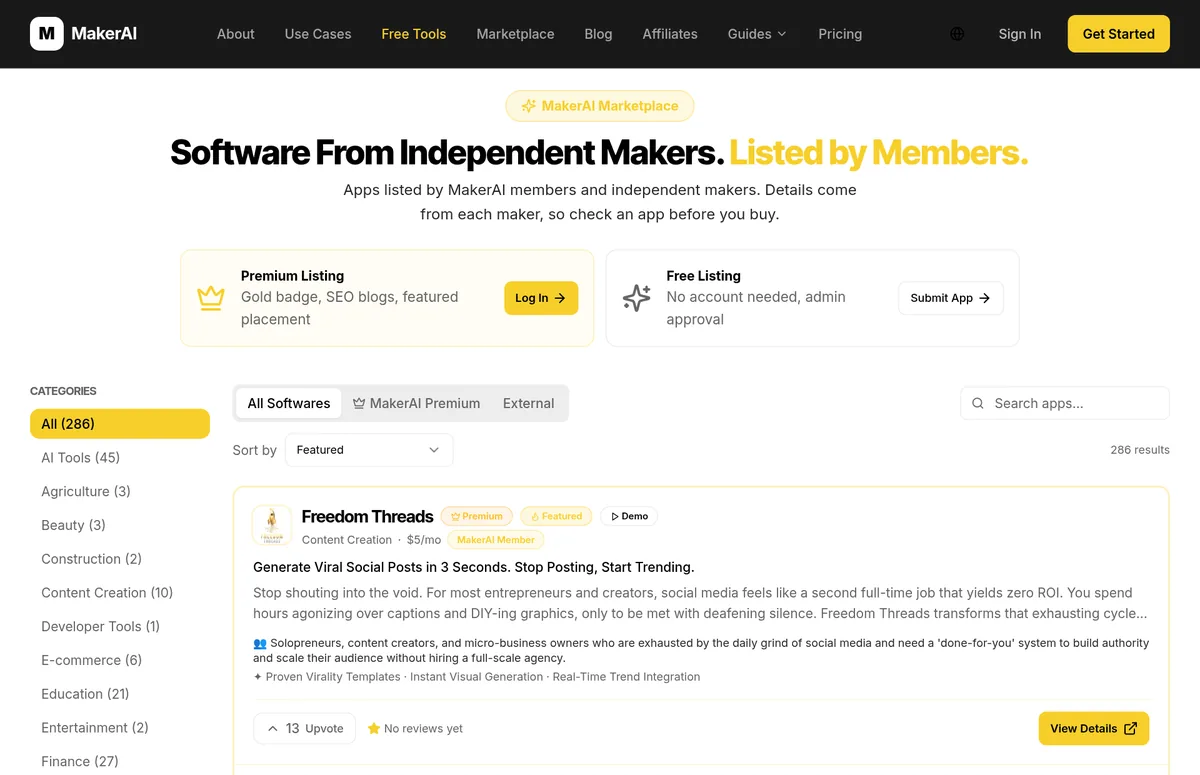
My video: how the MakerAI Marketplace works and how to list an app you built with any AI tool.
My own products are listed there too, like Freedom Threads, which turns videos into social posts. I did not build Freedom Threads in Overskill. I share it so you can see what a finished listing looks like.
Limits to know before you launch
- No App Store yet. Overskill's help center says App Store and Google Play publishing is not available yet. People use your app in the browser and can install it from there.
- No built-in price tests for most apps. Overskill says price split tests are only in beta for ClickFunnels AI funnels right now.
- AI features cost credits. If your app uses AI for each customer, those actions use credits. Overskill has a feature called buyer credits so you can charge customers for that AI use. Price it in.
Sell your Overskill app checklist
Nothing you check here is sent or saved. Download it if you want to keep it.
Want help getting your first customers?
In my free AI workshop, I show how to pick an app idea people already search for, build it with AI, and set up simple marketing so buyers find it.
Join my free AI workshopFree live workshop. No credit card needed.
Need access to the builder first? Start with Overskill (I earn a commission if you buy through this link.)
Frequently asked questions
Can I sell an app I built with Overskill?
Yes. Overskill has payments built in. You can charge a subscription, a one-time price, or list your app as a template on the Overskill marketplace.
Who owns the app I build?
Overskill's terms of service say the apps you generate are owned by you. Read section 5 of the terms for the full wording.
What fees does Overskill charge on sales?
Overskill says customer payments run on Whop and you pay Whop's published rates. Check Whop's fee page for current numbers before you set your price.
Do I need to verify my identity to sell?
Overskill says you fill in business details and pass an approval review before your app can accept payments. Cashing out to your bank also needs a one-time identity check with an ID and a selfie.
Why does my checkout not work?
The most common reason is testing in the preview. Overskill says checkout only works on your live app link, like yourapp.overskill.app. Publish, then test with the free 100% off code.
Sources
Checked October 16, 2026. Plans, prices, and rules can change. Links to overskill.com carry my referral code. I earn a commission if you buy through those links.
- Overskill help: Selling your app
- Overskill help: Setting prices and subscriptions
- Overskill help: Selling access vs. selling products
- Overskill help: Test your checkout without paying
- Overskill help: Checkout only works on your live app link
- Overskill help: Identity verification
- Overskill help: Payment fees explained
- Overskill help: Paying affiliates to promote your app
- Overskill help: Monetize AI usage with buyer credits
- Overskill help: App Store publishing FAQ
- Overskill terms of service (section 5, ownership)
- Whop fees
- MakerAI Marketplace
