
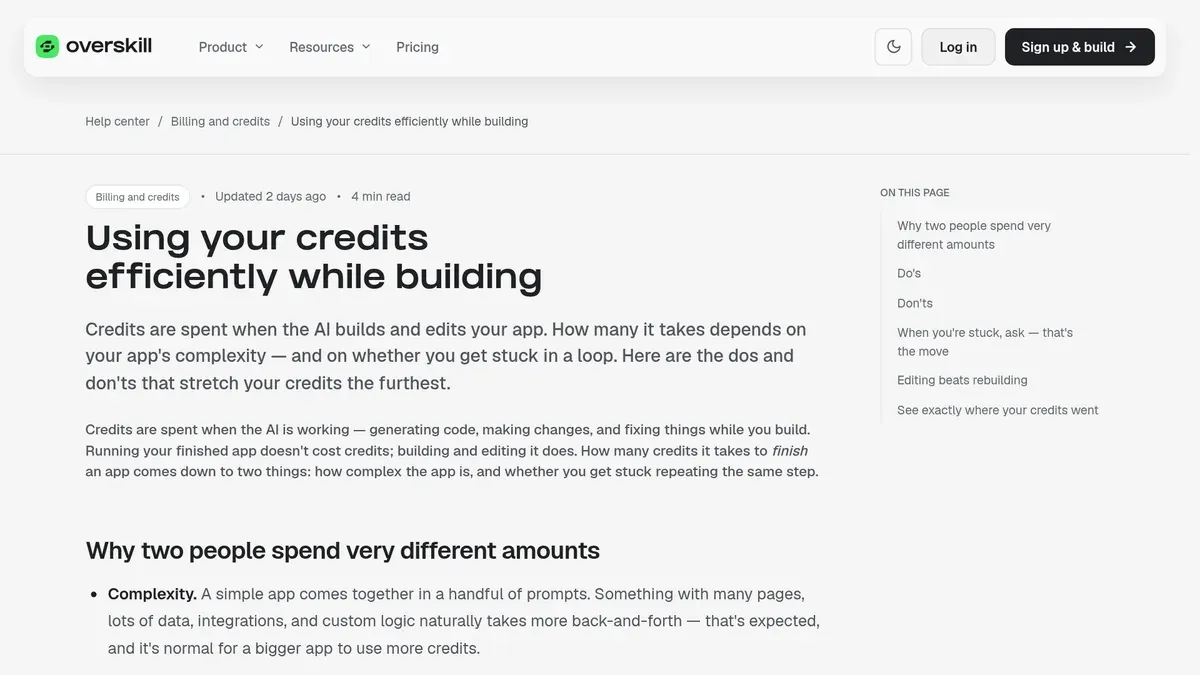
Overskill · Credits
Most wasted credits come from a few habits. Here is how to fix them, using Overskill's own numbers and advice.
Credits are the fuel in Overskill (I earn a commission if you buy through this link). Use them well and a plan goes a long way. Waste them and you can burn a month's worth in an afternoon.
The good news is that Overskill tells you exactly where credits go. I read its help center articles on credits and turned them into 12 simple habits. Every number here comes from Overskill's own pages, checked on October 16, 2026.
Quick answer
Edit your app instead of rebuilding it, make one change at a time, plan before you build, and stop after two or three failed tries on the same problem. Do not use the builder chat for questions, avoid "restyle the whole app" prompts, and on Studio, switch everyday edits to the cheaper Overskill Lite model. Roll back for free when something breaks.
How Overskill credits work, in 60 seconds
Overskill's pricing page says credits pay for AI work when you build or change an app. Here are the numbers that matter:
| What | Overskill's number |
|---|---|
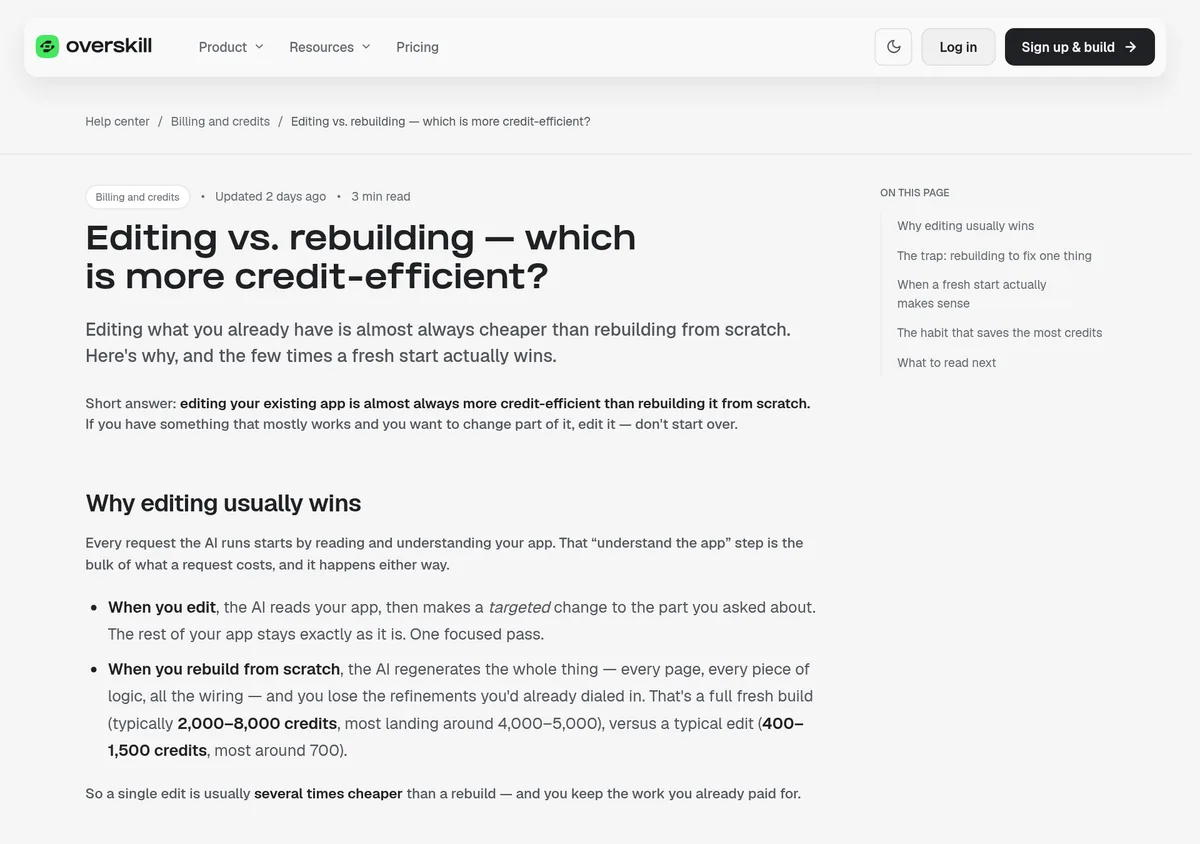
| A typical edit | 400 to 1,500 credits, most around 700 |
| A fresh build from scratch | 2,000 to 8,000 credits, most around 4,000 to 5,000 |
| New account start | 500 credits |
| Starter plan | 2,500 credits a month |
| Studio plan | 12,000 credits a month |
| Plan credits | Refill monthly, do not carry over |
| Credit packs | Never expire. Plan credits are spent first. |
From overskill.com/pricing and Overskill's help article "Editing vs. rebuilding," checked October 16, 2026.
Look at the gap. One rebuild can cost as much as five or six edits. That one fact drives most of the habits below.
Here is some quick math with those numbers. Starter's 2,500 monthly credits cover about three typical edits at 700 each. Or they cover about half of a typical rebuild at 4,000 to 5,000. Same money, very different results. These are Overskill's averages, so your app may use more or less.
12 habits that save Overskill credits
1. Edit, do not rebuild
Overskill's help center says editing is "almost always more credit-efficient" than rebuilding. Every request starts with the AI reading your app. When you edit, it then makes one focused change. When you rebuild, it makes everything again, and you lose the fixes you already paid for.
Here is the example Overskill gives:
| Costly | Cheaper |
|---|---|
| Rebuild this app but make the dashboard cleaner. | On the dashboard page, move the stats cards above the chart and use a lighter background. |
2. One change at a time
Add one feature or fix one thing. Check that it works. Then move on. Overskill says small, checked steps beat one giant prompt that is hard to get right.
3. Plan before you build
Start with "don't change anything yet" and ask the AI to tell you what it understood. Overskill notes that planning messages still cost credits. They save credits by stopping wrong rebuilds, not by being cheap.
4. Put the details in one prompt
Describe the feature, the data, and the look in one message. Ten small messages that slowly reveal what you want cost more.
5. Stop after two or three failed tries
This is the big one. Overskill calls it the "rabbit hole." If two or three tries on the same problem have not worked, stop. Change your approach or ask for help. Overskill says getting unstuck early is "the single biggest thing you can do to protect your credits."
6. Do not use the builder chat for questions
Every message in the builder chat runs a full AI pass, even a plain question. Overskill says to save the builder for build instructions. Ask questions in the help panel chat or the community instead.
7. Never ask for a "full visual pass"
Prompts like "restyle the whole app" send the AI through every screen. Overskill warns that on the strongest model, that can be "a multi-thousand-credit turn." Name one screen instead, like "restyle the home screen only."
8. Pick the cheaper model for everyday edits
Overskill's help center says each app has its own AI model. On Studio, new apps start on Overskill Max, which uses about five times as many credits per message as Overskill Lite. Lite handles everyday edits well. Switch with the cube icon under the builder chat box.
9. Be specific, not vague
"Make it better" or "fix it" gives the AI little to work with. Say what is wrong and what you want instead. My old engineering boss put it best: "If it's garbage in, you're going to get garbage out." Same with AI.
10. Roll back for free
Overskill's help center lists version history and rolling back as free. If a change breaks your app, go back to the last good version instead of paying the AI to undo it.
11. Start from a template
Overskill's templates page listed 385 published templates when I checked. Editing a template that is close to your idea is cheaper than a fresh build.
12. Keep a short brief and a credit log
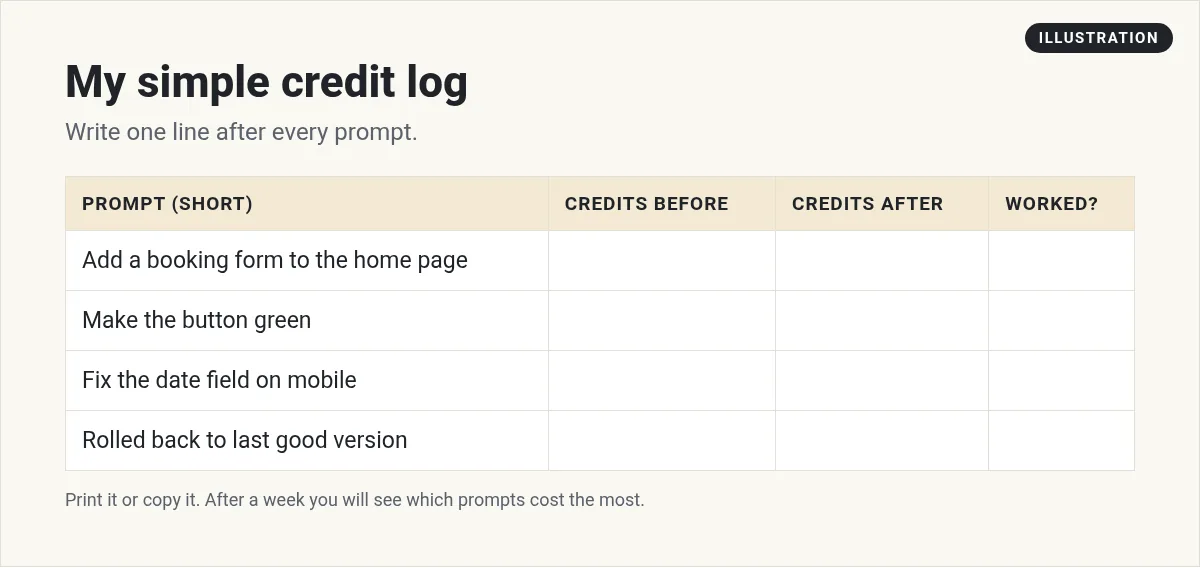
Overskill suggests jotting down key decisions and pasting them into prompts. I also like a simple log so you can see which prompts cost the most.
Credits your live app uses
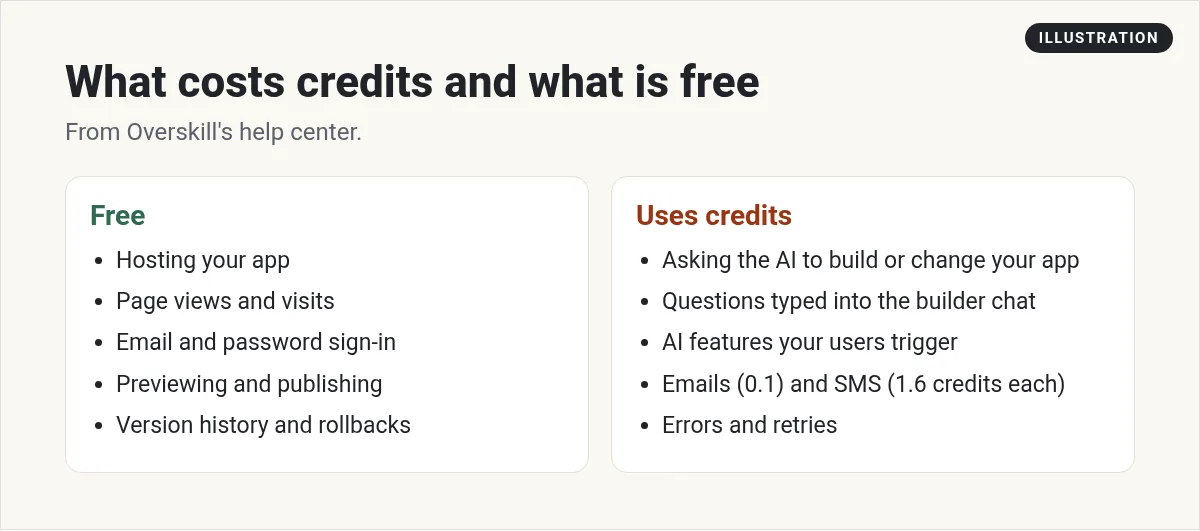
Building is one meter. Your live app is another. Overskill's help center says these are free: hosting, page views, email and password sign-in, previewing, and publishing. But some things your app does for visitors use credits:
- AI features your users run
- Emails: 0.1 credits each
- Text messages: 1.6 credits each
- Connected-service calls: about 0.5 credits each
If your app uses AI for every user, Overskill has a feature called buyer credits. It lets you include an AI allowance in your own app's plans and charge your customers for their AI use at a markup you set.
What to do if you run out
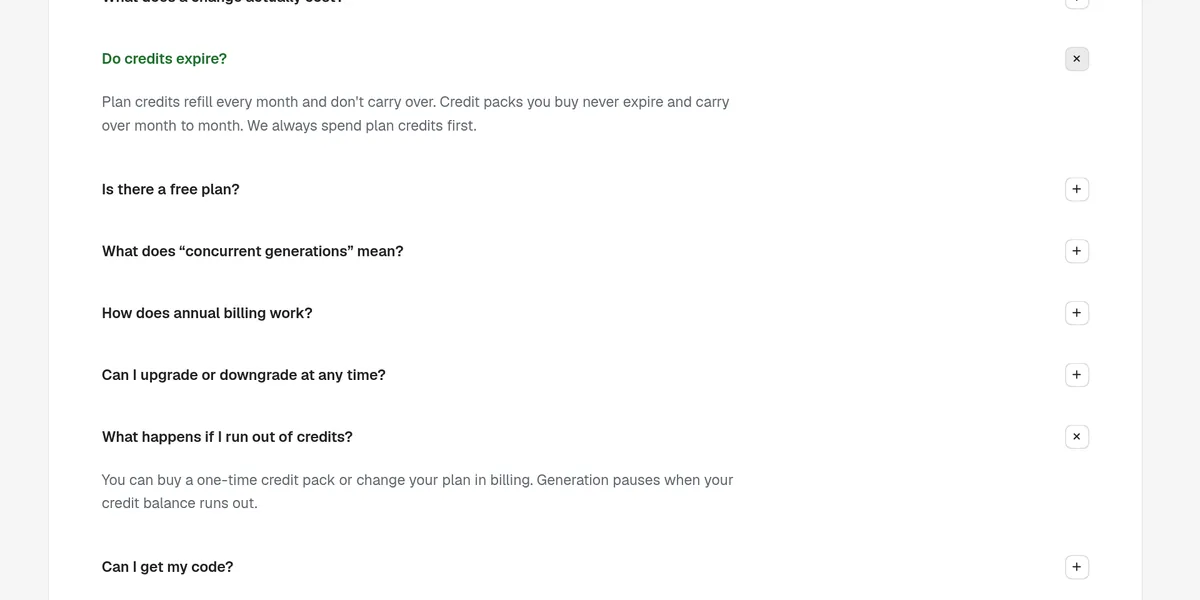
Overskill's pricing page says generation pauses when your balance runs out. You can buy a one-time credit pack or change your plan in billing. Credits you already have stay in your balance when you change plans. Your billing page also shows where your credits went, so check it before you buy more.
What still works with zero credits
Running out does not break your app. Overskill's help article "Out of credits, what now?" says that even at zero:
- Your live apps keep working for all your users
- You can publish updates, since publishing does not use credits
- You can view, edit, and export your data
- You can share your app with new users
What you cannot do is make new AI changes, generate images, or connect new integrations. If you are on a monthly plan, you can also just wait. Your plan credits refresh on your renewal date, which you can find in Account, then Billing.
Watch a credit-saving walkthrough
This long video from a builder in the Overskill community goes deep on building without wasting credits.
From the Doug Boughton channel (not mine): a full walkthrough by Doug Boughton on building in Overskill without burning credits. This video is not mine. It is an hour long, so skip around.
New to Overskill? Start with my Overskill tutorial for beginners and my Overskill pricing guide.
Save Overskill credits checklist
Nothing you check here is sent or saved. Download it if you want to keep it.
Meet AIM Agent
AIM Agent is an AI Chief of Staff for business owners. You give it a real task, and it brings the work back for you to review. You stay the one who approves.
Meet AIM AgentI am a co-founder of AIM Agent and have a financial interest in the product.
Need Overskill access first? Start with Overskill (I earn a commission if you buy through this link.)
Frequently asked questions
Why do my Overskill credits go so fast?
The most common reasons are rebuilding instead of editing, repeating the same failed prompt, asking questions in the builder chat, and asking for whole-app restyles. Overskill says a rebuild can cost 2,000 to 8,000 credits versus about 700 for a typical edit.
Do Overskill credits roll over?
Plan credits refill every month and do not carry over. Credit packs you buy never expire. Overskill spends plan credits first.
Does rolling back cost credits in Overskill?
No. Overskill's help center lists version history and rolling back as free.
Which Overskill AI model uses fewer credits?
Overskill Lite. Overskill says Overskill Max uses about five times as many credits per message. On Studio, new apps start on Max, so you may want to switch everyday edits to Lite.
What happens when I run out of Overskill credits?
Generation pauses. You can buy a one-time credit pack, change your plan, or wait for your renewal. Overskill's help center says your live apps keep working for your users.
Sources
Checked October 16, 2026. Plans, prices, and rules can change. Links to overskill.com carry my referral code. I earn a commission if you buy through those links.
- Overskill pricing (credit estimates, FAQ)
- Overskill help: Editing vs. rebuilding
- Overskill help: Using your credits efficiently while building
- Overskill help: Choosing the builder's AI model
- Overskill help: What costs credits and what is free
- Overskill help: Version history and rollbacks
- Overskill help: Out of credits, what now?
- Overskill help: Monetize AI usage with buyer credits
- Overskill templates page
