
Imagine earning thousands in affiliate income from a YouTube channel without showing your face. It might sound like a dream, but with the power of AI, it’s becoming a reality for many.
In this post, I’ll show you how to use faceless AI YouTube Shorts to boost your affiliate income. We’ll delve into the strategies, tools, and techniques you need to create engaging, profitable content without ever stepping in front of the camera.
Whether you’re a seasoned affiliate marketer or just starting out, this guide will equip you with the tools and insights to maximize your earnings with YouTube Shorts.
How AI Simplifies the Video Production Process
Video marketing is a total game-changer for affiliate marketers. It’s a fantastic way to connect with your audience and boost sales.
But let’s face it, creating awesome videos can be expensive, time-consuming, and often out of reach for many beginners.
Fortunately, AI has revolutionized video production. Now, anyone can produce professional-looking videos and make money from YouTube. It’s leveled the playing field, making video marketing accessible to all.
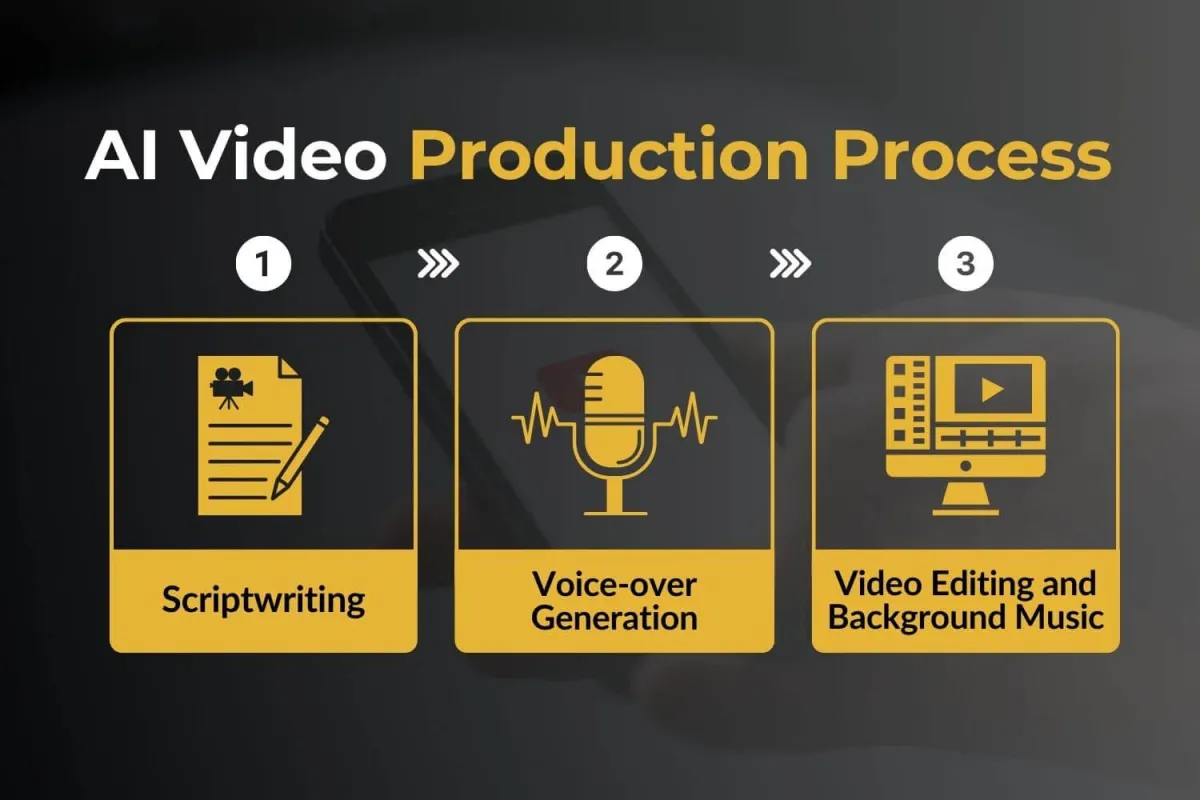
Scriptwriting
Writing a script can feel like staring at a blank page forever. With AI, that’s no longer a problem!
Quick and Easy: Just give the AI a few prompts or keywords, and watch it craft a coherent and engaging script in minutes.
Tailored Content: Get scripts that are perfectly suited to your niche and audience without spending hours brainstorming.
Focus on Creativity: With AI handling the heavy lifting, you can focus on tweaking the style and message to make it truly yours.
Voice-over Generation
No need for pricey voice talents or complicated recording setups. AI has got you covered here, too!
Variety of Voices: Choose from a wide selection of voices, accents, and tones to find the perfect fit for your content.
Natural Sounding: Advanced text-to-speech technology makes the audio sound human, not robotic.
Customization Options: Adjust the speed, pitch, and emotion of the voice to perfectly match your video’s vibe.
Video Editing and Background Music
Video editing might sound complex, but AI makes it as easy as pie.
Automatic Edits: Tools like InVideo AI can suggest cuts, transitions, and effects based on your script and visuals. It’s like having an editor at your fingertips!
Polished Look: Ensure your video looks professional with minimal effort, AI handles the details.
Perfect Soundtrack: AI can recommend background music that fits the mood of your video, enhancing the viewing experience.
With AI tools for affiliate marketing handling the heavy lifting, you can focus on the creative aspects of your content, knowing that your videos will look and sound professional.
Decide on a Niche
Before starting content creation, defining your niche is crucial for success in faceless affiliate marketing.
A well-defined niche helps you focus your efforts, reach a specific audience, and increase your chances of success.
What is a niche? It’s a specific topic or area of interest within a broader subject. For example, instead of focusing on general “travel,” you could narrow it down to “budget travel” or “luxury travel.”
Why is a niche important?
Focus: A niche helps you create targeted content that resonates with a specific audience.
Authority: By specializing in a particular area, you can position yourself as an expert.
Monetization: A well-defined niche makes it easier to find relevant affiliate products.
How to Choose the Right Niche
Passion and Expertise: Choose a niche you are passionate about and knowledgeable in. This will make content creation more enjoyable and authentic.
Market Demand: Research the demand for content in your chosen niche. Use tools like Google Trends and YouTube search to identify popular topics.
Audience Identification: Understand who your target audience is, their interests, and what problems you can solve for them. This helps tailor your content to their needs.
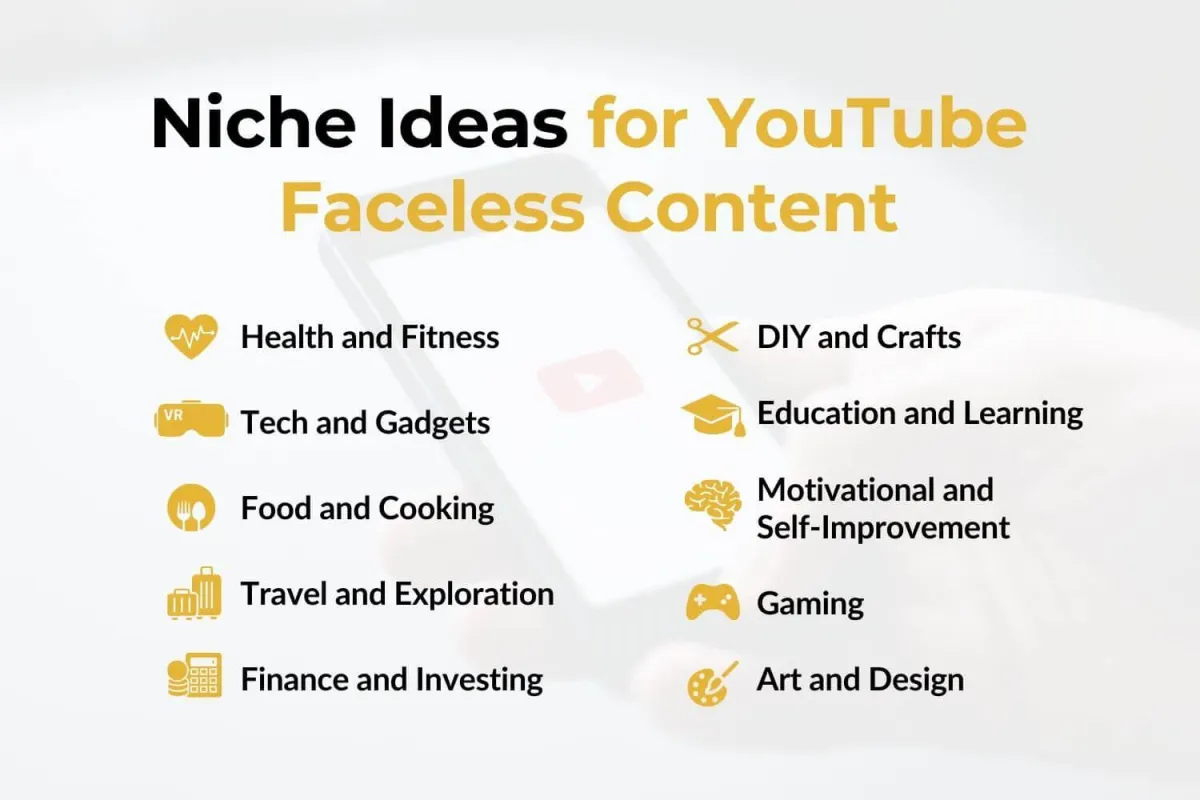
Examples of Niche Ideas for Faceless Channels
Health and Fitness: Create workout tutorials, nutritional advice, and wellness tips using animated visuals, diagrams, and voiceovers.
Tech and Gadgets: Offer reviews, comparisons, and unboxings of the latest technology and gadgets using product images, screen recordings, and animations.
Food and Cooking: Share recipes, cooking tips, and food hacks through overhead shots, step-by-step graphics, and engaging captions.
Travel and Exploration: Showcase travel destinations, tips, and itineraries using stock footage, maps, and narrated guides.
Finance and Investing: Provide financial advice, investment strategies, and budgeting tips with charts, infographics, and animated explainer videos.
DIY and Crafts: Demonstrate crafting techniques, DIY projects, and home improvement tips through hands-on demonstrations and time-lapse videos.
Education and Learning: Offer educational content on topics like science, history, or language learning with animated lessons, slideshows, and voiceovers.
Motivational and Self-Improvement: Share motivational quotes, personal development tips, and life hacks using typography, music, and narrated stories.
Gaming: Provide gameplay walkthroughs, reviews, and tips using screen captures, commentary, and game footage.
Art and Design: Showcase art tutorials, design techniques, and creative projects through time-lapse videos, digital art processes, and voiceover explanations.
Set Up Your Tools
Creating awesome faceless YouTube shorts requires the right tools. Just like a chef needs quality ingredients and equipment, you’ll need specific software to bring your video ideas to life.
Follow along with these steps in my video tutorial:
Step 1: Sign Up for an InVideo AI Account
InVideo AI is your go-to platform for turning your ideas into engaging Shorts.
Sign up for a free InVideo AI account to get started on your video creation journey. Take some time to familiarize yourself with its interface and discover the range of features it offers.
While you’re at it, go check out the platform’s extensive collection of templates, images, and music to bring your videos to life.
Step 2: Upgrade to ChatGPT Plus
Next, go to ChatGPT and subscribe to a Plus account. You’ll need ChatGPT Plus to access the advanced AI features we’re going to use for creating faceless YouTube Shorts.
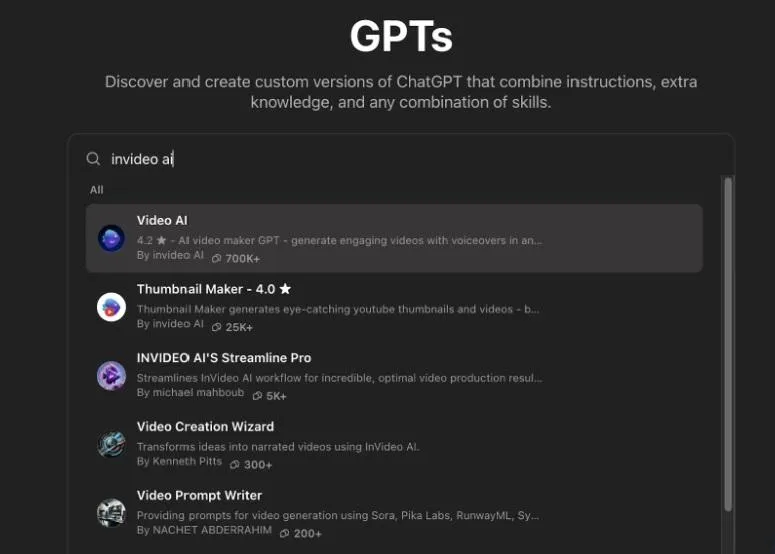
Once you have your Plus account, go to “Explore GPTs” and type in “Invideo AI.” You’ll see the option “VideoMaker, by Invideo AI.”
Now you can create an entire video using the VideoMaker AI plug-in inside of chat GPT.
Using ChatGPT to Create Faceless Videos
What I love about ChatGPT is that it helps me overcome writer’s block.
You can literally generate tons of topic ideas for your niche and also have it help you write your script, all within the VideoMaker plugin.
Crafting Effective Prompts
To get the best results from ChatGPT, you need to be specific. Here’s what to include in your prompts:
Topic, Target Audience, Tone: Clearly define the topic, target audience, and desired tone. For example, instead of saying “create a video about travel,” say “create a funny, 60-second YouTube short about budget travel for young adults.”
Provide examples: If you have a specific video in mind, describe it in detail. This helps ChatGPT understand your vision.
Include keywords: Incorporate relevant keywords to guide the content generation process.
Set a tone: Specify whether you want the video to be informative, entertaining, persuasive, or a combination.
By providing detailed prompts like this, you’ll guide ChatGPT towards creating content that aligns with your affiliate marketing goals.
Leveraging InVideo AI for YouTube Shorts
Once you’ve prompted ChatGPT, VideoMaker creates the video.
Then you’ll be taken to the InVidoe.io website where you can watch and do further edits to the video.
Here are a more customizations you can do inside the InVideo platform:
Choose a Suitable Template
Selecting the right template is the foundation of your video. InVideo offers a wide range of pre-designed templates tailored to different video styles, such as product reviews, tutorials, or lifestyle vlogs.
Consider your video’s tone, length, and target audience when choosing a template.
For example, a fast-paced, energetic template might be suitable for a product review targeting a young audience.
Customize Visuals and Music to Match Your Brand
To make your video truly yours, customize the visuals and music.
InVideo offers a vast library of high-quality stock images, videos, and music tracks. Select elements that complement your script and resonate with your target audience.
For example, if your video is about a relaxing skincare product, choose soft, calming music and serene images.
Now, you can use all the quality stock images and videos available. While upgrading to a paid plan allows you to remove watermarks and access additional features, the free plan offers a solid foundation for creating engaging videos.
If you’re just starting out, experiment with the free plan to get a feel for the platform and its capabilities.
Add Text and Graphics to Enhance Your Message
Text overlays and graphics can make your video more engaging and informative.
These elements can guide viewers, highlight key information, and encourage engagement.
Highlight key product features: Use text overlays to emphasize the benefits of the product you’re promoting. For example, if you’re promoting a new smartphone, highlight its camera quality, battery life, or unique features.
Include strong calls to action: Encourage viewers to take the desired action, such as clicking on your affiliate link or subscribing to your channel. Use clear and concise text overlays like “Shop Now,” “Learn More,” or “Subscribe.”
Add your branding element: Incorporate your logo, brand colors, and other visual elements to create a consistent brand identity. This helps build recognition and trust with your audience.
Use engaging visuals: Combine text with graphics, images, or animations to make your video more visually appealing. For instance, use a short animation to introduce a new product feature or display customer testimonials in a visually interesting way.
Refine and Edit for Perfection
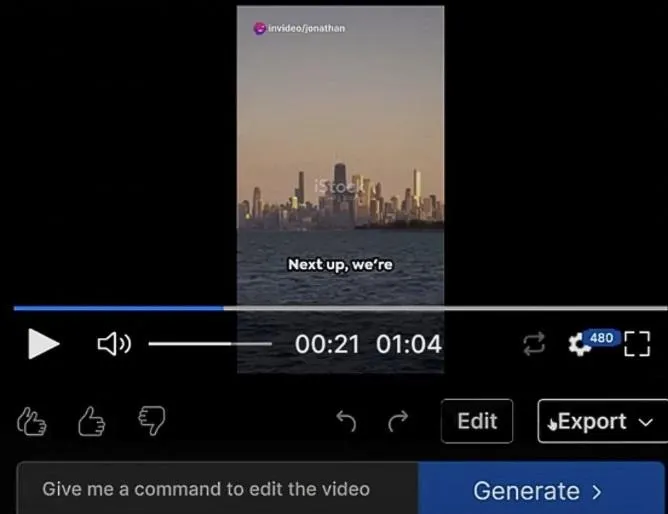
The final step is to polish your video. InVideo provides a range of editing tools to help you perfect your creation.
Adjust the timing of scenes, add transitions, and experiment with different effects to create a professional and engaging video.
For instance, you can use slow-motion effects to highlight product features or add a dramatic touch to your video.
The more you practice, the better you’ll become at creating engaging YouTube shorts. Experiment with different templates, visuals, and editing techniques to find your unique style.
Optimizing Your YouTube Shorts
To maximize your YouTube shorts’ visibility, it’s essential to optimize them for search. You can use ChatGPT for this as well.
Keyword research and optimization: Identifying the right keywords is essential for discoverability. Use YouTube’s autocomplete feature to discover popular search terms related to your niche. For example, if you type “travel tips” into the YouTube search bar, you’ll see suggested keywords like “travel tips for students,” “travel tips for couples,” and “travel tips for backpackers.”
Crafting compelling titles, descriptions, and tags: You can do this manually or use ChatGPT to generate them as well. In my video example, I used the prompt, “Create a YouTube Title and Description based on the Top 5 places to travel in the USA. Please make sure to optimize my description so people can find my video in search. Please make the title with a strong hook.”
Use YouTube Analytics: To optimize your YouTube Shorts strategy, track key metrics like views, watch time, likes, comments, shares, and audience demographics. Analyzing these metrics helps identify top-performing content and understand what your viewers are interested in. Use this data to experiment with new ideas and boost your potential affiliate income.
Once you’re satisfied with your video, its title, description, and tags, finish uploading them on YouTube, and voilà! You now have a fully optimized YouTube Short ready to reach a wider audience.
Though it looks like a small detail, I recommend you don’t skip the optimization part. It can significantly boost your video’s chances of appearing in search results, driving more views and increasing your potential affiliate income.
Want an AI team to help make your content?
Disclosure: I am a co-founder of AIM Agent and have a financial interest in the product.
AIM Agent is an AI Chief of Staff for business owners. It comes with an AI C-suite (COO, CMO, CFO, CRO and CTO), a Business Bot Builder and 100+ business skills, and it runs on AIM OS, a private vault that holds your notes and memory.
You give it a real task, and it brings the work back for you to review. You stay the one who approves.
About the Author
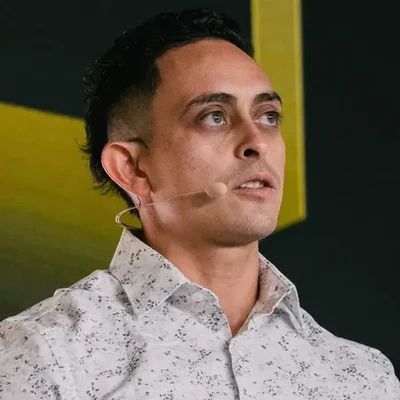
Jonathan Montoya is a former electrical engineer, husband, dad, and man of faith. He started building online in May 2019, left engineering in March 2020, and has built 3 seven-figure businesses. Today he teaches regular people how to use AI to build a business.
Frequently asked questions
Can AI make YouTube Shorts for me?
Yes. AI tools can write scripts, create voiceovers, and make visuals for Shorts.
Do AI-made Shorts get monetized?
They can if the content is original and adds value. Repetitive, mass produced content may not qualify.
What is the best AI video tool?
It depends on your style. Try a few tools and pick the one that fits your workflow.
