
Overskill · Switching
You do not have to start over to try a new builder. Overskill can rebuild your Lovable or Bolt app from its code download. Here is how it works and what to check.
Maybe you built an app in Lovable or Bolt and you want to try Overskill (I earn a commission if you buy through this link). The big fear is having to rebuild everything from zero. You might not have to.
Overskill's help center says you can import your project's code download, and Overskill rebuilds it as a native Overskill app with built-in login and a database. This guide shows how to get your code out of Lovable or Bolt, how to import it, and what to check after. I checked every step on each company's own help pages on October 17, 2026.
Quick answer
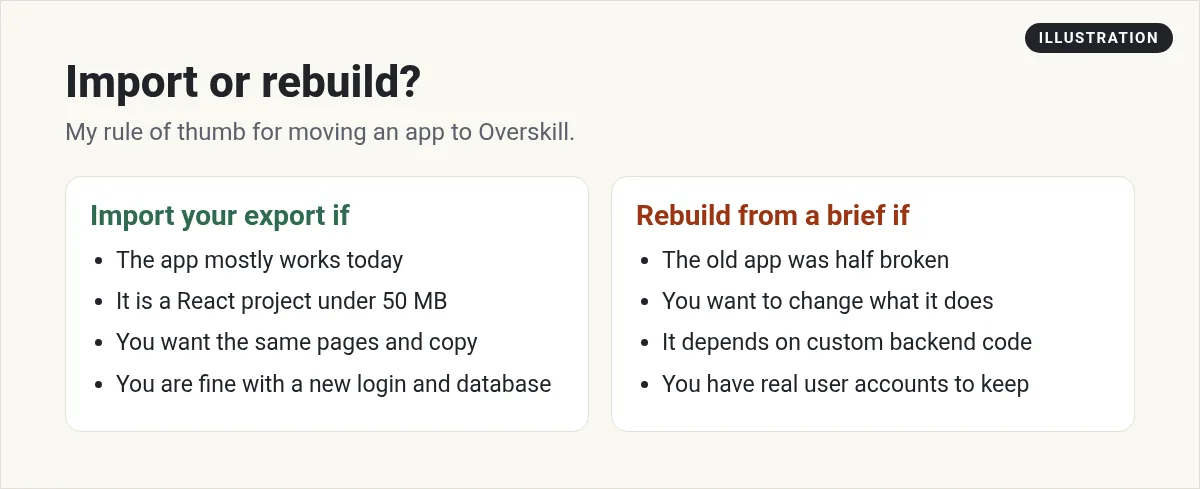
To move an app from Lovable or Bolt to Overskill, download your project as a .zip, then open the Import existing app option in Overskill, drop in the file, and click Analyze my project. Overskill rebuilds it as a native app, not a file-by-file copy, and gives you a conversion report. The import option is rolling out gradually, so you may need to ask Overskill support for it.
How the move works
Here is the key idea. Overskill does not copy your files one by one. Its help center calls it "a native rebuild informed by your upload, not a file-by-file copy."
Overskill says it reads your export and rebuilds the same pages, features, data model, and copy. Then it adds what your export did not have: built-in login, a live database, and a live web address. Overskill says it works this way on purpose, because every builder structures apps differently.
So think of it like this. You are not moving a house. You are handing the blueprints to a new builder who builds it again on their own foundation.
Two ways to switch
| Import your code | Rebuild from scratch | |
|---|---|---|
| Start with | Your project .zip | A paragraph, screenshots, and a data list |
| Speed | Overskill calls it the fast path | Slower, page by page |
| Availability | Rolling out gradually | Everyone |
| Best when | Your app mostly works and you like it | Your app is messy, or you want to rethink it |
From Overskill's help article "Can I migrate an app from Lovable, Bolt, or v0?" checked October 17, 2026.
Step 1: Download your code
From Lovable
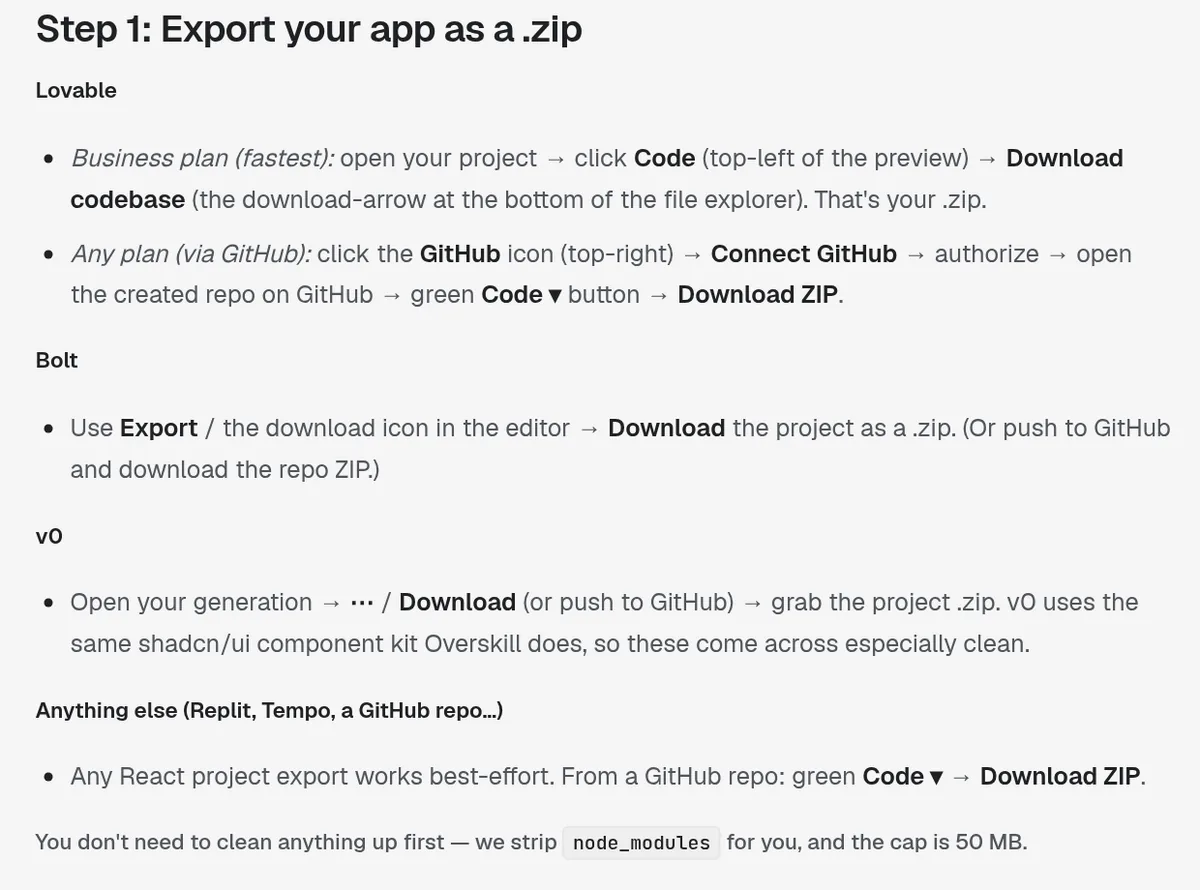
Lovable's own docs say that on paid plans, anyone with edit access can click Download codebase at the bottom of the file panel in the code editor, or use the Download codebase section in Project settings, then Git. You get a .zip file.
A note: Overskill's help article says this download is on Lovable's Business plan. Lovable's own docs, checked the same day, say paid plans. Trust Lovable's docs for Lovable, and check your own plan.
The other route is GitHub. Lovable's docs say you can connect your project to GitHub with two-way sync. Overskill's help says that once the repo exists on GitHub, you click the green Code button, then Download ZIP.
From Bolt
Bolt's help center says: open your project, click the project title in the top left, then click Export, then Download. That gives you a .zip file.
From v0 or anything else
Overskill's help says v0 projects come across "especially clean" because v0 uses the same component kit Overskill does. Overskill says any React project export works best-effort, including a GitHub repo download.
You do not need to clean the file. Overskill says it strips node_modules for you. The size limit is 50 MB.
Step 2: Import it into Overskill
Here is where to start. When you open Overskill to make a new app, you may see a banner saying you can import existing apps from Lovable, Bolt, and v0.
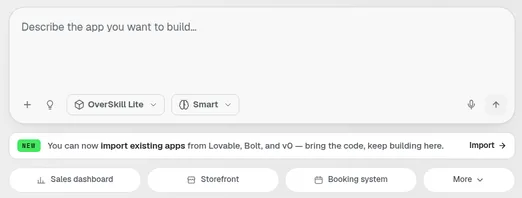
- Open the Import existing app option on the new app screen. Overskill says it is rolling out gradually, so if you do not see it, ask a team member.
- Drop your .zip file on the upload area.
- Leave I exported this from my own account checked.
- Click Analyze my project.
Overskill says it scans your export, figures out how it was built, makes a rebuild plan, and generates the app. A few minutes later you land in the editor with a live preview and a conversion report.
Step 3: Read the conversion report
Overskill says the report shows what it imported and what it "re-homed." For example, your old login and database get swapped for Overskill's built-in login and database.
Overskill also says the rebuild is usually more secure than the original. Its reason: exports from other builders often ship database keys inside the app's front-end code. The rebuild moves login and data onto Overskill's server-side system, so those keys are no longer sitting in your app.
Then click through every page in the preview and compare it to your old app. Make a short list of anything missing or different, and fix it one prompt at a time.
What to plan for
Overskill's help is clear about what it rebuilds. It is less clear about a few things people worry about, so here is what I would plan for:
| Question | What the docs say | What I would do |
|---|---|---|
| Will my pages and features come over? | Overskill says it rebuilds the same pages, features, data model, and copy. | Compare every page in the preview. |
| Will my login carry over? | Overskill says the old login is swapped for its built-in login. | Plan for existing users to sign up again. Ask support if that is a problem. |
| Will my live data rows come over? | The import help talks about the data model. It does not promise your live rows. | Export your data as CSV from your old app and import it in Overskill chat. |
| Will my old app stop working? | Not covered. Your old builder is a separate account. | Keep the old app live until the new one passes your tests. |
Overskill help checked October 17, 2026. Where the docs are silent, the right column is my advice, not an Overskill promise.
For data, Overskill's import help says to drag a CSV into the editor chat and describe what you want, like "Import this spreadsheet as my customer list." CSV is the only format the bulk import reads, and one import stops at 100,000 rows.
Prefer to start fresh?
Sometimes rebuilding is better. If your old app grew messy, starting clean can be faster than fixing an import. Overskill's help gives a simple recipe:
- Describe the app in one paragraph: what it is, who uses it, and the main things they do.
- Drop in screenshots of the key pages. Overskill says the AI matches layouts and styling from images.
- List the data it stores, like Classes, Bookings, and an admin login.
- Build, then refine page by page. For complex apps, ask for a plan first.
That recipe is a good habit no matter what builder you use. As my old engineering boss would always say, "If it's garbage in, you're going to get garbage out." Same with AI. A clear description gets you a clear app.
My honest take on these builders
I have used Lovable, Bolt, and Cursor, and I made a video comparing them. It came out in February 2026 and does not cover Overskill, but it shows what each tool does well and where people get stuck.
My video: my honest review of Cursor, Lovable, and Bolt, which one fits beginners vs developers, and why getting customers is harder than building.
For the side-by-side with Overskill, read my Overskill vs Lovable comparison and my Lovable vs Replit vs Bolt vs Cursor breakdown. If you are new to Overskill, start with what Overskill is.
Not sure you need code at all? Read can Overskill build apps without coding.
Migration checklist
Nothing you check here is sent or saved. Download it if you want to keep it.
Try your app in Overskill
Bring your Lovable, Bolt, or v0 project and see how the rebuild looks, or start fresh with a clear description.
Try OverskillI earn a commission if you buy through this link.
Want help with what to build next? Join my free AI workshop
Frequently asked questions
Can I move my Lovable app to Overskill?
Yes. Download your Lovable project as a .zip, then use Overskill's Import existing app option. Overskill rebuilds it as a native app with built-in login and a database.
How do I download my code from Lovable?
Lovable's docs say that on paid plans you can click Download codebase at the bottom of the code editor's file panel, or in Project settings, then Git. You can also sync to GitHub and download the repo as a ZIP.
How do I download my project from Bolt?
Bolt's help center says to open your project, click the project title in the top left, then click Export, then Download.
Does Overskill copy my files exactly?
No. Overskill calls it a native rebuild informed by your upload, not a file-by-file copy. It swaps your old login and database for its own built-in ones.
Why can't I see the import option in Overskill?
Overskill says the Import existing app option is rolling out gradually. If you do not see it, ask an Overskill team member.
Is there a size limit for Overskill imports?
Yes. Overskill says the cap is 50 MB, and it strips the node_modules folder for you.
Sources
Checked October 17, 2026. Plans, prices, and rules can change. Links to overskill.com carry my referral code. I earn a commission if you buy through those links.
