
Overskill help
Can't find where to sign in to Overskill, or stuck with a code that won't work? Here is exactly where to go and how to fix the most common problems.
Disclosure: Some links in this post are affiliate links. I earn a commission if you buy through this link. It does not change the price you pay. MakerAI is my own company.
Quick answer
The Overskill login page is overskill.com/users/sign_in. You can sign in with Google, Apple, an emailed sign-in code, or a password.
Where to log in to Overskill
Go to overskill.com/users/sign_in. That is the real sign-in page. I checked it on Oct 16, 2026.
One heads up: overskill.com/login does not work. It gave a "page not found" error when I tested it. Save the right page as a bookmark so you do not have to hunt for it.
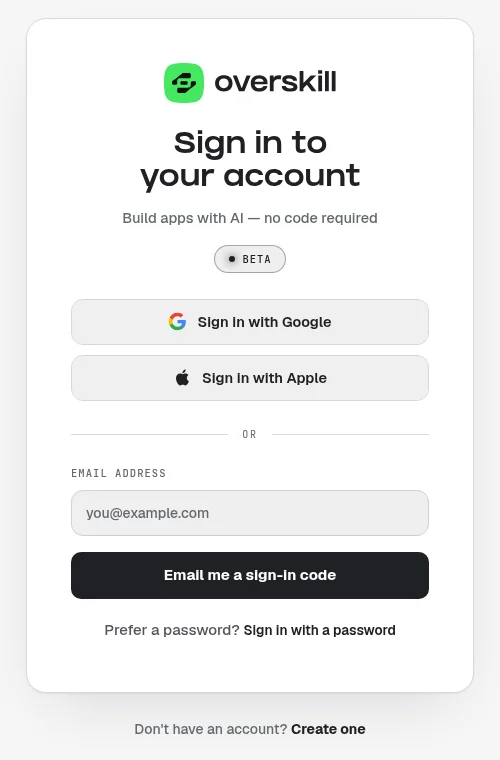
The 4 ways to sign in to Overskill
| Way | How it works | Best for |
|---|---|---|
| Sign in with Google | One click with your Google account | You signed up with a Gmail or Google Workspace address |
| Sign in with Apple | One click with your Apple ID | You use an iPhone or Mac and signed up with Apple |
| Email me a sign-in code | Type your email, then enter the code Overskill emails you | You never set a password |
| Sign in with a password | Click "Sign in with a password," then type your email and password | You already set a password |
From the live sign-in page, checked Oct 16, 2026.
The most common mix-up is simple. People sign up with Google, then later try to sign in with a password they never made. If you are not sure, start with the same button you used the first time.
New here? Sign up and invite codes
If you do not have an account yet, use the "Create one" link on the sign-in page. Anyone can sign up now with Google, Apple, or email. If you have an invite code, enter it on the join page under "Have an invite code?"
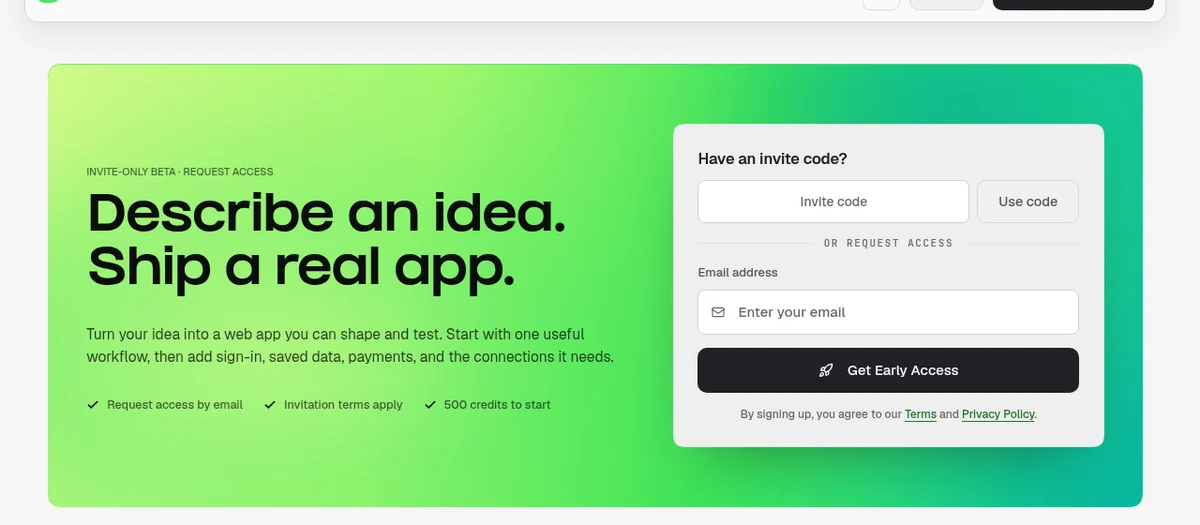
How to use an invite code
- Open the invite link the person sent you. It looks like overskill.com/waitlist/invite/YOURCODE.
- Or go to overskill.com/join, open "Have an invite code?", and type the code.
- Enter your email and accept the invite.
- For instant access codes, check your email for a link to set your password. Then sign in.
Here is what Overskill's help center says about codes:
| Rule | What it means |
|---|---|
| Single use | One code admits one person. Once it is used, it is done. |
| Can expire | Some expire in as little as 48 hours. Use yours fast. |
| Not case sensitive | Capital or small letters both work. Include the dash. |
| Already on the waitlist? | Using a code with that email sends you to your waitlist dashboard, and the code is not used up. |
| Already have an account? | You do not need a code. Just sign in. |
Source: Overskill help, "Invite codes and referral links," checked Oct 16, 2026.
Want the full picture before you join? Read what Overskill is and my Overskill pricing guide. The join page says new accounts get 500 credits to start.
If you want to try it, here is my link: join Overskill (I earn a commission if you buy through this link.)
Fixes for the most common Overskill login problems
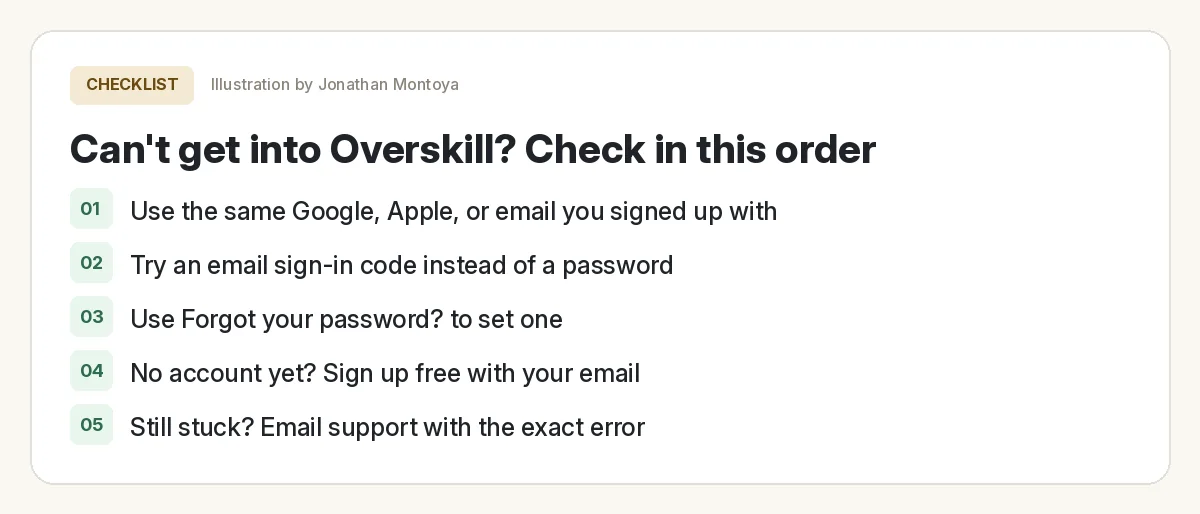
| Problem | What to try |
|---|---|
| "I forgot my password" | On the password screen, click "Forgot your password?" to set a new one. |
| "I never made a password" | Use "Email me a sign-in code," or the Google or Apple button you first used. |
| "My invite code is invalid or expired" | It may be used, expired, mistyped, or cancelled. Ask the sender for a fresh code, or sign up without one. |
| "I signed in and my apps are gone" | You may have signed in with a different email or method. That can create a separate account. Sign out and try the one you first used. |
| "Nothing happens when I build" | That is not a login issue. Overskill support says many of these reports are an empty credit balance. |
My Overskill login fix list
Nothing you check here is sent or saved. Download it if you want to keep it.
How to change your Overskill login email
You can do this yourself. You do not need support. Here are the steps from the help center:
- Open the account menu and click Your Profile.
- Open the Security tab.
- Type your new address in Email address and save.
- Click the confirmation link sent to the new address. Your login changes only after that.
If your account has no password yet, the Security tab shows "Set a password" instead. The new email also cannot already have its own Overskill account.
One more note for ClickFunnels users: changing your email in ClickFunnels only changes your ClickFunnels login. Your Overskill login stays the same until you change it in Overskill.
When your app's users can't sign in
This is a different problem. It is about the people using an app you built, not your own Overskill login.
Overskill is the sign-in provider for the apps you build. Your users create or reuse a free, shared Overskill account. They do not need a paid plan just to sign in to your app.
The help center says the most common cause of login loops or a "redirect_uri_mismatch" error is renaming your app. It fixes itself in a few minutes. To fix it right away, re-publish your app.
New to building? My Overskill tutorial for beginners walks through your first app.
How to reach Overskill support
Overskill lists two main ways to get help:
- The in-app help panel. Click the help icon. It has three tabs: Articles, Chat, and Tickets. The help article says tickets usually get picked up within a few hours.
- Email. Write to [email protected]. This works even when you cannot log in, and it creates a ticket for you.
Tell them what you were trying to do, what happened, what you expected, and the app name or web address if it is about one app. That gets you a faster fix.
Meet AIM Agent
AIM Agent is an AI Chief of Staff for business owners. You give it a real task, and it brings the work back for you to review. You stay the one who approves.
Meet AIM AgentI am a co-founder of AIM Agent and have a financial interest in the product.
Frequently asked questions
What is the Overskill login page?
It is overskill.com/users/sign_in. You can sign in with Google, Apple, an emailed sign-in code, or a password. The /login address returned page not found when checked on Oct 16, 2026.
Can I create an Overskill account without an invite code?
Yes. Anyone can sign up with Google, Apple, or email. An invite code is optional.
Why does my Overskill invite code say invalid or expired?
Codes are single use and can expire, some within 48 hours. It may also have a typo or been cancelled. Ask the sender for a fresh code, or sign up without one.
How do I reset my Overskill password?
On the sign-in page, click Sign in with a password, then Forgot your password? to set a new one. You can also skip the password and use Email me a sign-in code.
How do I change my Overskill login email?
Go to Your Profile, then the Security tab, enter the new address, and click the confirmation link sent to it. Do not sign in with the new address first, because that creates a separate account.
How do I contact Overskill support?
Use the help icon in the app to open Articles, Chat, or Tickets, or email [email protected]. Email works even if you cannot log in.
Sources
All checked October 16, 2026. Overskill is in beta and changes often, so plans, features, and rules can change. Links to overskill.com below include my affiliate code. I earn a commission if you buy through this link.
