
Ship safely
AI can build an app in minutes. It can also leave a door open in minutes. Here is the security checklist I would run before real people put their data into an app you built.
Disclosure: Some links in this post are affiliate links. I earn a commission if you buy through this link. It does not change the price you pay. MakerAI is my own company.
Quick answer
Before you publish an Overskill (I earn a commission if you buy through this link.) app, open Publish and click Run Scan under Security Review. Fix anything Critical or High. Then test by hand: no keys in the code or chat, two test accounts that cannot see each other's data, private pages that stay private when signed out, and only the data you need. Overskill runs on SOC 2 Type II certified hosting, but it says it does not hold its own SOC 2, and no scan is a guarantee.
Why vibe coded apps need a security checklist
"Vibe coding" means building software by describing it to AI. It is how I build now, and it is amazing. But the AI does what you ask. If you never ask "make sure user A cannot see user B's orders," you might not get that.
The good news: the most common problems are easy to catch. You do not need to be a security expert. You need a checklist and 20 minutes.
If you want the deep version later, the OWASP Top 10 is the standard list of web app risks. This post is the beginner version.
If you are new to building this way, watch how I think about it in my guide to vibe coding with Claude. The ideas carry over to Overskill.
| Common problem | What it looks like | How to catch it |
|---|---|---|
| Exposed secret | An API key sitting in the app's code | Security Review, plus never pasting keys in chat |
| Broken access | User B can open User A's record | Test with two accounts |
| Unsafe input | A form accepts code that runs in the browser | Security Review |
| Too much data | The app stores things it never uses | Review every field you collect |
| Open admin page | A settings page anyone can load | Test while signed out |
My summary, based on Overskill's Security Review article and launch checklist, checked Oct 17, 2026.
Step 1: run the built-in Security Review
Overskill has a scan built into the publish flow. Its help says it checks "for the most common security mistakes so you can fix them before real users (and their data) ever touch it."
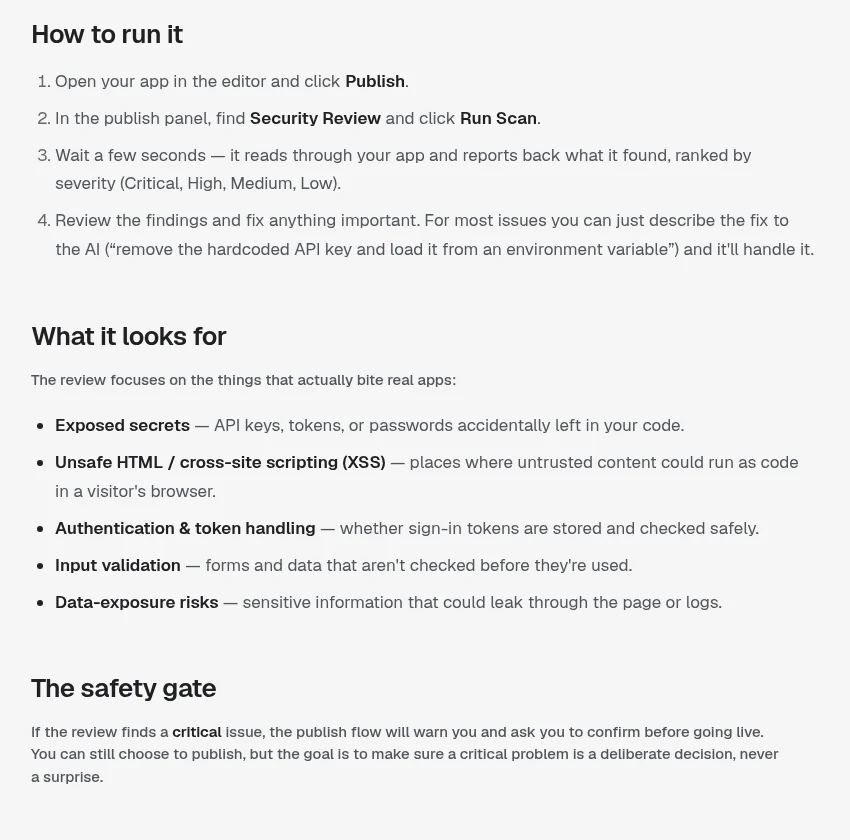
- Open your app in the editor and click Publish.
- In the publish panel, find Security Review and click Run Scan.
- Wait a few seconds. Findings come back ranked Critical, High, Medium, or Low.
- Fix the important ones. You can describe the fix to the AI in plain English.
| It looks for | In plain words |
|---|---|
| Exposed secrets | Keys, tokens, or passwords left in the code |
| Unsafe HTML (XSS) | Spots where outside text could run as code in a visitor's browser |
| Authentication and tokens | Whether sign-in is stored and checked safely |
| Input validation | Forms that do not check what people type |
| Data exposure | Private info that could leak through the page or logs |
Source: Overskill help, run the Security Review before you publish, checked Oct 17, 2026.
If the scan finds something Critical, Overskill warns you and asks you to confirm before you go live. You can still publish. The point is that a critical problem is "a deliberate decision, never a surprise."
Step 2: no secrets in the code or the chat
A secret is anything that unlocks an account: an API key, a token, a password. If one ends up in your app's code, anyone clever enough to look can use it.
- Never paste keys into the chat. Overskill says this again and again across its help articles.
- Use the built-in connections from the integrations marketplace when one exists.
- For anything else, add the key under Settings, then Environment Variables, and mark it secret.
- Rotate a key right away if you think it leaked.
Step 3: test access with two accounts
This is the test I would never skip. Overskill's own launch checklist has a step called "Test ownership and access with two accounts." Here is how I do it.
- Make two test accounts: User A and User B.
- As User A, create a record, like an order or a note.
- Sign in as User B. Try to find User A's record. Try the list, the search, and the direct link.
- Sign out completely. Try the same links again.
- If you have an admin area, try it as a normal user.
If User B can see anything of User A's, stop. Tell the AI exactly what you saw and ask it to fix the access rule. Then test again.
Step 4: collect less data
The safest data is data you never collected. Look at every form field and ask, "Do I really use this?" If not, remove it.
Overskill's idea validation guide makes the same point about early research: do not ask for customer lists, passwords, or sensitive records. The same rule works for your app.
| Usually fine | Think twice | Avoid unless you truly need it |
|---|---|---|
| Name and email | Phone number | Social Security numbers |
| Order details | Home address | Full card numbers (let the payment tool handle it) |
| Preferences | Date of birth | Health records |
If you take payments, let the payment system hold the card details. Overskill's pricing page says payments run through Whop. Your app never needs to store a card number.
What Overskill handles for you
You are not starting from zero. Overskill's security page, last updated Oct 15, 2026, lists what the platform does.
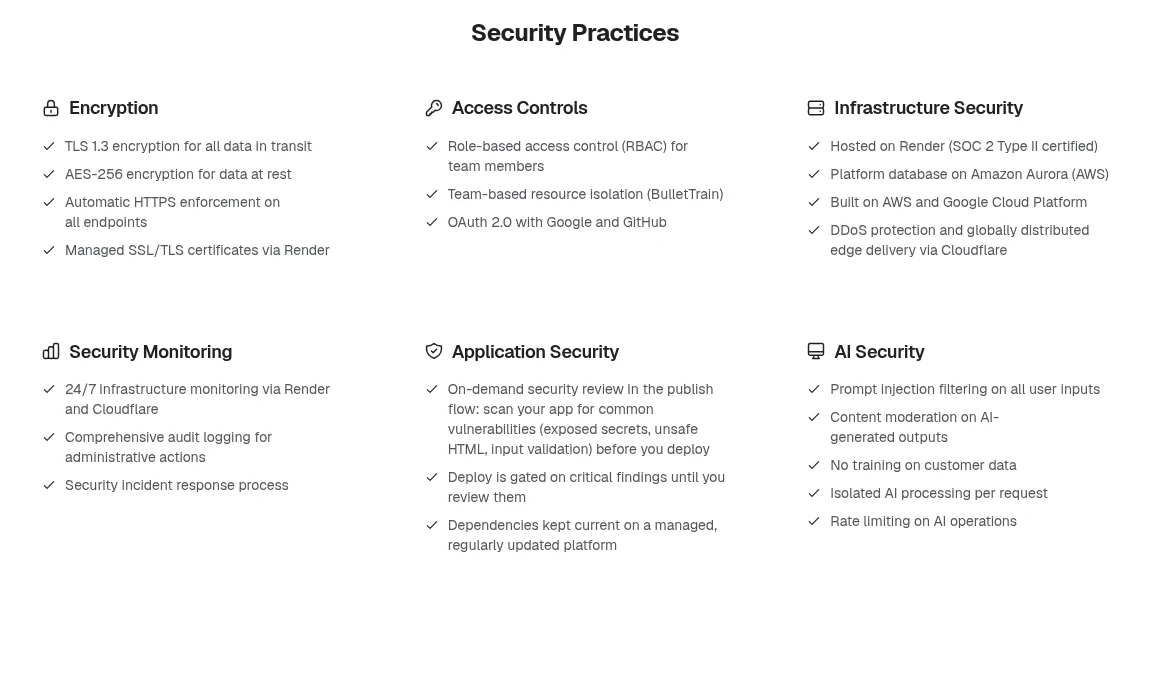
| Area | What Overskill says (checked Oct 17, 2026) |
|---|---|
| Encryption | TLS 1.3 in transit and AES-256 at rest, with HTTPS enforced |
| Hosting | Render, with SOC 2 Type II and ISO 27001 certifications |
| Edge | DDoS protection through Cloudflare |
| AI | Prompt injection filtering, and "No training on customer data" |
| App data | New apps use Cloudflare D1 in North America, and older apps use Turso in AWS us-east-1, per the security page updated Oct 15, 2026. An older Overskill help article says AWS us-east-1, so check the Trust Center for your app. |
That covers the building. You still have to lock your own doors: access rules, secrets, and what data you collect. That part is on you.
Compliance: what to say to clients
If you build for a business, they may ask "Is this SOC 2?" or "Is this HIPAA compliant?" Be careful here. Get it wrong and you could lose the client or worse.
| Question | The honest answer, per Overskill (checked Oct 17, 2026) |
|---|---|
| Is Overskill SOC 2? | Its providers are. Overskill says it "does not hold its own SOC 2 certification at this time." |
| Is it GDPR or CCPA compliant? | Overskill calls both self-assessed, not reviewed by an outside auditor |
| Can we get a DPA? | Yes, Overskill says a DPA is available on request |
| Is it HIPAA compliant? | Overskill lists HIPAA as "Evaluating," based on customer demand |
| Can I remove Overskill branding? | Overskill says every plan has its branding on app sign-in screens and emails |
The full pre-launch security checklist
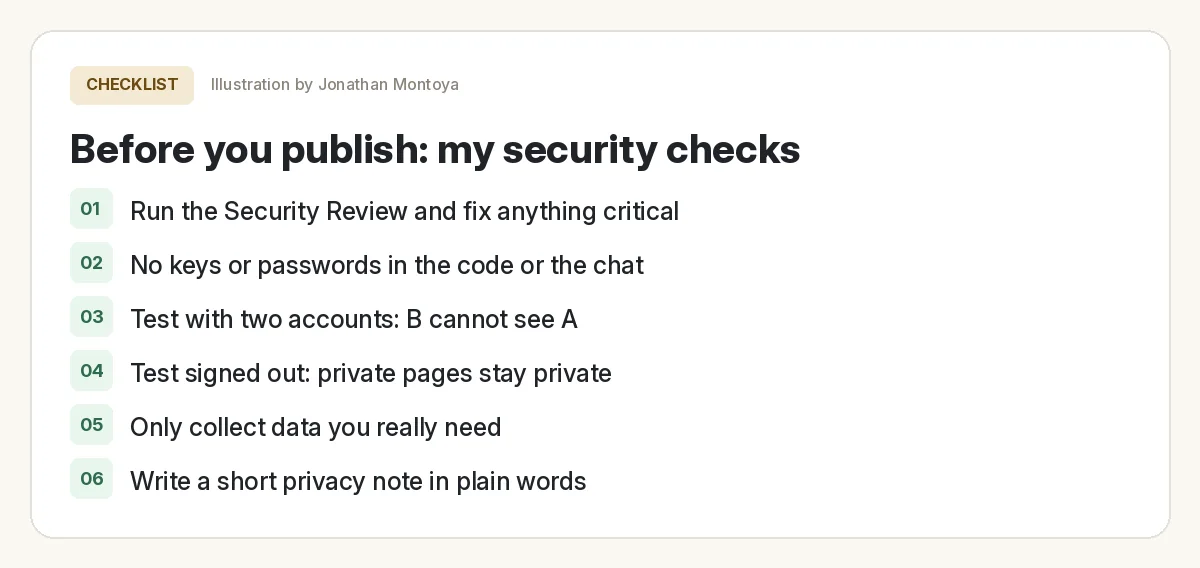
Security check before you publish
Nothing you check here is sent or saved. Download it if you want to keep it.
Want the bigger launch picture, not just security? Overskill's own launch checklist is worth a read, and so is my Overskill review. Before you trust any tool with client data, also check whether Overskill is legit.
Meet AIM Agent
AIM Agent is an AI Chief of Staff for business owners. You give it a real task, and it brings the work back for you to review. You stay the one who approves.
Meet AIM AgentI am a co-founder of AIM Agent and have a financial interest in the product.
Ready to build something safe?
Start small, run the Security Review before every publish, and test with two accounts.
Try OverskillI earn a commission if you buy through this link. Check the live pricing page before you buy.
Frequently asked questions
Does Overskill have a security scanner?
Yes. Overskill has a Security Review in the publish flow. Click Publish, then Run Scan. It checks for exposed secrets, unsafe HTML, sign in and token handling, input validation, and data exposure.
Is a clean Security Review a guarantee my app is safe?
No. Overskill calls it a strong first line of defense, not a guarantee. It runs only when you click it, so run it again after big changes and test access by hand.
Is Overskill SOC 2 certified?
Overskill says its hosting providers hold SOC 2 Type II certifications, but Overskill itself does not hold its own SOC 2 certification at this time.
Is Overskill HIPAA compliant?
Overskill lists HIPAA as Evaluating, based on customer demand, as of Oct 17, 2026. Do not build health record apps on it and call them HIPAA compliant.
How do I test that users cannot see each other's data?
Make two test accounts. Create a record as User A, then sign in as User B and try to find it by list, search, and direct link. Also try while signed out.
Does Overskill train AI on my data?
Overskill's security page says no training on customer data, as of its Oct 15, 2026 update.
Sources
All checked October 17, 2026. Overskill is in beta and changes often, so plans, features, and rules can change. Links to overskill.com below include my affiliate code. I earn a commission if you buy through this link.
- Help: Run the Security Review before you publish
- Overskill trust center: Security
- Help: Data residency and compliance
- Overskill trust center: Compliance
- Help: Security, compliance and data handling
- Help: Roles and permissions in your app
- Overskill Learn: The AI app launch checklist
- Overskill Learn: Validate an app idea with a customer
- Overskill pricing (payments via Whop)
- OWASP Top 10
