
Start an AI agency · Step by step
Build a working AI receptionist that answers calls, books jobs, and hands off to a human, step by step. No coding. One afternoon.
An AI receptionist answers the phone when no one else can. Done right, it catches calls that would have gone to voicemail and books them.
This guide walks you through building one in HighLevel from scratch: the number, the agent, the script, booking, handoff, and testing. It is for beginners building for their own business or a first client. You can copy every script.
Quick answer
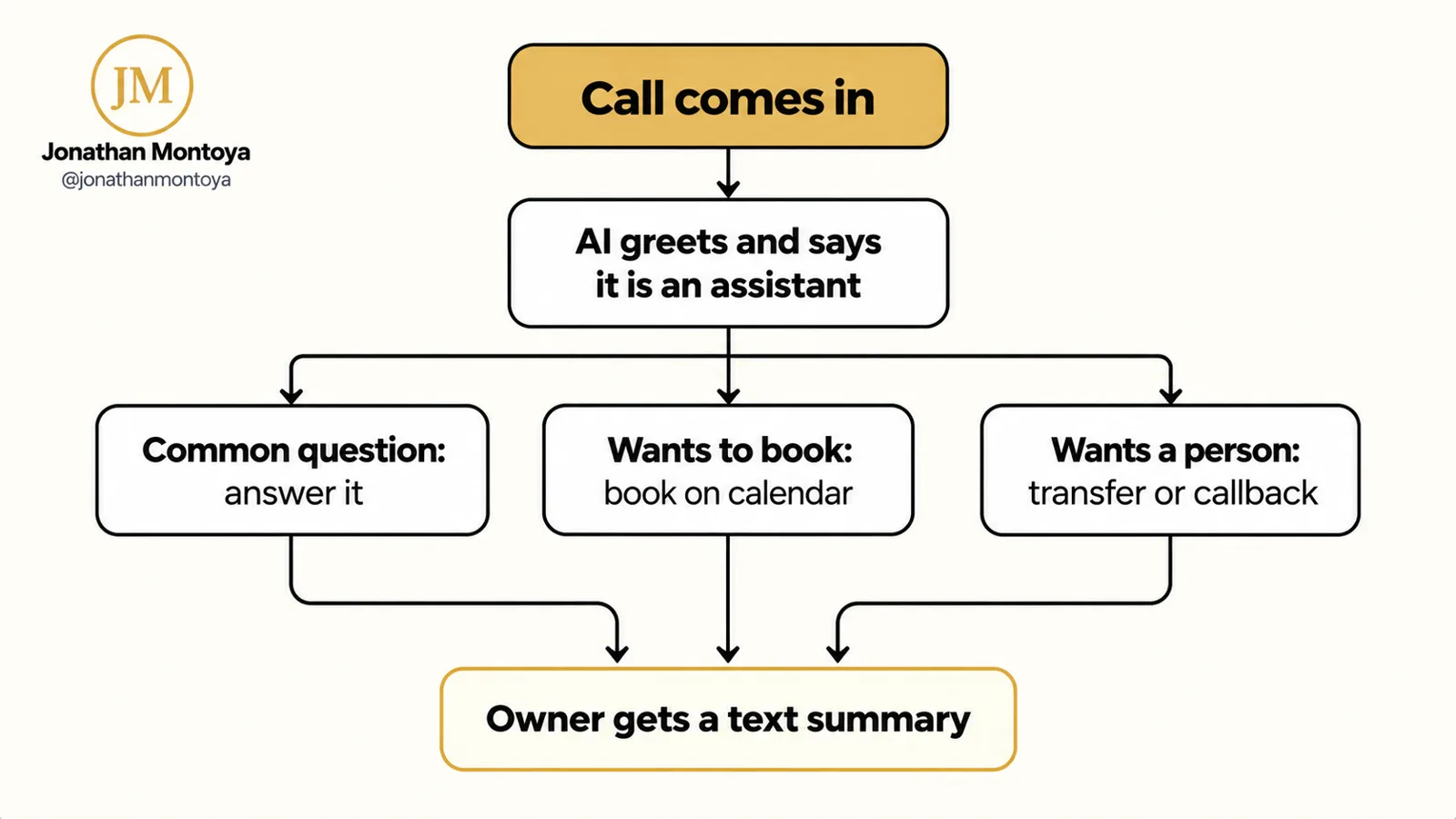
To build an AI receptionist, get a phone number, create a voice AI agent, and write short instructions: who it works for, what it can answer, and when to hand off. Connect a calendar so it can book, add a transfer or callback path, and text the owner a summary of each call. Test with six calls before going live.
The 5 minute demo
I made a short video showing how fast you can spin up a basic AI receptionist demo. Fast is great for a demo. A real one for a real business takes an afternoon of care.
I like AI helpers because, in my words, there is "no payroll stress. No one calling in sick." But the business still needs to sound like itself. That is what this guide is for.
Training: a 2-minute look at how quickly a basic AI receptionist demo comes together.
Results talked about in videos are not typical and are not a promise of income. Your results depend on your work and your market.
What an AI receptionist is
An AI receptionist is a voice agent. It answers calls, talks in a natural voice, and follows the instructions you write. It can answer questions, take messages, book appointments, and transfer calls.
HighLevel calls this Voice AI. It works with LC Phone or Twilio numbers.
Step 1: Gather the business facts
What to do: Write down hours, service area, services, prices or price ranges they are OK sharing, the top 10 questions callers ask, and who to transfer to.
Why it matters: The agent can only know what you tell it. This page becomes its knowledge base.
Step 2: Get a phone number
What to do: In the sub-account, buy a local LC Phone number. Or forward the business's existing line to it after hours.
Why it matters: Forwarding after hours is the safest start. Real people keep handling daytime calls.
Step 3: Create the agent and write the script
What to do: Go to AI Agents, Voice AI, and create an agent. Pick a voice. Paste a greeting and instructions.
Why it matters: Clear, short instructions make a calm, helpful agent. Long ones confuse it.
Step 4: Connect booking
What to do: Set up a calendar with the right appointment length and buffer times. Turn on the agent's booking action and select that calendar.
Why it matters: Booking is where the agent turns a call into a job.
Step 5: Build the human handoff
What to do: Add a transfer action to a real number for urgent calls. If no one answers, take a message and promise a callback.
Why it matters: The handoff is the number one thing that makes or breaks caller trust.
Step 6: Add missed call text back
What to do: Build a workflow: when a call is missed, text the caller "Sorry we missed you. How can we help?" Register A2P 10DLC first so texts deliver.
Why it matters: Some callers hang up before the agent answers. A text catches them.
Step 7: Test six calls
What to do: Call it yourself six ways: ask the hours, book a job, ask for a person, ask something odd, call from a loud place, and say stop.
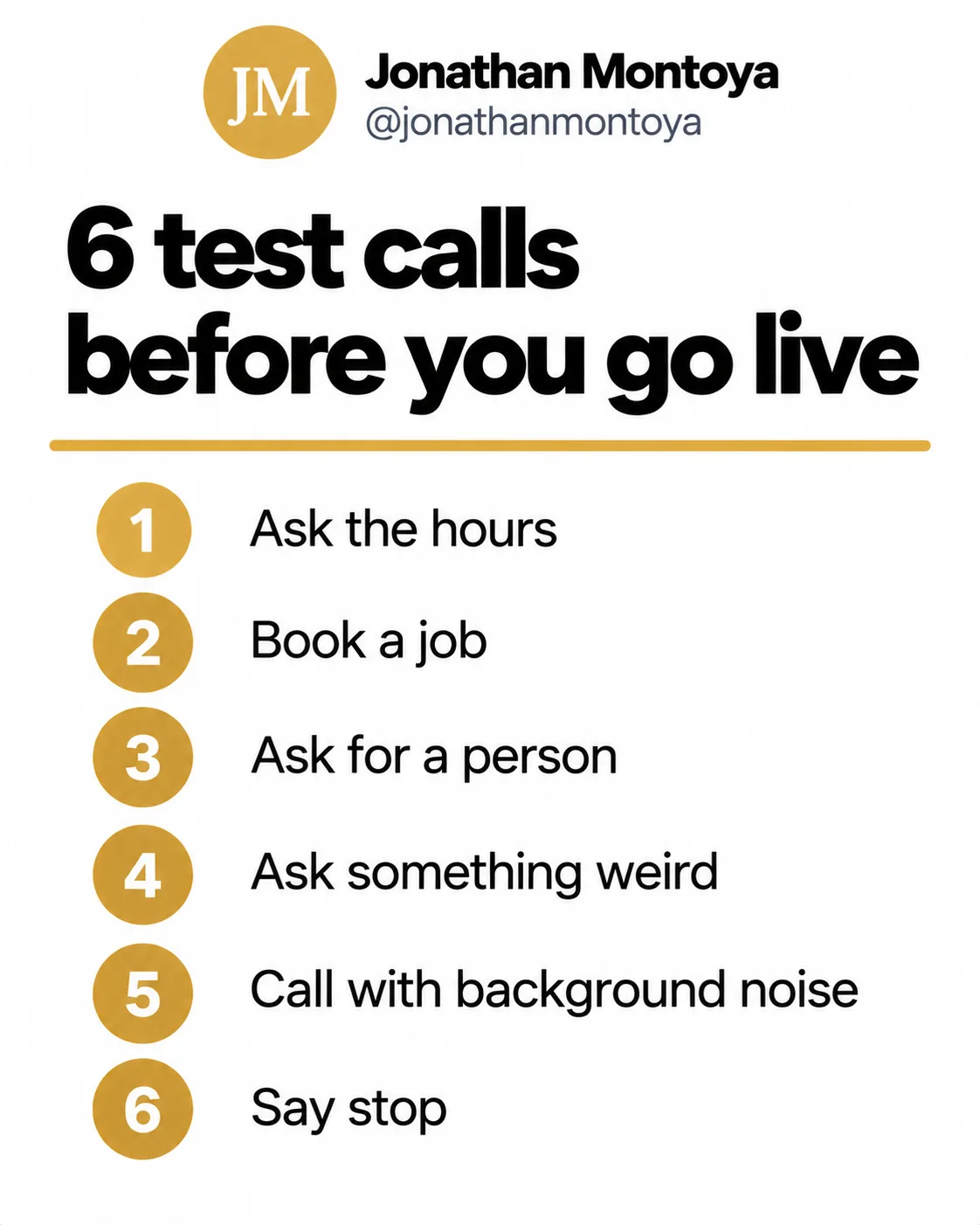
Why it matters: Each test checks one way real calls go wrong.
Training: how I would sell an AI receptionist like this to local businesses with no experience.
Build options compared
| Option | Best for | Cost type | Difficulty | My take |
|---|---|---|---|---|
| HighLevel Voice AI | Agencies, or owners who want CRM and texts too | Plan plus phone and AI usage | Medium | My pick. Calls, texts, calendar, CRM in one place. |
| Standalone AI receptionist apps | One business that only needs calls answered | Monthly plus usage | Easy | Simple, but less control over follow-up. |
| Developer voice platforms | Custom builds | Usage based | Hard | Flexible, but you will touch code and APIs. |
Cost types from public pricing pages, October 2026.
Want to try HighLevel? You can start a HighLevel trial through my link (affiliate link: I may earn a commission). Billing starts after the trial unless you cancel, and phone and AI usage cost extra. Next, read what owners say in AI receptionist for small business: what Reddit says, then learn how to sell an AI receptionist. Building for trades? See AI receptionist software options.
Build your AI receptionist
Nothing you check here is sent or saved. Download it if you want to keep it.
Build your first AI receptionist today
Start a HighLevel trial, buy one number, and build the agent with the scripts above. Test it on yourself before any client hears it.
Start a HighLevel trialAffiliate link: I may earn a commission if you sign up. Billing starts after the trial unless you cancel, and phone, email, and AI usage can cost extra, even during the trial.
Frequently asked questions
How do I create an AI receptionist?
Get a phone number, create a voice AI agent, and give it short instructions with the business facts. Connect a calendar for booking, add a human handoff, and test it with several calls before going live.
Can I build an AI receptionist without coding?
Yes. Tools like HighLevel Voice AI let you build one by filling in settings and writing plain English instructions. No code is needed.
How much does an AI receptionist cost to run?
You usually pay a platform plan plus per-minute phone and AI usage. Costs depend on call volume, so check your platform's current rates.
Should an AI receptionist say it is AI?
Yes. Saying it up front builds trust and, based on owner reports, lowers hang-ups. It is also the honest thing to do.
What should an AI receptionist not do?
It should not make up prices, give legal or medical advice, or handle emergencies alone. Route those to a person.
Sources
Checked October 15, 2026. Plans, prices, and rules can change.
