

GoHighLevel how-to · Setup guide
Yes, GoHighLevel can make outbound calls. Here are the three ways it does it, how to set each one up, the real limits, and the calling rules you must follow.
Most people know HighLevel answers calls. Fewer know how much it can do on the outbound side.
This guide covers the Web Dialer, the Power Dialer, and Voice AI outbound calls. You'll get setup steps, a table of limits, and a plain English rundown of consent rules. It is for agency owners and small business owners setting up calling for the first time.
Quick answer
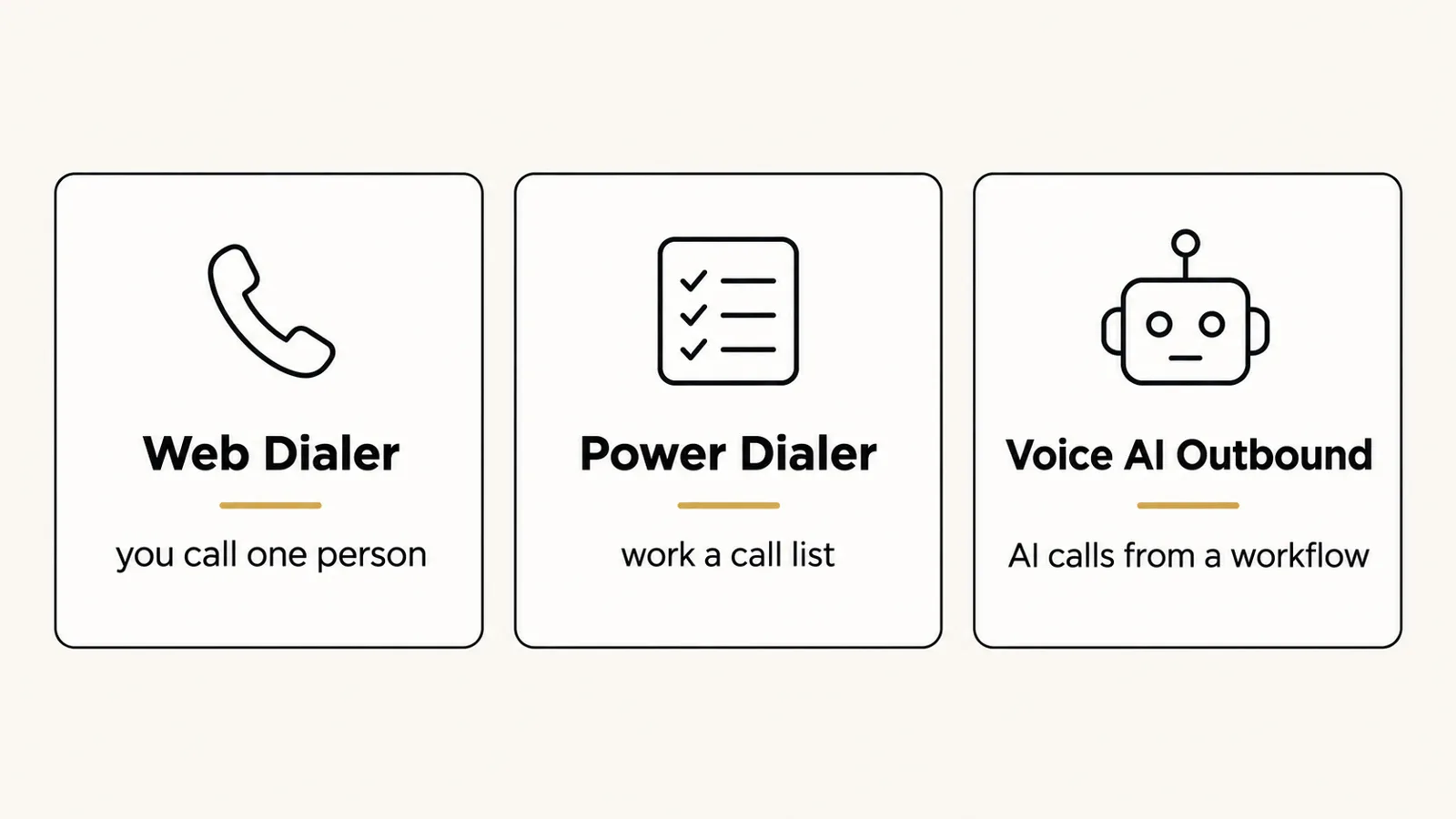
Yes. GoHighLevel can make outbound calls with an LC Phone or Twilio number. You can call one contact from the browser Web Dialer, work a call list with the Power Dialer, or have Voice AI place calls from a workflow. You are responsible for consent, Do Not Call rules, and calling hours.
Why I teach the rules first
My dad taught me to knock on doors. "If you're just waiting for people, you're not going to make money." Outbound calling is the modern door knock.
But I have also been the guy with no money saved, scared of losing his job. When you are in that spot, one fine or a banned phone number can set you way back. So in this guide, the rules come with the setup. Not after.
Three ways GoHighLevel makes outbound calls
| Method | Best for | Cost type | Difficulty | My take |
|---|---|---|---|---|
| Web Dialer | One call at a time, callbacks | Per-minute phone usage | Easy | Start here. Learn your script on live calls. |
| Power Dialer (Manual Actions) | Working a list of leads who asked to hear from you | Per-minute phone usage | Medium | Great for speed-to-lead follow-up. |
| Voice AI Outbound | Reminders, confirmations, follow-up at scale | Per-minute phone plus AI usage | Medium | Powerful. Only call people who agreed to it. |
Features from HighLevel help docs, checked October 15, 2026. Usage rates vary by plan and country.
Step 1: Get a phone number
What to do: In your sub-account, go to Settings, then Phone System, and buy an LC Phone number (or connect Twilio). Use a local number in your client's area.
If you will also text, register for A2P 10DLC in Settings, Phone System, Trust Center. HighLevel notes A2P is for business texting to US numbers, not voice calls, but most calling campaigns also text.
Why it matters: Every outbound method needs a number. HighLevel says Voice AI only works with LC Phone or Twilio numbers.
Step 2: Make a call with the Web Dialer
What to do: Open the dialer in the browser, pick a contact or type a number, check the Calling From number, and dial.
Why it matters: This is the fastest way to learn your offer. You hear real objections in real time.
Step 3: Build a Power Dialer list
What to do: Build a workflow with a Manual Call action for a group of contacts, like new form leads. The calls show up in Conversations, Manual Actions. Work through them one by one.
Why it matters: New leads go cold fast. A list makes sure every one gets a call, in order.
Training: how I would sell AI voice agents with no experience, including how they answer and make calls for local businesses.
Results talked about in videos are not typical and are not a promise of income. Your results depend on your work and your market.
Step 4: Set up Voice AI outbound
What to do: Create a Voice AI agent. Then in a workflow, add the Voice AI Outbound Call action, pick the agent and the From number, and accept the outbound terms when asked.
Why it matters: This lets AI do reminders and follow-ups that no one has time for, like "Your appointment is tomorrow, can you still make it?"
Limits you should know
| Limit | What HighLevel says |
|---|---|
| Voice AI calls per location | Up to 5,000 per day. Extra calls move to the next eligible day. |
| Calls to the same number | Once a day, and up to 14 times in 14 days |
| Calling hours | 8 AM to 8 PM in the contact's time zone |
| Country | Same-country calls only for Voice AI |
| Numbers | LC Phone or Twilio required for Voice AI |
Source: HighLevel Voice AI outbound compliance checks, checked October 15, 2026.
Calling rules in plain English
I am not a lawyer, and this is not legal advice. But here are the basics every beginner should know in the US:
- AI voices need consent. In February 2024 the FCC ruled that AI-generated voices count as "artificial" voices under the TCPA, so those calls need prior express consent (FCC ruling).
- Check Do Not Call. Sales calls to numbers on the National Do Not Call Registry are restricted.
- Call at decent hours. Federal rules limit telemarketing calls to 8am to 9pm in the person's time zone. Some states are stricter.
- Say who you are. Give your name and the business name.
- Honor stop requests. Tag the contact Do Not Call in HighLevel right away.
Can I use GoHighLevel for cold calling?
You can place manual calls to businesses from the Web Dialer. But I would not use Voice AI for cold calls. The consent rules are strict, and HighLevel's terms put the legal duty on you. Use AI for people who already said yes: form leads, booked appointments, and past customers.
New to HighLevel? Start with my GoHighLevel tutorial for beginners. Selling this to clients? Read how to sell an AI receptionist and build an AI receptionist.
GoHighLevel outbound calling setup
Nothing you check here is sent or saved. Download it if you want to keep it.
Want to try outbound calling in HighLevel?
Start a trial, buy one local number, and make your first test call today. Build the Voice AI follow-up once your manual calls feel smooth.
Start a HighLevel trialAffiliate link: I may earn a commission if you sign up. Billing starts after the trial unless you cancel, and phone, email, and AI usage can cost extra, even during the trial.
Frequently asked questions
Can GoHighLevel do outbound calls?
Yes. You can call from the browser Web Dialer, work a list with the Power Dialer, or have Voice AI place calls from a workflow. You need an LC Phone or Twilio number.
Does GoHighLevel have a power dialer?
Yes. A workflow creates Manual Call tasks, and your team works through them in Conversations, Manual Actions, using the dialer. It is built for follow-up lists like new leads.
Can GoHighLevel AI make outbound calls?
Yes. Voice AI can place calls from a workflow action. HighLevel allows up to 5,000 per location per day and limits calls to the same number. You must have consent for AI calls.
Is GoHighLevel good for cold calling?
You can make manual cold calls to businesses, but I would not use AI for cold calls. US rules require prior consent for AI voice calls, and Do Not Call rules apply to sales calls.
How much do GoHighLevel calls cost?
Calls are billed as phone usage on top of your plan, and Voice AI adds AI usage. Rates depend on your plan and country, so check your account's billing settings.
Sources
Checked October 15, 2026. Plans, prices, and rules can change.
