
Overskill builds
Churches run on volunteers, sermons, and good communication. Here is how to plan a simple church or faith app in Overskill, starting from two real templates built for houses of worship.
Disclosure: Some links in this post are affiliate links. I earn a commission if you buy through this link. It does not change the price you pay. MakerAI is my own company.
Quick answer
To build a church app with Overskill, pick one first job, like volunteer shift signups or a sermon library. Start from the Vestry template (volunteer and event scheduling for houses of worship) or the Pew template (giving, sermons, small groups, events, and a member portal). Keep volunteer requests separate from confirmed shifts, protect member info with roles, and test everything with sample people first.
Why I care about this one
I am a man of faith. In one of my videos I said it plainly: "I'm a Christian." Then I added, "So, I want to build a Bible app for myself. And that's what I've been doing as well."
That app was for me, and I am not saying I built it in Overskill. But it taught me something. Faith apps do not need to be fancy. They need to help people do one thing well, like read, serve, or show up.
Overskill (I earn a commission if you buy through this link.) is a nice fit for churches because it already has templates made for houses of worship. You start with something that works, then shape it for your church.
Pick one first job
Most church apps fail because they try to do everything. Pick one job for the first version.
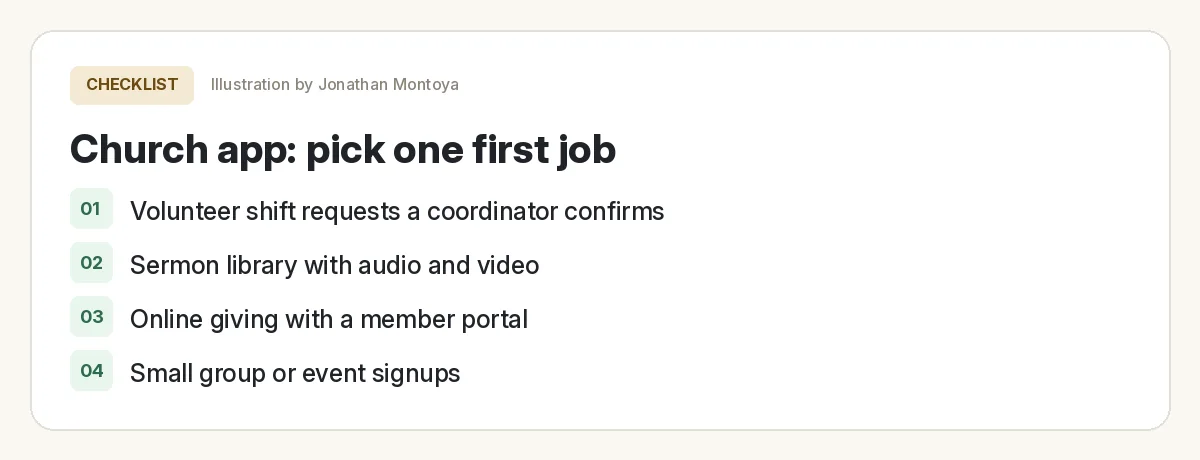
| First job | Who it helps | Best template to start from |
|---|---|---|
| Volunteer shift signups | Volunteers and coordinators | Vestry |
| Sermon library with audio and video | Members who missed a Sunday | Pew |
| Small group and event signups | New members looking to connect | Pew |
| Online giving with a member portal | Members who give regularly | Pew (test checkout carefully) |
| A one-time community event | Event volunteers | Rally |
Two church templates to start from
Overskill has 245+ templates, and its help center says the catalog is included with your account. Two are built for faith communities.
Vestry: volunteer and event scheduling
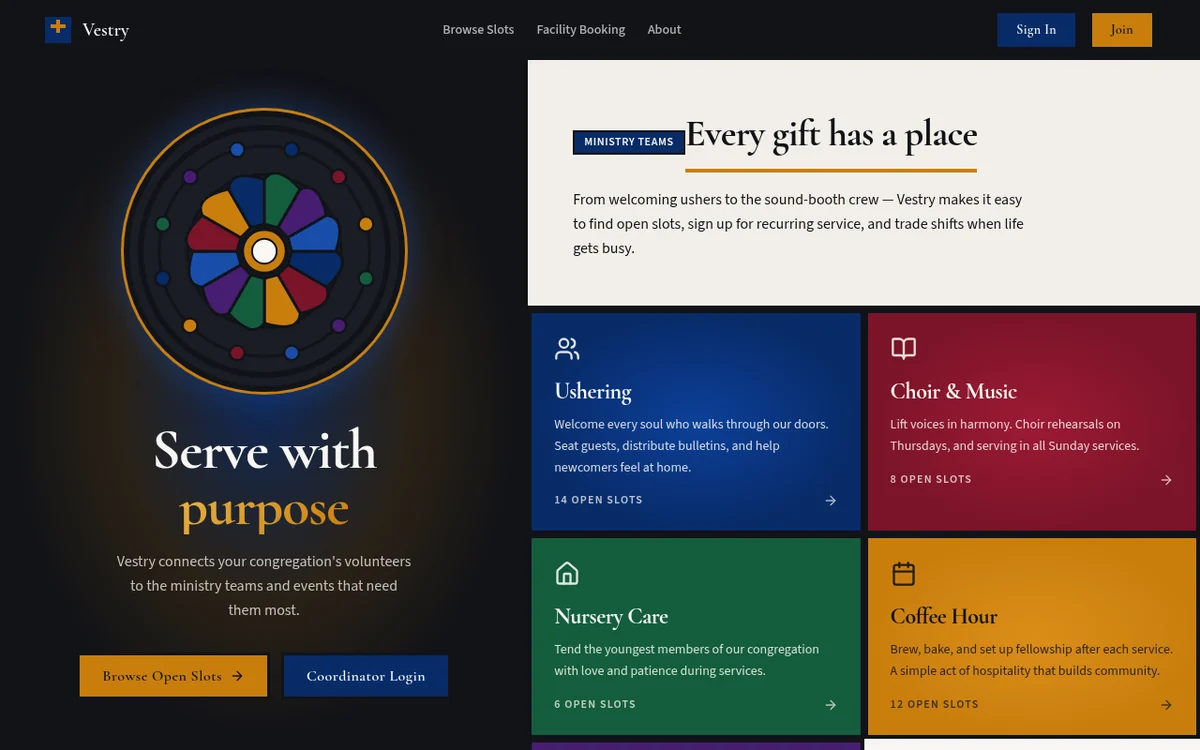
The Vestry page describes it as "a volunteer and event scheduling tool for houses of worship." Volunteers browse open serving slots by ministry team and sign up for recurring or one-off shifts. They can request swaps. Coordinators get a weekly coverage-gap dashboard and a facility booking calendar.
Pew: giving, sermons, groups, and events
The Pew page lists online giving, a sermon library with audio and video, small group signups, and an events calendar. It also has a member portal for recurring gifts and sermon progress.
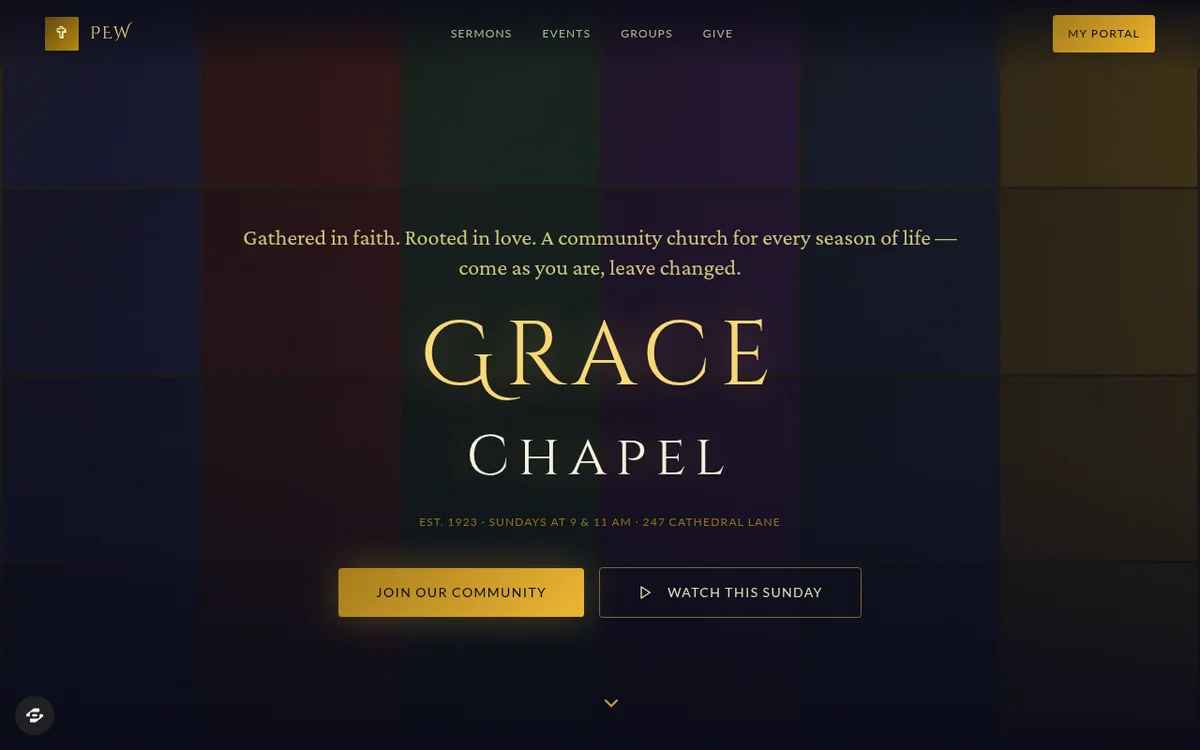
Both previews use sample content. The church names, people, and numbers are not real. Swap in your own before anyone sees it.
Volunteer scheduling done right
Overskill has a page on volunteer event apps. Its key point fits churches perfectly. A volunteer app earns its place when a coordinator can answer three questions:
- Who is expected right now?
- Who has checked in?
- What does the next coordinator need to do?
The guide also says to keep a request separate from a confirmed spot. A volunteer may ask for a shift. A coordinator confirms it. The signup form should say clearly that "request received" does not mean the spot is confirmed yet.
| Volunteer status | What it means |
|---|---|
| Requested | The volunteer asked for a shift. Nobody has confirmed it. |
| Confirmed | A coordinator assigned this person. |
| Checked in | Someone saw them arrive. |
| Canceled | Not on the active list, but kept in history. |
| Replacement | A new person linked to the canceled spot. |
Based on Overskill's volunteer event app page (fictional example), checked Oct 16, 2026.
Protect member information
Church data is personal. Phone numbers, family details, and prayer requests should never leak. Overskill's volunteer guide suggests a simple rule of who sees what:
| Person | Can see | Can do |
|---|---|---|
| Visitor (signed out) | Event details, tasks, open spots | Request a shift |
| Volunteer (signed in) | Their own request and assignment | Ask to change their own shift |
| Coordinator | The private roster, history, arrivals, notes | Confirm shifts and record arrivals |
Adapted from Overskill's volunteer event app page, checked Oct 16, 2026.
In Overskill, every new app starts with two roles: Member and Admin. You can add more roles, like Coordinator, and set which pages each role can open. The guide says to test the rule on direct links and exports too, not just the main screens.
Build your church app step by step
- Pick one job and one ministry team to test with.
- Start from Vestry or Pew at overskill.com/templates.
- Rebrand it with your church name, teams, and real service times.
- Set roles. Decide who is a Coordinator and what each role can see.
- Test with made-up volunteers before inviting real people.
- Run one Sunday as a pilot. Then ask the coordinator what to fix.
For more ideas beyond church apps, see my AI app ideas list. For building basics, read how to build an app with Overskill.
This is the video where I talk about building a Bible app for myself. It is about my general way of building software with AI, not a church app tutorial.
My video: How I build software by describing it to AI. I mention my personal Bible app near the start.
Any results mentioned in videos are not typical and are not a promise of income. Your results depend on your work and your market.
A careful word on online giving
Giving is the most sensitive feature in a church app. The Pew template lists it, but treat it with extra care.
- Overskill's built-in checkout is what the AI builds by default. Using your own Stripe account is only on for a small number of accounts.
- Read Overskill's payment fees article so you know what each gift costs to process.
- Run a $0 test with Overskill's 100% off test code before any real gift.
- Talk to your church leaders and treasurer before turning giving on.
Church app launch check
Nothing you check here is sent or saved. Download it if you want to keep it.
Meet AIM Agent
AIM Agent is an AI Chief of Staff for business owners. You give it a real task, and it brings the work back for you to review. You stay the one who approves.
Meet AIM AgentI am a co-founder of AIM Agent and have a financial interest in the product.
Frequently asked questions
Can Overskill build a church app?
Yes. Overskill has templates made for faith communities. Vestry handles volunteer and event scheduling for houses of worship. Pew covers online giving, a sermon library, small groups, events, and a member portal.
What should a church app do first?
Pick one job. Volunteer shift signups are a great start because coordinators feel the pain every week. Add sermons, groups, or giving later.
How do I keep member information private?
Use roles. Overskill apps start with Member and Admin roles, and you can add roles like Coordinator and set per-page permissions. Test with separate accounts, including direct links and exports.
Can a church app take online gifts?
The Pew template lists online giving. Overskill has a built-in checkout. Read its payment fees article, run a $0 test with the 100% off test code, and get leader approval first.
Did Jonathan build his Bible app in Overskill?
No claim is made here. Jonathan said in a video that he built a Bible app for himself, but this post does not say which tool he used.
Can church members install the app on their phones?
Yes, from the browser to the home screen. Overskill says App Store and Google Play publishing is still waitlist only.
Sources
All checked October 16, 2026. Overskill is in beta and changes often, so plans, features, and rules can change. Links to overskill.com below include my affiliate code. I earn a commission if you buy through this link.
- Template: Vestry
- Template: Pew
- Overskill: Volunteer event apps
- Help: Starting from a pre-built app template
- Help: Roles and permissions in your app
- Help: Connecting Stripe for payments
- Help: Payment fees explained
- Help: Test your checkout without paying
- Help: App Store publishing FAQ
- YouTube: The "Vibe Coding" Method (Jonathan Montoya)
