
Overskill builds
A PDF guide is easy to ignore. A quiz or calculator that answers a real question is not. Here is how to plan and build a lead magnet app in Overskill the right way.
Disclosure: Some links in this post are affiliate links. I earn a commission if you buy through this link. It does not change the price you pay. MakerAI is my own company.
Quick answer
To build a lead magnet app in Overskill, pick one question your customer already has, choose a format (calculator, quiz, checklist builder, or configurator), and start from a template like Litmus or Freedom Score Quiz. Make the answer useful and easy to check first. Add email capture last, then send opt-ins to ClickFunnels with Overskill's built-in connection.
Why a lead magnet app beats a PDF
A lead magnet is the free thing you give in exchange for attention. Most people make a PDF. Most people never read it.
An app is different. Someone types in their numbers or answers a few questions. They get an answer about their own situation right away. That feels useful, so they trust you more.
Overskill (I earn a commission if you buy through this link.) has a free Learn guide on this, written by Russell Brunson. Its main idea is simple: "A useful lead magnet helps someone make a decision before it asks them to become a lead."
If you want the backstory on Russell and Overskill, I covered it in Overskill and Russell Brunson.
Start with the customer's question
The guide gives a great contrast. "Download our business guide" asks for attention without saying what you get. "Would this extra monthly cost make sense at our expected volume?" gives the tool a real job.
So write your customer's question in their own words. Then write the smallest useful answer. Some examples:
| Your business | Customer question | Useful answer |
|---|---|---|
| Event planner | Will my workshop cover its costs? | A contribution number with the math shown |
| Cleaning company | What will a cleaning visit cost me? | An estimate with each line explained |
| Coach | Which of my programs fits me? | A recommendation with the reason why |
| Contractor | What do I need to prepare before the job? | A checklist based on their answers |
Overskill shows this with a public demo called Scenario Lab. It uses made-up business numbers so you can see how changing one input changes the result.
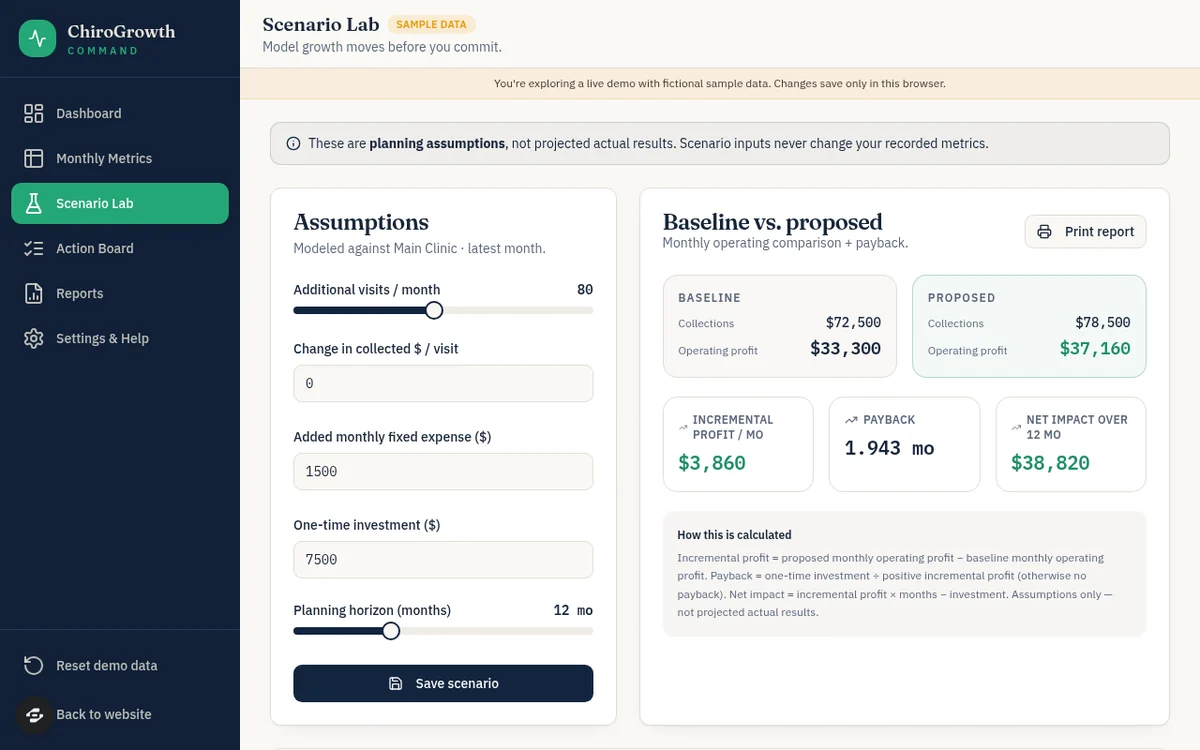
The guide's own workshop example is easy to follow. With 20 attendees, a $40 ticket, a $5 cost per person, and $300 in fixed costs, the math is 20 x ($40 minus $5) minus $300 = $400. The guide is clear that this is a sample, not promised income.
Pick the right lead magnet format
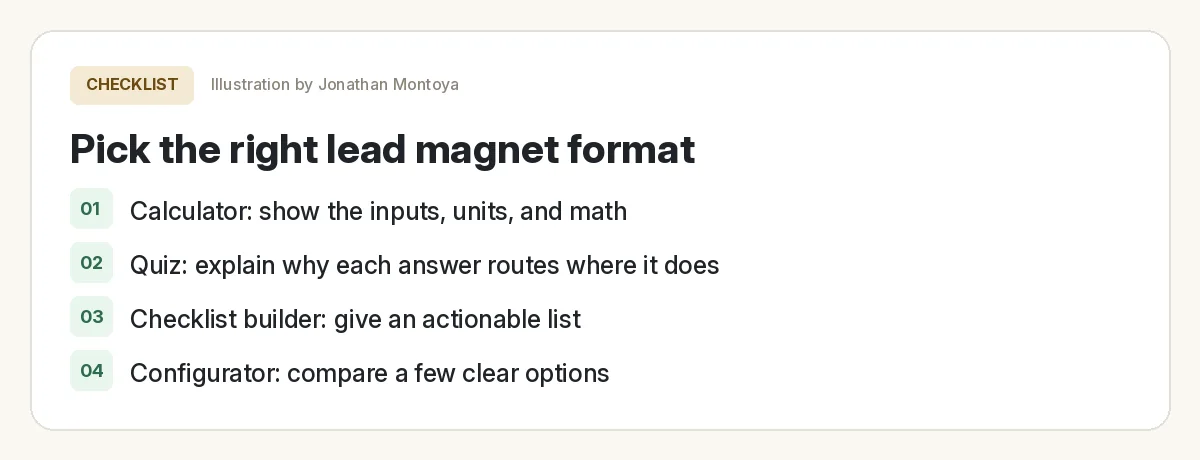
| Format | Use it when the reader needs to | The answer must include |
|---|---|---|
| Calculator | Understand how numbers relate | Inputs, units, the formula, and a clear result |
| Assessment or quiz | Find which steps or options apply | Clear rules and a reason for each result |
| Configurator | Compare a few options | What changes, what stays the same, what is left out |
| Checklist builder | Get ready for a task | A to-do list tied to their answers |
Adapted from Overskill Learn, "Build a lead magnet that helps someone make a decision," checked Oct 16, 2026.
Pick the format that answers the question with the fewest inputs. The guide warns against scores that look official but have no method behind them.
Overskill templates to start from
You do not have to start blank. Overskill's template catalog has 245+ apps, and it is included with your account. Two are built for lead capture:
| Template | What its page says it does |
|---|---|
| Litmus | A playful "what is your type?" quiz with a personalized result, an email gate on the full report, and a creator dashboard of leads and result breakdowns |
| Freedom Score Quiz | A progress bar quiz that scores a financial freedom assessment and gates personal results behind an email opt-in |
From overskill.com/templates pages, checked Oct 16, 2026.
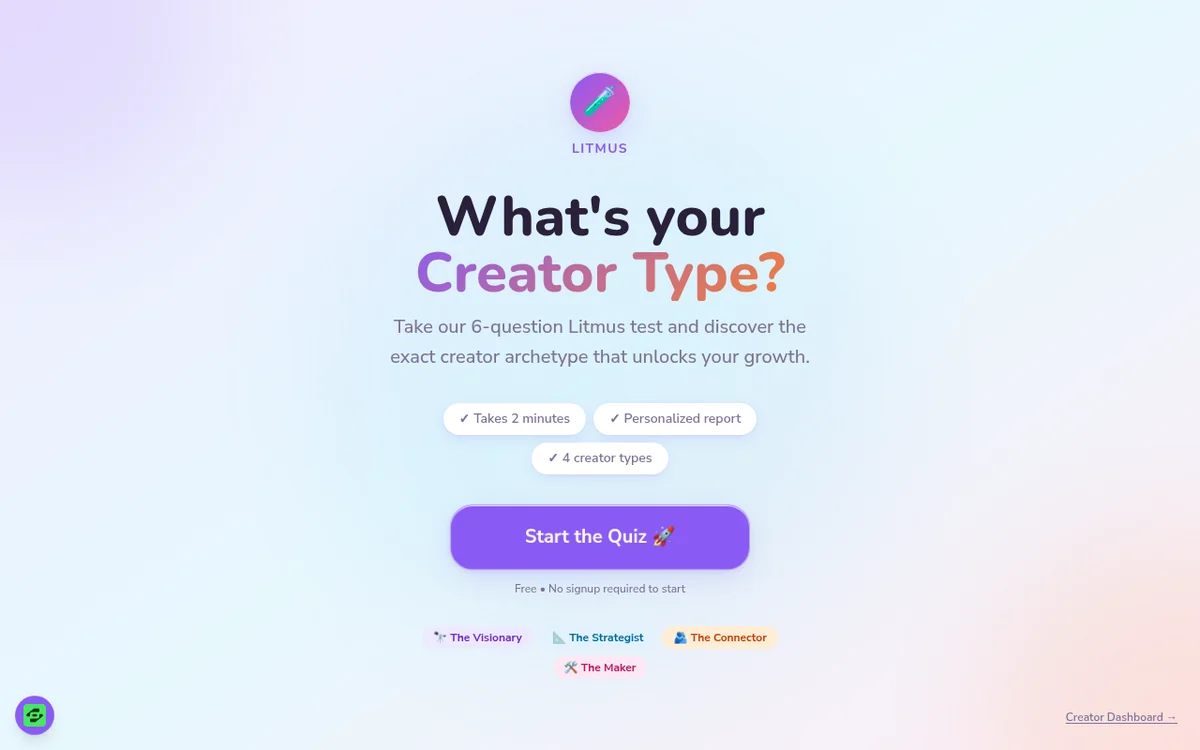
Both use an email gate. That works for some offers. But Overskill's own guide suggests a different first step for calculators: keep the result visible without asking for an email, and offer a useful next step after. I would test both and see what your audience likes.
Build your lead magnet app step by step
- Write the question. One sentence, in your customer's words.
- List the inputs. Only the ones you need. Add units to every field.
- Write the rule or formula. Show the math or the reason in the result.
- Start from a template or paste a brief into a new app.
- Test with sample numbers where you already know the right answer.
- Add the next step, then email capture, then the ClickFunnels connection.
Here is a brief based on the shape of Overskill's example. Change it for your offer. For general building steps, see how to build an app with Overskill.
In this video, I explain how I build software by talking to AI. The same habit matters here: be specific about inputs and results.
My video: How I build software by describing it to AI.
Any results mentioned in videos are not typical and are not a promise of income. Your results depend on your work and your market.
Add email capture the right way
Once the tool is useful, connect the follow-up. Overskill has a built-in ClickFunnels connection. Its help article says you do not need a webhook, an API key, or environment variables.
- Ask the AI in your app's chat to send opt-ins to ClickFunnels.
- Click Connect ClickFunnels on the card that appears and authorize it.
- Ask it to add a tag so you know where each lead came from.
- If the app is already live, publish the change.
The lead magnet guide adds an honest rule I like. If you ask for an email, say what you will send and how you will use it. Then test that the form actually delivers, because showing a form does not prove anything arrives.
Test before you share
Lead magnet app test
Nothing you check here is sent or saved. Download it if you want to keep it.
One more idea from the guide: hand a test version to one real person in your audience. Give them a task and watch. Can they explain the result back to you? If not, fix the wording before you add more features.
Meet AIM Agent
AIM Agent is an AI Chief of Staff for business owners. You give it a real task, and it brings the work back for you to review. You stay the one who approves.
Meet AIM AgentI am a co-founder of AIM Agent and have a financial interest in the product.
Frequently asked questions
What is a lead magnet app?
It is a small app, like a quiz or calculator, that gives someone a useful answer about their own situation. It replaces a PDF and can ask for an email after the answer.
Can Overskill build a quiz lead magnet?
Yes. Overskill has quiz templates like Litmus and Freedom Score Quiz. Litmus includes a personalized result, an email gate, and a dashboard of leads.
Should I ask for an email before showing the result?
It depends on your offer. Overskill's lead magnet guide suggests showing a calculator's result without requiring an email first, then offering a useful next step. Test what works for your audience.
Can Overskill send leads to ClickFunnels?
Yes. Overskill's help center says ClickFunnels is built into every Overskill app. You ask the AI to send opt-ins, then click Connect ClickFunnels. No API key or webhook is needed.
Which lead magnet format should I pick?
Use a calculator for number questions, a quiz for "which option fits me," a checklist builder for preparing for a task, and a configurator for comparing a few options.
How much does it cost to build in Overskill?
Prices checked Oct 16, 2026 were $25 a month for Starter and $99 a month for Studio. Overskill says a typical change uses about 400 to 1,500 credits.
Sources
All checked October 16, 2026. Overskill is in beta and changes often, so plans, features, and rules can change. Links to overskill.com below include my affiliate code. I earn a commission if you buy through this link.
