
GoHighLevel AI Studio builds websites and landing pages from a plain-word prompt. This guide shows where it lives with a real screenshot, then walks through prompting, editing, publishing and cost, based on HighLevel's own guide.

Disclosure: I earn a commission if you buy HighLevel through my links, at no extra cost to you. I am not HighLevel and do not speak for it.
Key takeaways
- GoHighLevel AI Studio turns a plain-word prompt into a web page or site.
- Find it in the left navigation of your sub-account.
- Refine the draft by chatting, using Visual Edits or editing code.
- Click Publish for a preview URL, then connect your own domain.
- It is included for agency admins and users under fair use. Sub-account users need an AI Employee plan or pay per use.
What is GoHighLevel AI Studio?
Per HighLevel's AI Studio guide (modified November 10, 2026), AI Studio is a conversational builder that creates layouts, content, images and multi-page experiences from a prompt. It can also build things like multi-step surveys, booking flows and branded forms.
It is not the same as Agent Studio. AI Studio builds pages. Agent Studio builds AI agents. See my guide to GoHighLevel Managed Agents for the agent side.
Where to find AI Studio
HighLevel says AI Studio is in the left navigation inside your sub-account. Click it, and the home screen opens with a prompt box. Here is a real one, with a sample prompt typed in and not yet sent:

Below the prompt box, HighLevel's guide says you will see tabs for Recently Viewed, My Projects, Starred and Templates, plus a left sidebar with your recent work.
Write your first prompt
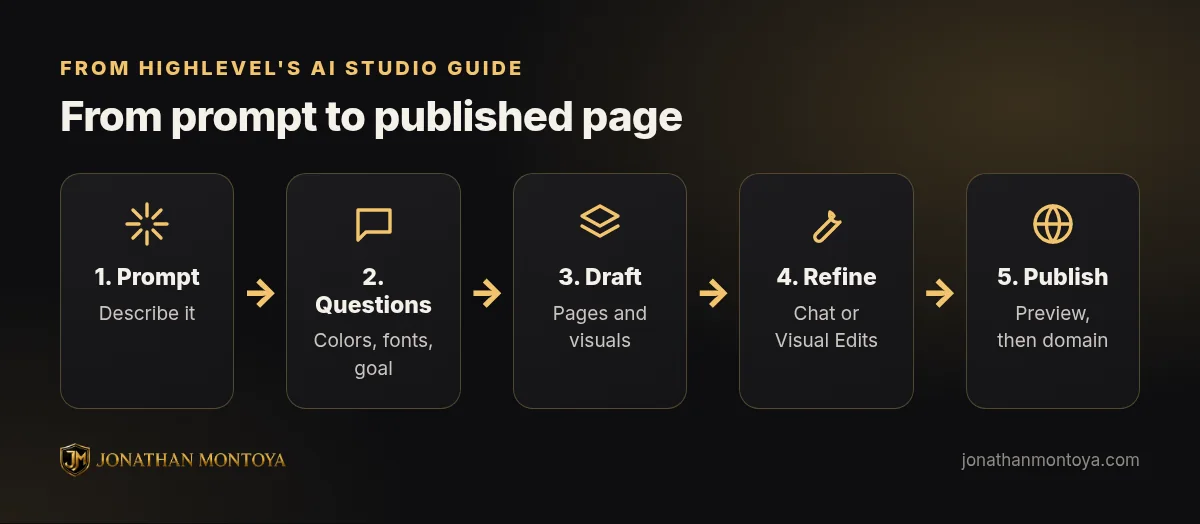
The more detail you give, the better the first draft. You can also add files, images or a live URL as inspiration for layout and style.
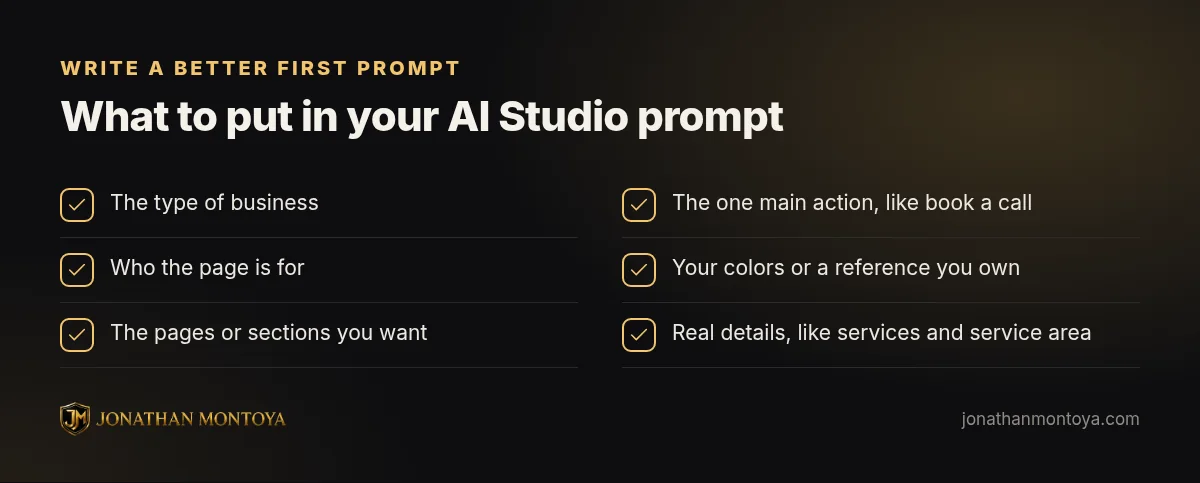
If your prompt is broad, HighLevel says AI Studio may ask follow-up questions first: a color palette, a font style, a layout direction and the main goal, like booking a call. You can answer them, or click Skip all.
Prefer a head start? Click the Templates tab for options like a landing page, dashboard, ecommerce storefront or portfolio.
Refine the draft
You are not stuck with the first version. HighLevel lists three ways to change it:
| Way | How it works |
|---|---|
| Chat | Ask for changes in plain words, like 'Add a Contact page' or 'Use light green instead of orange' |
| Visual Edits | Click Visual Edits at the bottom left of the builder, then click text, images or buttons in the preview to change them |
| Code Editor | Edit the code directly for exact changes |
More on clicking to edit in HighLevel's Visual Edits guide.
Want to build your first page? My HighLevel link shows a 30-day free trial on HighLevel's own offer page (checked Nov 17, 2026). HighLevel's standard pricing page lists 14 days.
Start HighLevelPublish to your domain
Per HighLevel, you click Publish at the top right, set the URL, update the icon, name, description and social image, then publish. That gives you a preview URL. Then you can connect your own domain or sub-domain.
After a page is live, new edits stay in draft until you publish again. So you can keep improving without changing the live page right away.
Limits to know
- No moving projects: AI Studio projects stay in AI Studio. They cannot be moved into the standard Sites or Funnels builders.
- Inspiration, not copies: a reference URL or image guides structure and style. It is not an exact copy, and you should only use sites and images you have the right to use.
- Connections: forms and calendars may need setup to work with your data.
Need the classic builder instead? See my GoHighLevel website builder guide.
What GoHighLevel AI Studio costs
Per HighLevel's AI pricing page (modified November 10, 2026), AI Studio is included at no extra cost for agency admins and users on the $97, $297 and $497 plans, under fair use. Sub-account users get it through an AI Employee plan or pay per use. Details in my guide to GoHighLevel AI Employee plans.
Video by Dominic Baptist on YouTube. Features shown may have changed since it was recorded.
Try AI Studio for yourself
Write one detailed prompt for a simple page, refine it with Visual Edits and publish it to a preview URL in your trial.
When you start HighLevel through my link, you also get my GHL Clone for free. It is a done-for-you affiliate system I spent 11 months building. You can copy it in about 5 minutes, add your own affiliate link and share it. There is no website to build and no emails to write.
Start HighLevelGet the free GHL CloneMy HighLevel link shows a 30-day free trial on HighLevel's own offer page (checked Nov 17, 2026). HighLevel's standard pricing page lists 14 days. Disclosure: I earn a commission if you buy HighLevel through my link, at no extra cost to you. The GHL Clone is my own system, and I earn a commission if you later pay for HighLevel. What anyone earns depends on their own work, and no one can promise a result.
FAQ
What is GoHighLevel AI Studio?
It is HighLevel's AI builder for websites, landing pages and other web experiences. You describe what you want in plain words, and it builds a draft you can refine by chatting, editing visually or editing code.
Where is AI Studio in GoHighLevel?
HighLevel says it is in the left navigation inside your sub-account. Click AI Studio to open the home screen with the prompt box.
Is GoHighLevel AI Studio free?
Per HighLevel's AI pricing page, AI Studio is included for agency admins and users on the $97, $297 and $497 plans, under fair use. Sub-account users get it through an AI Employee plan or pay per use.
Can I move an AI Studio project into the regular funnel builder?
No. HighLevel says AI Studio projects are managed inside AI Studio and cannot be moved into the standard Sites or Funnels builders.
Can AI Studio copy another website?
HighLevel says a URL or image should be treated as inspiration for structure, layout and style, not an exact copy. Only use sites and images you have the right to use.
Is AI Studio the same as Agent Studio?
No. HighLevel says AI Studio builds websites and pages from prompts, while Agent Studio builds AI agents that respond to events and automate tasks.
Sources, checked Nov 17, 2026
Affiliate disclosure: I earn a commission if you buy HighLevel through my links, at no extra cost to you. Freedom Launch Accelerator and the GHL Clone are my own programs. HighLevel is a trademark of HighLevel, Inc. This site is not run by or affiliated with HighLevel.
