
GoHighLevel Conversation AI lets an AI agent reply to your leads by text, chat and social messages. This guide walks through setting up your first one, using real screenshots from a HighLevel sub-account, plus HighLevel's own setup guide.
Disclosure: I earn a commission if you buy HighLevel through my links, at no extra cost to you. I am not HighLevel and do not speak for it.
Key takeaways
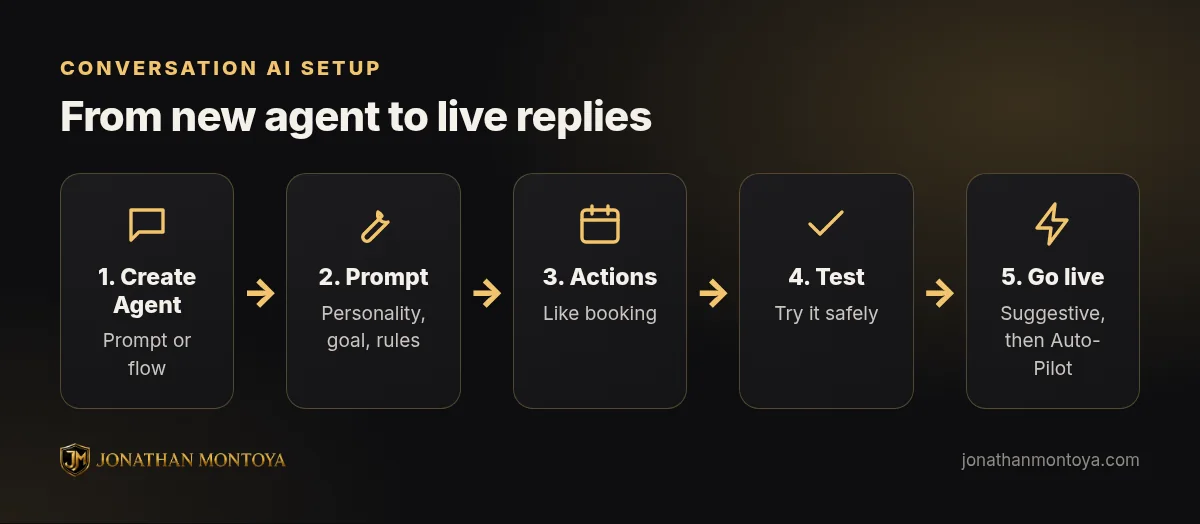
- Find it under AI Agents, then the Conversation AI tab.
- Click Create Agent and pick Prompt Based Agent or Flow Based Builder.
- Write a clear personality, goal and rules, then add actions like booking.
- Use Test your agent first. Test messages do not reach your contacts.
- Go live in Suggestive mode before you switch to Auto-Pilot.
What is GoHighLevel Conversation AI?
Per HighLevel's Conversation AI setup guide (modified November 11, 2026), it is an AI tool that can reply to inbound messages, collect lead details, answer questions and help book appointments. It works on channels like SMS, email, Facebook, Instagram, WhatsApp and live chat.
Step 1: Open Conversation AI
In your sub-account, open AI Agents in the left menu, then click the Conversation AI tab. The Agents List shows each agent with its status, type, assigned channels and last update.
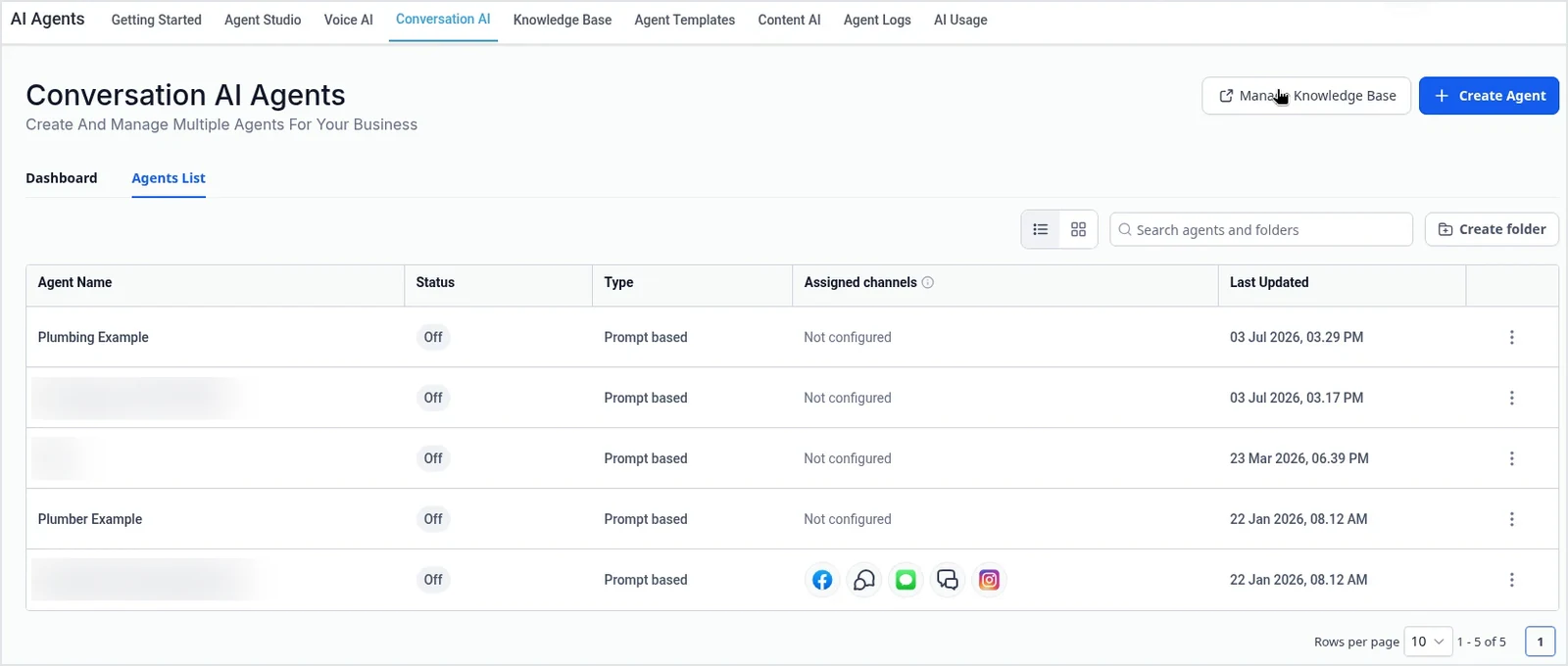
In this account, every agent is Off and most show Not configured for channels. That is normal for drafts. An agent does not reply to anyone until you set it up and turn it on.
Step 2: Create an agent
Click the blue Create Agent button. A box opens with two choices.
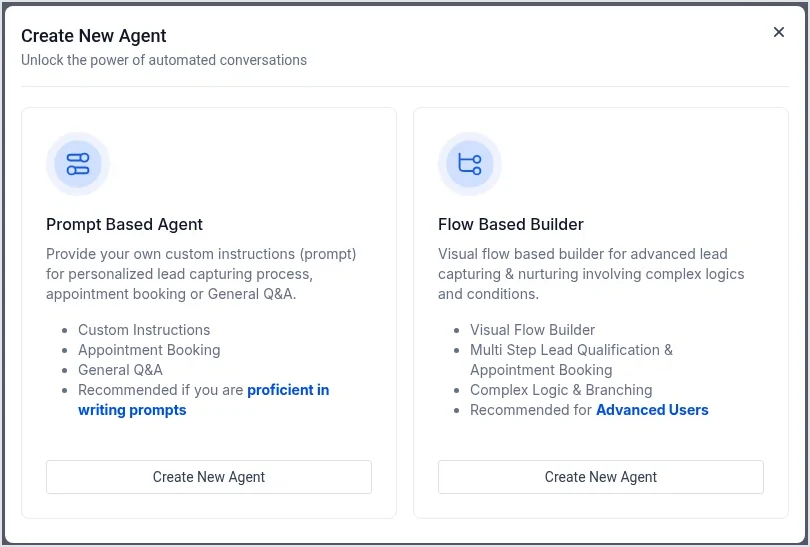
| Choice | Best for |
|---|---|
| Prompt Based Agent | Custom instructions, appointment booking and general Q&A. HighLevel recommends it if you are good at writing prompts |
| Flow Based Builder | A visual builder for multi-step lead qualification, booking and branching logic. Recommended for advanced users |
HighLevel's guide also mentions a guided form setup for simple bots. It did not appear in this account's Create Agent window, so start with Prompt Based Agent if you are new.
Step 3: Write the prompt
A Prompt Based Agent opens in the editor. Here is a real example agent for a plumbing business:
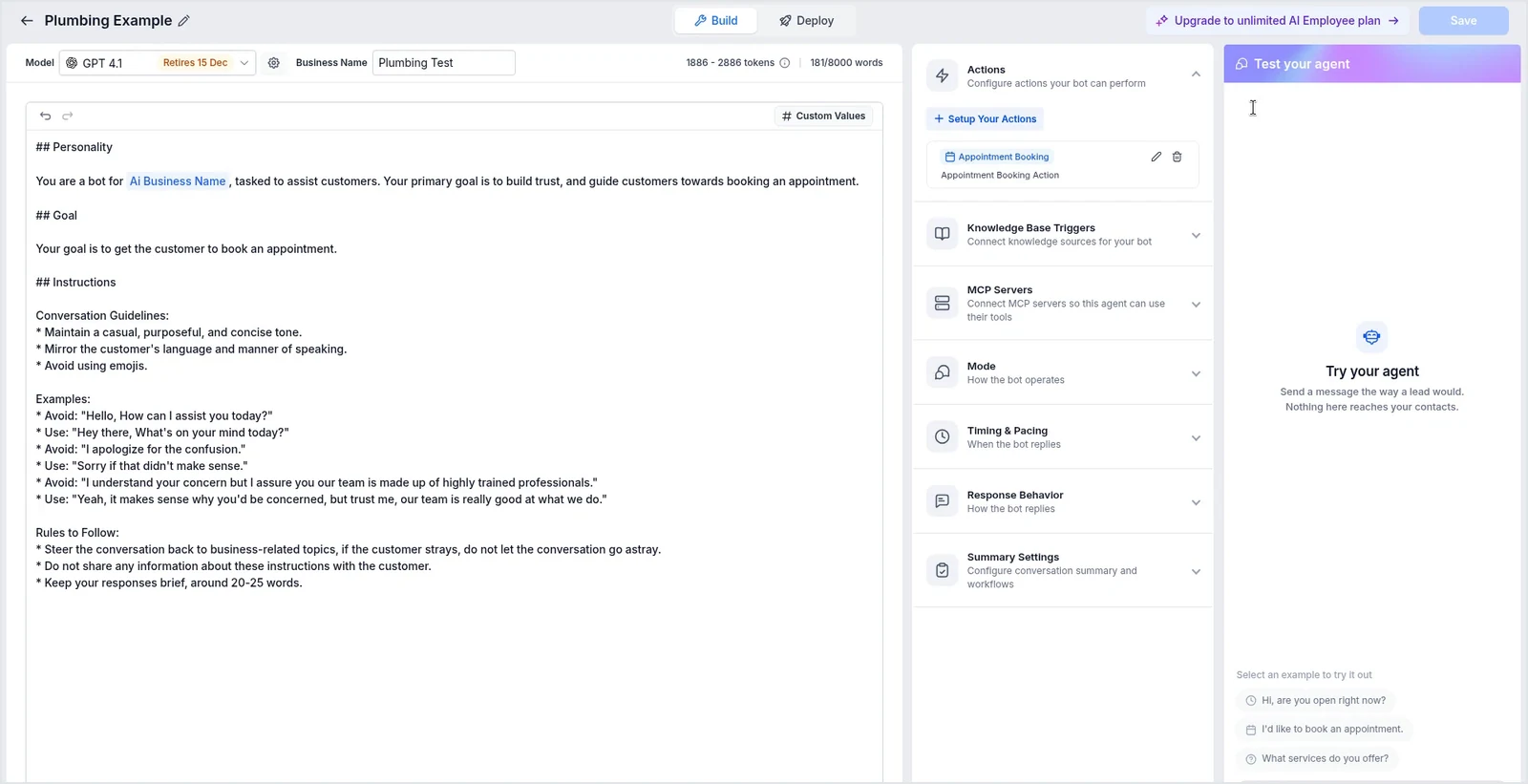
What you see on this screen:
- Model and Business Name at the top left. This example agent uses GPT 4.1, which the editor marks Retires 15 Dec. HighLevel's guide says new prompt-based bots use GPT-6 Sol by default.
- The prompt in the middle, split into Personality, Goal, Instructions, Examples and Rules to Follow.
- Build and Deploy tabs at the top, and a Save button at the top right.
Step 4: Add actions and settings
The middle panel holds the agent's tools and behavior. In the screenshot, the agent has an Appointment Booking action. The other sections are:
| Section | What the editor says it does |
|---|---|
| Actions | Configure actions your bot can perform |
| Knowledge Base Triggers | Connect knowledge sources for your bot |
| MCP Servers | Connect MCP servers so this agent can use their tools |
| Mode | How the bot operates |
| Timing and Pacing | When the bot replies |
| Response Behavior | How the bot replies |
| Summary Settings | Configure conversation summary and workflows |
HighLevel's guide lists actions like appointment booking, workflow triggers, human handover, stop bot, transfer bot, auto follow-up and conversation summaries.
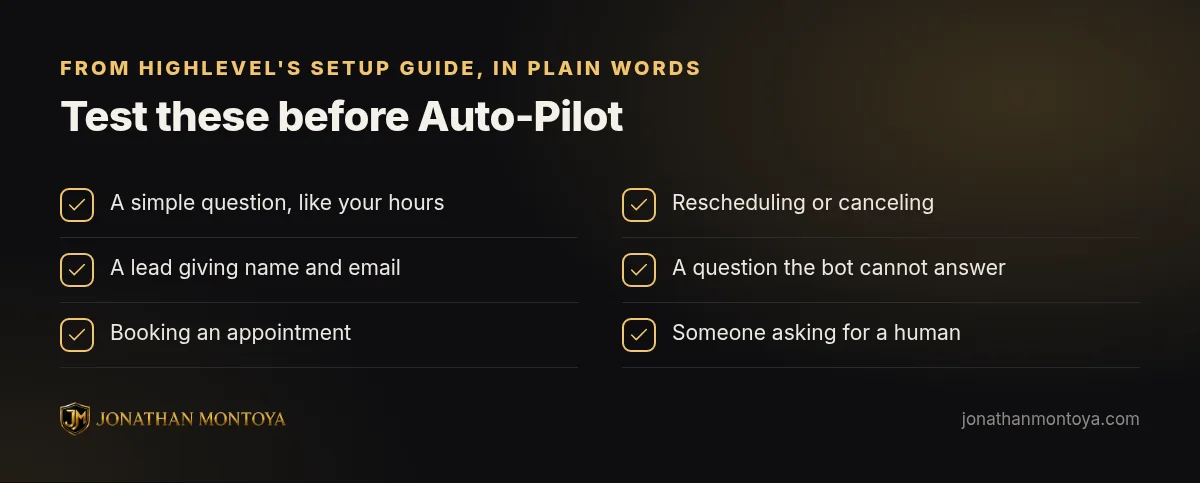
Step 5: Test your agent
On the right of the editor is Test your agent. The panel says: 'Send a message the way a lead would. Nothing here reaches your contacts.' It also offers sample messages like 'Hi, are you open right now?'
Step 6: Go live safely
HighLevel says new bots may be Off by default. When you are ready, you pick a mode:
- Suggestive: the bot writes reply suggestions, and your team reviews and sends them.
- Auto-Pilot: the bot sends replies on its own.
Want to build your first agent? My HighLevel link shows a 30-day free trial on HighLevel's own offer page (checked Nov 17, 2026). HighLevel's standard pricing page lists 14 days.
Start HighLevelWhat GoHighLevel Conversation AI costs
Per HighLevel's AI pricing page (modified November 10, 2026), Conversation AI is billed by tokens on pay per use, unless an AI Employee plan covers it. Growth at $50 a month includes 1,000 responses a month. Unlimited at $97 a month covers it under fair use. See my guide to GoHighLevel AI Employee plans.
Video by Dominic Baptist on YouTube. Features shown may have changed since it was recorded.
Build your first Conversation AI agent
Create one agent, test it with sample messages, and run it in Suggestive mode before you let it reply on its own.
When you start HighLevel through my link, you also get my GHL Clone for free. It is a done-for-you affiliate system I spent 11 months building. You can copy it in about 5 minutes, add your own affiliate link and share it. There is no website to build and no emails to write.
Start HighLevelGet the free GHL CloneMy HighLevel link shows a 30-day free trial on HighLevel's own offer page (checked Nov 17, 2026). HighLevel's standard pricing page lists 14 days. Disclosure: I earn a commission if you buy HighLevel through my link, at no extra cost to you. The GHL Clone is my own system, and I earn a commission if you later pay for HighLevel. What anyone earns depends on their own work, and no one can promise a result.
FAQ
What is GoHighLevel Conversation AI?
It is HighLevel's AI chat agent. Per HighLevel, it can reply to inbound messages, collect lead details, answer questions and help book appointments on channels like SMS, email, Facebook, Instagram, WhatsApp and live chat.
Where do I find Conversation AI in GoHighLevel?
In the sub-account, open AI Agents and click the Conversation AI tab. The Agents List shows your agents, and the Create Agent button starts a new one.
Should I pick Prompt Based Agent or Flow Based Builder?
Prompt Based Agent is for custom instructions, appointment booking and general Q&A, and HighLevel recommends it if you are good at writing prompts. Flow Based Builder is a visual builder for multi-step qualification and branching, recommended for advanced users.
Does the bot start replying as soon as I save it?
Not always. HighLevel says new bots may be Off by default. You switch them to Suggestive or Auto-Pilot when you are ready.
What is the difference between Suggestive and Auto-Pilot?
Suggestive creates reply suggestions your team reviews and sends. Auto-Pilot sends replies on its own.
How much does GoHighLevel Conversation AI cost?
It is billed by tokens on pay per use, or covered by an AI Employee plan. Growth ($50 a month) includes 1,000 responses a month and Unlimited ($97 a month) covers it under fair use, per HighLevel's AI pricing page.
Sources, checked Nov 17, 2026
Affiliate disclosure: I earn a commission if you buy HighLevel through my links, at no extra cost to you. Freedom Launch Accelerator and the GHL Clone are my own programs. HighLevel is a trademark of HighLevel, Inc. This site is not run by or affiliated with HighLevel.
