HighLevel • Beginner setup
Give missed callers a simple way to reply. This guide walks through choosing the business number, writing a helpful text, turning on the setting, and checking what happens next. Use the test worksheet to confirm that replies reach the person who will actually help.
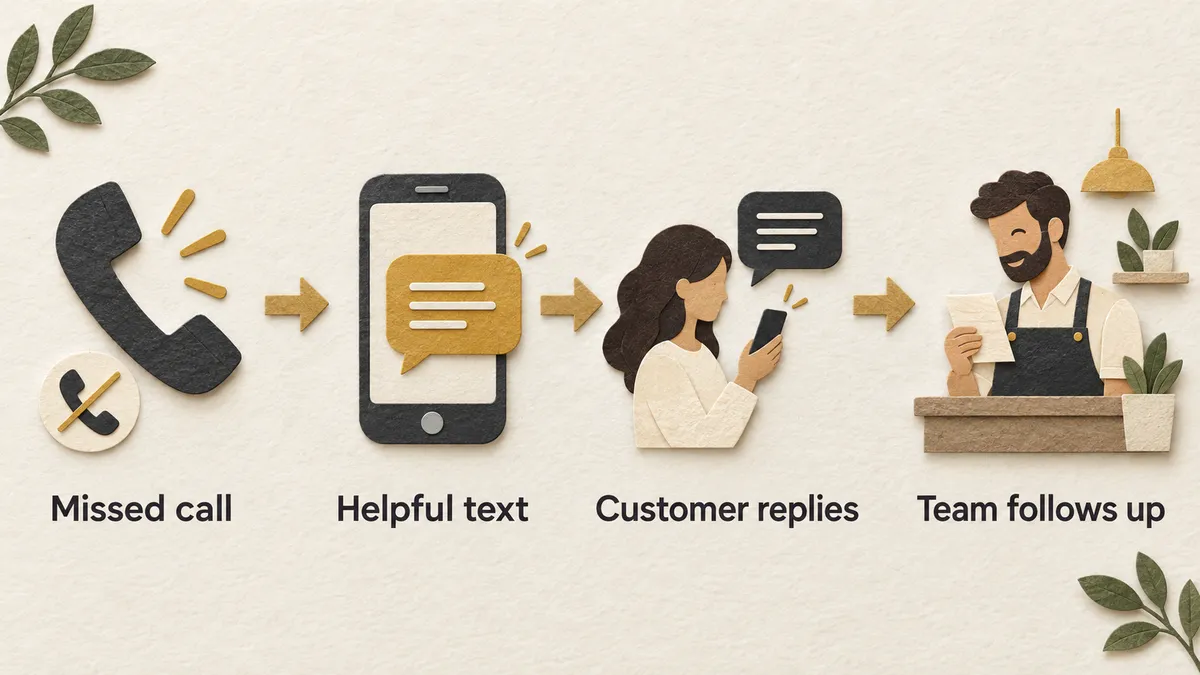
A customer calls a small business. The owner is helping someone else, so the call goes unanswered. Usually, the customer has to leave a voicemail or try again.
A missed-call text gives that person another path: “Thanks for calling. How can we help?” If the customer replies, someone at the business can pick up the conversation.
This is a useful first feature to learn because the job is easy to explain. You are helping the business acknowledge a missed caller. You are not promising a new customer, a sale, or a fully automated receptionist.
What you are setting up
HighLevel calls this feature Missed Call Text Back. Its current setup page is inside Settings → Phone System → Voice. The built-in option sends a preset SMS after a missed inbound call. Answered calls do not trigger it. HighLevel’s current setup guide.
A preset message is different from an AI conversation. Writing “How can we help?” does not, by itself, teach the software to understand the answer or book an appointment. For your first version, let a person handle replies.
If you want software that speaks to callers, read how AI call answering works. If you want one simple follow-up after an unanswered phone call, keep reading.
Before you open settings: answer four questions
| Question | What you need to write down | Why it matters |
|---|---|---|
| Which business number will customers call? | The exact public number and where it rings. | Testing a different number does not prove the customer’s route works. |
| What should the message say? | A short acknowledgement using the actual business name. | An unknown number needs an introduction. |
| Who reads and answers replies? | One named person and a backup. | A text that starts a conversation needs someone to continue it. |
| When should the customer expect help? | A realistic response window approved by the owner. | A message should not promise an immediate callback if nobody is available. |
Do this for a practice business first. If you are helping a real business, have its owner approve the phone route, wording, and reply process before you change what customers experience.
Make sure the number and messaging are ready
You need access to the correct business workspace in HighLevel, called a sub-account. You also need a working call route and an eligible SMS sender. A phone number that receives calls is not automatically ready to send business texts.
Use HighLevel’s phone-number setup guide for the account’s requirements. Purchasing a new number and using a number the business already owns are different tasks. Existing numbers may require a porting, hosting, or other supported process; do not buy a replacement merely because a tutorial starts with a new number.
HighLevel’s messaging policy requires valid permission, business identification, and a way to opt out. A phone call should not be treated as permission to add someone to an unrelated marketing sequence. Follow the business’s approved messaging use case and applicable requirements. Review the LC Phone Messaging Policy.
For a practice test, use your own consenting phone. For a real setup, keep consent and opt-out behavior in the handover checklist. If the business cannot explain how it has permission to send the message, resolve that before enabling it.
Write a message a customer can understand
Start with the business name. Acknowledge the call. Ask one easy question. Explain when a person will respond if that matters.
This is original example wording, not a promise that every account or messaging use case will approve it. Replace the name and response expectation with the owner’s facts, and check the final message alongside the account’s compliance settings.
Do not write “I’m on another call” unless that is true. Do not ask for payment details or a long description of a sensitive problem. The first message only needs to reopen a useful conversation.
Three simple variations you can adapt:
- A callback request: “Thanks for calling [Business]. Sorry we missed you. What is a good time for our team to call back? Reply STOP to opt out.”
- An after-hours reply: “Thanks for calling [Business]. We’re closed now. You can reply with your question, and our team will respond during [approved hours]. Reply STOP to opt out.”
- A general enquiry: “Hi, this is [Business]. We saw your missed call. What can our team help you with? Reply STOP to opt out.”
Choose one. Do not send all three. If you use a customer’s name, also test an unknown caller; a friendly message should still make sense when no name is available.
Turn on the built-in option
The official guide checked on October 11, 2026 gives this route: in the business workspace, open Settings, then Phone System, then Voice. Open the voicemail/text-back panel and select the missed-call option. Enable it, open its message editor, enter the approved copy, preview it on your test number, and save. See the current control names and screenshots.
The preview checks the message. It does not replace a real call through the business number. The next step checks the entire journey.
Run the five-part test
Use the downloadable worksheet below. Leave the result blank until you observe it. These are proposed tests, not results from a customer account.
| Test | What to do | Evidence to keep |
|---|---|---|
| 1. Unanswered call | Call the actual customer-facing number from your test phone. Let it go unanswered. | Call time, call record, received text, and sending number. |
| 2. Answered call | Call again and have someone answer normally. | Answered call record; check that no missed-call text appears. |
| 3. Customer reply | Reply “Please call me about a repair.” | The correct business inbox receives it and the named person can respond. |
| 4. Repeated calls | Make two unanswered test calls close together. | Record the number of messages received; decide whether that experience is acceptable. |
| 5. Opt-out | Using your consenting test contact, verify the approved opt-out process. | Contact’s messaging preference and subsequent suppression behave as expected. |
Keep screenshots private and remove phone numbers before using them in training. If a reply is visible in the inbox but nobody notices it, the setup still needs a better handoff. Delivery and follow-up are two separate checks.
The basic feature can text on each missed call, so repeated callers may get repeated acknowledgements. HighLevel recommends a customized workflow when you need repeat-call control. Start by observing your test; use the supported workflow approach if it needs a waiting rule or other conditions. Repeat-call behavior in the setup guide.
If no text arrives, follow the evidence
Do not toggle random settings. Find the failed stage.
| What you see | Next check |
|---|---|
| No call record in the expected business workspace. | Verify which number you called and its route into the account. |
| The call appears, but it was answered or reached a different phone flow. | Review how the test call was handled before changing the SMS copy. |
| A message attempt appears as failed. | Open its details and read the actual error before retrying. |
| The message arrived, but the sender looks unfamiliar. | Check the number used and whether the text clearly identifies the business. |
| The customer’s reply arrived, but the owner did not see it. | Fix who monitors replies and how they are notified. |
HighLevel’s SMS delivery troubleshooting guide explains how to locate the problem. Its message-error reference helps distinguish number, registration, carrier, recipient, and account issues. Repeatedly resending the same failed message does not diagnose the cause.
A follow-up can arrive from another eligible account number if the number called cannot send SMS. Do Not Disturb (DND) preferences still apply. These are the contact’s saved choices about receiving messages. Check the received sender rather than assuming every follow-up uses the original dialled number. Sending-number selection and DND.
Check cost, then hand it over
Acknowledge the running costs before offering this as an included service. Phone-number rental, text-message segments, calls, carrier charges, and registration can contribute to the bill. A delivery attempt can also be charged when the message does not ultimately arrive. Check the current phone pricing and billing guide; do not treat a software subscription as unlimited free texting.
Your handover can fit on one page: number, exact message, reply owner, support contact, cost arrangement, test date, and how to return to the previous setup. Have the business owner read the text from the customer’s point of view.
If you are offering ongoing support, use the monthly service checklist to define what you will actually look after. If you are still choosing your first service, start with the simple local-business service examples.
Your next action: write one message, choose one reply owner, and complete one real unanswered-call test. That is more useful than adding five features the business has not asked for.
Jonathan’s training
Want the whole beginner path?
The AI Agency Blueprint covers choosing a service, practicing the setup, approaching businesses, and supporting a client. Training does not include the platform or its usage charges.
Software used in this approach
Give one missed caller a clear next step
Explore HighLevel when you are ready to configure a practice phone and messaging setup. Start with one business number and one tested follow-up.
Affiliate link: Jonathan may earn a commission if you sign up through this link.
Review the plan, renewal terms, and usage charges before signing up. Phone, messaging, AI, and other usage can cost extra.
Turn the guide into one useful step
Missed-Call Text Back: Setup and Test Worksheet
Keep the plan and evidence together. Leave a result blank until you have actually checked it. Downloads and copying stay in your browser; no entries are sent to software or customers.
Worksheet text
Read or select the worksheet text
MISSED-CALL TEXT BACK, SETUP AND TEST WORKSHEET
Original planning worksheet. Blank results are not completed tests.

Business / practice example:
Prepared by / date:
Business workspace / sub-account:
Customer-facing phone number:
Where that number routes:
SMS sending number(s):
Messaging permission / approved use case checked by:
Final message (include actual business name):
Reply owner:
Backup reply owner:
Approved response hours / expectation:
Who pays platform, number, SMS, carrier and registration costs:
Owner's approval before customer-facing changes:

TEST LOG
1. Unanswered call
Called number:
Test date/time:
Call record found:
Received text and sender:
PASS / FAIL / NOT RUN:
Evidence / issue:

2. Answered call
Test date/time:
Call recorded as answered:
Unexpected missed-call text? YES / NO:
PASS / FAIL / NOT RUN:
Evidence / issue:

3. Reply journey
Test reply:
Correct inbox:
Reply owner can see and answer:
PASS / FAIL / NOT RUN:
Evidence / issue:

4. Repeated missed calls
Number of calls / time window:
Number of received messages:
Experience approved? YES / NO:
If repeat-call control needed, supported workflow changes proposed:
PASS / FAIL / NOT RUN:

5. Opt-out with consenting test contact
Approved opt-out method:
Preference recorded:
Suppression verified:
PASS / FAIL / NOT RUN:
Evidence / issue:

HANDOVER
Remaining problems and who fixes them:
Final message approved by/date:
Phone route approved by/date:
Support contact / agreed response expectation:
Return-to-previous-process instructions:
Next review date:

Do not store customer private information in a public version of this worksheet.
Spreadsheet log (CSV)
Read or select the CSV text
test,action,expected_evidence,actual_result,status_pass_fail_not_run,issue_owner_next_step
Unanswered call,Call real customer-facing number; let it go unanswered,Call record + received SMS + sender,,,
Answered call,Call and answer normally,Answered call record; no missed-call SMS,,,
Customer reply,Send a consenting test reply,Correct inbox + reply owner can respond,,,
Repeated calls,Make two unanswered calls close together,Number of received SMS; experience approved,,,
Opt-out,Use approved opt-out with consenting test contact,Preference and suppression evidence,,,
Sources and further reading
Software steps and limits come from the dated official sources below. Examples and worksheets are original editorial aids. They are not evidence of a completed setup or customer result.
- HighLevel: configure Missed Call Text BackOfficial HighLevel documentation · Checked 2026-10-11
- HighLevel: LC Phone Messaging PolicyOfficial HighLevel documentation · Checked 2026-10-11
- HighLevel: purchase and set up a phone numberOfficial HighLevel documentation · Checked 2026-10-11
- HighLevel: LC Phone pricing and billingOfficial HighLevel documentation · Checked 2026-10-11
- HighLevel: troubleshoot SMS deliveryOfficial HighLevel documentation · Checked 2026-10-11
- HighLevel: common unsuccessful SMS errorsOfficial HighLevel documentation · Checked 2026-10-11
Frequently asked questions
How do I turn on missed call text back in GoHighLevel?
Turn it on from the phone settings or build a workflow with a missed call trigger and an SMS action, then test it with a real call.
Do I need A2P registration first?
In the United States, yes. Business texting to US numbers needs A2P 10DLC registration, or messages can be blocked.
What should a missed call text say?
Keep it short and friendly: say who you are, apologize for missing the call, and ask how you can help.