
Selling your app
Price is the scariest part of selling your first app. Too high feels greedy. Too low feels safe but tells buyers it is not worth much. Here is a simple way to pick a price and test it with real buyers.
Disclosure: Some links in this post are affiliate links. I earn a commission if you buy through this link. It does not change the price you pay. MakerAI is my own company.
Quick answer
For a first AI app, pick one simple model: monthly access, one-time purchase, or a service with the app included. Start from what the problem costs your buyer today, not from what your tools cost you. Then show the price to real buyers before you build more. In Overskill (I earn a commission if you buy through this link.), you can set a price by asking the AI, test checkout for $0 with a test code, and change prices later, with existing customers kept on their old price by default.
The pricing mistake most builders make
Most first-time builders price by feel. They look at their own wallet and think, "I would pay $5 for this." But you are not your buyer.
Your buyer has a problem that costs them time, money, or stress every week. Your price should be a small slice of that cost. That is the whole idea behind value-based pricing.
I talk about why so many AI-built apps go nowhere in this video. It is not about pricing only, but the core point is the same: build for a buyer, not for yourself.
My video: Why most AI-built apps fail, and what the few that work do differently.
The SaaS pricing models, in plain words
SaaS means "software as a service," or software people pay to use. Overskill's help lists six common models. Here they are with the example prices Overskill itself uses.
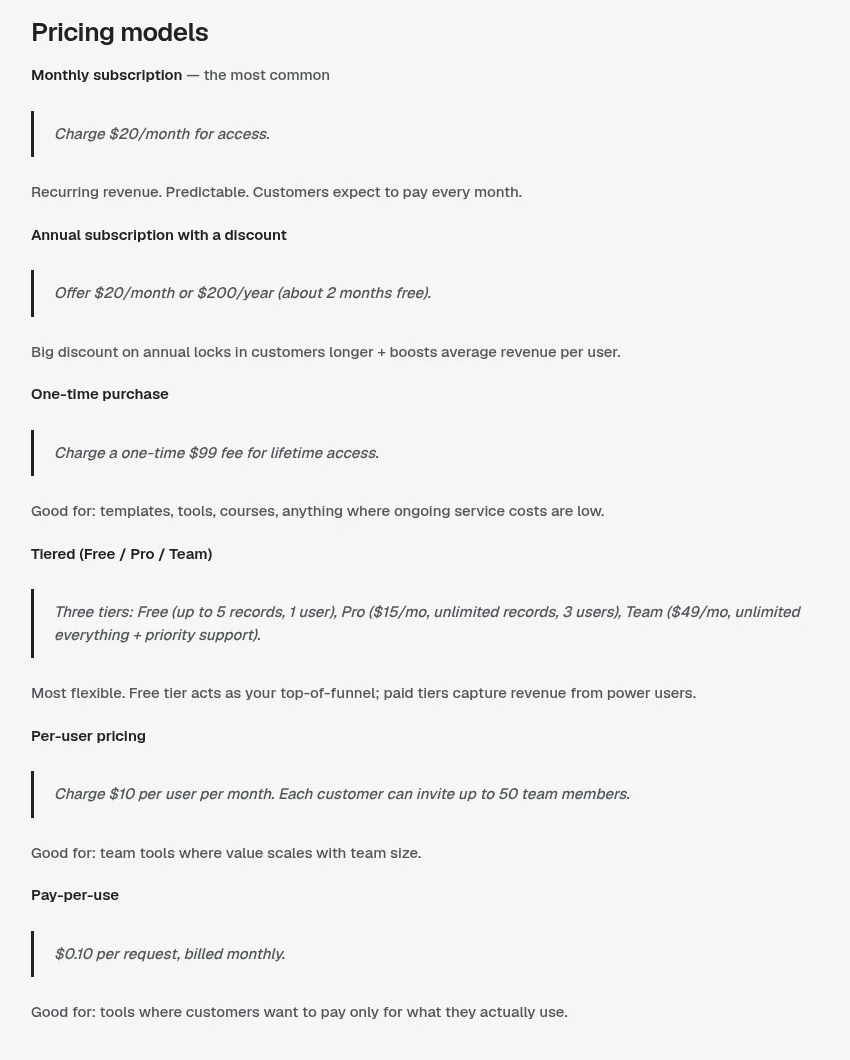
| Model | How it works | Overskill's example | Good for |
|---|---|---|---|
| Monthly subscription | Pay each month for access | $20 a month | Tools people use every week |
| Annual with a discount | Pay for a year up front | $200 a year, about 2 months free | Locking in buyers who already like it |
| One-time purchase | Pay once, keep access | $99 once | Templates and tools with low running costs |
| Tiered | Free, Pro, and Team levels | Pro $15 a month, Team $49 a month | Apps with light and heavy users |
| Per user | Pay for each team member | $10 per user a month | Team tools |
| Pay per use | Pay for what you use | $0.10 per request | Tools with uneven use |
Source: Overskill help, setting prices and subscriptions, checked Oct 17, 2026. Example prices only.
For a first app, pick one of three shapes
Six options is too many for a first app. I would pick one of these three and move on.
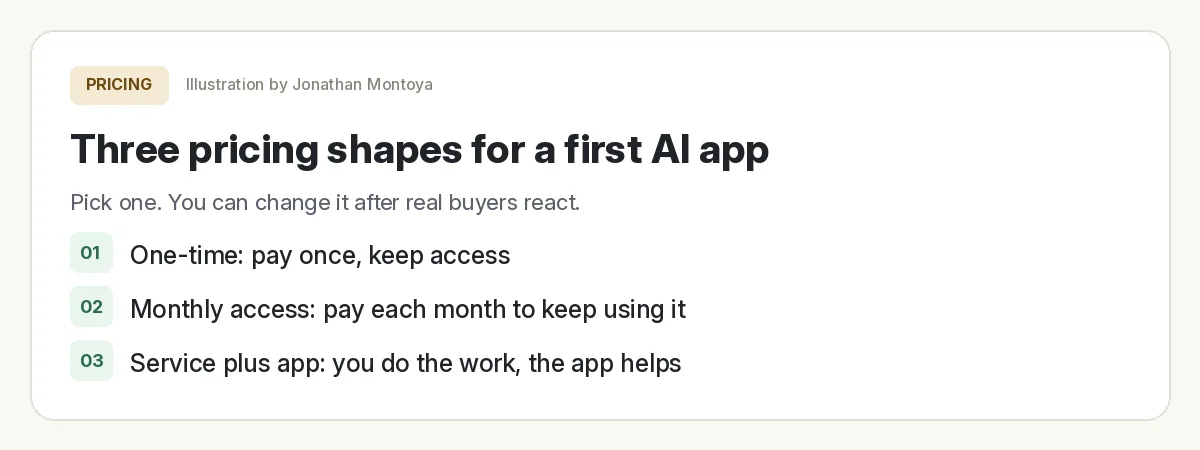
| Shape | Pick it when | Watch out for |
|---|---|---|
| Monthly access | People use it often and it keeps giving value | People cancel if they forget to use it |
| One-time | It solves a one-off job, like a template or a calculator | You need new buyers to keep earning |
| Service plus app | A business wants the result, not the software | Your time is part of the price |
"Service plus app" is the one most beginners miss. A local business may never buy software, but it will happily pay someone to set up a tool that books more jobs. My post on app ideas for local businesses has ideas that fit this shape.
How to choose the number
Here is the simple worksheet I would use. Grab a piece of paper.
- Write the problem in one line. "Cleaning companies lose quote requests that come in after hours."
- Write what it costs today. Time spent, jobs lost, or another tool they pay for. Use their words, from a real conversation.
- Write what they use now. A spreadsheet? A $30 tool they hate? A person? That is your real competitor.
- Pick a price that is a small slice of the cost. If it saves real money every month, a monthly price makes sense.
- Check it against what they pay now. If you charge more, you need a clear reason.
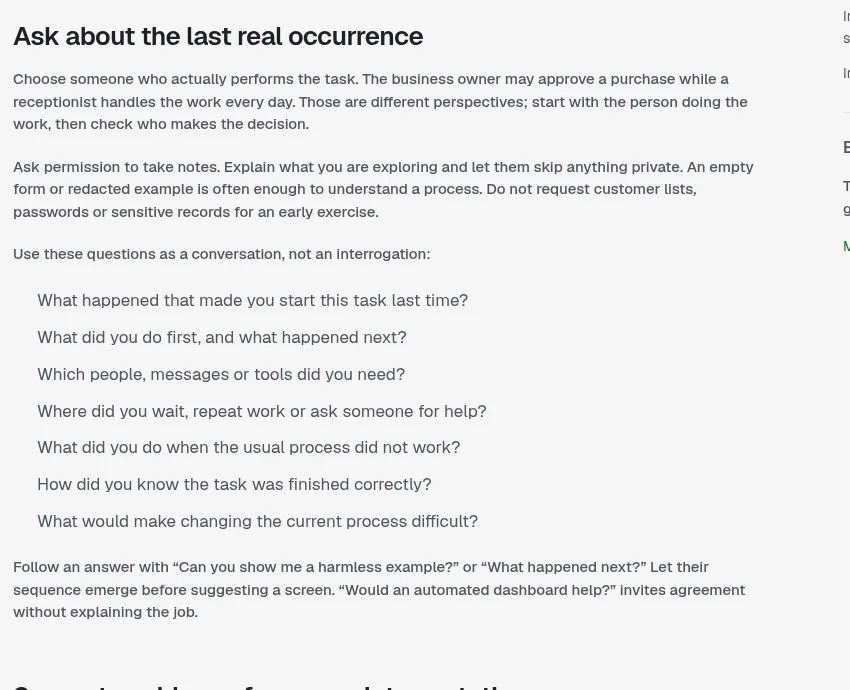
Those questions are gold for pricing. "What did you do first, and what happened next?" tells you how much time the problem eats. Time is money to a business owner.
Real prices on the MakerAI Marketplace
It helps to see what real software lists for. These are public prices on the MakerAI Marketplace, which is run by my company, MakerAI. I checked them on Oct 17, 2026. These are not Overskill apps, and I am not sharing any sales numbers.
| Product | What it does | Public listing price (Oct 17, 2026) |
|---|---|---|
| Freedom Threads (my product) | Turns videos and offers into social posts | $5 a month |
| Truevest.AI (my product) | AI stock pattern tools membership | From $49 a month |
| WebinarKit | AI webinar sales engine | From $49 a month |
| PressPitch AI | Helps land press and podcast spots | From $49 a month |
| DM LeadFlow | AI assistant for Facebook DMs | From $970 a year |
Source: each product's public MakerAI Marketplace listing, checked Oct 17, 2026. Prices can change. Trading involves risk, and Truevest.AI does not promise results.
Notice the range. A simple helper can live at a low monthly price. A tool tied to sales or leads can charge more, because the value is easy to see. Price follows the problem, not the build effort.
Test the price before you lock it in
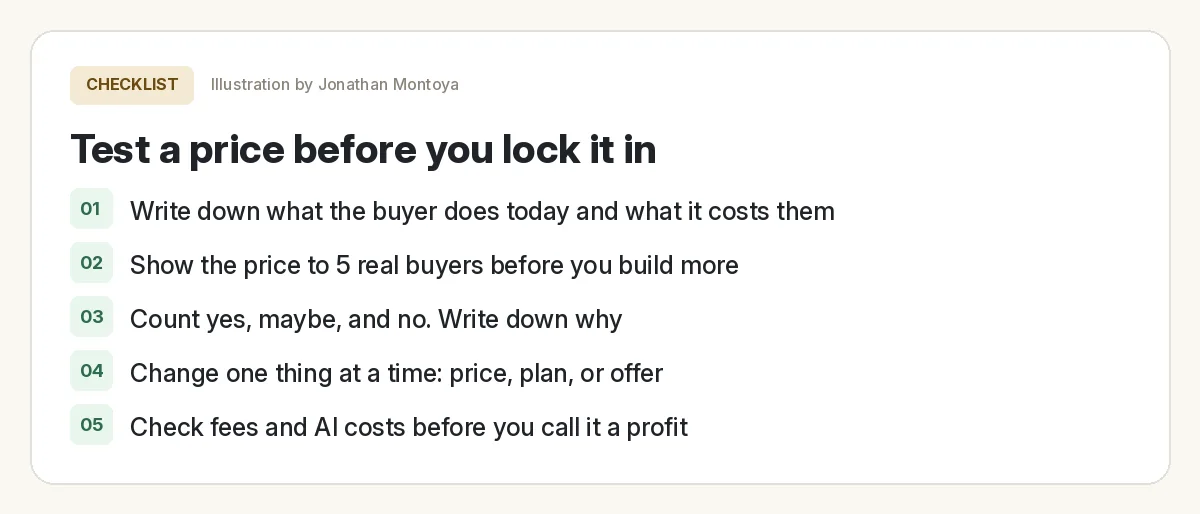
Price test before you build more
Nothing you check here is sent or saved. Download it if you want to keep it.
A "yes, send me the link" is worth more than ten "that sounds cool" replies. If nobody says yes, the price may not be the problem. The offer might be.
Setting your price in Overskill
In Overskill, you set prices by telling the AI. Its help gives this prompt: "Set up two pricing tiers. Free with 10 records max, no team. Pro at $20/month with unlimited records and team support." The AI builds the pricing page, checkout, upgrade prompts, and gating.
| Thing to know | What Overskill says (checked Oct 17, 2026) |
|---|---|
| Free trials | You can add one, like a 14 day trial on Pro |
| Price tests | Built-in price split tests are only on ClickFunnels AI funnels, in beta |
| Changing prices | Existing customers keep their price by default (grandfathering) |
| Testing checkout | Create a 100% off test code and buy on your live link for $0 |
| Test codes | Expire after about 48 hours |
| Before payouts | You complete business details, an approval review, and a one-time identity check |
For the full setup, read my guide on how to sell an AI app built with Overskill. If your app uses AI for each user, also see how buyer credits work.
Know your costs before you call it profit
Two costs sit under every sale. First, payment fees. Overskill says customer payments run on Whop, and "You pay Whop's published rates." Check Whop's fee page for today's numbers.
Second, your Overskill plan and credits. Plans were $25 a month (Starter) and $99 a month (Studio), checked Oct 17, 2026. AI features in your app can use credits too. See my Overskill pricing guide for the details.
None of this should scare you. It just means your price needs room above your costs. That is one more reason to price from the buyer's problem, not from the bottom.
Want help pricing and selling your first app?
In my free AI workshop, I show how regular people build software with AI and figure out who will pay for it. Bring your idea and your price.
Join my free AI workshopMakerAI is my company. The workshop is free. No income promises, just the process.
Ready to set a price?
Build the smallest version, set one price, run a $0 test checkout, and show it to five buyers.
Try OverskillI earn a commission if you buy through this link. Overskill is in invite-only beta, so you may need an invite code or a waitlist spot. Check the live pricing page before you buy.
Frequently asked questions
What is the best pricing model for a first AI app?
For most first apps, pick one simple shape: monthly access, a one-time price, or a service with the app included. Choose based on how often the buyer uses it and what the problem costs them.
How do I decide what to charge for my app?
Start from what the problem costs your buyer today in time, money, or other tools. Pick a price that is a small slice of that, then show it to real buyers before you build more.
Can I change my app's price later in Overskill?
Yes. Overskill says existing customers keep their original price by default, and new customers see the new price. You can also raise it for everyone with notice.
Can I test my checkout without paying?
Yes. Overskill lets you create a 100% off test code and complete a $0 purchase on your live link. Test codes expire after about 48 hours.
Does Overskill have built-in price A/B testing?
Overskill says built-in price split tests are only on ClickFunnels AI funnels, as a beta. Other Overskill apps do not have a built-in price test yet.
What fees come out of each sale?
Overskill says customer payments run on Whop, and you pay Whop's published rates. Check Whop's fee page for current numbers, plus your Overskill plan and any AI credits your app uses.
Sources
All checked October 17, 2026. Overskill is in beta and changes often, so plans, features, and rules can change. Links to overskill.com below include my affiliate code. I earn a commission if you buy through this link.
- Help: Setting prices and subscriptions
- Help: Selling access vs selling products
- Help: Test your checkout without paying
- Help: Payment fees explained
- Whop fees
- Overskill Learn: Validate an app idea with a customer
- Overskill pricing
- MakerAI Marketplace
- MakerAI Marketplace: Freedom Threads
- MakerAI Marketplace: Truevest.AI
- MakerAI Marketplace: WebinarKit
- MakerAI Marketplace: PressPitch AI
- YouTube: Why 99% of Lovable Apps Fail (Jonathan Montoya)
