Build once. Adapt carefully.
Build a useful starting point once, then adapt it for the next business. See what you can reuse, which details must change, and how to check the new version. A cleaning-to-repair example and a handover checklist make the repeatable process easy to picture.
Yes, you can reuse the foundation of an AI setup for another business. That is one reason this kind of service is interesting: the second project does not have to begin with a blank page.
But a copied setup is a starting point. The new business still has its own hours, services, phone numbers, calendar, staff, and rules. Those details need to be changed and tested.
Think of it like a house plan. You can reuse the plan. You still need the right address, working utilities, and a final inspection before someone moves in.
What “reuse the same setup” actually means
For a simple call-handling service, your reusable foundation might include the order of questions, instructions for collecting a callback request, a message format for the team, and your testing checklist.
Those pieces solve the same general problem. They do not determine the new business’s facts.
A cleaner needs to know the property and type of cleaning. A repair business may need to know the equipment and symptoms. Both can collect a name and callback number, but the next questions should fit the service.
| Keep as a reusable pattern | Change for each business |
|---|---|
| Ask why the customer is calling. | The service types and questions relevant to the request. |
| Collect and confirm callback details. | Which details the business actually needs and where they go. |
| Pass difficult requests to a person. | The right team member, contact route, and availability. |
| Answer only from approved information. | The business’s current hours, policies, location, and service area. |
| Check actions before launch. | The new calendar, phone routing, and notification destinations. |
Your reusable asset is the organized method. Your customer’s service is the method plus their correct information and working connections.
How HighLevel handles reusable setups
HighLevel calls its reusable account template a Snapshot. It can copy selected configuration assets, including Voice AI agents, workflows, forms, and calendars, into another account. Available assets depend on the source setup and your selections. Customer contacts, appointments, conversations, integrations, Stripe connections, and assigned Voice AI phone numbers are not transferred. HighLevel’s Snapshot overview.
In plain language: you can copy useful building blocks. You still have to connect the new business’s services.
HighLevel also supports copying its flow-based Voice AI agents. Both accounts need the relevant access, connected parts need to be present, and the destination needs its own compatible phone number. HighLevel’s Voice AI Snapshot requirements.
You do not need to memorize all the software names to understand the business idea. Start with one repeatable job, such as collecting an after-hours callback request. Learn the copying process after that job works.
If you want to explore the software used for these reusable setups, see Jonathan’s HighLevel trial page. Check which plan supports the accounts and features you intend to use. Affiliate link: I may earn a commission if you sign up through it. Review the plan and checkout terms; subscription billing starts after the trial unless canceled, and phone, AI, or other usage can cost extra, including during a trial.
1. Make a clean reusable version
Build your reusable version in a separate practice account or area appropriate to your software. Give it a clear purpose, such as “callback requests for one-location home-service businesses.”
Use obvious placeholders: [BUSINESS NAME], [OPENING HOURS], [SERVICE AREA], and [CALLBACK DESTINATION]. They are easier to catch than a real name quietly left in a paragraph.
Keep customer-specific secrets, private conversations, passwords, and payment details out of the reusable version. Do not assume that because some live data is excluded from an import, all sensitive information is automatically excluded. A copied instruction, document, or link can still contain something private.
Write a small included-items list. For example:
- One call-helper role and greeting pattern.
- Questions for collecting a callback request.
- A clear response when the answer is unknown.
- A team notification format.
- A business information worksheet.
- A test checklist and a handover note.
Keep this first version narrow. A huge template with dozens of unused features is harder for a beginner to inspect, explain, and maintain.
2. Collect the new owner’s facts before changing settings
Send the owner a short information sheet. Ask them to approve the answers, because a website can be out of date and a directory listing can belong to an old location.
| Ask for | Why it matters |
|---|---|
| Business name and how to say it. | The assistant should represent the correct business naturally. |
| Hours, time zone, holidays, and after-hours process. | “We open tomorrow” must match the real schedule. |
| Services, service area, and important exclusions. | The assistant should not accept work the business does not do. |
| Approved answers and pricing boundaries. | It needs to know what it may explain and what a person must quote. |
| Required callback information. | The team should receive enough information to help without collecting unnecessary details. |
| Booking rules, if booking is included. | Availability, appointment length, and restrictions need to match the business. |
| Staff handoff and fallback contact. | A caller needs a useful next step when the assistant cannot help. |
| Who approves changes and handles support. | Instructions should come from an authorized person. |
Mark unknown answers as unknown. Do not fill them with what “most businesses” probably do. A blank field is a job to finish; an invented answer is a mistake waiting for a caller.
Try it here · a practical planning tool
Make the next copy belong to this business
Mark an item only after you have checked it for the new business. This checklist does not inspect accounts, run tests, or deploy software.
UNFINISHED / NOT VERIFIED
0 of 12 checks marked complete
Start by collecting the new owner’s approved facts. A reusable template is a foundation, not a finished customer service.
This tool does not submit your entries or store them between visits. Download any notes you want to keep.
3. Create a separate copy for the new business
Keep clients separate. The owner should have the appropriate access to their service, and another customer should not be able to see their information.
In HighLevel, creating a reusable package and loading its pieces into another account are separate steps. Use the companion guide to create and load a HighLevel Snapshot. Then return here to change the new business’s facts, connect its destinations, and get approval. The software procedure is based on HighLevel’s Snapshot creation instructions.
If you are adding a template to an existing account, inspect what is already there first. Back up or record the existing configuration and review conflicts rather than replacing things blindly. A new customer may already have an appointment calendar or notification process they rely on.
Use only templates and assets you have permission to reuse. A purchased template is not automatically permission to resell every element or distribute its source files. Check the creator’s terms before building an offer around it.
4. Change the facts and connect the real destinations
Work through the owner’s approved information sheet from top to bottom. Change the visible name, spoken greeting, service descriptions, hours, and handoff instructions.
Then inspect the connections. A setup that looks correct can still send a message to your practice inbox or try to use the wrong calendar.
- Confirm the number callers will use and how calls reach the assistant.
- Connect or select the approved calendar only if booking is part of the service.
- Send team notifications to the new business’s correct destination.
- Confirm the person or number used for a human transfer.
- Check links in messages and customer-facing pages.
- Review access permissions and who receives alerts.
Search your copied content for the old business name, old town, old email address, and every placeholder. This includes instructions that customers never see. The assistant may still use an old fact if it appears in its reference material.
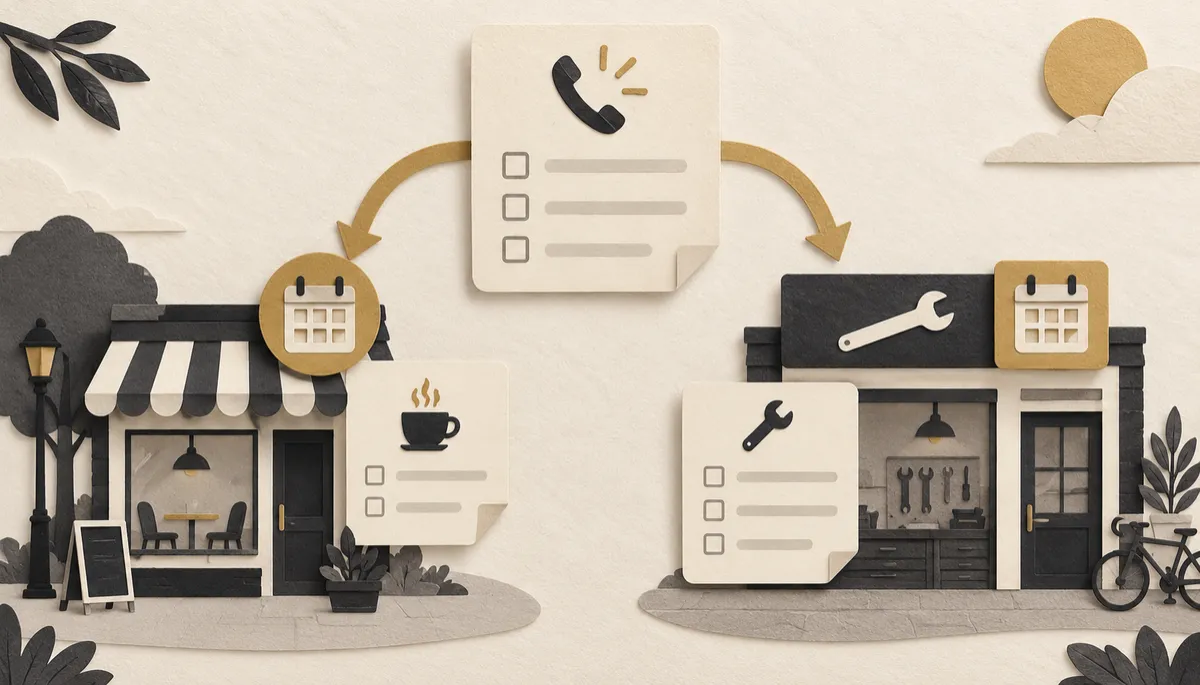
A worked example: one pattern, two different businesses
This example also shows why “one setup for every industry” can become misleading. The general process may carry over. The business questions and limits may not.
If a new request needs specialist advice, complicated eligibility decisions, or sensitive information, reassess whether your simple service is suitable. A beginner can choose a smaller, more manageable job.
5. Test the new copy as if you had never seen it
Do not test only the greeting. Follow a request all the way through to the place the owner will see it.
Use fictional test information and label the activity so it cannot be mistaken for a real customer. Ask a normal question, ask about an excluded service, request a person, and give incomplete details. If booking is included, inspect the resulting calendar entry and confirmation. If a transfer is included, test it through the actual phone path.
Check for a particularly damaging reuse error: the new assistant mentioning the old business or sending information to the old team. Treat that as a launch blocker.
For the full process, use the companion call-answering test guide. Each client needs its own completed results, even when the underlying template has worked elsewhere.
6. Let the owner approve the finished service
Show the owner the expected caller experience and explain its limits. Ask them to verify the business answers, the message they receive, and what happens when the assistant cannot help.
Agree on the initial launch scope. A limited after-hours or backup role may be appropriate if it matches the business’s needs and you have tested the routing. Do not change the main phone flow without authorization.
Give the owner a short handover note: what is live, who handles requests, how to report a problem, and how to return to the previous process. Record the approved configuration and date.
7. Improve the reusable version without surprising existing clients
When you find a useful improvement, add it to the clean reusable version. Keep a simple change log: what changed, why, and which tests passed.
A template change is not automatically a change every client wants. A cleaning company and a repair company may use similar foundations but have different approved rules.
HighLevel requires a Snapshot refresh to capture source changes; changing the source does not automatically refresh it. HighLevel’s update explanation. Review any client update as a separate deployment: inspect the effect, obtain approval where needed, and retest the affected behavior.
Keep the last known working version or a documented way to restore it. Reuse becomes valuable when it makes your delivery more reliable, not just faster.
How you know the new setup is ready
The new business’s facts are approved. Every connection points to the correct place. The tests show the promised job working. The owner knows the limits, the fallback, and who to contact.
That is the repeatable service: copy the foundation, change the facts, connect the business, test the journey, and get approval. You keep the useful work from the first build while giving the next customer a service that belongs to them.
For a guided start before you make a reusable version, join my free AI agency program. It is my own program. Learn the setup process, adapt it for each business, and use this checklist for the changes and tests. Software, usage, and optional purchases are separate.
Take the next step on paper
Reuse an AI Setup: Client Change and Approval Checklist
A usable worksheet for the task in this guide. Download it, copy the text, or print this page with the worksheet open.
Open the complete worksheet text
REUSE AN AI SETUP - CLIENT CHANGE AND APPROVAL CHECKLIST
Template name/version:
New client/business:
Prepared by:
Owner/authorized approver:
Date:

BEFORE COPYING
[ ] The original method works for a clearly defined job.
[ ] I have permission to reuse the assets.
[ ] Clean template has no private customer information, secrets, or customer-specific credentials.
[ ] Included assets and intended service documented.
[ ] Destination account and existing configuration reviewed.
[ ] Previous configuration backed up or documented appropriately.

OWNER-APPROVED FACTS
Business name/pronunciation:
Location/service area:
Services included/excluded:
Hours/time zone/holiday rules:
Approved answers:
Pricing topics AI must not answer:
Details to collect from callers:
Booking rules (if included):
Human handoff person/route/hours:
Fallback if human is unavailable:
Support contact/change approver:

AFTER COPYING
[ ] New business name and greeting.
[ ] Correct services, hours, location, and policies.
[ ] Every placeholder resolved.
[ ] Old business names, towns, phone numbers, email addresses, and links searched for and removed.
[ ] New phone number/routing assigned and tested.
[ ] Correct calendar connected where booking is included.
[ ] Correct notification destination tested.
[ ] Human transfer and unavailable-human fallback tested.
[ ] Access permissions reviewed.
[ ] No old customer data or private source material exposed.

TEST THE JOURNEY
Normal callback request: PASS / FAIL / NOT INCLUDED
Business-hours question: PASS / FAIL
Excluded-service question: PASS / FAIL
Unknown-price question: PASS / FAIL
Incomplete callback information: PASS / FAIL
Correct notification recipient: PASS / FAIL
Booking and correct calendar entry: PASS / FAIL / NOT INCLUDED
Real phone transfer: PASS / FAIL / NOT INCLUDED
After-hours routing: PASS / FAIL / NOT INCLUDED
Old-business information leak: PASS / FAIL

HANDOVER
[ ] Owner checked facts and a sample call.
[ ] Scope and limitations agreed.
[ ] Customer request handler confirmed.
[ ] Launch scope/time authorized.
[ ] Return-to-previous-process instructions documented.
Approved by/date:
Configuration version:
Remaining issues:

CHANGE LOG
Date | Version | Change | Client affected | Approval needed/received | Tests | Restore plan

A copied template is not a finished client deployment. Complete the change, connection, test, and approval steps for every client.
Sources and review notes
Official sources support the specific feature or rule cited beside it in the article. Calculations, worksheets, and fictional examples are editorial planning tools. Software features and prices can change.
- HighLevel: Snapshots overviewChecked 2026-10-10
- HighLevel: Snapshot support for flow-based Voice AI agentsChecked 2026-10-10
- HighLevel: Creating new SnapshotsChecked 2026-10-10
Frequently asked questions
Can I sell the same AI system to many businesses?
Yes. You can reuse the same base setup, but each business needs its own details, accounts, and testing.
What needs to change for each client?
Business name, hours, services, answers, routing, calendars, and any rules specific to that client.
How do I keep client data separate?
Give each client a separate account or sub-account and never share logins, contacts, or call data between clients.