
The idea in plain English
Teach someone something useful. Help them take the next step. Recommend a tool when it fits the job. In my setup, HighLevel handles the signup page and follow-up, while Skool holds the lessons and community. A qualifying software purchase through an approved affiliate link may earn a commission. Joining a group or starting a free trial alone does not.
Imagine someone sees a helpful Facebook post about answering a small business’s missed calls. They want to understand it, but they do not know what to buy or where to begin.
You give them a clear first lesson. They join a place where they can watch it and ask questions. When the lesson reaches a task that needs software, you explain the tool, its cost and the next step.
That is the journey behind the Skool and HighLevel affiliate setup I show in the video below. This guide walks through the pieces, the links that need attention, and a practice run you can complete before inviting anyone.
1. Watch the actual walkthrough
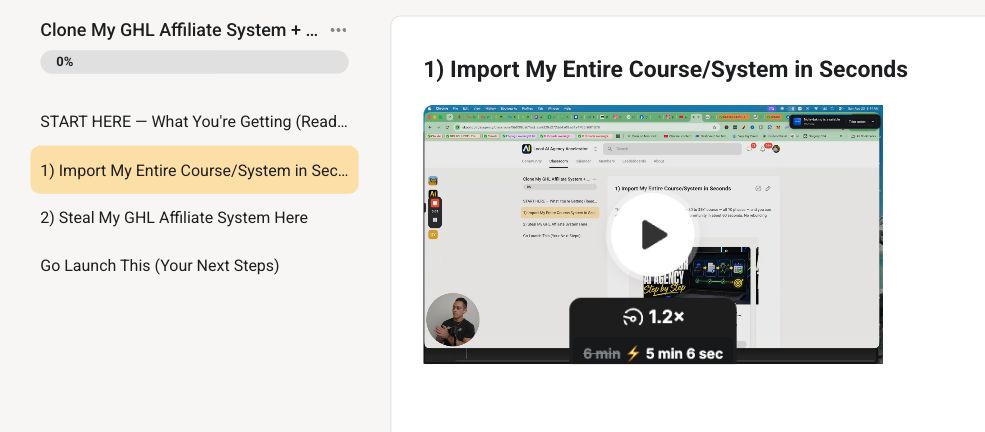
In this 15-minute video, I show the course, the signup route and how the software recommendation fits into the learning experience. Watch for the handoffs: where does a person arrive, what do they learn, and what happens after each button?
Video note: the dollar figure in the thumbnail is not typical income and not a promise of what you will earn. The Skool membership price and HighLevel terms on the live pages are the ones that count.
Watch the walkthrough directly on YouTube if the player does not load. The video describes the offer when recorded; the current access and payment screens take priority over older spoken terms.
Keep two things separate as you watch. First, you request access to my shared materials. Later, you prepare your own version for your audience. The three links used to request my materials are not automatically the links your future visitors should receive.
2. Follow one person through the journey
Use this original practice example: a beginner wants to learn how a small business could handle missed calls. Each stage should answer the next question in that person’s head.
An original practice example
Follow one visitor, one step at a time
Imagine you teach a new business owner what to do when a customer’s call goes unanswered. Open each stop to see what your visitor needs next.
Two different journeys: requesting Jonathan’s materials is your own setup step. The five stops below show the path a visitor could follow through a course you are allowed to share. This example does not collect information or run a live funnel.
-
Read a useful Facebook lesson“Now I understand the problem.”
They see: a short lesson about making a callback plan for missed calls.
You provide: a useful answer before inviting them to learn more.
Check: the next page teaches the same topic the post promises.
-
Visit one signup page“I know what I’m signing up for.”
They see: what the introductory lesson covers and how to get access.
You provide: a clear description of access, any conditions, and what happens after signup.
Check: the button leads to the promised next step; any information request is explained.
-
Open the welcome and first lesson“I know where to start.”
They see: a welcome with a direct route to a lesson called “Write your callback plan.”
You provide: one clear starting task inside the classroom you are permitted to use.
Check: the invitation, sign-in and first lesson work for the intended member.
-
Consider relevant software“I can decide whether this tool fits.”
They see: an optional HighLevel recommendation when the lesson reaches a job that software could help with.
You provide: an honest explanation, your own approved affiliate link, and a clear commission disclosure.
Check: the current offer, subscription and usage costs. A software trial is separate from course or community access.
-
A purchase may qualify“Joining and trying are different from buying.”
They choose: whether to buy and keep using software that meets their needs.
You check: the actual affiliate portal and current qualification rules.
Remember: joining a community or starting a trial is not a commission. A qualifying purchase and an actual payout are separate stages; neither is guaranteed.
Your next job: write the page, lesson and link you expect at each stop. Then record what you actually find in the journey worksheet. Leave results blank until you check them.
The software link belongs where it helps someone act on the lesson. If the learner only wants to understand the idea, let them learn first. A group invitation, a lesson watched and a software purchase are different events; record them separately.
3. Know what you are starting with
The video presents a shared course and HighLevel funnel materials, with instructions for adapting them. A funnel here simply means the short route from a signup page to the next useful step.
| Piece | What it helps with | Your job |
|---|---|---|
| Shared course | A starting set of lessons | Read every lesson; confirm permission to reuse it and what you can change. |
| Signup page and funnel materials | A starting route into the learning experience | Check the promise, destination, contact details and links. |
| Your Skool group | A place to learn and ask questions | Prepare the first lesson, explain access and respond to learners. |
| Your approved affiliate link | Lets the software provider identify a referral | Use the link assigned to you and follow the provider’s rules. |
A copy saves starting from a blank page. You still need to understand what it teaches, maintain the links and help the people who arrive. This walkthrough does not promise a setup time, automatic traffic or income.
Allow for running costs
Owning a Skool group has its own hosting-plan cost, separate from joining someone else’s community. HighLevel is a separate software subscription, and some usage can cost extra, including during a trial. Write those costs in your worksheet before choosing either. A shared course does not pay those bills for you.
4. Request the materials through the right route
These are the three destinations supplied with the video. Check the current offer instructions and eligibility before starting a trial for the purpose of claiming a bonus. If you already have an account, ask the team which access route applies rather than creating another one.
- Review the HighLevel trial offer. Jonathan’s HighLevel trial page currently advertises a 30-day trial for new customers. Read the selected plan, payment requirements, billing date and cancellation terms on the signup screen.
- Follow the learning-access instructions. Freedom Launch Accelerator is the entry page supplied with this offer. Check what access it includes and how the invitation is delivered.
- Enter the community and request the package. The AI Agency About page describes the group. It is not a post composer. After you are admitted, introduce yourself inside the community and ask for the current “GoHighLevel clone” instructions.
On October 12, 2026, the Freedom Launch Accelerator entry page advertised free learning access, while the public Skool About page displayed a separate $27/month membership offer. Those screens do not establish free ongoing Skool membership or automatic delivery of the clone package. Confirm which route and terms apply to you.
Any trial-linked gift must follow HighLevel’s current incentive rules. Those rules call for written approval; this article does not establish whether approval applies to a particular offer. Get the current package instructions and conditions from the team. If feedback is requested, give an honest account of your experience.
5. Prepare a version that makes sense to your audience
Once you have permission and the actual shared files or keys, begin with a draft. Your first goal is simple: a new person can find the first useful lesson without asking you where to click.
Import the authorized Skool course
Skool’s current import guide documents this route: in the destination group’s Classroom, choose New course, then Import with key. Paste the owner-supplied key and import. The imported course arrives as a draft. Group owners and admins can import; sharing a course key is an owner function.
Open the imported lessons before making them available. Check the lesson order, playable videos, downloads and links. Being able to import with a key is a platform feature; your permission to reuse the content comes from its owner. Keep the supplied permission with your materials.
Inspect the shared HighLevel pages
Use the import instructions delivered with the package. Do not guess that every shared page or funnel also includes working email, a connected domain or the correct group invitation.
Open the starting page and the page shown after signup. Change the owner details and intended destinations in your copy. Keep it as a draft until the practice journey below works. For general page-building concepts, see the existing affiliate marketing funnel guide; this article focuses on the course-to-community handoff.
Give the beginner one obvious starting point
A welcome lesson could begin: “Start here. Watch the missed-call example, then write down one kind of business it could help. You do not need to buy a tool to complete that first exercise.” Only use that wording if your actual lesson supports it.
Put the first task beside the first lesson. A huge library without a starting point can leave a beginner just as stuck as an empty classroom.
6. Replace the right links everywhere
Jonathan’s trial link in this guide supports this article. Your own audience needs your own approved affiliate link when you make a software recommendation as an affiliate. Copy it from your affiliate account; do not make one by editing someone else’s tracking code.
Check all these places in the copy you are allowed to edit:
- Signup-page buttons and the page shown after signup.
- Welcome emails and later lesson reminders.
- Classroom lesson text, pinned welcome posts and resource lists.
- Video descriptions, downloadable files and interactive guides.
Record the expected destination beside each link. A page can look completely yours while an old button still sends someone to another group or another person’s referral link.
A useful recommendation can be this simple
“This lesson uses HighLevel to collect an inquiry and send a follow-up. Here is my affiliate link if you want to explore it. I may earn a commission if you purchase. Check the plan price and trial terms before signing up.”
Use a recommendation where the tool has a clear purpose. Keep the disclosure close to it. The separate HighLevel affiliate program guide covers joining the program and referral qualification in more detail.
7. Walk the route before sending people to it
Write what you expect first. Then test your own signup page, welcome message and classroom with a contact you control, using the platform’s appropriate testing process. Stop at inspecting the software destination. Do not create a trial or purchase through your own affiliate link, and do not send test messages to real prospects.
| Moment | Expected result | What to record |
|---|---|---|
| Read your post | The promised lesson is clear. | The exact promise and link. |
| Open the signup page | It matches the post and explains access. | The heading, cost terms and next step. |
| Complete the permitted test signup | The next page and welcome message point to the same intended place. | The actual page and received message. |
| Enter the classroom | The first lesson is available to the intended member. | The access level, lesson and video result. |
| Open the software recommendation | The intended offer page opens from your approved link. | The link used and visible destination. |
Opening a destination checks navigation. It does not prove that a referral was attributed or that a commission is payable. HighLevel’s current agreement ties commissions to qualified purchases and continuing eligibility; a free trial alone is insufficient. Use the affiliate dashboard and provider support for an actual attribution question.
If a step fails, fix that handoff and repeat it. For example, a welcome email may arrive correctly but lead to a lesson the new member cannot open. “The email sent” and “the learner reached the lesson” are two different checks.
8. Keep helping after the first click
Once the route works, make content that teaches something from the course. A useful entry post might explain one missed-call example and invite readers to the matching lesson. Do not promise the course will produce clients or commissions for everyone.
Answer the questions that appear repeatedly. If five people cannot find the first lesson, improve the welcome page. If learners do not understand why software is needed, add a concrete example before adding another promotional button.
The video also discusses Skool Growth Boost. Skool’s current explanation says paid memberships attributed to Growth Boost can carry an ongoing share plus applicable fees. Treat it as an optional audience-growth channel, not a promise of free buyers. You still need a useful course, a clear route and people who want what it teaches.
For a deeper content lesson, use the existing affiliate lead-magnet guide. Keep this walkthrough beside it as the practical handoff checklist.
9. Leave with a clear next step
Download the worksheet. Fill in one learner problem, one first lesson and the route between them. Mark a check complete only after recording what actually happened.
One learner. One clear route.
Save your journey worksheet
Includes a worked example, a blank plan, link locations and expected-versus-observed checks. Use it without creating an account or buying a tool.
Read the full worksheet here
MY COURSE-LED AFFILIATE JOURNEY
An original editable planning worksheet, October 12, 2026

Use this to plan one visitor's next steps and record your own checks.
No results are filled in for you. This sheet does not register an affiliate,
import a course, send messages, verify attribution, or promise a commission.
Use fictional practice details; do not enter passwords, payment details or
someone else's personal information.

A. KEEP THE TWO JOURNEYS SEPARATE

My setup: request Jonathan's materials, confirm permissions and access,
import only what I may use, and add my own approved links.

My visitor's path: useful lesson -> signup page -> welcome and first lesson
-> optional relevant software link -> possible qualifying purchase.

Someone joining my community or starting a trial is not a commission.
A purchase still has to meet current program rules. A qualified purchase
and money actually received are separate stages. Neither is guaranteed.

B. MY SETUP AND ACCESS CHECK

PRACTICE EXAMPLE (original plan, not a completed test)
Person: a beginner learning how a local business can handle missed calls.
Useful lesson: explain a simple callback plan before discussing software.
Signup promise: receive the introductory missed-call lesson.
Welcome: point to the first classroom lesson and its one starting task.
Optional tool: explain when HighLevel could help with the next task.
Expected link: my approved offer URL, with clear affiliate disclosure.
Observed signup/access/attribution results: not tested; leave blank.

Exact materials I am allowed to use: ____________________________________
Where I received them / date: __________________________________________
Written permission or sharing instructions: ____________________________
What I must change before sharing: _____________________________________
What I must create or maintain myself: _________________________________
Who can help with an access or import problem? _________________________

Current conditions for Jonathan's offer: _______________________________
Do these apply to me? What remains unclear? ____________________________
If a gift/bonus depends on a software signup, permission and conditions:
_______________________________________________________________________
Any testimonial request: _______________________________________________
A request for feedback does not make a positive review or invented
experience appropriate. Describe your actual experience and disclose a
material gift or incentive.

C. WRITE THE FIVE STOPS BEFORE YOU BUILD

1. USEFUL LESSON
Person and one problem: ________________________________________________
Complete useful answer I will give: ____________________________________
Where I may share it: __________________________________________________
Next step I will invite them to take: __________________________________
Expected destination: __________________________________________________
Observed destination / date checked: ___________________________________
Needs fixing: _________________________________________________________

2. ONE SIGNUP PAGE
Page address: _________________________________________________________
What the visitor receives: _____________________________________________
Access conditions/costs I must explain: _________________________________
Why any requested information is needed: _______________________________
Expected button result and next instruction: ___________________________
Observed result / date checked: ________________________________________
Needs fixing: _________________________________________________________

3. WELCOME AND FIRST LESSON
Welcome location or message: ___________________________________________
Classroom / first lesson address: ______________________________________
One starting task: _____________________________________________________
Expected invitation, sign-in and lesson access: _________________________
Observed result / date checked: ________________________________________
Needs fixing: _________________________________________________________

4. OPTIONAL RELEVANT SOFTWARE
The real job that might need software: _________________________________
When the visitor may not need this software: ____________________________
My own approved affiliate link: ________________________________________
Where I obtained it: ___________________________________________________
Current destination/offer and date checked: ____________________________
Commission disclosure placed with the recommendation: __________________
Expected link destination and visible disclosure: ______________________
Observed result / date checked: ________________________________________
Needs fixing: _________________________________________________________

5. POSSIBLE QUALIFIED PURCHASE
Current official qualification rules and date checked: _________________
Where I check actual referral and payout status: _______________________
Expected stage shown by the portal: ____________________________________
Observed stage / date checked: _________________________________________
Unresolved question for official support: ______________________________
Do not buy through your own affiliate link as a tracking test. Opening a
destination or seeing a trial does not establish a qualified commission.

D. CHECK EVERY PLACE A LINK CAN HIDE

Keep expected and observed results separate. Revisit after each import
or important change. Do not erase a disclosure when replacing a link.

Location                     Expected link/result       Observed/date
Signup page buttons          _____________________      _______________
Thank-you/welcome page        _____________________      _______________
Emails/welcome messages       _____________________      _______________
Classroom lessons/buttons     _____________________      _______________
Video description/links       _____________________      _______________
Links or old URLs in video    _____________________      _______________
Written guides/downloads      _____________________      _______________
Navigation/footer/other       _____________________      _______________

What I cannot edit (for example, an old link spoken in a video):
_______________________________________________________________________
Correction, replacement, permission or help I need before sharing:
_______________________________________________________________________

E. COSTS, PERMISSION AND HELP

Item                    Current access/cost      Who pays?   Checked/date
Course/materials        _____________________    _________   ____________
My community account    _____________________    _________   ____________
Visitor membership      _____________________    _________   ____________
Software trial          _____________________    _________   ____________
Software after trial    _____________________    _________   ____________
Usage/optional services _____________________    _________   ____________

Trial eligibility, end date and cancellation terms: _____________________
What is free under this specific route? ________________________________
What is paid, optional or not established? ______________________________
Do not assume a free learning-access route includes free ongoing Skool
membership, every course, or software. Check the actual enrollment terms.

[ ] Materials are authorized for the use I plan.
[ ] Any signup-linked incentive has required program approval.
[ ] Sharing is allowed where I intend to post; no unsolicited bulk messages.
[ ] My affiliate relationship is clear in each relevant promotion.
[ ] The lesson is useful even if the visitor does not buy software.
[ ] My support promise is specific and something I can provide.

Help I will actually provide: __________________________________________
What my help does not include: _________________________________________
Who handles software/account/payment support? __________________________

F. MY FINAL WALKTHROUGH

Use your own safe practice details and permitted test procedures. Do not
make a purchase through your own affiliate link. Record only what you
actually observed; leave untested checks blank.

Check                         Expected                  Observed/date
Post matches next page        _____________________     ________________
Signup gives clear next step  _____________________     ________________
Welcome arrives/is available  _____________________     ________________
Intended member opens lesson  _____________________     ________________
Phone layout is readable      _____________________     ________________
Keyboard can reach controls   _____________________     ________________
Video/link instructions fit   _____________________     ________________
Software offer/costs match    _____________________     ________________
Disclosure is easy to see     _____________________     ________________

Problems still open: ___________________________________________________
Fix and date rechecked: ________________________________________________
My next useful improvement: ____________________________________________
Next date to review links, access and terms: ___________________________
Sources and what was checked
Primary pages and documentation were checked October 12, 2026. The video and supplied transcript describe Jonathan’s recorded process; they do not establish current access, approval or earnings. The practice journey and worksheet are original examples. No signup, purchase, import, referral attribution or payout was tested.
- HighLevel + Jonathan MontoyaChecked 2026-10-12 · Current partner trial advertisement; signup and billing terms still need review.
- Freedom Launch AcceleratorChecked 2026-10-12 · Current learning-access advertisement; delivery was not tested.
- Local AI Agency Accelerator, AboutChecked 2026-10-12 · Public membership price and join route; admission was not tested.
- How to duplicate a course?Checked 2026-10-12 · Authorized course-key import arrives as a draft; no course was imported in this run.
- Whitelabel Funnel Sharing: Step-by-Step GuideChecked 2026-10-12 · Generic funnel-sharing capability; does not inventory this package or integrations.
- HighLevel Affiliate Program Services AgreementChecked 2026-10-12 · Qualified purchases and ongoing eligibility differ from a free trial or an actual payout.
- HighLevel Affiliate Program PoliciesChecked 2026-10-12 · Disclosures and incentive approval requirements; private approvals were not inspected.
- Traffic Sources & Growth BoostChecked 2026-10-12 · Optional visibility channel; no guaranteed customers or measured result.
- Skool pricingChecked 2026-10-12 · Group-owner hosting costs differ from member access.
- HighLevel pricingChecked 2026-10-12 · Software subscriptions and usage costs are separate from learning access.
Frequently asked questions
Can I connect Skool and GoHighLevel?
Yes. You can link them with webhooks or automation tools so a Skool sign up can create or tag a contact in GoHighLevel.
How do Skool affiliate links work?
Each affiliate gets a referral link. When someone joins through that link, Skool tracks the referral and credits the affiliate based on the program rules.
Do I need a website for this setup?
No. You can start with Skool and a GoHighLevel funnel page. A full website is optional.