
AI Voice · Review
Vapi is a builder for AI phone agents. You pay a small hosting fee per minute, plus the AI parts you choose. Here is how it works and what a real minute costs.
Vapi is a tool for building AI voice agents. These are agents that pick up the phone, talk to callers, and get things done, like booking a time or answering a question.
On October 23, 2026, I went through Vapi's pricing page and its docs. Here is what Vapi does, how the price is built, and the simple path to your first test call.
Quick answer
Vapi AI is a developer platform for building voice AI agents that make and answer phone calls. On October 23, 2026, Vapi charged $0.05 per minute for hosting, and the AI models were passed through at cost. New accounts got $5 in free credits. Vapi's own calculator showed $82 to $129 a month for 1,000 minutes with one common mix of models.
What is Vapi AI?
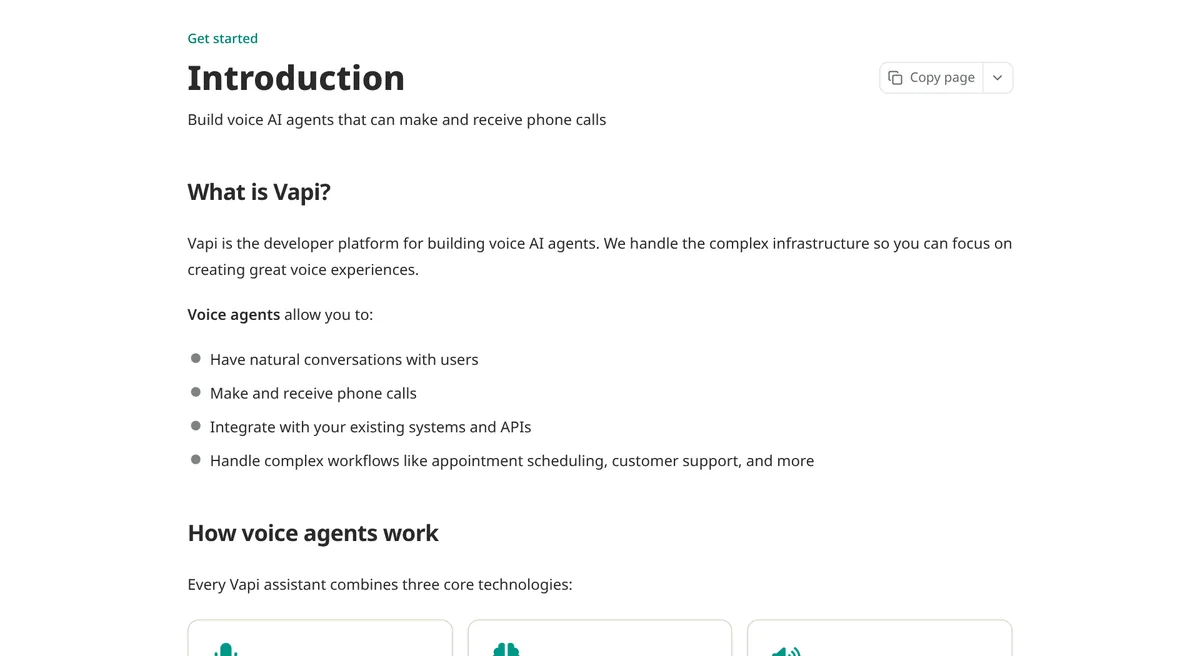
Vapi's docs call it the developer platform for building voice AI agents. In plain English, it gives you the parts to build a phone agent that can listen, think, and talk back.
Every Vapi agent is made of three parts:
- Speech to text. This turns what the caller says into words.
- The AI model. This is the brain. It reads the words and decides what to say.
- Text to speech. This turns the answer back into a voice.
You pick a provider for each part. That is what makes Vapi flexible. It is also why the price takes a minute to understand.
Vapi has two ways to set up agents. An assistant is one agent doing one job. A squad is a team of agents that hand the call to each other. Start with one assistant.
How much does Vapi cost?
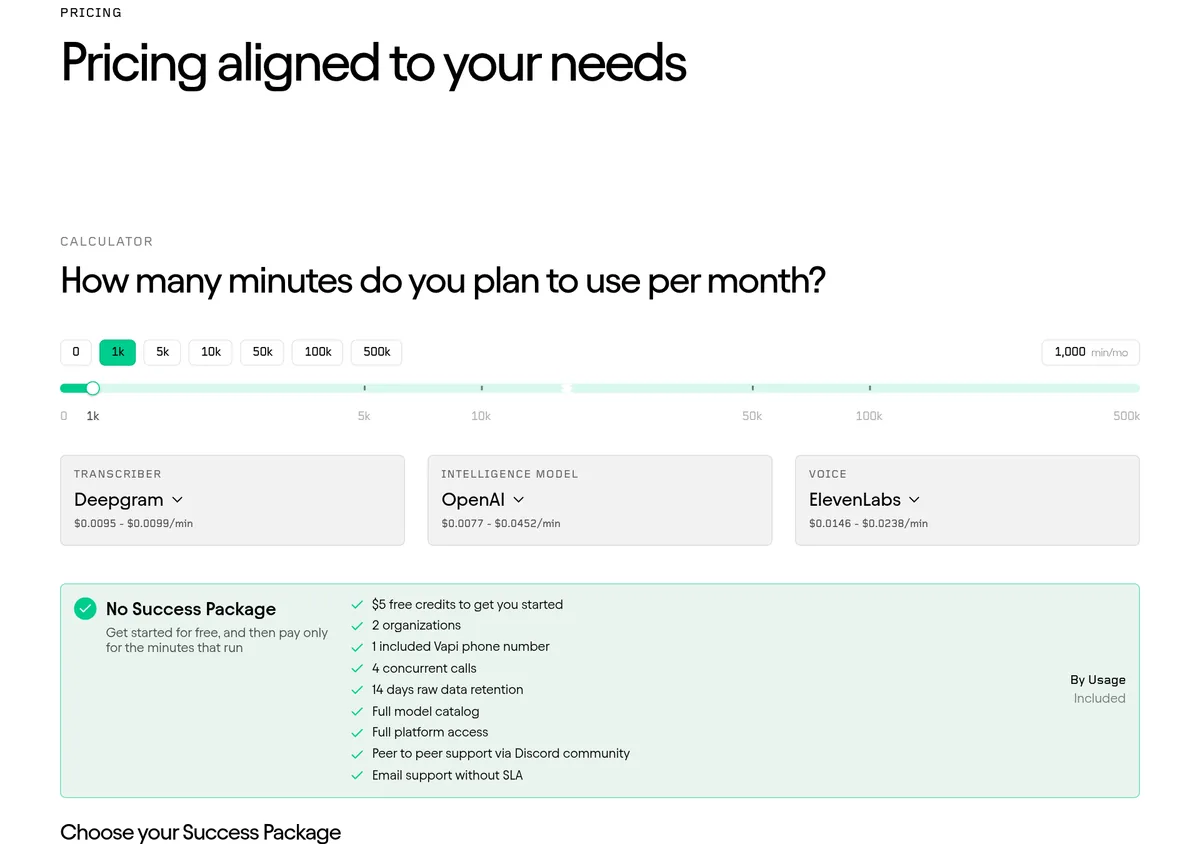
Here is what the Vapi pricing page showed on October 23, 2026:
- Hosting: $0.05 per minute, paid ahead of time with credits.
- AI models: passed through at cost. You pay what the provider charges.
- Free start: $5 in free credits.
So the $0.05 is only Vapi's part. The speech, the brain, and the voice all cost extra, and the phone line may too.
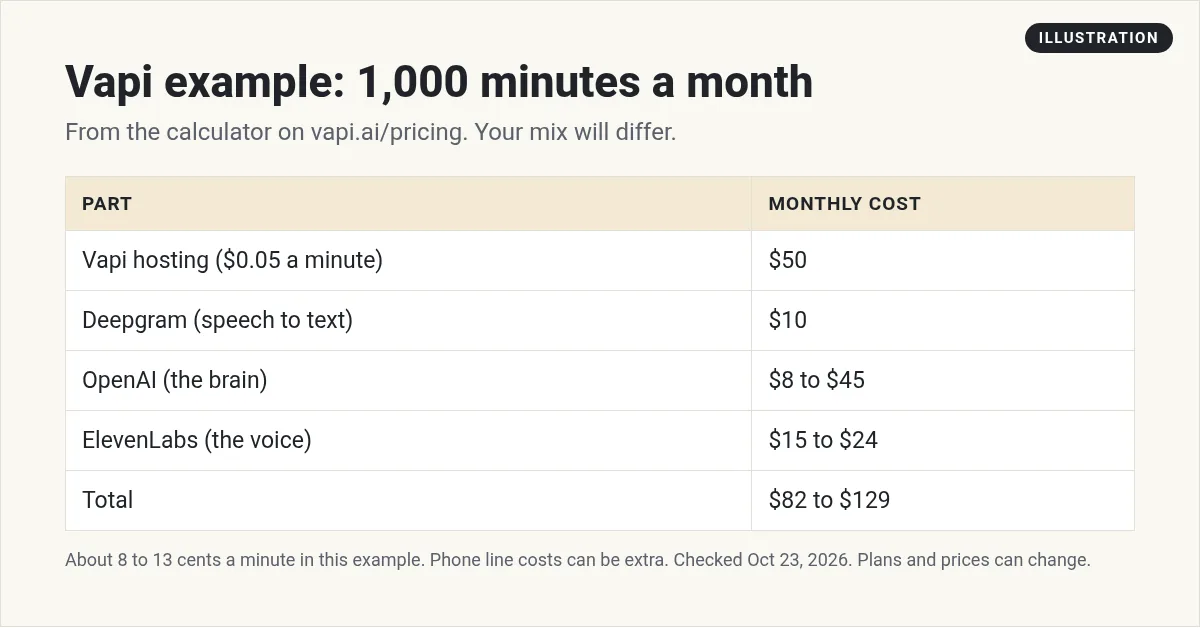
Vapi's own calculator showed an example for 1,000 minutes a month:
- Vapi hosting: $50
- Deepgram for speech to text: $10
- OpenAI for the brain: $8 to $45
- ElevenLabs for the voice: $15 to $24
- Total: $82 to $129 a month
That works out to about 8 to 13 cents a minute in that example. Pick a bigger model or a premium voice and it goes up. Pick a smaller model and it goes down.
The free start and the paid packages
You can use Vapi without a monthly plan. Vapi calls this No Success Package. You just pay for the minutes you use. It came with:
- $5 in free credits
- 2 organizations
- 1 included Vapi phone number
- 4 concurrent calls, which means 4 calls at the same time
- 14 days of call data
- Help from the Discord community
If you need more, Vapi sells Success Packages on top of your usage:
- Core, $29 a month: 5 phone numbers, 10 concurrent calls, 30 days of data, and email support with a 2 business day reply time.
- Pro, $999 a month minimum: priced at 10% of your Vapi hosting fee, with that $999 floor. It includes 10 phone numbers, 30 concurrent calls, 180 days of data, and Slack support.
- Premier: custom pricing for large companies.
If you are testing an idea, you may not need any package. Start on usage only. Add Core when you need more lines or real support.
Phone lines and add-ons
The phone line is its own cost. On the pricing page, Vapi's own telephony, SIP, WebSockets, and Daily WebRTC were free. Bring a number from another company and you pay that company's rate. The page listed:
- Twilio: $0.008 a minute inbound and $0.014 a minute outbound
- Vonage: $0.00814 a minute
- Telnyx: $0.0055 a minute
There are also add-ons:
- HIPAA compliance: $2,000 a month
- Extra concurrent calls: $10 per line a month
- Extra organizations: $20 a month each
Features that help after your first call
Vapi's intro docs list a few tools that matter once you move past testing:
- Lots of providers. You choose from dozens of providers and models, like OpenAI, Anthropic, Google, Gladia, Deepgram, and ElevenLabs.
- One click bundles. Vapi bundles a transcriber, model, and voice tuned for common uses, so you can set up an assistant in one click.
- Versions. You can publish a version of your agent and restore an earlier one if something breaks.
- Simulations. You can test your setup with simulated calls before real customers call.
- Config as code. Developers can keep assistants, squads, tools, and tests as files in git and work from the terminal.
The docs also list common uses: inbound support that can escalate to a human, outbound calls to qualify leads, and booking appointments.
If you are not technical, the bundles and templates are your friend. Start there and change one setting at a time.
How to build your first Vapi agent
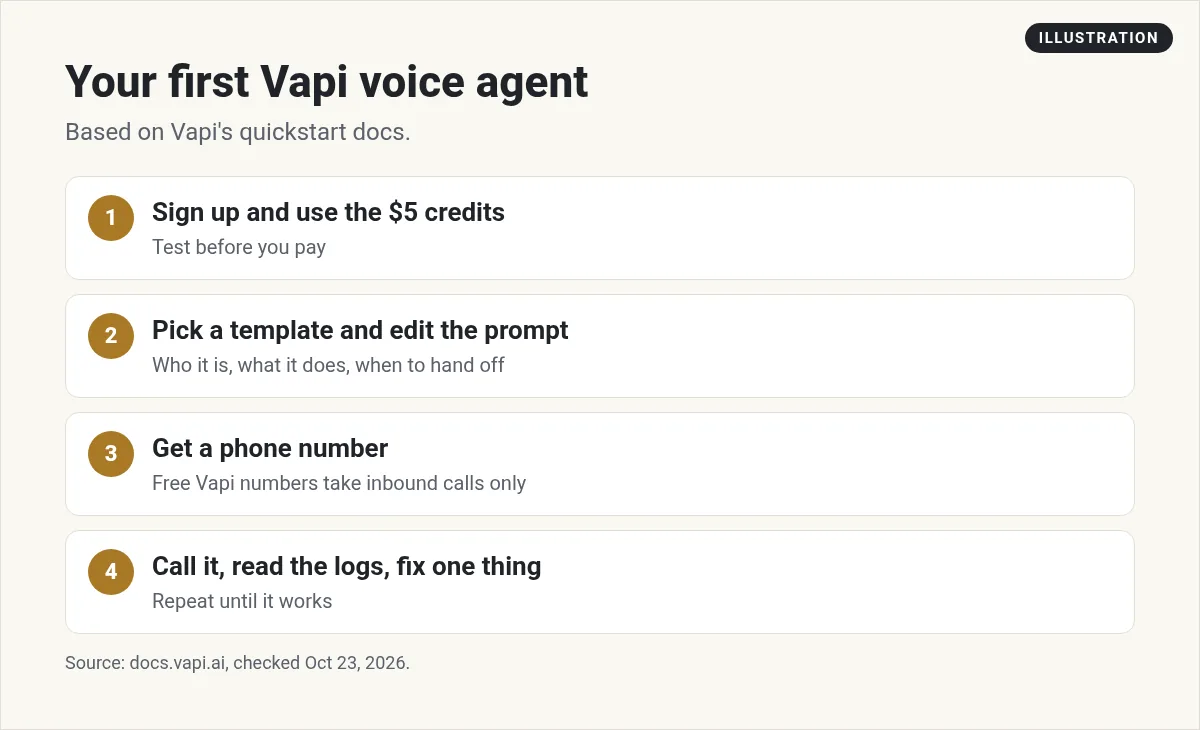
Vapi's quickstart says you can build your first voice agent in 5 minutes from the dashboard. Here is the simple path:
- Sign up. Use the $5 in free credits to test.
- Pick a template. The phone quickstart offers Customer Support, Lead Qualification, Appointment Scheduler, and Info Collector.
- Edit the prompt. Tell the agent who it is, what business it works for, and when to hand off to a person.
- Get a phone number. The docs say your first free Vapi number does not need a payment method.
- Call it yourself. Try normal questions. Then try to confuse it.
- Read the call logs. Go to Logs, then Calls, to see what happened on each call.
- Fix and repeat. Change one thing at a time.
One catch: the docs say free Vapi numbers only take inbound calls. To make outbound calls, you need to import a number from Twilio, Telnyx, or DIDWW.
My video: How I think about AI voice agents for local businesses.
Any results mentioned in videos are not typical and are not a promise of income. Your results depend on your work and your market.
Common mistakes to avoid
- Looking only at the $0.05. That is hosting. The models and phone line are on top.
- Picking the biggest model first. Start with a smaller, cheaper model. Move up only if it cannot handle the job.
- Writing a huge prompt. Short and clear works better. Add rules as you test.
- No way out. Every agent needs a way to pass the caller to a real person.
- Not reading the calls. Read your logs every day the first week. That is where you find the gaps.
Know the rules before you make calls
In the US, the FCC ruled that AI voices in robocalls count as artificial under the Telephone Consumer Protection Act. So the same consent rules apply to AI calls.
In plain English: answering calls is one thing. Calling people with an AI voice is another. Get the right consent before you make outbound calls. If you are not sure, talk to a lawyer first.
Who is Vapi good for?
Vapi is a good fit if you:
- Want to pick each part yourself, like the voice and the model.
- Are fine paying per minute.
- Like to test and tweak, or know someone technical who does.
Look at other options if you:
- Want one simple flat price.
- Want a done for you agent with no setup.
- Already pay for a CRM that has voice AI built in.
If you are comparing tools, see my Retell AI guide and my Bland AI guide. If you already use HighLevel, read HighLevel Voice AI cost first. Want to see how people turn voice agents into a service for local businesses? I cover it in my free AI workshop.
Want to build AI tools for local businesses?
In my free workshop, I show how regular people use AI tools, like voice agents, to help businesses and build simple online income streams.
Join my free AI workshopFree to join. No credit card needed.
Frequently asked questions
How much does Vapi AI cost?
On October 23, 2026, Vapi charged $0.05 per minute for hosting, and AI models were passed through at cost. Vapi's calculator showed $82 to $129 a month for 1,000 minutes with one common model mix.
Does Vapi have a free plan?
You can start without a monthly plan and pay only for minutes. New accounts got $5 in free credits, 1 included phone number, and 4 concurrent calls.
What is the Vapi Core package?
Core was $29 a month on top of usage. It added 5 phone numbers, 10 concurrent calls, 30 days of data, and email support.
Can a free Vapi number make outbound calls?
No. Vapi's docs say free Vapi numbers only support inbound calls. For outbound calls, import a number from Twilio, Telnyx, or DIDWW.
Is Vapi hard to use?
Vapi is built for developers, but its quickstart uses dashboard templates, so you can test a basic agent without code.
Is it legal to make AI voice calls?
The FCC ruled that AI voices in robocalls count as artificial under the TCPA, so consent rules apply. Get consent and legal advice before making outbound calls.
Which AI models can I use with Vapi?
Vapi's docs say you can pick from dozens of providers and models, including OpenAI, Anthropic, Google, Gladia, Deepgram, and ElevenLabs.
Sources
Checked October 23, 2026. Plans, prices, and rules can change.
