
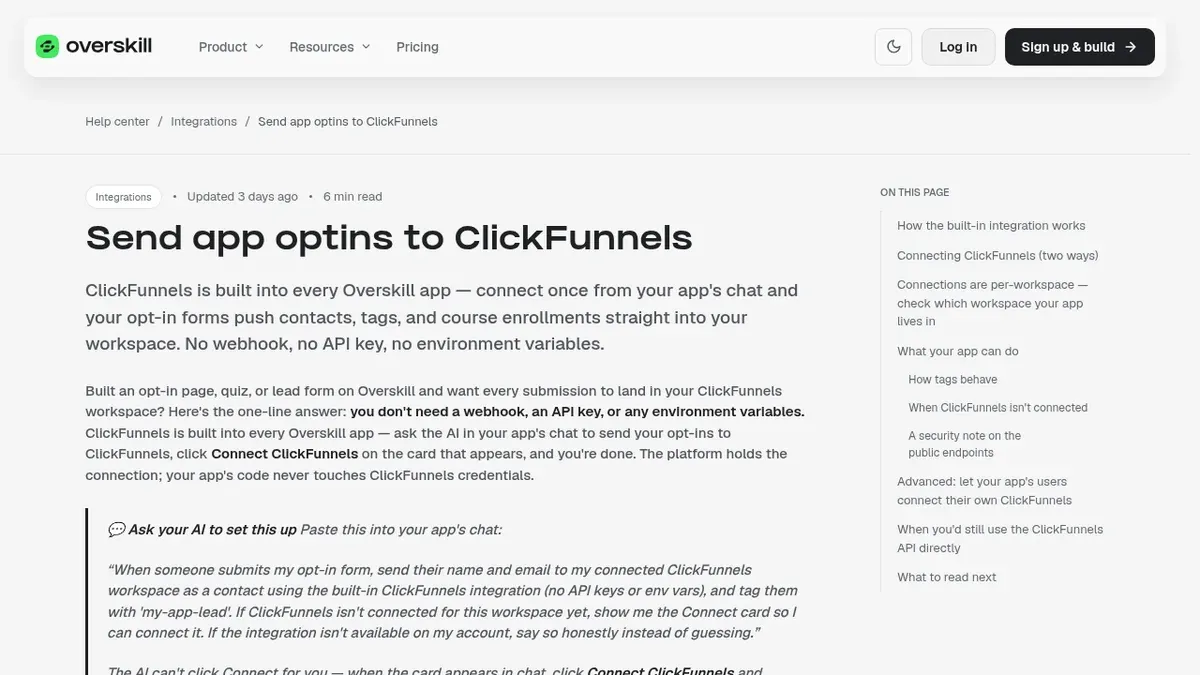
Overskill integrations
You can send every lead from an Overskill app straight into ClickFunnels in a few minutes, with no API key. Here is how, plus the two bigger setups for courses and orders.
Disclosure: Some links in this post are affiliate links. I earn a commission if you buy through this link. It does not change the price you pay. MakerAI is my own company.
Quick answer
Every Overskill (I earn a commission if you buy through this link.) app has ClickFunnels built in. Ask the AI in your app's chat to send opt-ins to ClickFunnels, click Connect ClickFunnels on the card that shows up, and approve it. New leads then land in your ClickFunnels workspace as contacts with tags. You only need more setup for two things: one login into a ClickFunnels course (SSO, which ClickFunnels lists as a Dominate plan feature) and order fulfillment (the ClickFunnels API).
Why connect Overskill to ClickFunnels at all?
ClickFunnels is great at funnels, checkout, email, and courses. Overskill is great at small custom apps, like a quiz, a calculator, or a client portal. Put them together and your app can feed your funnel.
Picture a quiz app built in Overskill. Someone takes the quiz and enters their email. A second later, they are a contact in ClickFunnels with a tag like "quiz-completed," and your follow-up starts.
If you have not built the app yet, my guide to building a lead magnet app with Overskill is the best place to start. If you are new to Overskill, the ClickFunnels team recorded a long intro session on it.
From the ClickFunnels channel (not mine): The ClickFunnels team introducing Overskill and how to build apps in it.
The three ways Overskill and ClickFunnels connect
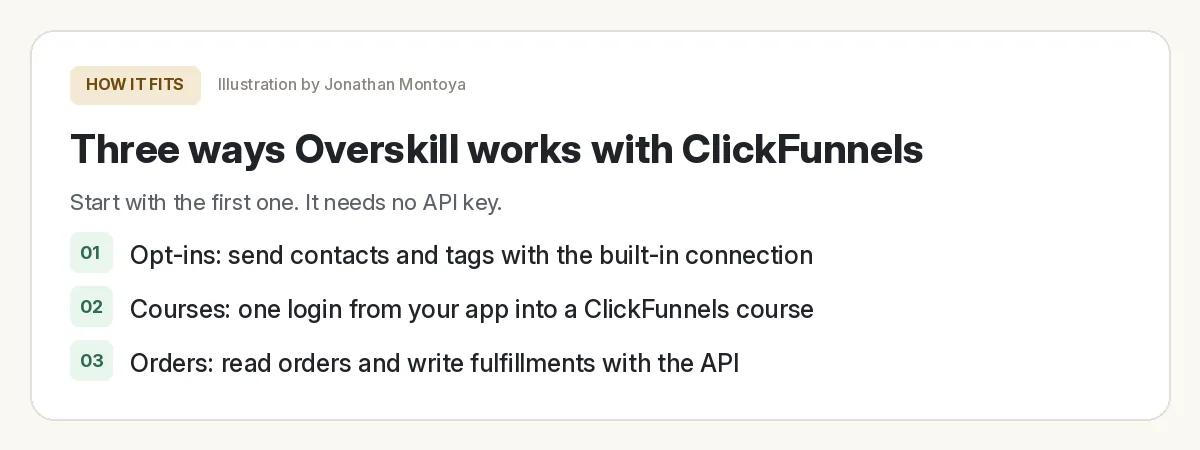
| What you want | Path | Keys or code? |
|---|---|---|
| Send leads and tags into ClickFunnels | Built-in integration | No API key, no webhook |
| Let members click from your app into a ClickFunnels course, already logged in | Customer Center SSO | A JWT Key from ClickFunnels, stored as a secret |
| Read orders, ship products, write tracking back | ClickFunnels API | An API key or OAuth from ClickFunnels |
Based on Overskill help articles, checked Oct 17, 2026.
Start with path 1. Most people never need the other two.
Path 1: send app opt-ins to ClickFunnels
Overskill's help article puts it in one line: "you don't need a webhook, an API key, or any environment variables." The platform holds the connection, so your app's code never sees your ClickFunnels login.
The steps
- Open your app in Overskill and go to its chat.
- Ask the AI to send your opt-in form to ClickFunnels. You can use the prompt below.
- A Connect card appears. Click Connect ClickFunnels, log in, and approve. If your ClickFunnels team has more than one workspace, pick the right one.
- Let the AI finish wiring the form.
- If your app is already live, publish the change.
That prompt is adapted from the one in Overskill's help article. One note: the AI cannot click Connect for you. That step is yours on purpose.
You can also connect from your account menu, then Integrations, then the ClickFunnels card. There is also an option to paste an API token from your ClickFunnels Developer Portal instead of logging in.
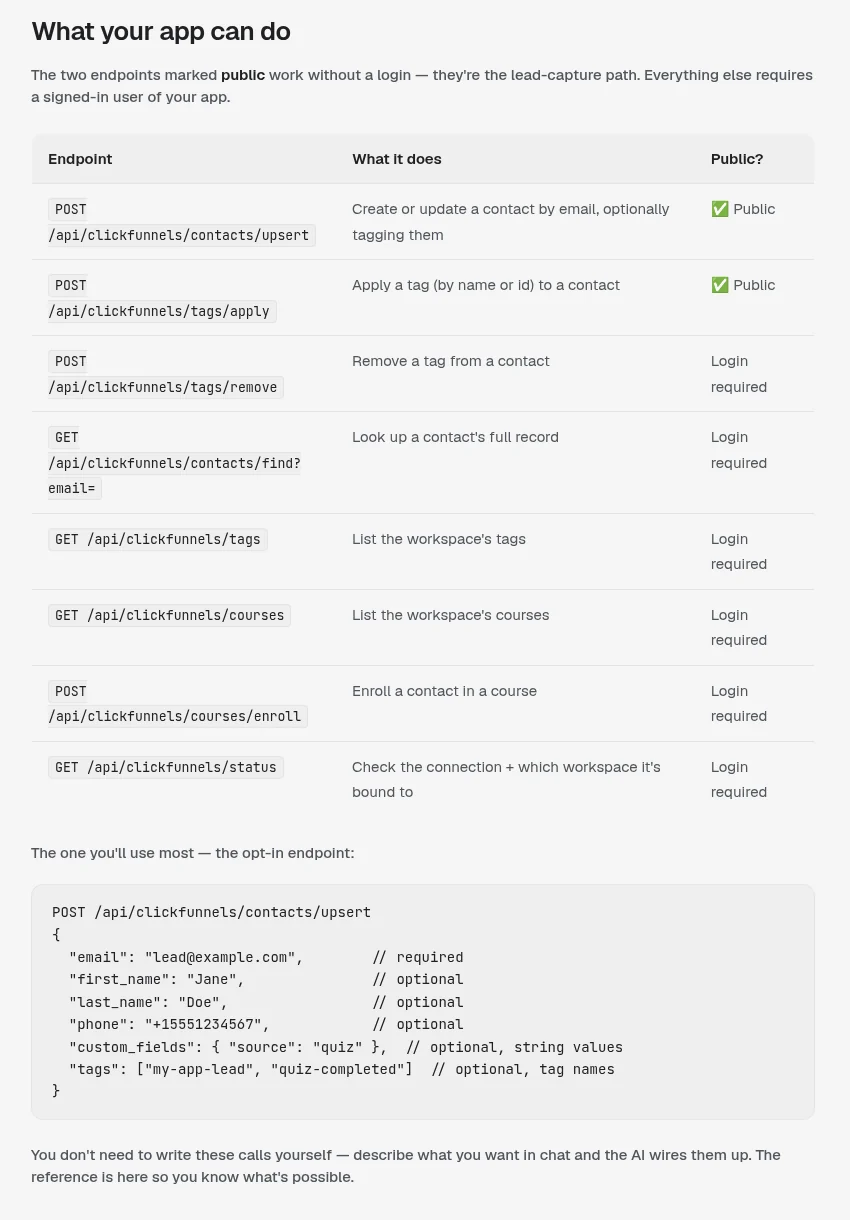
What it can do
| Action | Works for visitors who are not logged in? |
|---|---|
| Create or update a contact by email | Yes |
| Apply a tag to a contact | Yes |
| Remove a tag, look up a contact, list tags | No, a logged in user only |
| List courses and enroll a contact in a course | No, a logged in user only |
Source: Overskill help, send app optins to ClickFunnels, checked Oct 17, 2026.
Cost is small. Overskill says writes cost 0.1 credits each, so 10 writes is 1 credit. Reads are free. The two public endpoints are capped at 1,000 calls per workspace per day by default. For more on credits, see my Overskill pricing guide.
The mistake that trips people up: the wrong workspace
Overskill calls this "the thing that trips people up most." A ClickFunnels connection belongs to one Overskill workspace. If you have two workspaces and connect in the wrong one, your app keeps saying ClickFunnels is not connected.
The fix is simple. Open the app's own chat and connect from there. The Connect card connects the workspace the app lives in.
If it still will not work after you reconnect, Overskill says the workspace may need "trusted-platform access" on the ClickFunnels side. That is granted by ClickFunnels, not by a switch in Overskill, so contact Overskill support.
How tags behave (and the one security rule)
Tags are added, never wiped. If a tag does not exist yet, it gets made. If the contact already has it, nothing changes. Their other ClickFunnels tags stay put. So it is safe to tag every submission.
Now the security rule. The two public endpoints can be called by anyone who visits your live app. So Overskill warns: "never gate paid or members-only content on a tag that public code applies."
In plain words: do not let a free form tag unlock a paid course. Anyone could add that tag. Apply tags that unlock paid things from a logged in flow instead.
Path 2: one login from your app into a ClickFunnels course
Say your members log in to your Overskill app. You want an "Open my course" button that drops them into their ClickFunnels course with no second login. That is single sign-on, or SSO.
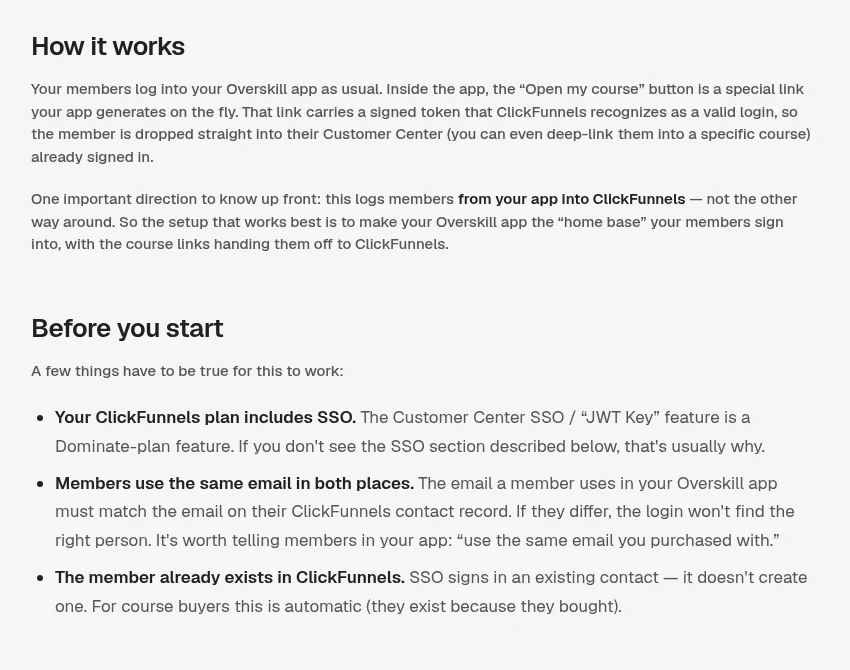
| You need | Where it comes from |
|---|---|
| A ClickFunnels plan with SSO | ClickFunnels support says SSO is "available on the Dominate plan only" (legacy plans may differ) |
| The JWT Key | ClickFunnels: Site and Blog, then Customer Center, then the Single Sign-On section |
| Matching emails | The email in your app must match the contact's email in ClickFunnels |
| Your Customer Center domain | If you connected a custom domain, use it, including www |
Sources: ClickFunnels support and developer docs, plus Overskill help, checked Oct 17, 2026.
The key must stay on the server. Overskill's guide says to store it as a secret, never in the browser. Overskill also has a ready made template called the CF2 Course Access Bridge if you would rather not build it from scratch.
Path 3: orders and fulfillment with the ClickFunnels API
The built-in connection covers contacts, tags, and course enrollments. For orders, shipping, and writing tracking numbers back, Overskill says you work with the ClickFunnels API directly with your own credentials.
| Who uses the app | Method |
|---|---|
| Only you, on your own ClickFunnels workspace | An API key from a platform application in the ClickFunnels Developer Portal |
| Other ClickFunnels users connect their own accounts | OAuth 2.0, like a Connect button in Zapier |
Source: Overskill help, connecting to the ClickFunnels API, checked Oct 17, 2026.
Two details matter. ClickFunnels API calls go to your workspace address, like your-workspace.myclickfunnels.com/api/v2. And Overskill warns that API keys are issued per ClickFunnels team, so one key can reach every workspace on that team. Keep it private.
For subscriptions, Overskill passes along a tip from the ClickFunnels docs: wait for the subscription paid event before you fulfill, since a subscription can bill many times.
Test it before you trust it
ClickFunnels connection test
Nothing you check here is sent or saved. Download it if you want to keep it.
Do this once on the live link, not only the preview. A form that works in preview but was never published will not send anything.
Meet AIM Agent
AIM Agent is an AI Chief of Staff for business owners. You give it a real task, and it brings the work back for you to review. You stay the one who approves.
Meet AIM AgentI am a co-founder of AIM Agent and have a financial interest in the product.
Ready to connect your first app?
Build a small opt-in app, connect ClickFunnels from the app chat, and send yourself a test lead.
Try OverskillI earn a commission if you buy through this link. Check the live pricing page before you buy.
Frequently asked questions
Do I need an API key to connect Overskill to ClickFunnels?
Not for opt-ins. Every Overskill app has ClickFunnels built in. You click Connect ClickFunnels on the card in your app's chat and approve it. You only need ClickFunnels API credentials for custom work like orders and fulfillment.
Why does my Overskill app say ClickFunnels is not connected?
Most often you connected a different Overskill workspace. Connections belong to one workspace. Open the app's own chat and connect from there. If that fails, Overskill says the workspace may need trusted-platform access from ClickFunnels.
Does sending leads to ClickFunnels cost Overskill credits?
Yes, a little. Overskill says each write costs 0.1 credits, so 10 writes is 1 credit. Reads are free. Public lead capture is capped at 1,000 calls per workspace per day by default.
Will Overskill remove my existing ClickFunnels tags?
No. Overskill says tags are added by name. Existing tags on a contact are never removed by an upsert.
Which ClickFunnels plan do I need for course SSO?
ClickFunnels support says single sign-on for the Customer Center is available on the Dominate plan only. Legacy plans may differ.
Can Overskill read my ClickFunnels orders?
Yes, through the ClickFunnels API with your own API key or OAuth. The built-in connection covers contacts, tags, and course enrollments only.
Sources
All checked October 17, 2026. Overskill is in beta and changes often, so plans, features, and rules can change. Links to overskill.com below include my affiliate code. I earn a commission if you buy through this link.
- Help: Send app optins to ClickFunnels
- Help: Connecting ClickFunnels
- Help: Single login between your app and ClickFunnels courses
- Help: Connecting to the ClickFunnels API
- Help: Building ClickFunnels + fulfillment apps
- Overskill template: ClickFunnels Course Access Bridge
- ClickFunnels support: Customer Center explained (SSO, Dominate plan)
- ClickFunnels developers: SSO
- ClickFunnels developers: Getting started
- YouTube: Intro to Overskill, Coaching Corner #042 (ClickFunnels)
