
A GoHighLevel agency uses one HighLevel account to run marketing and automation for many local businesses. This guide shows you how to start one in 2026: pick a niche and an offer, choose the right plan, build a snapshot, onboard clients and price your work.

Disclosure: I earn a commission if you buy HighLevel through my links, at no extra cost to you. I am not HighLevel and do not speak for it.
Key takeaways
- A GoHighLevel agency gives each client their own sub-account inside your agency account.
- The $97 Starter plan includes 3 sub-accounts. The $297 Unlimited plan has unlimited sub-accounts and white label.
- Start with one niche and one offer. It makes your setup easy to repeat.
- Build your setup once, save it as a snapshot, and load it into each new client.
- Price with a simple structure, like a setup fee plus a monthly fee, and cover usage costs.
What is a GoHighLevel agency?
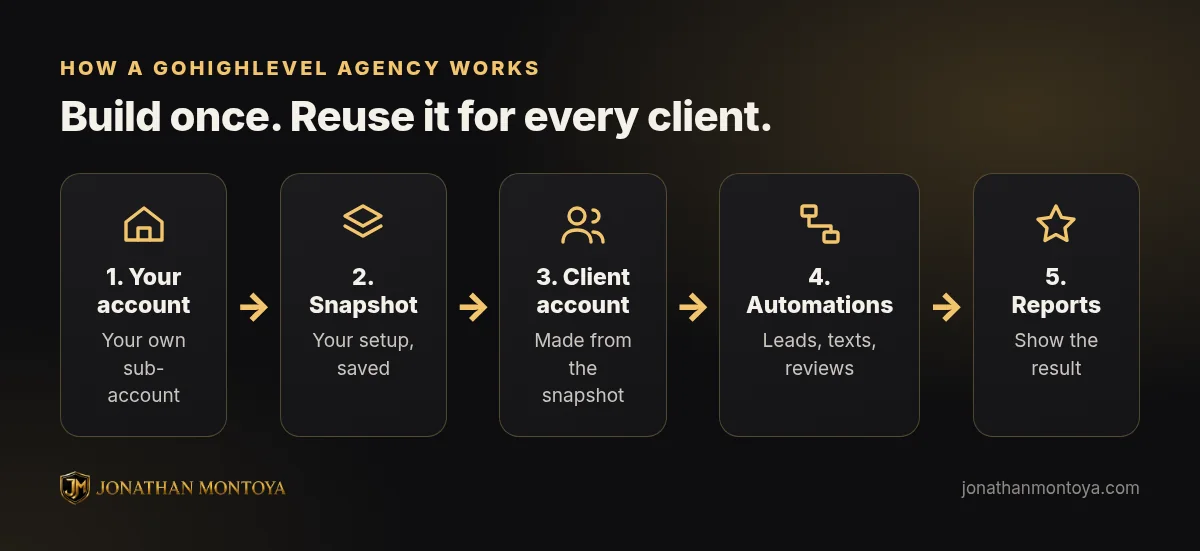
A GoHighLevel agency is a business that uses HighLevel to help other businesses get and keep customers. You might set up their website, their lead forms, their texts and emails, their calendar and their review requests.
Inside HighLevel, your business is the agency. Each client gets a sub-account. You can switch between them from one login.
Step 1: Pick a niche and an offer
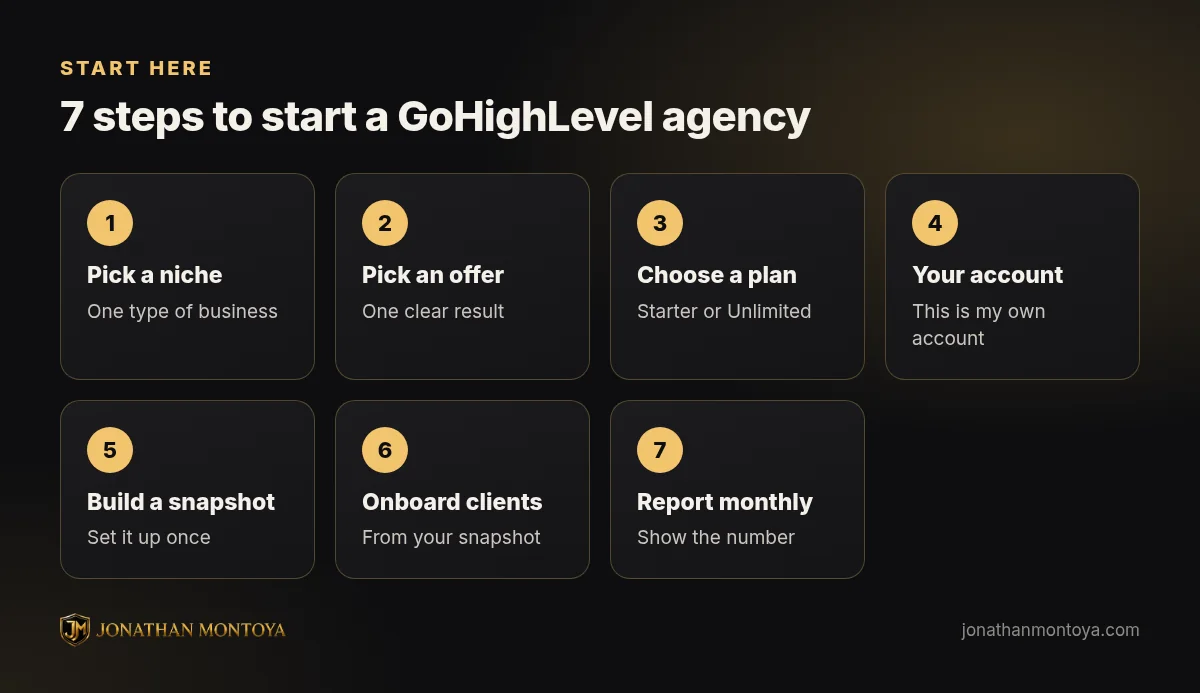
A niche is one type of business, like roofers, dentists or med spas. An offer is the one result you promise to help with. Picking both first makes everything after it easier.
- Same tools, same setup: roofers mostly need the same forms, texts and pipeline. You build it once.
- Clear message: 'I help roofers call back every missed lead' is easier to say yes to than 'I do marketing.'
- Better results: you learn what works for that niche much faster.
HighLevel's SaaS playbook for marketing agencies gives similar advice: solve one painful task first. It suggests a missed call text back or a review request as a first automation.
Simple offers to start with
| Offer | What you set up |
|---|---|
| Missed call text back | An automatic text when a call is missed |
| Review requests | A text or email asking happy customers for a review |
| Lead follow up | Texts and emails that reply to new leads fast |
| Booking | A calendar that lets leads book themselves |
| Simple website | A one-page site with a lead form |
Want more ideas? See my guide to starting an AI automation agency.
Step 2: Choose your GoHighLevel plan
Here is what HighLevel's pricing page showed on November 17, 2026:
| Plan | Price | Best for |
|---|---|---|
| Starter | $97 a month | Includes 3 sub-accounts. Good for your first clients. |
| Unlimited | $297 a month | Unlimited sub-accounts, white label desktop app, pass-through billing |
| Founder | $497 a month | Everything in Unlimited plus SaaS mode |
All plans have unlimited contacts and users, per the pricing page. It also says you can upgrade from Starter as you sign more clients, and you pay the prorated difference.
Ready to set up your agency? My HighLevel link shows a 30-day free trial on HighLevel's own offer page (checked Nov 17, 2026). HighLevel's standard pricing page lists 14 days.
Start HighLevelStep 3: Set up your own agency sub-account
Use HighLevel to run your own agency too. When you create a sub-account, HighLevel asks who it is for. Per its agency sub-account guide, choose This is my own account for your own business, and This is my client's account for clients.
Your own account is where your website, your lead forms and your sales pipeline live. It is also where SaaS plans live if you use SaaS mode later.
Step 4: Build a snapshot
A snapshot is a reusable template. HighLevel's snapshots overview says you do not build a snapshot from scratch. You set up a sub-account the way you want, then save it as a snapshot.
| Snapshots copy | Snapshots do not copy |
|---|---|
| Workflows and triggers | Contacts |
| Funnels, websites and forms | Conversations and messages |
| Calendars and pipelines | Appointments |
| Email and text templates | Stripe and other integrations |
| Dashboards and custom fields | Phone numbers for Voice AI agents |
That is why one niche matters. One good snapshot can be the starting point for every client in that niche. New to snapshots? Read my guide to GoHighLevel snapshots.
Step 5: Onboard your clients
HighLevel lets you create a new sub-account from a snapshot. The snapshot loads as the account is made, so the client starts with your full setup.
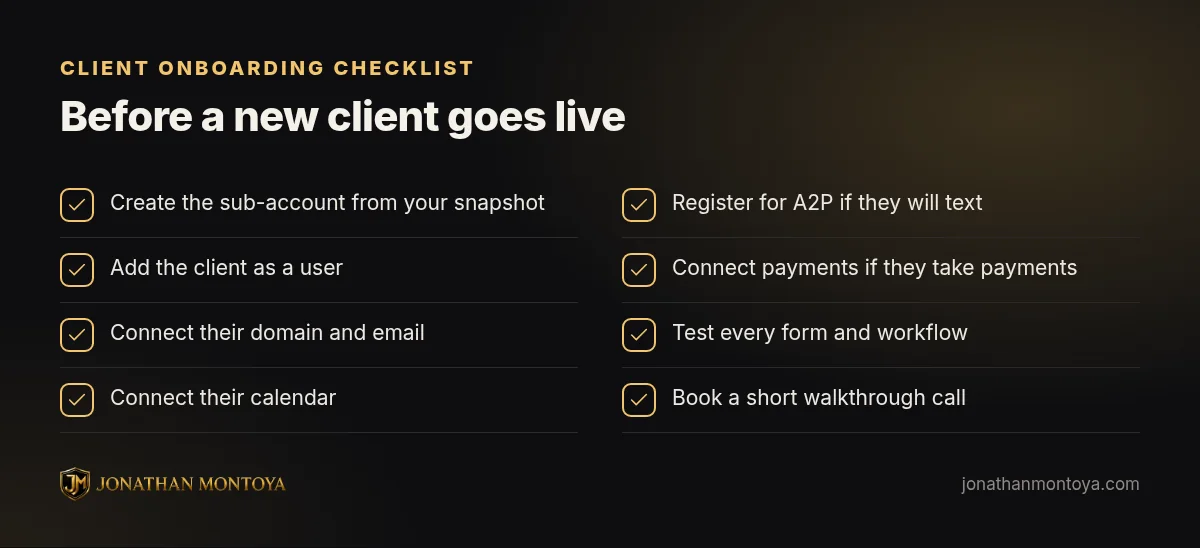
Some things you still connect by hand for each client, because snapshots do not copy them. These include their integrations, their payment connection and their phone numbers.
Step 6: Price your services
There is no single right price. Here are common structures agencies use. Pick one that fits your offer:
| Structure | How it works |
|---|---|
| Setup fee plus monthly | A one-time fee to build, then a monthly fee to run it |
| Monthly retainer | One monthly fee for an agreed list of services |
| Per service | A price for each piece, like reviews or a website |
| Software plan | Clients buy a plan from you with SaaS mode on the Founder plan |
Whatever you choose, make sure your price covers the HighLevel plan, the usage costs and your time. Want to sell software plans instead of services? Read my GoHighLevel SaaS mode guide.
Step 7: Report and improve
Clients stay when they can see the result. Build a simple dashboard that shows the number they care about, like leads, booked calls or new reviews. Share it every month, then improve the weakest step.
Put your brand on it
HighLevel's pricing FAQ says you can connect custom domains for your funnels and websites. The Unlimited plan adds a white label desktop app, so clients see your logo when they log in. Learn more in my GoHighLevel white label guide.
Watch a full walkthrough
This video is a helpful outside look at starting a HighLevel agency. It is not mine, and I do not speak for its creator.
Video by Dominic Baptist on YouTube. Features shown may have changed since it was recorded.
Want help starting your agency?
Freedom Launch Accelerator is my free program. It walks you through offering AI and automation services to local businesses, step by step.
See the free programStart HighLevelFreedom Launch Accelerator is my own free program. I earn a commission if you buy HighLevel through my link, at no extra cost to you. My HighLevel link shows a 30-day free trial on HighLevel's own offer page (checked Nov 17, 2026). HighLevel's standard pricing page lists 14 days. Your results depend on your own work.
FAQ
What is a GoHighLevel agency?
It is a business that uses HighLevel to run marketing and automation for other businesses. Each client gets their own sub-account, and you manage them all from your agency view.
Which GoHighLevel plan should a new agency start on?
HighLevel's pricing page says the $97 Starter plan includes 3 sub-accounts, and the $297 Unlimited plan includes unlimited sub-accounts and the white label desktop app. Many people start small and upgrade when they add clients. HighLevel says upgrades are prorated.
Do I need SaaS mode to run an agency?
No. You can run a service agency on Starter or Unlimited. SaaS mode, which lets clients buy software plans from you, is part of the $497 Founder plan.
What is a snapshot in GoHighLevel?
A snapshot is a reusable template. You build one sub-account the way you like it, then save it as a snapshot and load it into new client accounts. It copies things like workflows, funnels and calendars, but not contacts or conversations.
What should a new GoHighLevel agency sell?
Start with one clear result for one type of business, such as calling back missed leads or getting more reviews. Then add more services once that first one works well for clients.
Can I put my own brand on GoHighLevel?
Yes. HighLevel's pricing FAQ says you can connect custom domains for your funnels and websites, and the Unlimited plan adds a white label desktop app so clients see your logo when they log in.
Start your agency on HighLevel
Pick your niche, build one snapshot and test your onboarding in your trial before you sign your first client.
When you start HighLevel through my link, you also get my GHL Clone for free. It is a done-for-you affiliate system I spent 11 months building. You can copy it in about 5 minutes, add your own affiliate link and share it. There is no website to build and no emails to write.
Start HighLevelGet the free GHL CloneMy HighLevel link shows a 30-day free trial on HighLevel's own offer page (checked Nov 17, 2026). HighLevel's standard pricing page lists 14 days. Disclosure: I earn a commission if you buy HighLevel through my link, at no extra cost to you. The GHL Clone is my own system, and I earn a commission if you later pay for HighLevel. What anyone earns depends on their own work, and no one can promise a result.
Sources, checked Nov 17, 2026
- HighLevel pricing page (Nov 17, 2026)
- HighLevel: Agency sub-accounts explained (modified Oct 27, 2026)
- HighLevel: Snapshots overview (modified Oct 9, 2026)
- HighLevel: Create a new sub-account using a snapshot
- HighLevel: Marketing agency SaaS mode playbook
- HighLevel Pricing and Billing guide
- HighLevel offer page for my link (30-day trial)
Affiliate disclosure: I earn a commission if you buy HighLevel through my links, at no extra cost to you. Freedom Launch Accelerator and the GHL Clone are my own programs. HighLevel is a trademark of HighLevel, Inc. This site is not run by or affiliated with HighLevel.
