

GoHighLevel · CRM
The GoHighLevel CRM is where your leads live. Here is what each part does, how they connect, and how to set it up so no lead slips through the cracks.
A CRM is a place to keep track of every lead and customer. Who they are. What they asked for. Where they are in your sales process. What you need to do next.
GoHighLevel, which the company now calls HighLevel, has a CRM built in. It sits next to your calendars, texts, emails, and pages. That is the big reason people use it. I read HighLevel's help docs and pricing page on October 20, 2026. Here is how the CRM works, in plain English.
Quick answer
The GoHighLevel CRM is the part of HighLevel that stores your contacts and tracks your deals. It has contacts, Smart Lists that update on their own, opportunities, and pipelines with stages you choose. It ties into HighLevel's inbox, calendars, and workflows. It comes with every plan, from Starter at $97 a month (checked October 20, 2026), with unlimited contacts and users. Set it up by building one pipeline that matches your real sales steps, then let a form or booking add leads to it.
The 4 parts you need to understand
HighLevel's help center explains the CRM with four words. Once these click, the rest is easy.
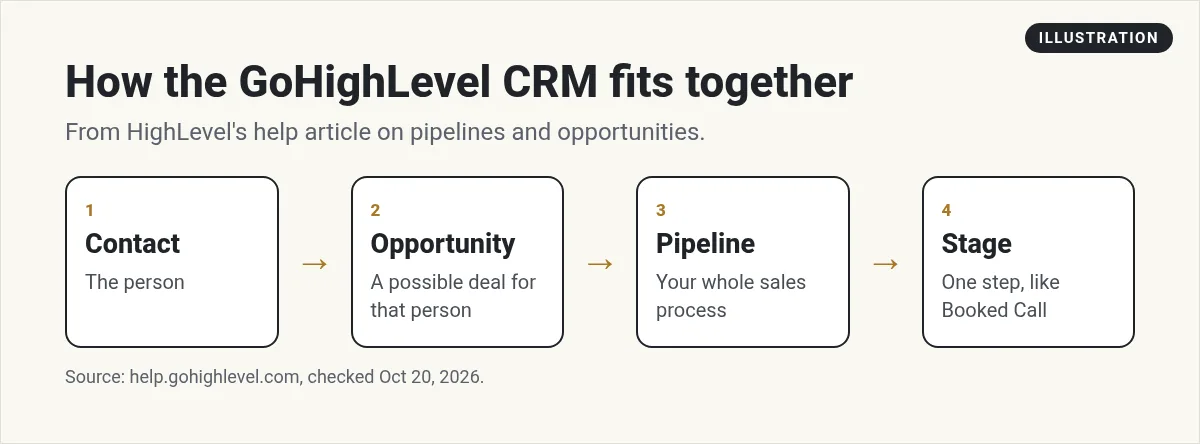
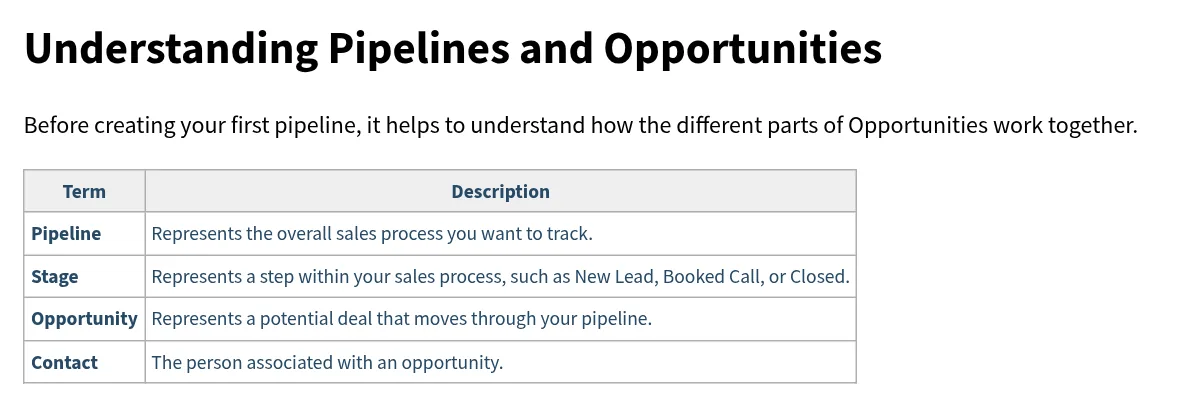
- Contact: a person. HighLevel calls it "The person associated with an opportunity."
- Opportunity: a possible deal with that person.
- Pipeline: your whole sales process, shown as columns.
- Stage: one step in that process, like New Lead, Booked Call, or Closed.
HighLevel gives a simple example. A contact named John Smith might have an opportunity in your Sales Pipeline, sitting in the Booked Call stage.
One person can be a contact without being an opportunity. A newsletter reader is a contact. A person who asked for a quote is a contact with an opportunity. I explain this split more in GoHighLevel contact vs opportunity.
What is inside the GoHighLevel CRM
Contacts
Each contact is one record. It holds a name, email, phone, notes, tags, and any custom fields you add, like budget or lead type. HighLevel also says that when a new lead fills out a form or survey, a new contact is made for you.
You can import contacts from a CSV file, edit many at once, and merge duplicates. See my guide to importing contacts into HighLevel for the steps.
Smart Lists
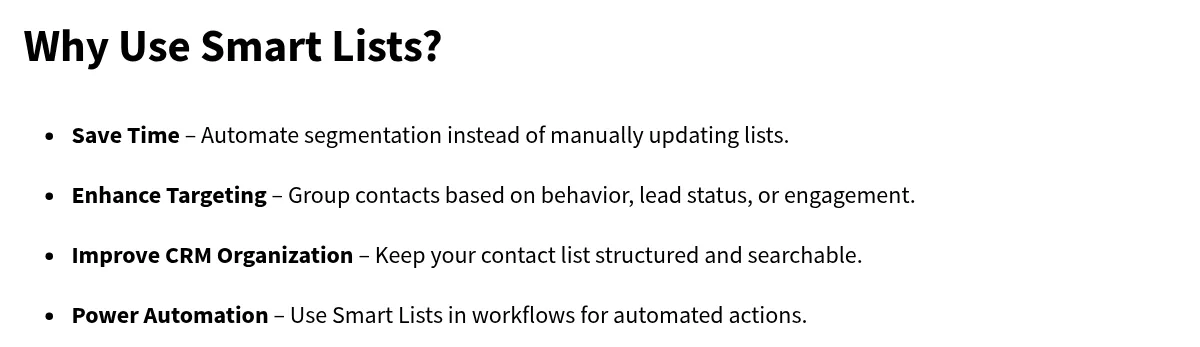
HighLevel says a Smart List "is a dynamic contact list in HighLevel that updates automatically based on predefined filters and conditions." In plain words, you set rules once, and the list keeps itself up to date.
For example, you could make a list of everyone with the tag "quote sent" who has not booked a call. New people join the list as they match. People leave when they stop matching.
Opportunities and pipelines
This is the sales board. Each column is a stage. Each card is an opportunity. You drag cards from left to right as deals move forward. Each opportunity can hold a value, so you can see how much is in each stage.
Conversations and workflows
HighLevel's pricing page lists Unified Conversations and Workflow Automation as core features. Conversations puts your messages with leads in one inbox. Workflows do jobs for you, like adding a new lead to your pipeline or sending a follow up text.
How to set up the GoHighLevel CRM
Here is the setup plan I use. It follows HighLevel's own help steps.
- Write down your real sales steps. HighLevel's help article suggests stages like New Lead, Hot Lead, Booked Call, No Show, and Closed. Use yours, not theirs.
- Create the pipeline. Go to Opportunities, click Pipelines, then Create New Pipeline. Add your stages and click Save.
- Add custom fields for the few things you always ask, like budget or service type. Keep it short.
- Import your old contacts from a CSV file, or add them by hand.
- Build one workflow. HighLevel's example uses the Form Submitted trigger with the Create/Update Opportunity action. Now every form fill lands in your first stage.
- Make two Smart Lists: new leads this week, and leads with no reply.
- Test it like a customer. Fill out your own form and watch the card show up in the pipeline.
Other triggers work the same way. HighLevel lists options like Customer Booked Appointment, Contact Tag, and Payment Received. For more ideas, read my guide to GoHighLevel automation.
3 ways leads get into your pipeline
HighLevel's help article lists three ways to add opportunities. You can mix them.
| Method | Best for |
|---|---|
| Add by hand | One lead at a time, like a referral who calls you |
| CSV import | Moving old leads in from another tool |
| Workflow | New leads from forms, bookings, ads, or payments |
Based on HighLevel's help center, checked October 20, 2026.
For most small businesses, the workflow is the one that matters. It means nobody has to remember to add a lead. HighLevel lists triggers like Facebook Lead Form Submitted, Survey Submitted, and Call Status. Pick the one that matches how your leads really show up.
One more thing to know if you have a team. HighLevel's FAQ says Smart Lists are made at the user level. You can push a Smart List to the whole account so every user can see it. Do that for the lists your whole team works from, like new leads this week.
Common CRM mistakes to avoid
GoHighLevel CRM pricing
There is no CRM-only plan. The CRM comes with every HighLevel plan. On the pricing page, checked October 20, 2026:
- Starter: $97 a month, with 3 sub-accounts
- Unlimited: $297 a month, with unlimited sub-accounts and Basic API access
- Agency Pro: $497 a month, adding SaaS Mode and Advanced API access
Every plan lists unlimited contacts and unlimited users. Some things, like texts, emails, and AI features, have usage charges on top.
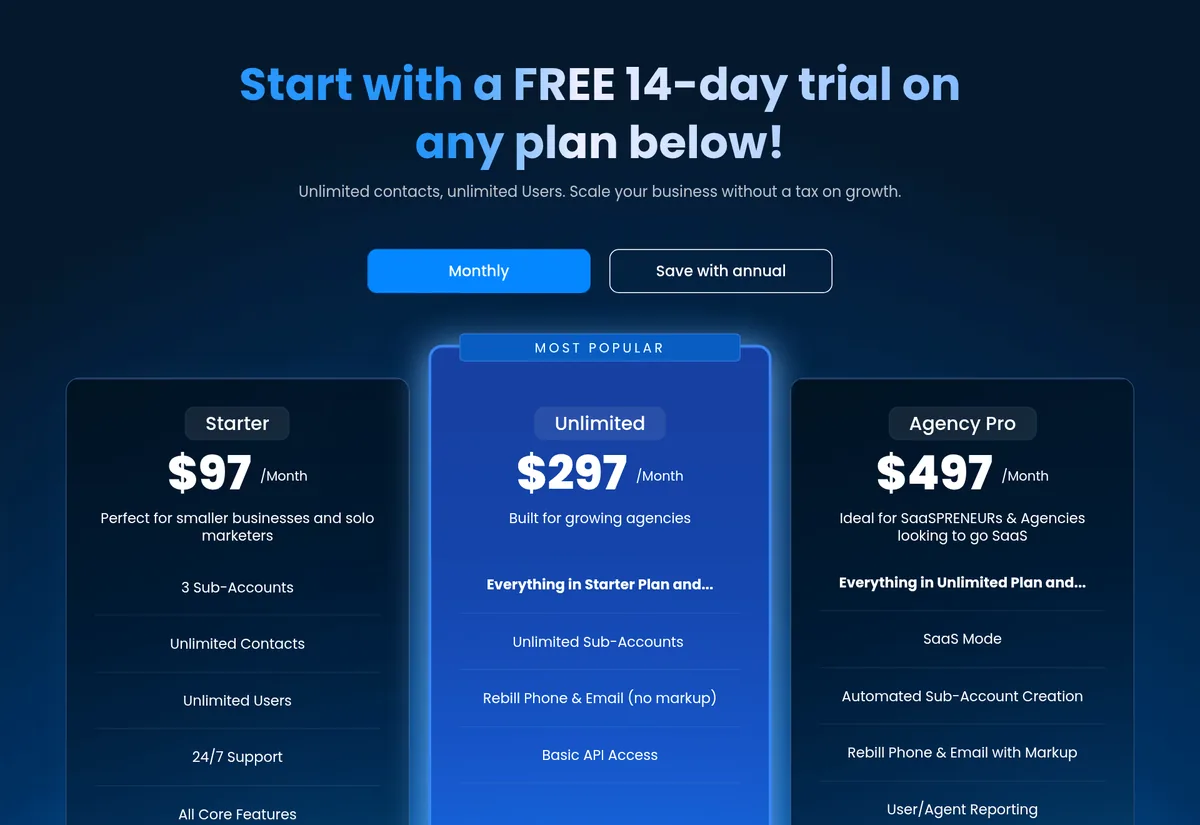
HighLevel's pricing page offers a 14-day free trial. Through my partner link, new customers get a 30-day trial, checked October 20, 2026. Billing begins when the trial ends unless you cancel. Here is my link: 30-day GoHighLevel trial (I earn a commission if you buy through this link).
For a full plan breakdown, see GoHighLevel pricing for beginners.
Is the GoHighLevel CRM right for you?
It is a good fit if you want your CRM, calendar, texts, emails, and pages in one place. It is also a good fit if you run an agency and set up CRMs for clients.
It may not be a fit if you only need a simple contact list. A $97 a month plan is a lot for that alone. If you are choosing between big CRMs, read GoHighLevel vs HubSpot.
My GoHighLevel CRM setup
Nothing you check here is sent or saved. Download it if you want to keep it.
Set up your CRM the simple way
Start a trial, build one pipeline that matches how you really sell, and test it with your own form. Through my link, new customers get a 30-day trial instead of the standard 14 days, checked October 20, 2026.
Start my 30-day GoHighLevel trialI earn a commission if you buy through this link. Billing starts when the trial ends unless you cancel. Usage fees for phone, email, and AI can apply during the trial.
Want help using AI in your business? Join my free AI workshop.
Frequently asked questions
Does GoHighLevel have a CRM?
Yes. Every HighLevel plan includes a CRM with contacts, Smart Lists, opportunities, and pipelines. It works with HighLevel's inbox, calendars, and workflows.
How much is the GoHighLevel CRM?
There is no CRM-only plan. Plans start at $97 a month for Starter, then $297 for Unlimited and $497 for Agency Pro, checked October 20, 2026. Texts, emails, and AI can cost extra.
Does GoHighLevel limit contacts?
HighLevel's pricing page lists unlimited contacts and unlimited users on its plans, checked October 20, 2026.
What is the difference between a contact and an opportunity?
A contact is a person. An opportunity is a possible deal with that person, and it moves through the stages of a pipeline.
What is a Smart List in GoHighLevel?
A Smart List is a saved contact list that updates on its own based on filters you set, like tags or pipeline stage. You do not add people to it by hand.
Can I import contacts into the GoHighLevel CRM?
Yes. You can import contacts and opportunities from a CSV file and map your columns to HighLevel fields.
Sources
Checked October 20, 2026. Plans, prices, and rules can change.
- HighLevel pricing
- HighLevel help: Setup Pipelines and Opportunities
- HighLevel help: Create and Manage Contacts
- HighLevel help: How to Create and Manage Smart Lists
- My HighLevel trial page (affiliate): gohighlevel.com/montoya
