
Grok Bot · Consultants
Consulting runs on research, clear write ups, and trust with client data. Here is how Grok Bot helps with the first two, and what to watch on the third.
Grok Bot for consultants is best at the work between meetings. A Bot can gather research, build a watch list of your accounts, and turn notes into a report or a Page your client can open. You bring the judgment and the relationship.
I read the Grok Bot docs and help pages on November 4, 2026. Facts come from those pages. My own advice is marked as my advice.
TL;DR
Consultants can use Grok Bot to research a client or market, keep a ranked account watch list, draft reports, and build Pages that hold tables and charts. Pages can be shared with chosen people, your team, or anyone with the link. The docs say all your Bots share one computer, so separate Bots are not a security boundary. Be careful with client data and keep client contact behind your approval.
Where Grok Bot fits in consulting
The Grok Bot docs list use cases by role. Two of them map well to consulting work:
- Account health. The Bot owns risk and expansion signals across a set of customers. It combines usage, support issues, renewal timing, and contact activity into a ranked watch list, with evidence for each account.
- Chief of staff. The Bot owns a digest of what changed and what needs your attention, with a source for every item.
Both prompts in the docs end with a limit. The account health one says not to contact customers or edit the CRM. That habit matters even more when the customers are your clients.
Client research
Before a first call, ask a Bot to read a client's public site, recent news, and job posts. Ask it to return a one page brief with a link for every fact. One of the starter prompts in the docs asks the Bot to separate facts from hypotheses, and that is a good rule for client research.
My advice: always open two or three of the links yourself before you quote anything to a client.
Pages your client can open
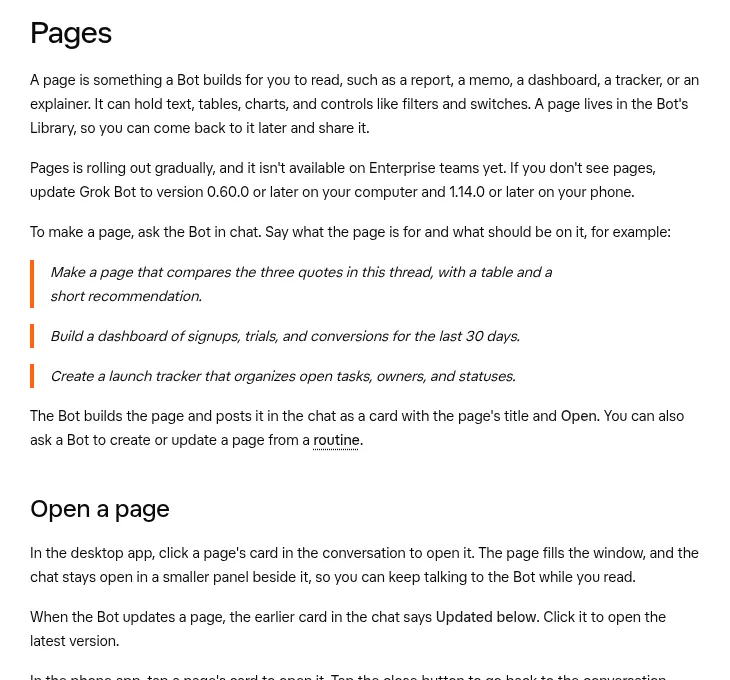
The help page says a Page is something a Bot builds for you to read, like a report, a memo, a dashboard, or a tracker. It can hold text, tables, charts, and controls like filters and switches.
Key facts from the help page:
- You make one by asking in chat, for example, make a page that compares the three quotes in this thread.
- A new Page is private until you share it.
- You can share with people you invite, your team, or anyone with the link. On a personal account the invite option is Only you, and people who open an invite or team link sign in with a Cursor account first.
- A link share gets its own address on pages.grok.bot, and anyone with it can open the page without signing in. Share that way only when the Page holds nothing private.
- Everyone you share with can read it and use its controls. Only the Bot can change it.
- Pages is rolling out over time and is not on Enterprise teams yet.
For a consultant, that means a status tracker or a findings report that updates when you ask the Bot, not a new slide deck each week.
Turn a repeat job into a durable Bot
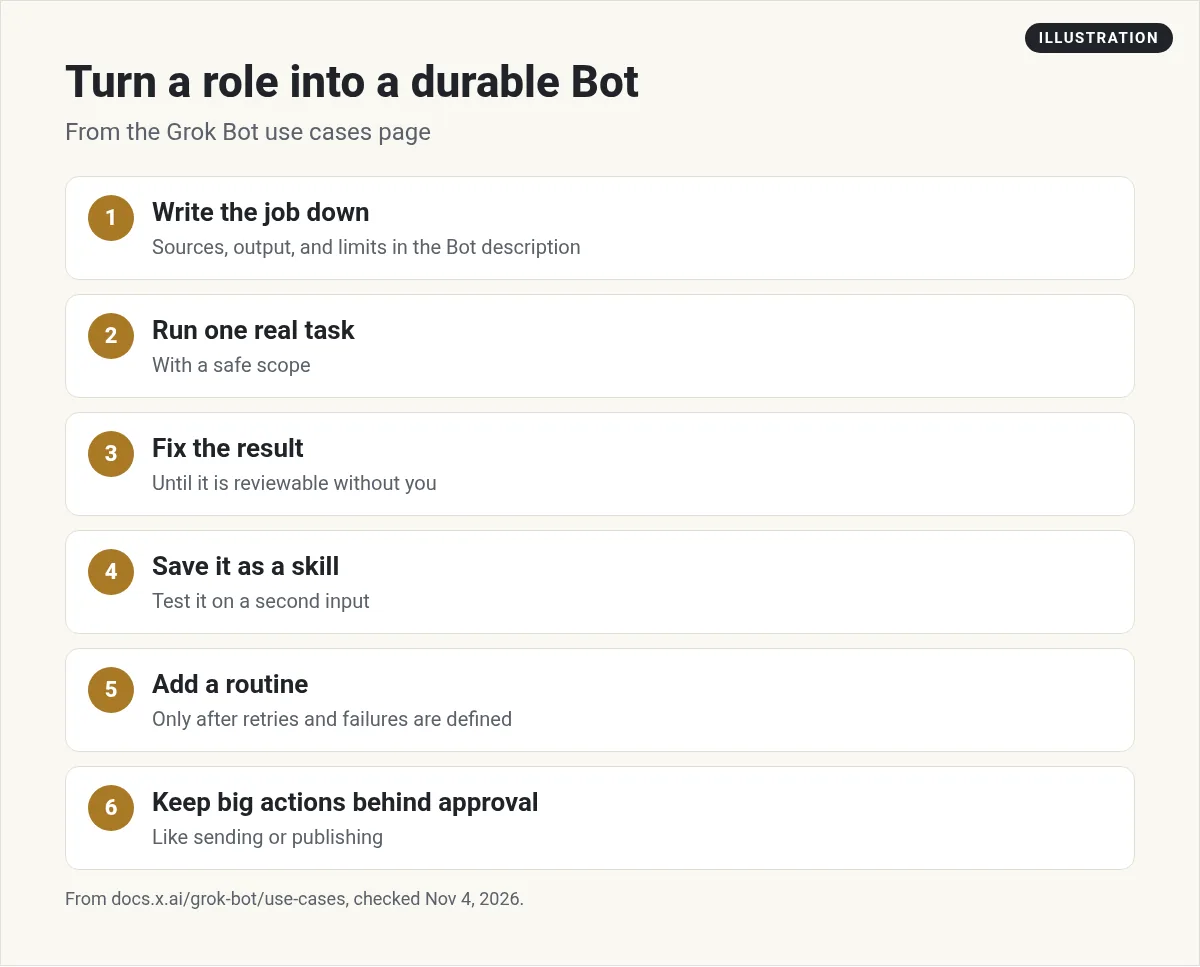
The docs give six steps to turn a role into a Bot you can trust:
- Put the job, sources, output format, and limits in the Bot's description.
- Run one real task with a safe scope.
- Correct the result until you can review it without redoing it.
- Save the working process as a skill, and test it on a second input.
- Add a routine only after retries and failure cases are clear.
- Keep big outside actions behind approval.
A monthly client report is a good test. Do it once by hand with the Bot. Fix it. Save it as a skill. Then run it for the next client.
Client data: read this first
This is where consultants need to slow down. Here is what the docs say:
- Every Bot on your account uses the same computer. Files there are visible to every Bot.
- Do not use separate Bots as a security boundary.
- An approval controls the action it asks about. It does not undo work already done.
- Deleting a Bot does not remove shared computer files or browser sessions.
- Do not put secrets, customer data, or internal links in a Bot you share by public link.
- On a Cursor team with Privacy Mode on, customer data is not used for training.
My advice on top of that: read each client contract before their files go on the Bot's computer. Keep one folder per client. When a project ends, the docs suggest removing sensitive files and signing out of services you no longer need, so do that.
Two videos worth watching
The AI Loop read the Grok Bot security docs and checked how many news write ups carried the key facts. It is a useful primer before you put client work on a Bot.
From the The AI Loop channel (not mine): Recorded in August 2026. Prices mentioned may have changed, so check the current plans.
Van Did This! gives four reasons to use Pages, including one board for a project and sharing with a single link.
From the Van Did This! channel (not mine): A short tour of Pages from a creator who uses them daily.
Three requests to copy (my examples)
Read the public website and last 90 days of news for this client. Return a one page brief with a link for every fact. Separate facts from guesses. Do not contact anyone.
Make a page that tracks the open items from my notes for this project, with owner, due date, and status. Keep it private to me.
Draft this month's report for this client in the same format as last month's report in the client folder. Mark anything you are not sure about.
My own advice
This part is my opinion. Start with research briefs, because they are read only and easy to check. Move to Pages once you trust the briefs. Leave anything that touches client systems for last, and only with written client OK.
A team behind every client
Consultants sell judgment. A ready made team of Bots can carry the research and write ups behind it.
AIM Agent is an AI Chief of Staff for business owners. It comes with an AI C-suite (COO, CMO, CFO, CRO and CTO), a Business Bot Builder and 100+ business skills, and it runs on AIM OS, a private vault that holds your notes and memory. AIM Agent is a ready-made AI business team that works inside Grok Bot, so you skip the setup and get to work.
Here is what you get:
- An AI Chief of Staff that helps you plan and run your business
- An AI C-suite: COO, CMO, CFO, CRO and CTO
- A Business Bot for each business or project. Give it a real task and it brings the work back for you to review
- 100+ business skills for content, offers, research and more
- Step by step setup guides and email support
So you skip the setup and get to work.

Want an AI team to help run your business? Meet AIM Agent, an AI Chief of Staff for business owners. I am a co-founder of AIM Agent and have a financial interest in the product.
Get a ready made team inside Grok Bot
AIM Agent gives you an AI Chief of Staff, an AI C-suite, and 100+ business skills, so you skip the setup and get to work.
See AIM AgentFrequently asked questions
Is Grok Bot good for consultants?
Yes, for research, account watch lists, report drafts, and Pages. Keep client contact behind your approval.
Can I share a Grok Bot Page with a client?
Sometimes. Invited people and teammates must sign in with a Cursor account, and on a personal account the invite option is Only you. A link share opens for anyone with no sign in, so keep private client data out of it. Public link sharing is off on Enterprise teams.
Can a client edit my Page?
No. People you share with can read it and use its controls. Only the Bot can change it.
Are my Bots separated from each other?
No. The docs say all your Bots share one computer, and separate Bots are not a security boundary.
Is Pages on Enterprise teams?
Not yet. The help page says Pages is rolling out and is not on Enterprise teams yet.
Does deleting a Bot remove client files?
No. The docs say deleting a Bot does not remove shared computer files or browser sessions.
Is there a faster way to get a working team?
AIM Agent gives you an AI Chief of Staff, an AI C-suite, and 100+ business skills inside Grok Bot.
Sources
Checked November 4, 2026. Plans, prices, and rules can change.
