
Grok Bot · Research
Grok Bot research can save you hours, but only if you can trust what it hands back. Here is how to ask for a brief with real sources, how to check it fast, and how to make it run every week.
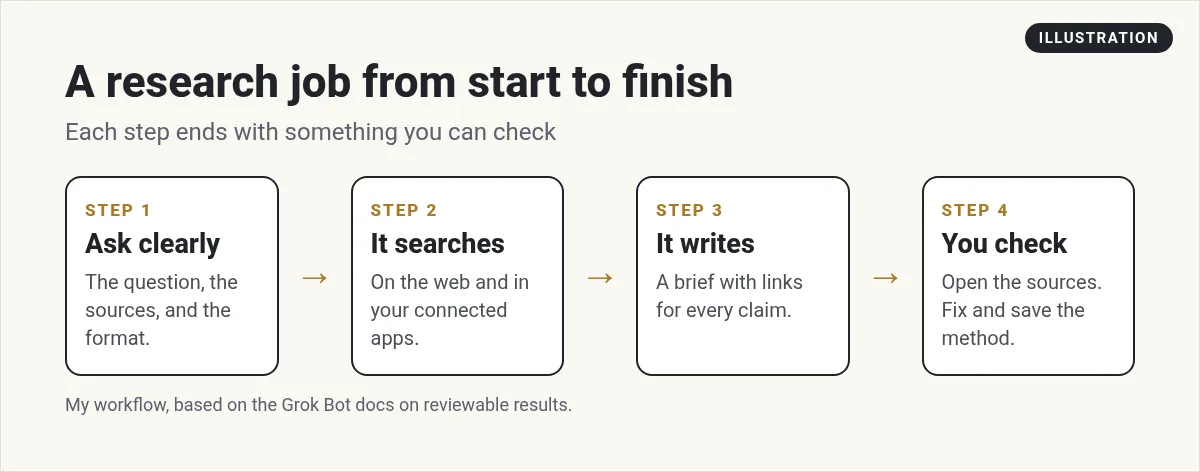
Grok Bot research is one of the safest jobs to hand off first. The Bot reads, searches, and writes. You check the sources. Nothing gets sent, bought, or posted.
I went through the official docs and guides on October 29, 2026. Here is how I would set up a research Bot, what to put in every ask, and how to spot a weak answer before you use it.
TL;DR
Grok Bot can research on the web from its own cloud computer, and in the apps you connect, like your inbox, Slack, or Google Drive. The docs say to ask for a reviewable result, such as a document with headings and source links, and to have the Bot separate facts, guesses, and open questions. Give it one clear question, the sources to use, a time window, and a format. Check the links before you rely on it. Once a research task works, save it as a skill and run it on a schedule. AIM Agent gives you a business team with research skills ready to go.
Why research is a great first job for a Bot
When you are new to Grok Bot, you want a job with low risk and a clear finish line. Research is perfect. The worst case is a bad brief, and you catch that when you check the sources.
A Bot works from a cloud computer with a browser, so it can read web pages like you would. If you connect apps, it can also look through your mail, Slack, and files. That means it can answer questions like what did customers complain about this month with real examples.
What to put in every research ask
Most bad research starts with a vague ask. Look into my competitors gives you a fuzzy page of fluff. A clear ask gives you something you can use.
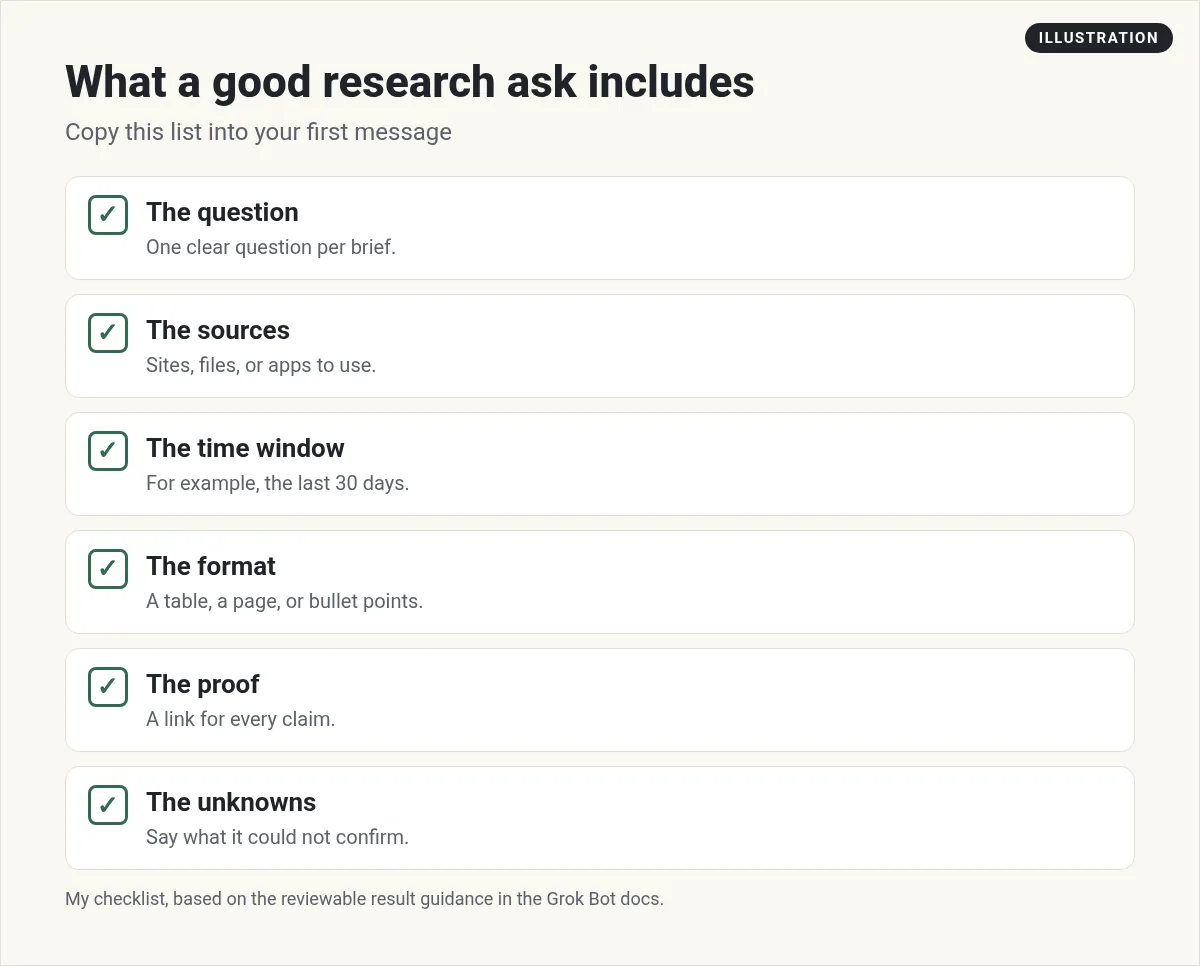
Here is a starter prompt I would use. Change the details for your business:
Research the top 5 online course platforms for coaches. Use only their official pages and reviews from the last 90 days. Return a table with name, best for, and three pros and cons. Add a link for every claim. At the end, list anything you could not confirm.
That last line is the most important one. It gives the Bot permission to say it does not know, which is better than a guess dressed up as a fact.
Ask for a result you can review
The docs have a section called Ask for a reviewable result. It says to name the thing you want back and how you will judge it. Their examples include "A document with headings and source links" and "A short recommendation followed by the underlying evidence."
For anything important, the docs say to ask the Bot to split its answer into five parts:
- Facts found in source systems
- Assumptions or inferences
- Actions already completed
- Actions waiting for approval
- Unresolved questions
I use this all the time. When the facts and the guesses are in different lists, you can see at a glance how much of the brief is solid.
How to check a brief in five minutes
You do not need to read every source. Use this quick check:
- Open three links at random. Does the page really say what the brief says?
- Look at the dates. Old pages can have old prices and old features.
- Check the unknowns list. If it is empty on a hard topic, be careful.
- Watch for round numbers. Made up stats are often too neat.
- Ask a follow up. Which claim are you least sure about? is a great question.
The docs also list what good evidence looks like: direct source links, screenshots, timestamps and time zones, and "An explicit list of anything the Bot could not verify." They also warn not to rely on a screenshot alone for data that changes fast.
Research jobs worth handing off
- Competitor watch. What changed on their site, prices, or offers this week.
- Customer voice. Common questions and complaints from your inbox and reviews.
- Content ideas. Questions people ask about your topic, with sources.
- Meeting prep. A one page brief on a person or company before a call.
- Tool shopping. A fair table of three tools you are thinking about.
The x.ai guide Grok Bot for Work shows a Bot called Intel Scout that runs twice a day. It scans the writer's inbox, Slack, and meeting notes, then hands back a short three part brief: what changed, what follow ups are open, and what he needs before his next meetings.
There are also research templates in the Grok Bot Marketplace. One called Researchy is described as "A research and fact-check desk that runs every pass on the latest Grok model with live web search." You can add a template like that and change it to fit your work. My Grok Bot use cases guide has more ideas.
From the Brock Mesarich | AI for Non Techies channel (not mine): Brock Mesarich walks through the official x.ai guides and the 30+ Bots their team uses, including research and intel Bots.
Pick the right output
Where the research lands matters as much as what it says. A few options:
- A chat summary for quick answers.
- A document with source links for anything you will share.
- A spreadsheet when you want to sort and filter.
- A page when you want a report with tables and charts that you can open again later. My Grok Bot pages guide shows how.
When you want changes, ask the Bot to update the same file. The docs suggest this so you do not end up with five copies of the same report.
Make research run on its own
Once a research task works well by hand, save the steps as a skill. Then add a routine so it runs every week. A Monday competitor brief is a great first one.
Keep the stop point clear. Research Bots should read and report, not reach out to anyone. If you want help writing the skill, my Grok Bot skills guide covers what a good one includes, and Grok Bot routines covers the schedule.
A note on memory
Your Bot remembers things across chats. That is helpful, but it is not a source. The docs say memory is not a source of truth. For research, always ask for fresh sources, not what the Bot remembers from last month. My Grok Bot memory guide explains why.
Research that leads to action
A good brief is only useful if someone turns it into a plan. That is where most people get stuck. They have the facts, but no team to say what to do next.
AIM Agent is an AI Chief of Staff for business owners. It comes with an AI C-suite (COO, CMO, CFO, CRO and CTO), a Business Bot Builder and 100+ business skills, and it runs on AIM OS, a private vault that holds your notes and memory. AIM Agent is a ready-made AI business team that works inside Grok Bot, so you skip the setup and get to work.
Here is what you get:
- An AI Chief of Staff that helps you plan and run your business
- An AI C-suite: COO, CMO, CFO, CRO and CTO
- A Business Bot for each business or project. Give it a real task and it brings the work back for you to review
- 100+ business skills for content, offers, research and more
- Step by step setup guides and email support
So instead of building that from a blank Bot, you start with a team and skills made for business work, and you make the final call.

Research is also the base of good prompts. See my Grok Bot prompts for more starter asks, and the mistakes to avoid. Want an AI team to help run your business? Meet AIM Agent, an AI Chief of Staff for business owners. I am a co-founder of AIM Agent and have a financial interest in the product.
Turn research into a business plan
AIM Agent gives you an AI Chief of Staff, an AI C-suite, and 100+ business skills for content, offers, research and more.
See AIM AgentFrequently asked questions
Can Grok Bot search the web?
Yes. Bots work from a cloud computer with a browser, so they can read web pages. They can also search the apps you connect.
How do I make Grok Bot research more accurate?
Ask one clear question, name the sources, set a time window, and ask for a link for every claim plus a list of what it could not confirm.
Can Grok Bot do research on a schedule?
Yes. Save the task as a skill, then set a routine, like a weekly competitor brief every Monday.
Should I trust what my Bot remembers for research?
No. Memory is helpful, but the docs say it is not a source of truth. Ask for fresh sources.
Is there a research template I can start from?
Yes. The Grok Bot Marketplace lists research templates, such as Researchy, a research and fact-check desk.
Is there a faster way to get business research?
AIM Agent gives you an AI Chief of Staff, an AI C-suite, and 100+ business skills for content, offers, research and more.
Sources
Checked October 29, 2026. Plans, prices, and rules can change.
