
Grok Bot · Mistakes
Most Grok Bot problems are not bugs. They are setup choices that seemed fine on day one. Here are the 10 I see most, and the quick fix for each.
Grok Bot mistakes are easy to make, because it is so easy to start. You make a Bot, give it a big job, and it just goes. That is the fun part. The pain shows up a week later, when usage runs out, a Bot posts something you did not expect, or two Bots fight over the same login.
I run about 25 AI agents in Grok Bot for my business, and I have made most of these mistakes myself. I also read the official troubleshooting, routines, memory, and approvals docs on October 28, 2026, and watched the most honest reviews. Here are the 10 fixes I would make on day one.
TL;DR
The most common Grok Bot mistakes are: using one Bot for everything, automating a job before it works by hand, vague prompts, no stop point, routines that run too often, busy Slack triggers, pasting secrets into chat, risky browser logins on the shared computer, never checking what a Bot remembers, and letting Bots message each other nonstop. The fixes are simple. Give each Bot one job, test by hand first, say the outcome and the stop point, start routines daily or weekly, keep triggers narrow, use Vault, prefer connectors, ask your Bot what it remembers, and keep handoffs short.
The 10 mistakes at a glance
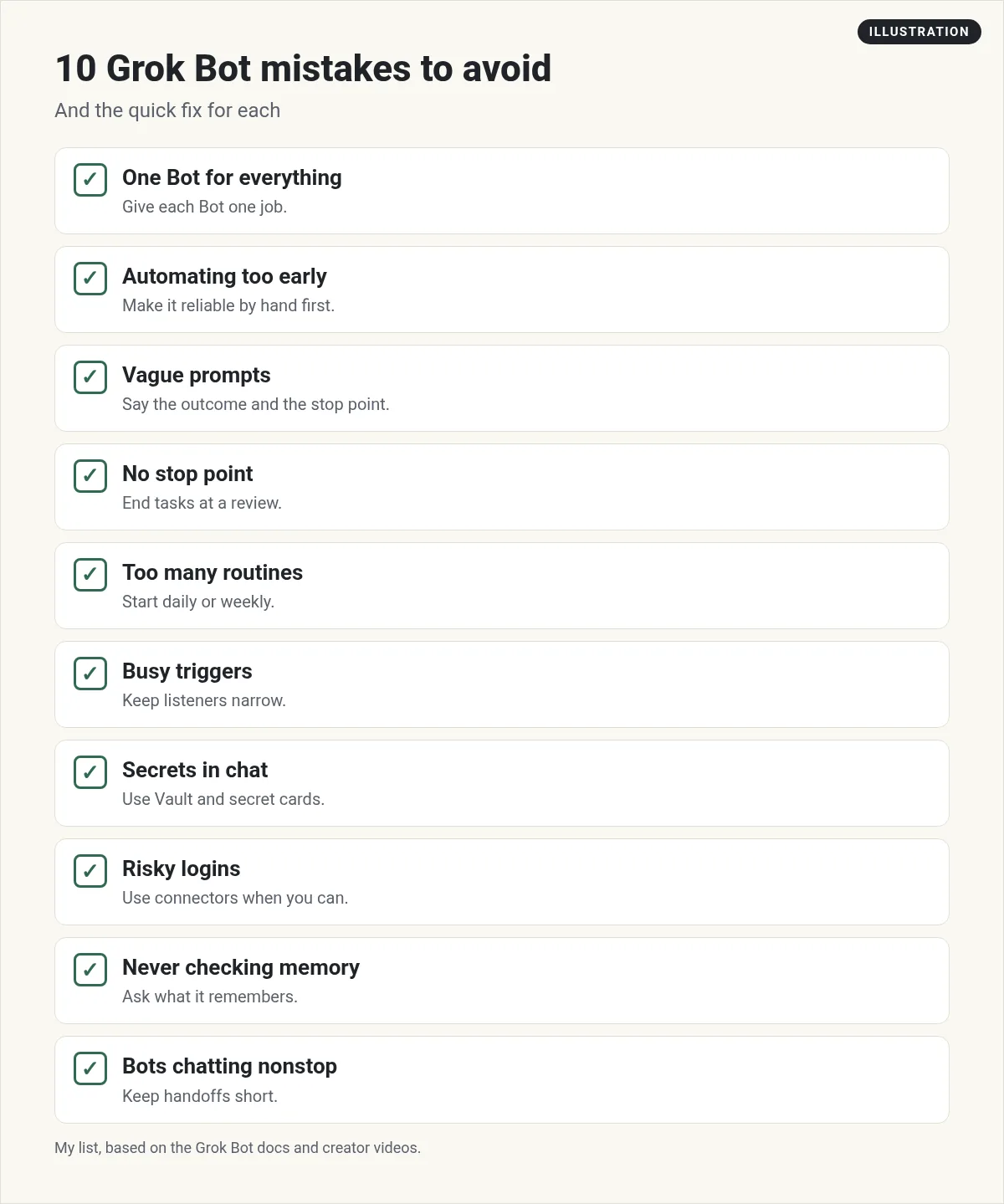
| Mistake | Quick fix |
|---|---|
| 1. One Bot for everything | One Bot, one job |
| 2. Automating too early | Make it work by hand first |
| 3. Vague prompts | Say the outcome and the format |
| 4. No stop point | End at a review |
| 5. Routines that run too often | Start daily or weekly |
| 6. Busy triggers | Narrow the channel and phrase |
| 7. Secrets in chat | Vault and the secret card |
| 8. Risky logins | Connectors first |
| 9. Never checking memory | Ask what it remembers |
| 10. Bots chatting nonstop | Short handoffs, clear channels |
1. Using one Bot for everything
The whole point of Grok Bot is a team. Each Bot keeps its own memory and its own skills. When one Bot does your email, your blog, and your books, its memory gets mixed up and its results get worse.
Fix: one Bot, one job. I have a Bot for content, one for sales follow up, and one for quality checks, plus a Chief of Staff that hands work between them. See Grok Bot chief of staff for how I set that up.
2. Automating a job before it works by hand
It is tempting to set a routine on day one. But if the job is not right when you run it by hand, a routine just makes the same mistake every morning.
Fix: run it by hand three times. Fix the prompt each time. When it is right, save it as a skill, then put it on a routine. My Grok Bot skills post shows the steps.
3. Vague prompts
"Help with my marketing" gets you a wall of ideas. "Find 5 questions my customers asked this week and draft one email that answers the top one" gets you something you can use.
Fix: say the outcome, the format, and where to put it. And tell your Bot about you. Nate Herk shares a nice trick for this: a skill that interviews you about your business and goals until it really understands them. You can just ask your Bot to make one. My Grok Bot prompts post has 20 you can copy.
4. No stop point
A Bot without a stop point keeps going. Most of the time that is fine. Sometimes it means something got sent or posted before you saw it.
Fix: end every task at a review. "Draft it and stop before sending." The Grok Bot docs give a great model: "Do not change the campaign or message the agency. Ask for approval after showing the current value, proposed value, and expected impact." Then add Ask first rules for sending, buying, deleting, and publishing. My Grok Bot safety post covers this in full.
5. Routines that run too often
An hourly routine feels productive. But the docs are clear: "Each run spends usage, so a routine that runs often spends more than one that runs rarely."
Fix: start daily or weekly. If usage drops fast, the docs say to pause routines you do not need, then ask the Bot to widen schedules and narrow Slack triggers. See Grok Bot routines.
6. Busy Slack triggers
A routine can start when something happens in Slack, like a mention or a phrase. That is powerful. It is also an easy way to burn usage.
Fix: keep it narrow. The docs say "A trigger on any message in a busy channel runs often and spends usage on messages that don't need the Bot." Pick one channel and one phrase.
7. Pasting secrets into chat
Never paste a password, card, or API key into a chat. It is the fastest way to leak something you care about.
Fix: save logins and cards in Vault. The docs say "Your Bot never sees a saved password, card number, or security code." For API keys, use the secure secret card. Just know Vault covers your whole account, so every Bot can use what you save.
8. Risky logins on the shared computer
From the Van Did This! channel (not mine): Van Did This! walks through the most costly Grok Bot mistakes he hit: heavy Bot to Bot chats, risky logins, and shared sign ins on one computer.
Van from Van Did This! nails this one. All your Bots share one cloud computer, so a login one Bot makes is there for every Bot. You also cannot have two different logins on the same site at once. And some sites do not want bots clicking around at all.
Fix: use the right door. Pick an official connector or OAuth sign in when there is one, and only grant what the job needs. Keep your most important accounts away from anything risky. As Van says, "only leave logged in what you'd be fine with the whole team touching." My Grok Bot connectors post shows how to connect apps the safe way.
9. Never checking what a Bot remembers
Bots learn as they work. Sometimes they learn something that is out of date, and every result after that is a little off.
Fix: ask. The docs give the exact words: "What do you remember about me?" To fix it: "That's out of date." To remove it: "Forget that." See Grok Bot memory for more.
10. Letting Bots message each other nonstop
Bots can talk to each other, and that is great for teamwork. Van points out the cost: each Bot to Bot chat wakes up its own context, so one task can spend usage in several places at once.
Fix: keep handoffs short and clear. Van's tips are to give Bots their own channels, start a fresh channel when one runs long, and set a standing rule that Bots talk in their channels instead of DMing each other all day. You can also ask your Chief of Staff Bot to be careful with heavy tasks.
Bonus: do not reset when Grok Bot is down
When a Bot stops replying, it is tempting to reset the computer or reinstall the app. The troubleshooting docs say to check status.cursor.com first. If there is a Grok Bot incident, wait. "Don't Reset the computer or reinstall the app." Reset can even lose very recent changes.
Two other tips from the same page: most problems clear with a full restart, and on a Mac that means Quit from the menu bar, not just closing the window. And if a sign in loops, update the app, then sign out and back in.
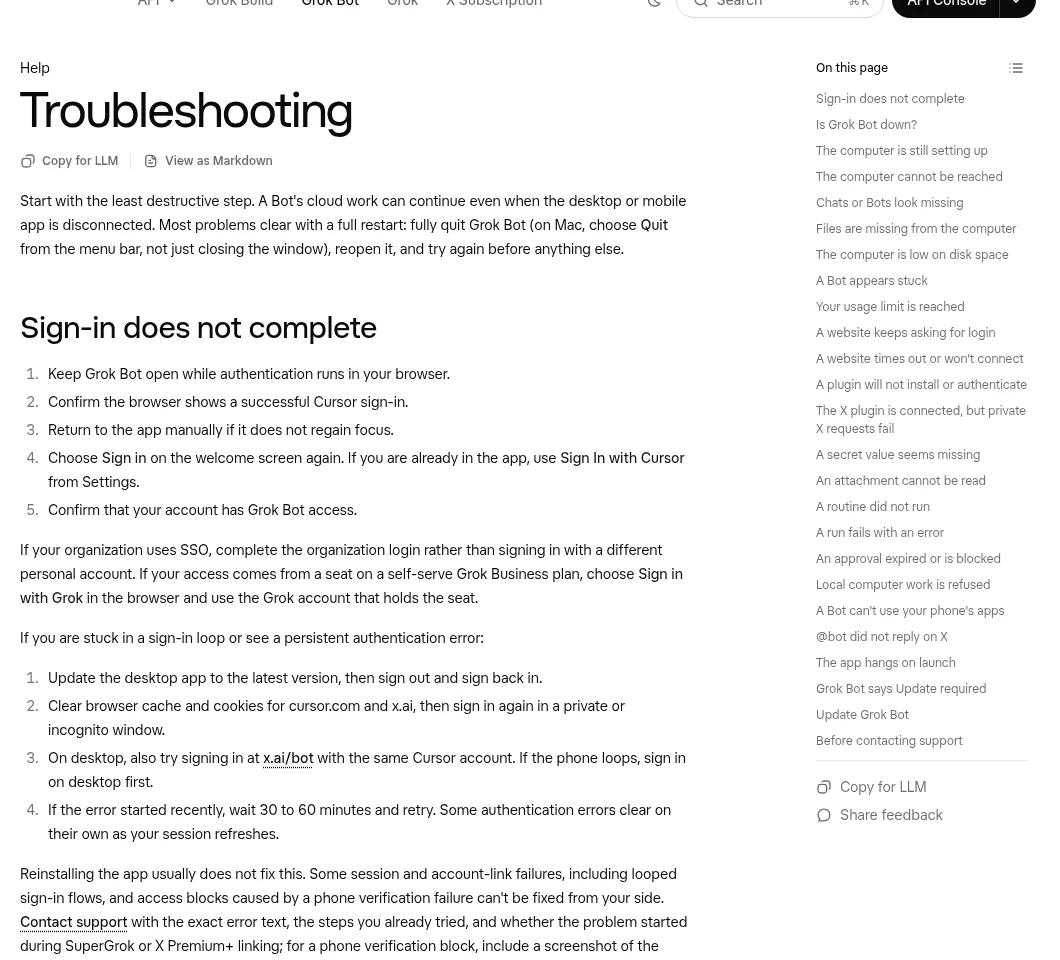
Tech With Tim also hit connectors that timed out and tasks that hung during his early test. If that happens to you, try the full restart first, then reconnect the app from Connect apps.
My day one checklist
- One Bot, one job, with a short brief about you.
- Run each job by hand before you save it as a skill.
- Every task ends at a review.
- Routines start daily or weekly.
- Logins go in Vault, and connectors come before browser logins.
- Once a week, ask each Bot what it remembers.
Skip the mistakes with a team that is already set up
Almost every mistake on this list comes from building a team from scratch: too few roles, unclear jobs, no stop points.
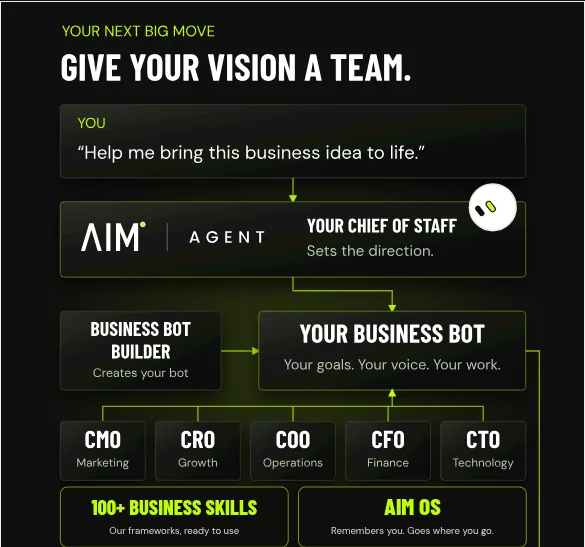
AIM Agent is an AI Chief of Staff for business owners. It comes with an AI C-suite (COO, CMO, CFO, CRO and CTO), a Business Bot Builder and 100+ business skills, and it runs on AIM OS, a private vault that holds your notes and memory. AIM Agent is a ready-made AI business team that works inside Grok Bot, so you skip the setup and get to work.
Here is what you get:
- An AI Chief of Staff that helps you plan and run your business
- An AI C-suite: COO, CMO, CFO, CRO and CTO
- A Business Bot for each business or project. Give it a real task and it brings the work back for you to review
- 100+ business skills for content, offers, research and more
- A step by step setup guide, with email support until your first bot finishes a real task
AIM Agent gives you an AI Chief of Staff, an AI C-suite, a Business Bot for each business, and 100+ business skills, plus a setup guide with email support until your first bot finishes a real task.
Where to go next
If you are brand new, start with my Grok Bot tutorial for beginners. For jobs worth handing off, see Grok Bot use cases. I also show real AI workflows in my free MakerAI workshop.
Start with a team that is set up right
AIM Agent gives you an AI Chief of Staff, an AI C-suite, a Business Bot Builder, and 100+ business skills that work inside Grok Bot.
See AIM AgentFrequently asked questions
What is the biggest Grok Bot mistake?
Using one Bot for everything. Give each Bot one job so its memory and skills stay focused.
Why is my Grok Bot usage running out fast?
Usually routines that run too often or busy Slack triggers. Pause routines you do not need, widen schedules, and narrow triggers.
Can my Bots share one login?
Yes. Browser sign ins on the shared computer are there for every Bot, and you cannot have two different logins on the same site at once.
Should I paste my password into Grok Bot?
No. Save it in Vault. Your Bot never sees a saved password, card number, or security code.
How do I see what my Bot remembers?
Ask it: What do you remember about me? You can also tell it what is out of date or what to forget.
What should I do if Grok Bot stops replying?
Check status.cursor.com first. If there is an incident, wait. Otherwise fully quit and reopen the app before anything else.
Should I automate a task right away?
No. Run it by hand a few times, fix the prompt, save it as a skill, then put it on a routine.
Is there a ready-made Grok Bot team?
Yes. AIM Agent gives you an AI Chief of Staff, an AI C-suite, a Business Bot Builder, and 100+ business skills that work inside Grok Bot.
Sources
Checked October 28, 2026. Plans, prices, and rules can change.
