
Grok Bot · Tutorial
Grok Bot is easy to open and hard to master. This beginner tutorial gives you one small win a day for a week, so you end up with a Bot that actually saves you time.
Grok Bot tutorials on YouTube can run close to an hour. That is great if you have the time. Most beginners I talk to do not.
So I watched the top beginner tutorials from the last two months, read the official docs on October 28, 2026, and boiled it down to one simple plan. One small step a day for seven days. No code. No tech words you have to look up.
TL;DR
The easiest way to learn Grok Bot is one step a day. Day 1, make one Bot with one job. Day 2, give it one real task with a clear finish line. Day 3, connect one app like Gmail or your calendar. Day 4, correct its work and ask it to remember the fix. Day 5, save the steps as a skill. Day 6 and 7, turn it into a routine that runs on a schedule, with sending kept behind your approval. If you want a full business team without the learning curve, look at AIM Agent.
The one idea that makes Grok Bot click
Grok Bot is not a chat box you start over every time. It is a team of helpers who remember. The Kevin Stratvert tutorial puts it well: "you never start new chats. You just message your bot when you need something new."
So the goal of your first week is not to learn every button. It is to build one helper that knows one job really well. Once you have that, adding the next one is easy.
Charlie Chang's tutorial is the most watched beginner video I found. His advice for your very first Bot is an executive assistant. That is a great pick for a business owner.
From the Charlie Chang channel (not mine): The most watched beginner tutorial in my research. It builds an executive assistant Bot first, then adds apps and schedules.
Your 7 day Grok Bot plan
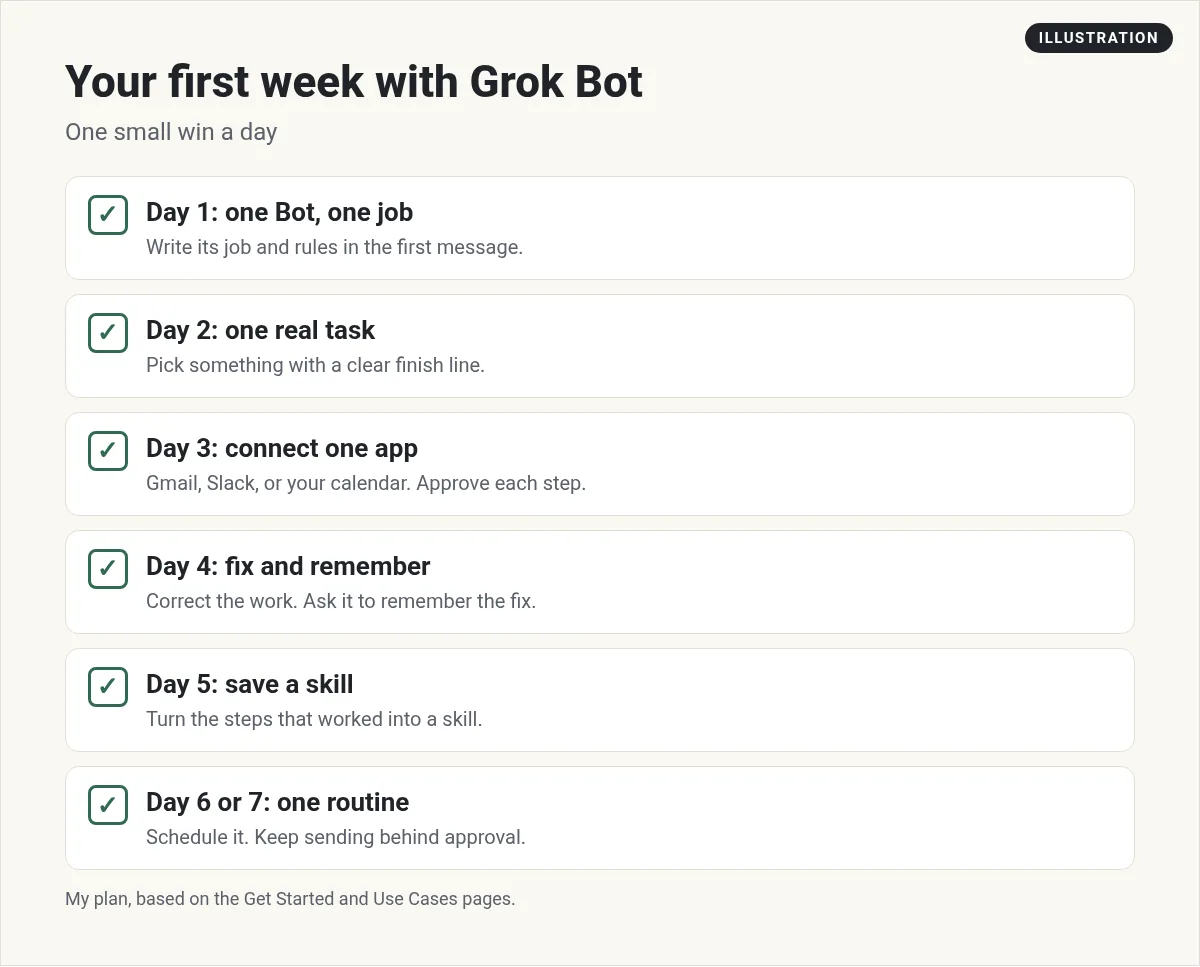
Day 1: Make one Bot with one job
Install the app and sign in. If you have not done that yet, follow my Grok Bot setup guide. Then click the + button and choose Create a Bot. Name it after its job, like Inbox Helper.
In the first message, tell it its job and its rules. The Get Started guide says to "ask it to remember how it should work." Here is a simple example you can copy:
You are my executive assistant. Your job is my email and my calendar. Every morning, tell me what needs a reply today and what is on my calendar. Never send an email or accept a meeting without asking me. Remember this.
Day 2: Give it one real task
Pick a real task with a clear finish line. Not "help me with marketing." Something like "find the last 10 emails from customers and list what each one asked for."
The guide says a strong request states "the outcome, the sources that matter, the constraints, the deliverable, and where the Bot should stop for you." That is a great checklist for every task you give it.
Day 3: Connect one app
Ask it: "Help me connect my email." In the Founders School tutorial, Nat Eliason shows that this pops up a card in the chat. You click Authorize and sign in. Do the same for your calendar.
Then ask a real question. For example, "Did the invoice from last week get paid?" The Bot checks your email and tells you. You did not have to open your inbox.
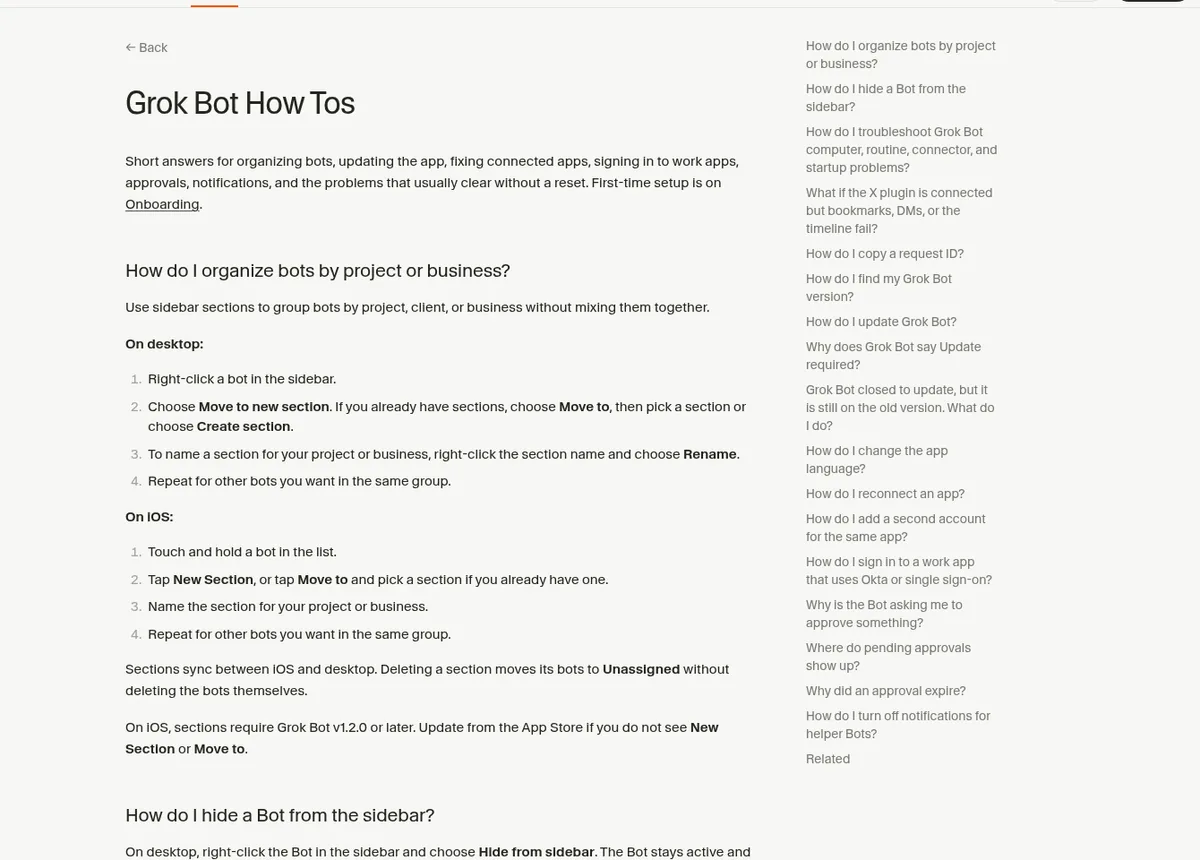
Day 4: Fix its work, and make it remember
The Bot will get some things wrong. That is normal. Tell it what to change, and then say "remember this." The memory help page says your Bot saves things like how you like to work, rules you ask it to keep, and facts about you.
To check what it knows, ask: "What do you remember about me?"
Day 5: Save a skill
A skill is a saved set of steps, like a recipe. When a task works well, ask the Bot to save it as a skill. Next time, you just ask for it by name.
You can also teach a skill by showing it. The docs say you can walk a Bot through a task once, and it can save that path as a skill. This part works on desktop, not phone.
Day 6 and 7: Set up one routine
A routine is a task that runs on its own. The help center says you can "Ask the Bot in chat. Say what it should do and when." For example: "Every weekday at 7 AM, sort my inbox and send me the short list in this chat."
Two warnings from the docs. First, every run uses your plan's usage, so start with one routine, not ten. Second, keep sending, posting, and buying behind your approval.
5 beginner habits that save hours
- One Bot per job. A Bot with one job learns faster than a Bot that does everything.
- Always say where to stop. End tasks with "leave me a draft" or "do not send."
- Use voice. Press Cmd or Ctrl+D to talk instead of type. It is faster for long instructions.
- Watch it work. Open its screen now and then. You will learn how it thinks.
- Keep passwords out of chat. Use Vault or the Secure Form it offers.
What to build after week one
Once your first Bot is solid, add a second Bot for a different job. Good next picks for business owners are a research Bot, a content Bot, and a follow up Bot. My Grok Bot use cases post has more ideas with starter prompts.
After that, the big step is getting your Bots to work as a team. One lead Bot hands work to the others. I explain how I do that in my Grok Bot chief of staff post. This is where most beginners get stuck, because it takes a lot of testing to get right.
Skip the learning curve with AIM Agent
This 7 day plan gets you one good Bot. Getting a whole team that plans, writes, sells, and checks the numbers takes much longer. You have to design each role, test it, and teach the Bots to hand work to each other.
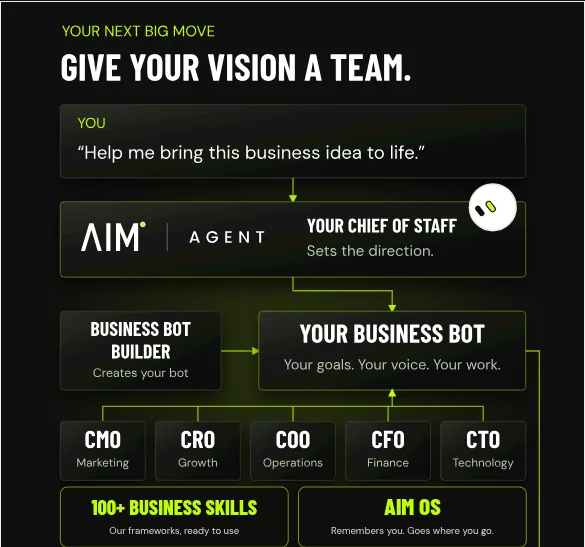
AIM Agent is an AI Chief of Staff for business owners. It comes with an AI C-suite (COO, CMO, CFO, CRO and CTO), a Business Bot Builder and 100+ business skills, and it runs on AIM OS, a private vault that holds your notes and memory. AIM Agent is a ready-made AI business team that works inside Grok Bot, so you skip the setup and get to work.
Here is what you get:
- An AI Chief of Staff that helps you plan and run your business
- An AI C-suite: COO, CMO, CFO, CRO and CTO
- A Business Bot for each business or project. Give it a real task and it brings the work back for you to review
- 100+ business skills for content, offers, research and more
- A step by step setup guide, with email support until your first bot finishes a real task
It is the fastest way I know to go from one helper to a full team. You still review the work. You just skip the weeks of trial and error.
Want to see AI tools used on real business tasks, live? Come to my free MakerAI workshop.
My first week with Grok Bot
Nothing you check here is sent or saved. Download it if you want to keep it.
Ready for more than one Bot?
AIM Agent gives you an AI Chief of Staff, an AI C-suite, a Business Bot Builder, and 100+ business skills, so you can hand off real work this week.
See AIM AgentFrequently asked questions
How do I start using Grok Bot?
Install the app, sign in, and give your first Bot one job in its first message. Then give it one real task with a clear finish line and say where it should stop for you.
What should my first Bot be?
An executive assistant for email and calendar is a great first Bot for a business owner. It saves time on day one.
Do I need to know how to code?
No. You set up Bots by sending messages in plain words. The docs say setup is a message, not a workflow builder.
What is the difference between a skill and a routine?
A skill is a saved set of steps a Bot can reuse. A routine runs a task on a schedule or when something happens, like a new email.
How do I see what my Bot remembers?
Ask it: What do you remember about me? You can also ask it to forget something.
Is there a faster way to get a full AI team?
Yes. AIM Agent gives you a ready-made AI business team with an AI Chief of Staff, an AI C-suite, and 100+ business skills.
Sources
Checked October 28, 2026. Plans, prices, and rules can change.
