
Grok Bot · Routines
Grok Bot routines are how a Bot does work without you asking. Here is how to set one up, how to test it, and the rules that keep it from wasting your usage or doing something you did not want.
Grok Bot routines are the moment this tool starts to feel like a real teammate. You stop asking for the same thing every morning. The Bot just does it and leaves the result in your chat.
I read the official guides on October 28, 2026, and watched the official Grok Bot 201 workshop. Here is the simple version, plus the mistakes to skip.
TL;DR
A Grok Bot routine tells one Bot when to run a job, either on a schedule like every weekday at 8 AM, or when something happens, like a Slack message, an email, or a webhook call. You set one up by asking the Bot in plain words. The docs say to make the task reliable first, save it as a skill, then automate it. Always test it, keep sending behind approval, and avoid broad triggers because every run uses usage. AIM Agent gives you a business team with 100+ business skills to build routines on.
What a routine is
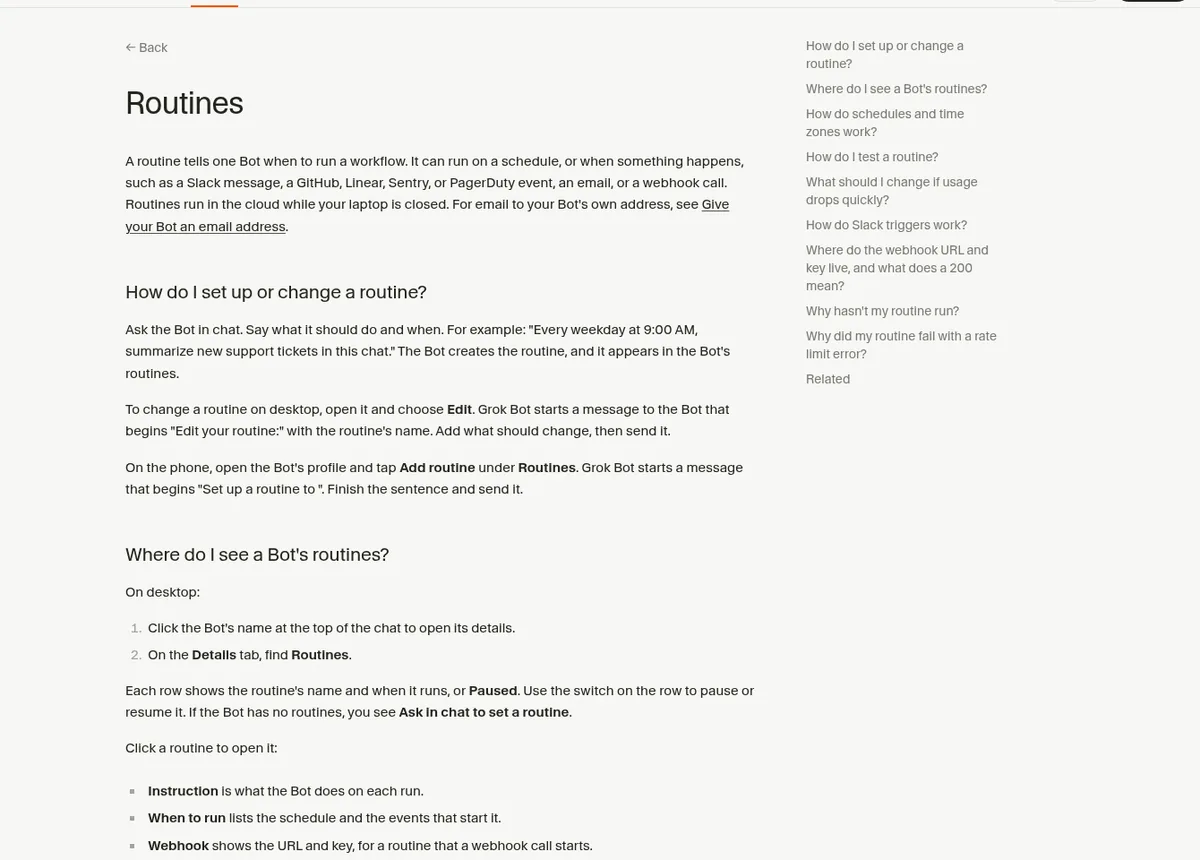
The docs explain it with two building blocks. "A skill is a reusable set of instructions for how to do a task." And "A routine tells one Bot when to run a workflow: on a schedule, or when something happens."
So a skill is the how. A routine is the when. Routines run in the cloud, so they keep going while your laptop is closed.
The right order: task, skill, then routine
This is the most important rule, and most people skip it. The docs say: "Start with a one-time task. Make it reliable, save the method as a skill, and only then automate it."
Think about it. If the task is wrong when you run it by hand, a routine just makes the same mistake every day. Fix it first. Then put it on a schedule.
How to set up a routine, step by step
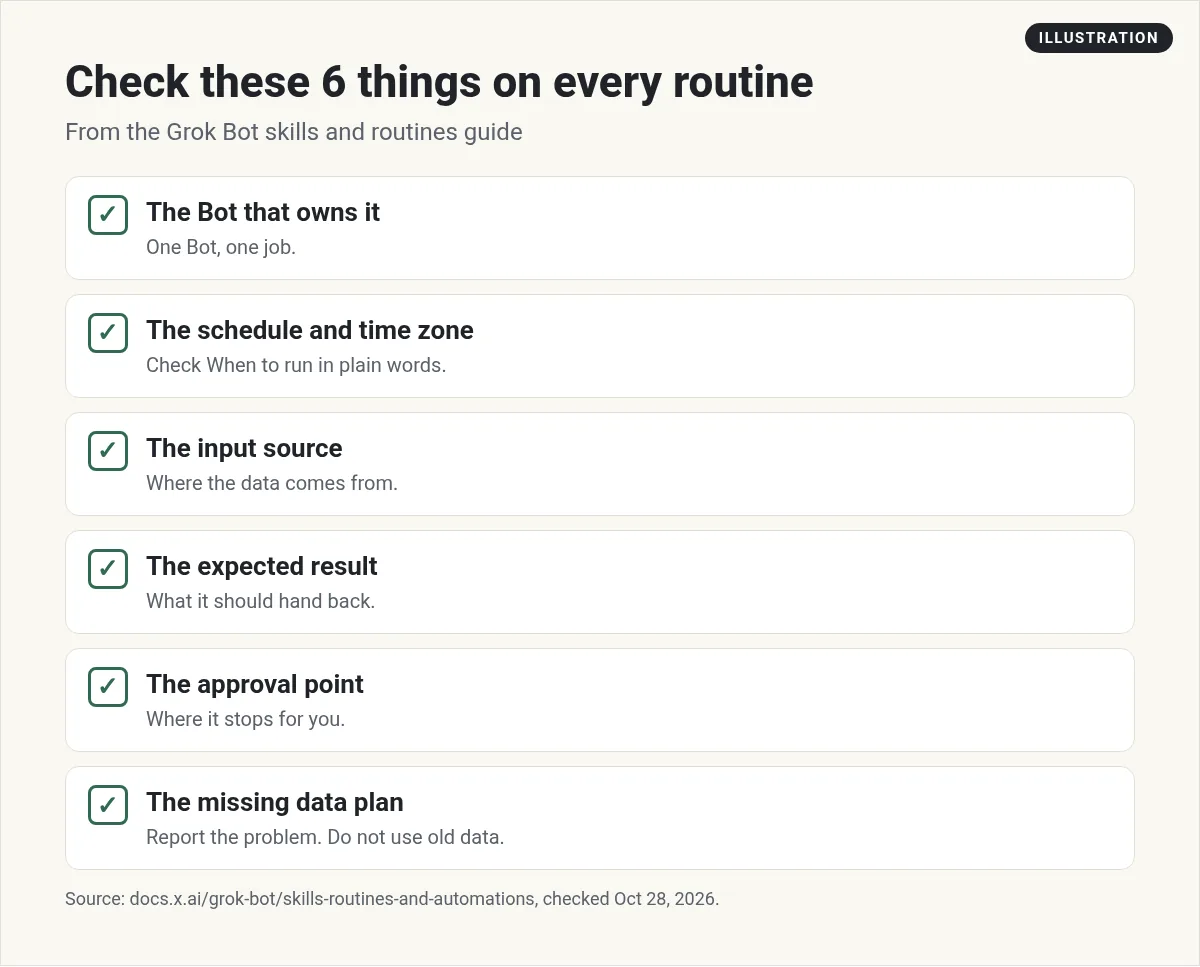
- Pick the Bot that owns the job. Ask that Bot, not a random one.
- Say it in plain words. For example, "every weekday at 8:00 AM" or "every 2 hours."
- Name the skill or the steps. Tell it what to run and where the data comes from.
- Say what to hand back. A list, a draft, or a summary in this chat.
- Set the stop point. For example, "Do not contact customers."
- Say what to do if data is missing. The docs' example: "report the failure instead of using old data."
- Open the routine and check When to run. It shows the schedule in words. If it is wrong, choose Edit and tell the Bot.
- Use Test. A new routine waits for its next time. Test runs it now.
Here is a starter prompt in the same style as the docs. Change the details for your business:
Every Monday at 7:00 AM, run my Weekly content ideas skill. Post a list of 5 ideas with sources in this conversation. Do not post anything. If a source is unavailable, tell me instead of guessing.
Schedules and time zones
Routines use the time zone in Settings, under Bot, labeled Timezone. Auto detect follows your computer. If the work belongs to a different office, pick that zone.
One thing that trips people up: "A new routine waits for its next scheduled time; it doesn't run when it's created." If you set up a daily 8 AM routine at 8:05, the first run is tomorrow. Use Test if you want to see it now.
Routines that start when something happens
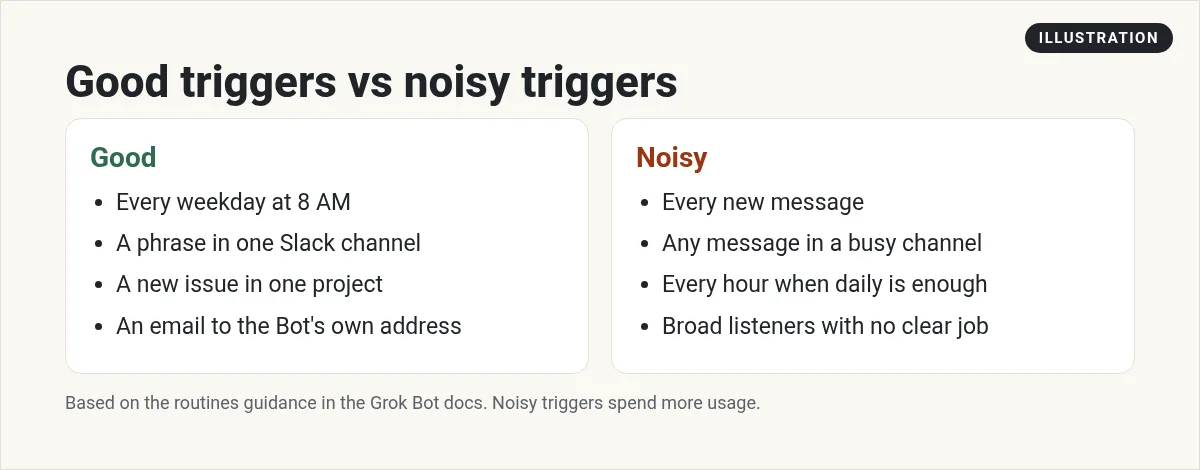
A routine does not have to run on a clock. It can start from a Slack message, a GitHub, Linear, Sentry, or PagerDuty event, an email to your Bot's own address, or a webhook call.
The docs give a warning I agree with: "Avoid broad listeners such as 'every new message.'" They create noise, use up your usage, and raise the chance the Bot acts on something it should ignore. Keep the channel and the phrase narrow.
Routines and usage
Every run spends usage. The docs are blunt about it: "An hourly schedule, a short interval, or a Slack trigger on a busy channel can use a week of usage in a day."
So start with daily or weekly. Only go faster when you have a real reason. A routine that never runs does not spend usage, but Test does, because it does the real work.
| Limit | What the docs say |
|---|---|
| Routines per Bot | Up to 50 |
| Time between scheduled runs | At least 5 minutes |
| Run records kept | The 20 most recent per routine |
| Runs per hour, all routines | Up to 300 |
| Runs per hour, one routine | Up to 200 |
How to pause, edit, or delete a routine
On desktop, click the Bot's name at the top of the chat. Routines are on the Details tab. Each row has a switch to pause or resume. Open one to see its Instruction and When to run, plus Pause, Test, Edit, and Delete.
On your phone, open the Bot's profile and find Routines. You can see the schedule, the next run, and the run history. Deleting a routine cannot be undone, and deleting a Bot removes its routines too.
From the Grok channel (not mine): The official Grok Bot 201 workshop shows how to move from one Bot to a team of Bots that run on their own with skills and routines.
Rules that keep routines safe
These come straight from the docs' list on designing routines for trust. I follow every one:
- Automate the prep before the doing. Let it draft and recommend first.
- Require approval for sending, buying, deleting, publishing, or changing live systems.
- Include a plan for missing or old data.
- Tell the Bot where to report a half finished job.
- Test again after a website, app, or data format changes.
If a routine did not run
- Check that it is not Paused.
- Check When to run, and the time zone.
- Remember a new schedule waits for its next time.
- For Slack, the message must be new, in the right channel, and match the phrase.
- For a webhook, the call should return 200 and use the current key.
The fastest way to routines that matter
A routine is only as good as the skill it runs. The slow part is not the schedule. It is figuring out the right business jobs, writing good skills for them, and deciding where each one should stop for you.
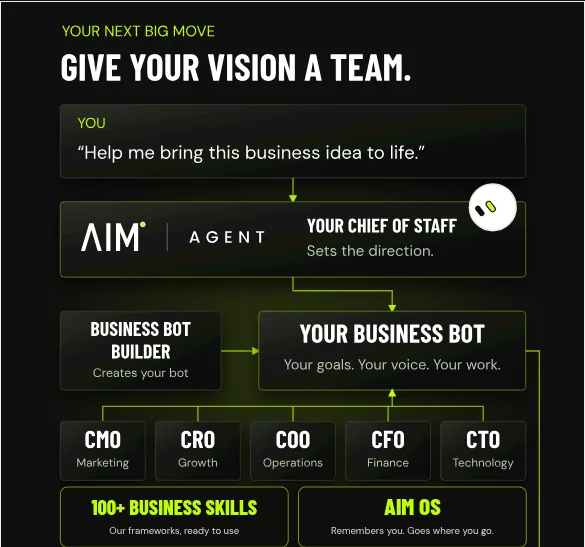
AIM Agent is an AI Chief of Staff for business owners. It comes with an AI C-suite (COO, CMO, CFO, CRO and CTO), a Business Bot Builder and 100+ business skills, and it runs on AIM OS, a private vault that holds your notes and memory. AIM Agent is a ready-made AI business team that works inside Grok Bot, so you skip the setup and get to work.
Here is what you get:
- An AI Chief of Staff that helps you plan and run your business
- An AI C-suite: COO, CMO, CFO, CRO and CTO
- A Business Bot for each business or project. Give it a real task and it brings the work back for you to review
- 100+ business skills for content, offers, research and more
- A step by step setup guide, with email support until your first bot finishes a real task
So instead of starting from a blank Bot, you start with a team and skills built for business work, then put the jobs you trust on a schedule.
Next, learn how to build the skills your routines run in the beginner tutorial, or see what to automate in Grok Bot use cases. A daily digest from a chief of staff Bot is a great first routine. I also show real AI workflows in my free MakerAI workshop.
Put your business work on a schedule
AIM Agent gives you an AI Chief of Staff, an AI C-suite, and 100+ business skills. Pick the jobs you trust and let them run.
See AIM AgentFrequently asked questions
What is a Grok Bot routine?
A routine tells one Bot when to run a workflow, either on a schedule or when something happens, like a Slack message, an email, or a webhook call.
How do I create a routine?
Ask the Bot that owns the job, in plain words. Say the schedule, the input, what to return, the approval point, and what to do if data is missing.
Do routines run when my laptop is closed?
Yes. The docs say routines run in the cloud while your laptop is closed.
Why didn't my new routine run?
A new routine waits for its next scheduled time. Use Test to run it now, and check it is not Paused.
Do routines use up my usage?
Yes. Each run spends usage. Hourly schedules and busy Slack triggers can use a lot, so start daily or weekly.
How many routines can a Bot have?
Up to 50, and scheduled runs must be at least five minutes apart.
Is there a faster way to get business routines?
AIM Agent gives you an AI Chief of Staff, an AI C-suite, and 100+ business skills, so you can schedule work that is already built for business.
Sources
Checked October 28, 2026. Plans, prices, and rules can change.
