
Automation · AI Agents
An AI agent is a chat model that can use tools to get a job done. Here is what you need, and how to build your first one without writing code.
"AI agent" can sound like hype. The idea is simple. An agent is an AI model that can decide which tools to use to finish a task.
On October 24, 2026, I went through n8n's AI Agent docs, its guide to what agents do, and Zapier's Agents page. Here is how agents work, and how to build your first one step by step, with no code.
Quick answer
To build an AI agent, you need five parts: a trigger that starts it, a chat model that thinks, one or more tools it can use, memory so it remembers the chat, and clear rules. In n8n, you add an AI Agent node, connect a chat model, and connect at least one tool. n8n's docs say the agent then decides which tools to call to complete a task. Start with one small job and test it well.
What is an AI agent?
n8n's docs put it well. A normal AI workflow, called a chain, "follows a predetermined sequence" of steps. An agent is different. It "uses a language model to determine which actions to take."
Here is a simple way to picture it:
- A chatbot answers questions with words.
- An automation does the same steps every time.
- An agent reads the request, picks the right tool, uses it, checks the result, and then answers.
For example, you ask an agent if you have time for a call with Sam on Thursday. It can check your calendar tool, see the open slots, and reply with times. You did not tell it which tool to use. It decided.
The 5 parts every AI agent needs
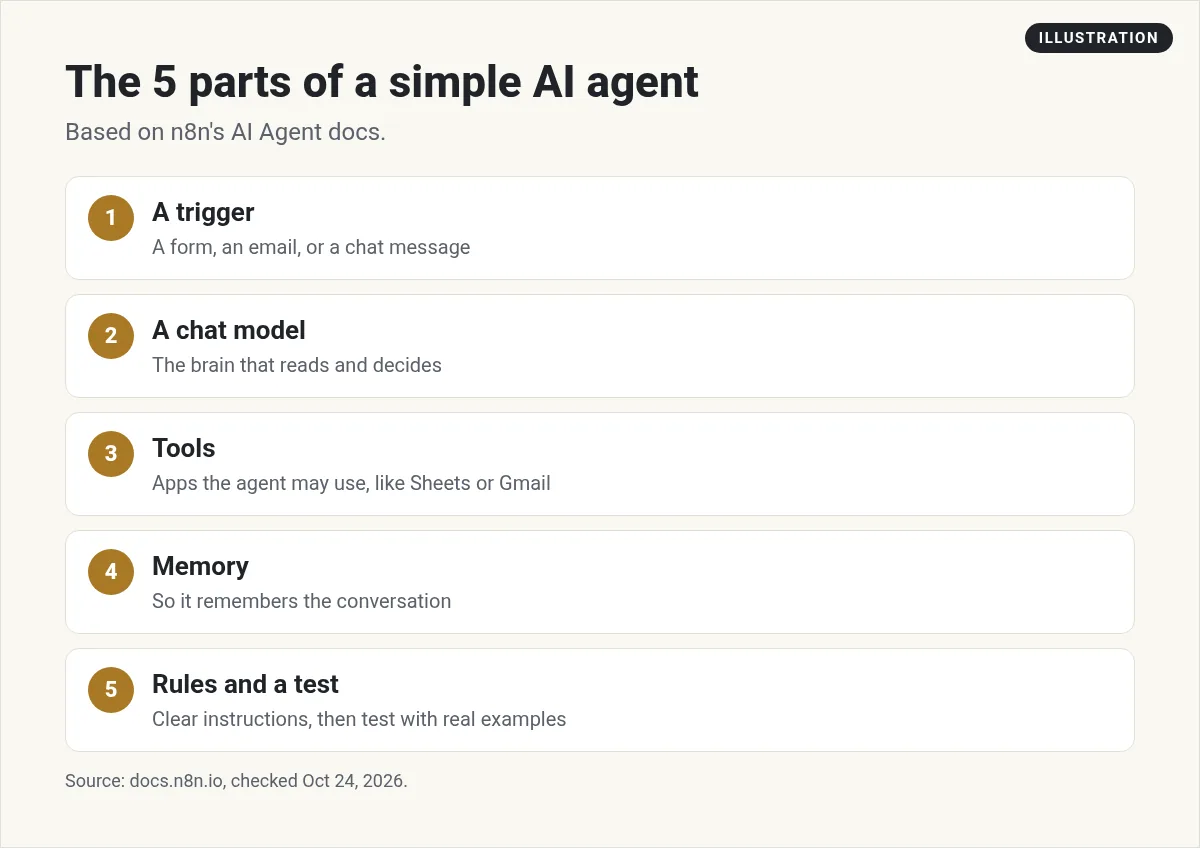
- A trigger. Something that starts the agent. A chat message, a new email, a form fill, or a time of day.
- A chat model. The brain. This is a model like GPT, Claude, or Gemini that reads the request and decides what to do.
- Tools. The hands. Tools let the agent do things, like read a Google Sheet, send an email, or search the web.
- Memory. So it remembers what was said earlier in the chat.
- Rules and a test. A clear system prompt that says what the agent does and does not do, plus real test cases.
Do not skip part 5. The tools work, but nobody told the agent when to stop or what is off limits.
Which tool should you use to build it?
You can build an agent with code, but you do not have to. Two no-code options are n8n and Zapier.
n8n
n8n is a visual workflow tool. Here is its AI Agent docs page:
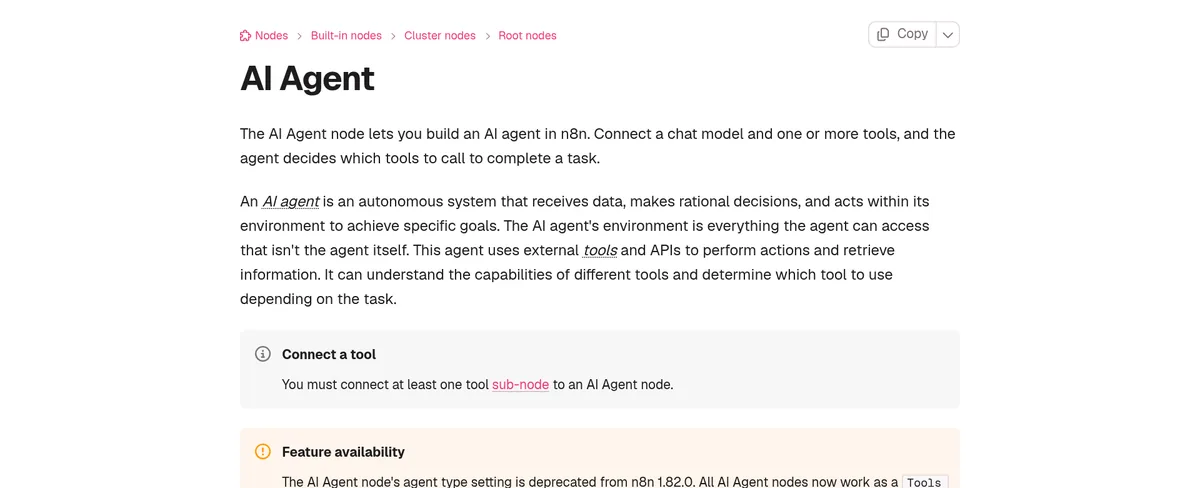
The docs say: "The AI Agent node lets you build an AI agent in n8n. Connect a chat model and one or more tools, and the agent decides which tools to call to complete a task."
n8n's cloud plans start at $20 a month billed yearly, and you can also self-host it. If you are new to it, start with my guide to what n8n is.
Zapier Agents
Zapier also has an agent builder. Here is its Agents page:
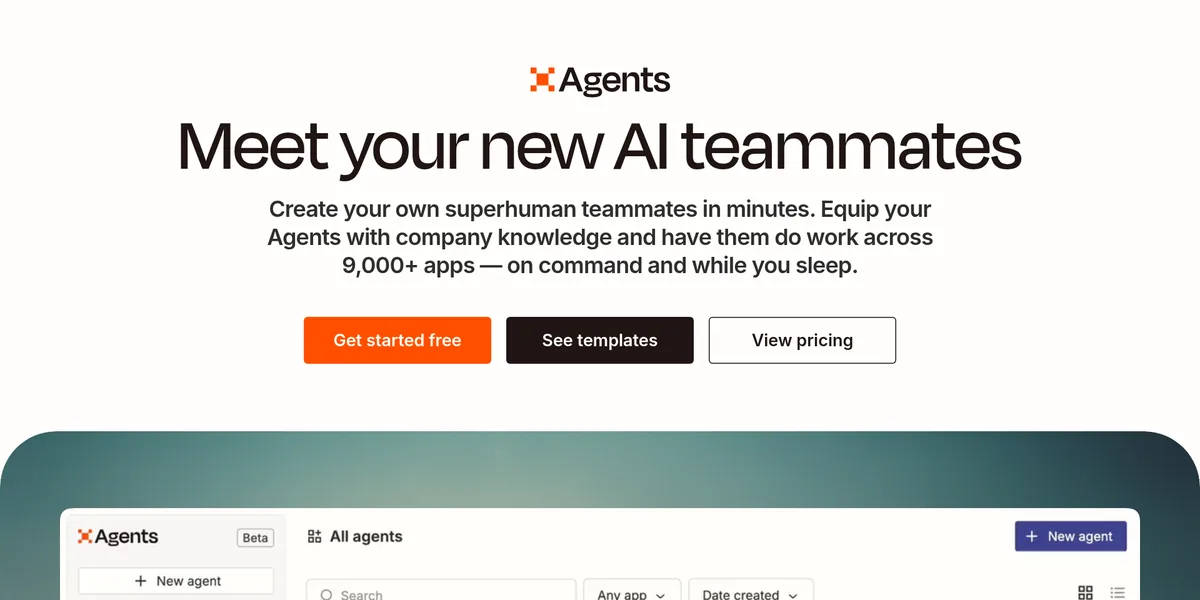
The page says you can have agents "do work across 9,000+ apps" and it has a "Get started free" button. Zapier is often easier for beginners, since it is already connected to so many apps. For more tools like these, see my n8n alternatives.
Not sure which one to pick? My n8n vs Zapier comparison walks through the differences.
How to build your first AI agent in n8n
Let's build a simple one: an agent that answers questions about your business from a Google Sheet of FAQs.
- Pick one small job. Write it in one sentence, like answer customer questions using my FAQ sheet, and say you do not know if the answer is not there.
- Add a trigger. In a new n8n workflow, add a chat trigger so you can type to the agent.
- Add the AI Agent node. Connect it after the trigger.
- Connect a chat model. Pick a model and add your API key for it.
- Connect a tool. The docs say "You must connect at least one tool" to an AI Agent node. Add a Google Sheets tool that reads your FAQ sheet.
- Add memory. Add a simple memory option so the agent remembers the chat.
- Write the rules. In the system message, tell it who it is, what it can do, and what it must not do.
- Test it. Ask ten real questions. Include tricky ones it should refuse.
- Fix and repeat. Tighten the rules where it went wrong.
A sample system message
Notice what this does. It gives the agent one job, one source of truth, and a safe way out when it does not know.
n8n also has a library of ready made workflows. My n8n templates guide shows how to find and use them, which is a fast way to see how other people wire up agents.
What happens when the agent runs
This surprises people. An agent does not run once. n8n's docs say "When you execute a workflow containing an agent, the agent runs multiple times."
It might run once to plan, once to call a tool, and once more to check the result and reply. That matters for cost, because each step can use the chat model. A simple question might cost a few model calls, not one.
Good first agents to build
- FAQ helper: answers common questions from a sheet or doc.
- Lead sorter: reads new form fills and tags them as hot, warm, or cold.
- Meeting prep: pulls info on who you are meeting and writes a short brief.
- Inbox helper: drafts replies to common emails for you to review.
- Content helper: turns a topic into an outline and a first draft.
Zapier's page lists similar starter agents, like a "Sales Email Writer," a "Lead Enrichment Agent," and a "Support Email Agent."
Notice that most of these draft or sort. They do not send or spend on their own. That is on purpose.
Keep your agent safe
An agent that can act can also make mistakes. Here are the rules I follow:
- Start read only. Let it read data before you let it change data.
- Keep a human in the loop. Have it draft emails, not send them, until you trust it.
- Give it only the tools it needs. Fewer tools means fewer ways to go wrong.
- Set spending limits on your AI model account.
- Keep private data out unless your tools and model plan allow it.
- Log what it does, so you can see why it made a choice.
Turning agent building into a service
Once you can build simple agents, local businesses often need help with the same jobs: answering leads, booking calls, and following up. Here is a video where I talk about starting an AI automation agency:
My video: How I think about starting an AI automation agency, including what to offer first.
Any results mentioned in videos are not typical and are not a promise of income. Your results depend on your work and your market.
If that path interests you, my guide on the AI automation agency model goes deeper. Start by building agents for yourself first, so you know what works.
My first AI agent
Nothing you check here is sent or saved. Download it if you want to keep it.
Want to see how regular people use AI tools to build agents, apps, and simple offers? I walk through it in my free AI workshop.
Want help building your first AI agent?
In my free workshop, I show how regular people use AI tools to build agents, apps, and simple offers, step by step.
Join my free AI workshopFree to join. No credit card needed.
Frequently asked questions
What is an AI agent?
An AI agent is a chat model that can decide which tools to use to finish a task. n8n's docs say a chain follows set steps, while an agent uses a language model to pick its actions.
Can I build an AI agent without coding?
Yes. Tools like n8n and Zapier let you build agents visually. In n8n, you connect an AI Agent node to a chat model and at least one tool.
What does an AI agent need?
A trigger, a chat model, at least one tool, memory, and clear rules. Then test it with real questions.
How much does it cost to build an AI agent?
It depends on the tools. n8n cloud starts at $20 a month billed yearly, and you also pay for the AI model you connect. Agents can call the model several times per task.
Is n8n or Zapier better for AI agents?
Zapier is often easier for beginners and connects to over 9,000 apps. n8n gives more control and can be self-hosted. Try both on one small job.
Are AI agents safe to use?
They can be if you start small. Keep agents read only or draft only at first, give them only the tools they need, and review what they do.
Sources
Checked October 24, 2026. Plans, prices, and rules can change.
