
AI Automation · n8n
You don't have to build every n8n workflow from scratch. Here is how to grab a template, make it yours, and avoid the mistakes that break it.
n8n is a tool for building automations, like an AI agent that answers questions or a workflow that sorts your email. The hardest part for beginners is the blank canvas. Templates fix that.
On October 22, 2026, I went through n8n's template library, a popular starter template, and n8n's docs on templates and importing workflows. Here is how to find a good template, bring it into your account, and get it running.
Quick answer
n8n templates are ready-made workflows you can copy into your own n8n account. On October 22, 2026, n8n's library at n8n.io/workflows listed 13,652 templates, sorted into groups like AI, Sales, IT Ops, Marketing, and Document Ops. You open one, click to use it, then add your own app logins, test it, and turn it on. In the n8n app, you can also open the library from Templates.
What is an n8n template?
A template is a workflow someone else already built and shared. It shows every step, called a node, already connected. You copy it, plug in your own accounts, and change what you need.
n8n's docs put it this way: "n8n might already have a template that does what you need." When you start a new workflow, you can pick an empty canvas or a template.
New to n8n? Start with what n8n is and how it works. Then come back here.
Where to find n8n templates
The main library lives at n8n.io/workflows. On October 22, 2026, its header said "13,652 Workflow Automation Templates." You can search by app, role, or use case. There are quick filters for AI, Sales, IT Ops, Marketing, and Document Ops.
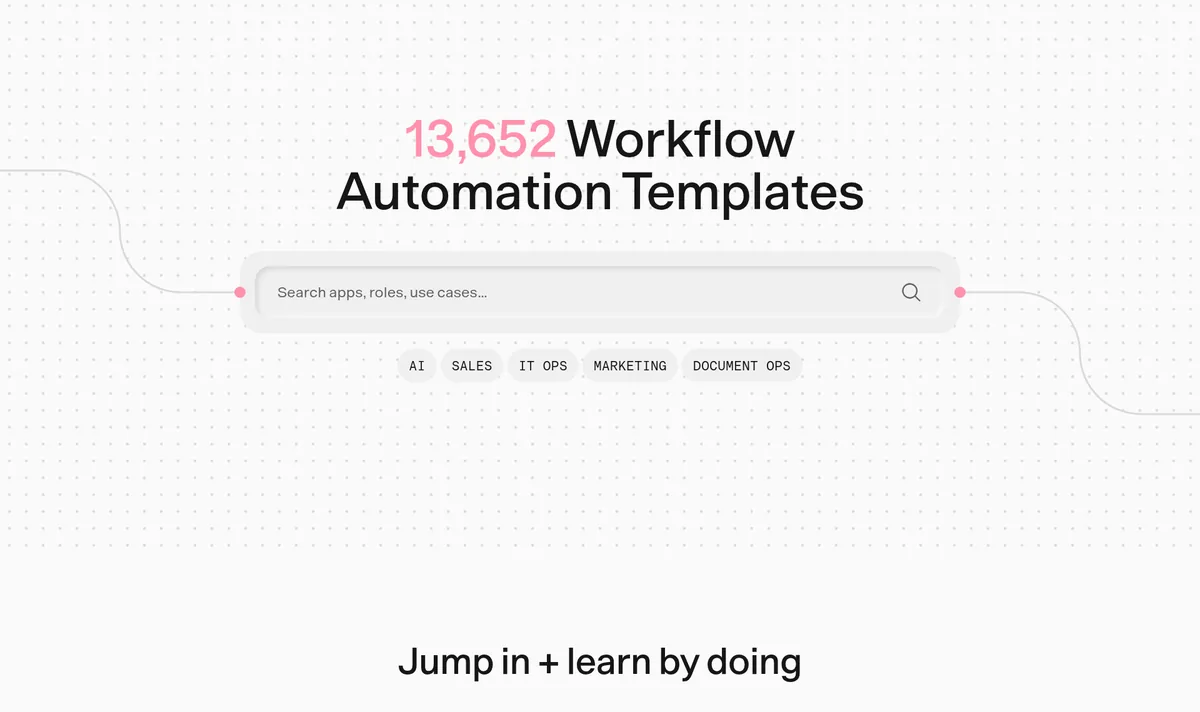
You can also reach the library from inside n8n. The docs say to select Templates to view the templates library. On n8n's own library, this sends you to the website to browse.
Good starter templates
These were near the top of the library on October 22, 2026:
- Build your first AI agent: a chatbot that can check the weather and read news feeds.
- Learn n8n basics in 3 easy steps: a short guided tour of how n8n works.
- Chat with a database using AI: ask questions about your data in plain English.
- Basic automatic Gmail email labelling with OpenAI and Gmail API: sorts new emails for you.
- RAG chatbot for company documents using Google Drive and Gemini: answers questions from your files.
A close look at one template
Let's walk through "Build your first AI agent," a free template. Its page says it "launches your very first AI Agent." It has five parts:
- A chat window where you type to the agent.
- The AI Agent node, which decides what to do. You can change its instructions in the System Message.
- A language model, Google Gemini, that does the thinking.
- Two tools: Get Weather and Get News.
- Memory, so it remembers the last few messages.
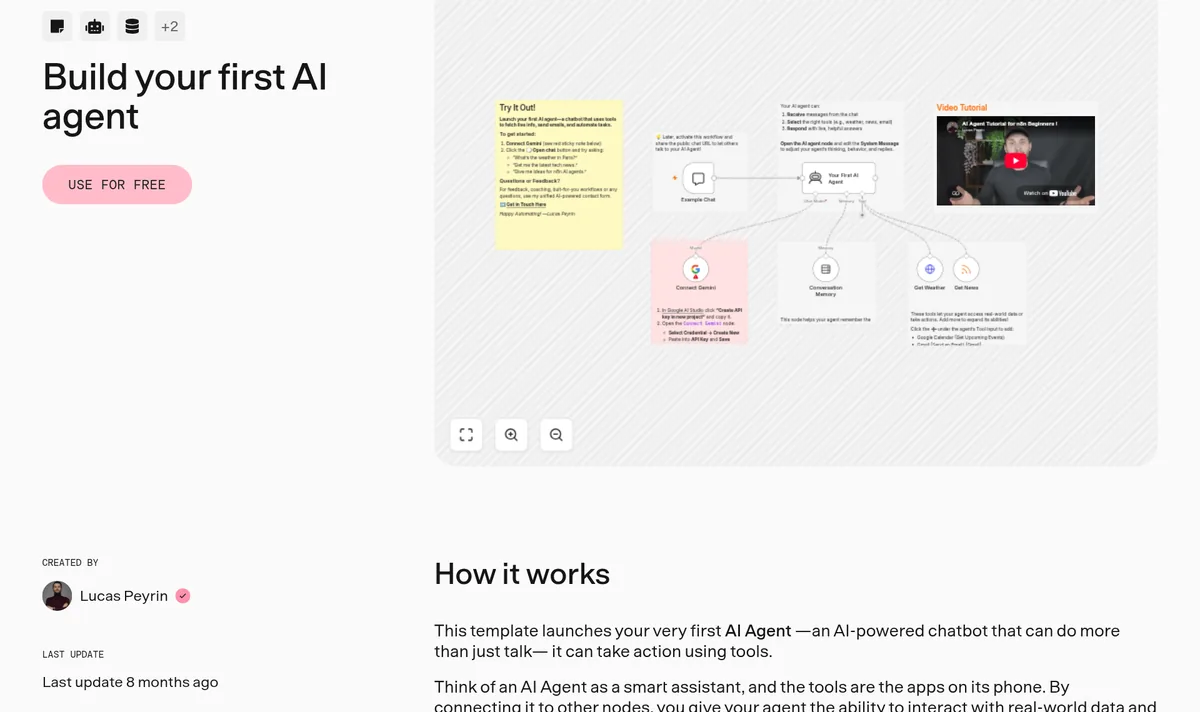
The page says you need just one thing to start: "a free Google AI API key." You make one at Google AI Studio, then paste it into the Gemini node's credential. After that, you click "Open Chat" and ask something like "What's the weather in Paris?"
How to import an n8n template
There are a few ways to get a template into your n8n.
From the template page
Click the "Use for free" button on the template page. It walks you through opening it in your n8n account.
From a file or link
n8n saves workflows as JSON files. The docs say you can open the Workflow menu at the top of the canvas and pick:
- Import from URL to load a workflow JSON file from a link.
- Import from File to load a JSON file from your computer.
- Download to save your own workflow as a file.
By copy and paste
You can also select nodes, copy them with Ctrl+C, and paste them into another workflow with Ctrl+V. This is handy for grabbing just one part of a template.
How to make a template your own
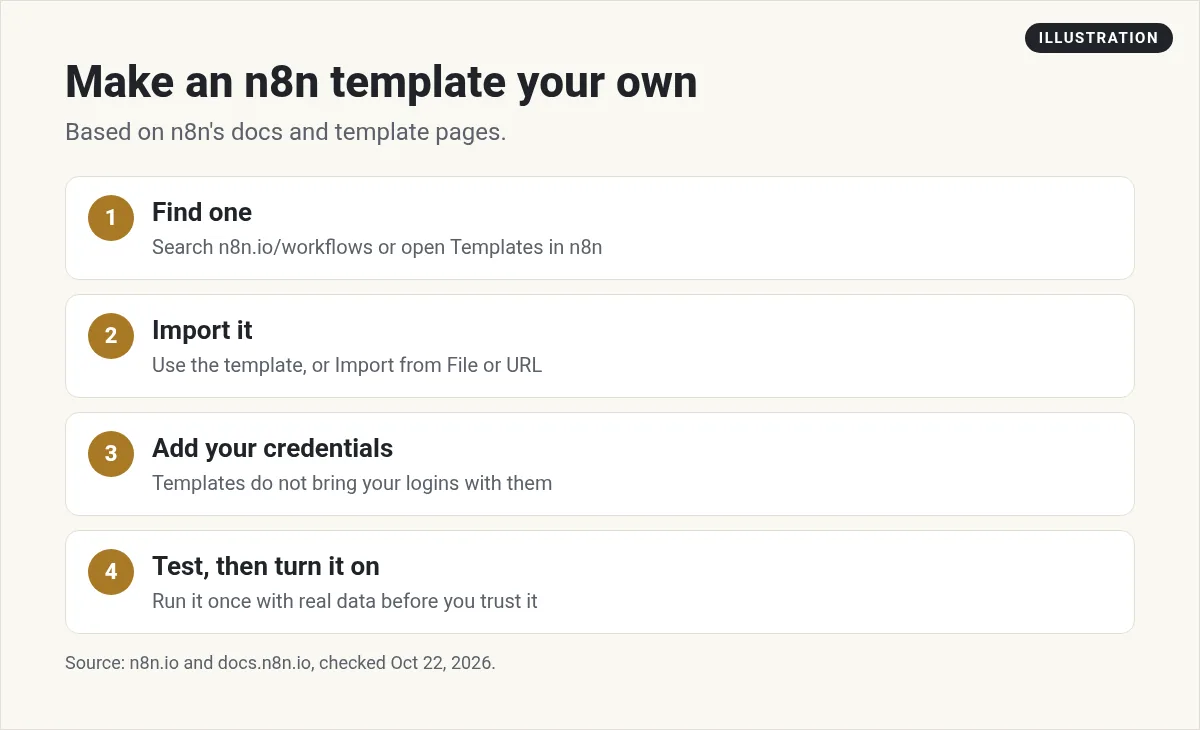
- Find one that is close to what you want. It doesn't have to be perfect.
- Import it using one of the ways above.
- Add your credentials. Templates do not bring anyone's logins with them. Open each node with a warning and connect your own account or API key.
- Test, then turn it on. Run it once with real data. Check every step's output before you let it run on its own.
How to change a template to fit your job
A template is a starting point, not a finished tool. Here is the order I change things in. This is my own process, not a rule from n8n.
- Change the trigger. The trigger is the first node. It decides when the workflow runs. Swap it for the event you care about, like a new form entry or a new email.
- Swap the apps. If the template uses Gmail and you use Outlook, replace that node with the one for your app. Keep the same place in the flow.
- Edit the AI instructions. For AI templates, open the AI Agent node and rewrite the System Message in your own words. Tell it who it helps and what it should never do.
- Rename every node. Give each node a clear name, like Save lead to sheet. Future you will thank you.
- Delete what you don't need. Extra tools and steps make a workflow slower and harder to fix.
After each change, run the workflow again. Fixing one step at a time is much easier than fixing five at once.
When a template breaks
Most broken templates have one of three problems. A login is missing, an app has changed its fields, or the data looks different from the example. Open the node that failed and read its output. The error usually points right at the field that is wrong.
Stay safe with templates
Most templates are shared by the community. That is great, but it means you should look before you run.
- Read what each node does. Pay extra attention to Code nodes and HTTP Request nodes. They can send data anywhere.
- Check who made it. n8n has verified creators. They earn a Verified Creator Badge and appear in n8n's Creators Directory.
- Clean files before you share. The docs warn that exported workflow files "include credential names and IDs." HTTP Request nodes may also hold login headers. Remove those before you send a file to anyone.
- Test with fake data first if the workflow sends emails or posts for you.
Do n8n templates cost money?
The templates I looked at were free to use. The cost comes from running n8n and the apps it connects to.
n8n's cloud plans start at $24 per month billed monthly, or $20 per month billed yearly, for 2.5k executions, checked October 22, 2026. You can also self-host the free Community Edition. See my n8n pricing guide for every plan.
Some templates also use paid services, like an OpenAI API key. Check each node so you know what you will be billed for.
The docs also say n8n is "developing a marketplace of templates," and that details are likely to change.
Share your own template
Once you build something useful, you can submit it to n8n's library. The docs point to the n8n Creator hub for how to submit templates and become a creator.
If you run n8n for a company, you can even use your own private template library. The docs say to set N8N_TEMPLATES_HOST to the base URL of your own API.
Template ideas for a small business
Here are a few simple jobs that templates are great for. These are my own picks:
- Sort and label incoming email with AI.
- Answer common customer questions from your own documents.
- Save new form leads into a Google Sheet and send a welcome email.
- Post new blog articles to your social accounts.
Pick one job that eats your time each week. Find a template close to it, and change it until it fits. Not sure if n8n or Zapier is right for you? See n8n vs Zapier.
My video: My video on starting an AI automation agency. It covers the business side, not n8n templates step by step.
Any results mentioned in videos are not typical and are not a promise of income. Your results depend on your work and your market.
Before I turn on an n8n template
Nothing you check here is sent or saved. Download it if you want to keep it.
Learn to automate your business with AI
In my free workshop, I show how regular people use AI tools to build simple online businesses.
Join my free AI workshopFree to join. No credit card needed.
Frequently asked questions
Where can I find n8n templates?
The main library is at n8n.io/workflows. On October 22, 2026, it listed 13,652 templates. You can also open it from Templates inside n8n.
Are n8n templates free?
The templates I checked were free to use. You still pay for running n8n and for any paid apps the template connects to, like an AI API.
How do I import an n8n template?
Click Use for free on the template page, or open the Workflow menu in n8n and choose Import from URL or Import from File.
Do n8n templates include credentials?
No. You add your own logins and API keys to each node after you import. Exported files can include credential names and IDs, so clean them before sharing.
Can I share my own n8n template?
Yes. You can submit workflows to n8n's library through the n8n Creator hub.
Are n8n templates safe?
Most are fine, but they are shared by the community. Read each node, check Code and HTTP Request nodes, and test with fake data first.
Sources
Checked October 22, 2026. Plans, prices, and rules can change.
