
Grok Bot · Prompts
Grok Bot does better work when you ask the right way. Here is the simple formula from the official docs, plus 20 prompts you can copy today.
Grok Bot prompts work a little differently from chatbot prompts. You are not asking a question. You are handing a job to a teammate who has its own computer, so the way you hand it off matters a lot.
I read the official Grok Bot docs on October 28, 2026, and I give my own Bots instructions every day. Below is the formula the docs recommend, the mistakes I see most, and 20 prompts you can copy and change for your work.
TL;DR
The Grok Bot docs say a strong request states the outcome, the sources that matter, the constraints, the deliverable, and where the Bot should stop for you. So every good prompt names what done looks like, where to look, your rules, the format to hand back, and a stop point like do not send. Give each Bot one job, run a task by hand until it is right, then save it as a skill and schedule it as a routine. AIM Agent gives you 100+ business skills so you write fewer prompts from scratch.
The formula from the docs
The Grok Bot Get Started guide puts it in one line: "A strong request states the outcome, the sources that matter, the constraints, the deliverable, and where the Bot should stop for you."
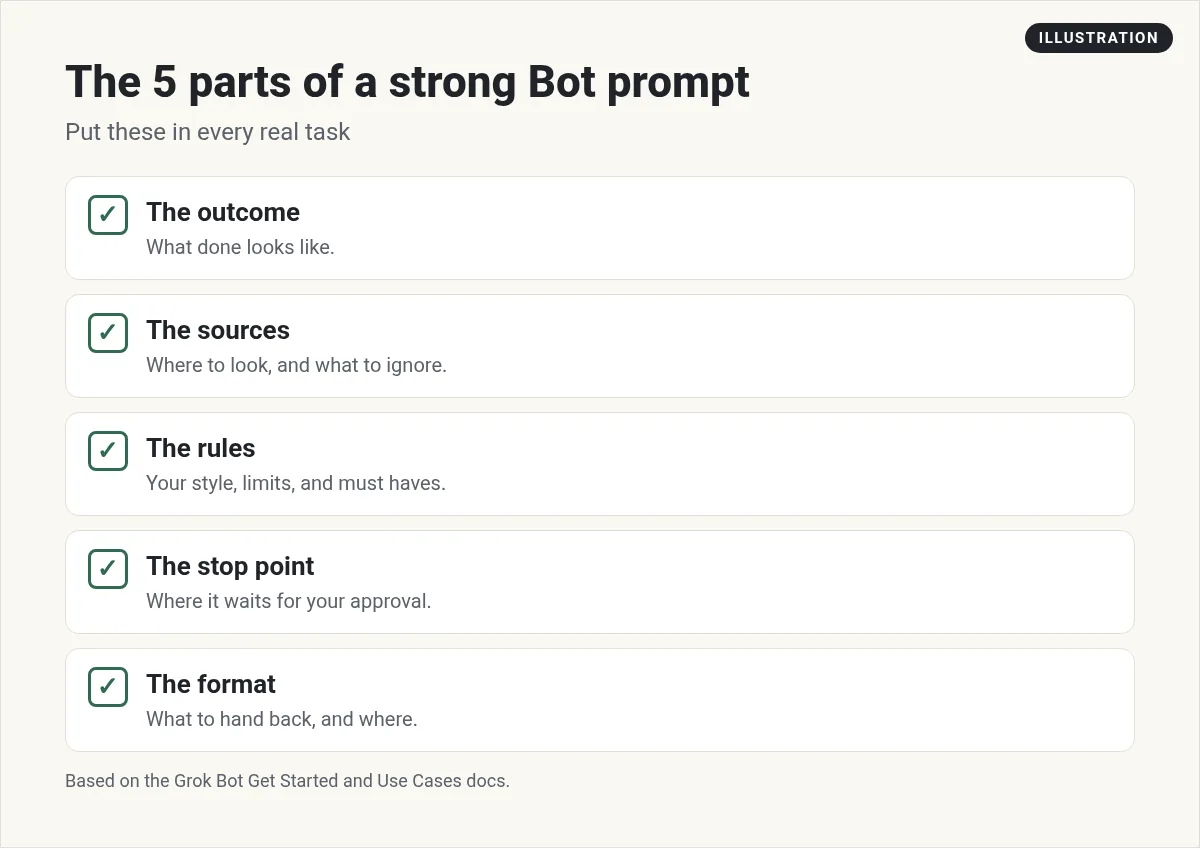
Here is what each part means in plain words:
- The outcome. What done looks like. "A list of 10 leads" is an outcome. "Help with sales" is not.
- The sources. Where to look, like your inbox, a CRM view, or three websites. And what to skip.
- The rules. Your style, your limits, and your must haves.
- The format. A table, a draft, a Page, or a file. And where to put it.
- The stop point. Where it waits for you. "Do not send" is the most useful three words in Grok Bot.
Weak prompts vs strong prompts
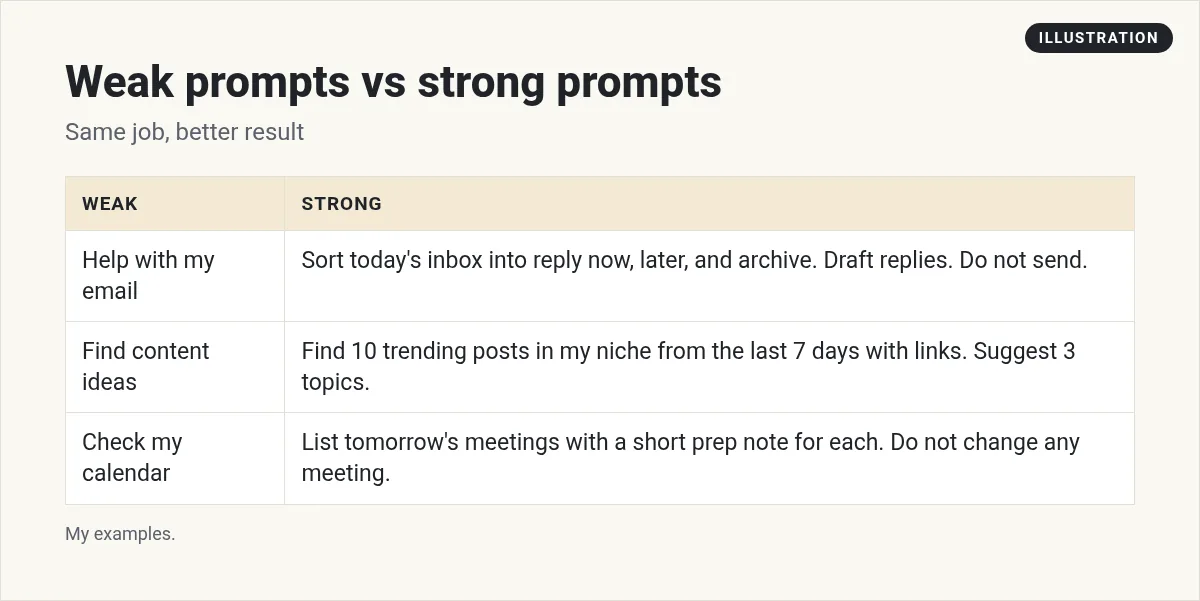
The strong versions are longer, but you only write them once. When a prompt works, you save it as a skill, and the Bot does it the same way every time.
Moritz from AI Systems makes a good point in his video on Grok Bot hacks. He would not just say "Run my SEO strategy." He makes a plan first, has the Bot ask for approval at set stages, and only gives it more freedom after a week or two of trust. That is the right way to grow from small prompts to big jobs.
Prompts to set up a new Bot
The first message to a new Bot should tell it its job. The docs say "A focused Bot builds more useful context than one catch-all helper." Here are three starters.
1. Give it a role.
Your job is my inbox. Each morning you sort email into reply today, can wait, and safe to archive, and draft short replies in my style. Never send, delete, or unsubscribe without asking me. Remember this for future work.
2. Tell it about the business.
Here is who I am and what I do: [your business, who you serve, what you sell]. Ask me up to 5 questions you need answered to do your job well. Remember my answers.
3. Set a lasting rule. This one comes right from the help center.
From now on, ask before sending any email.
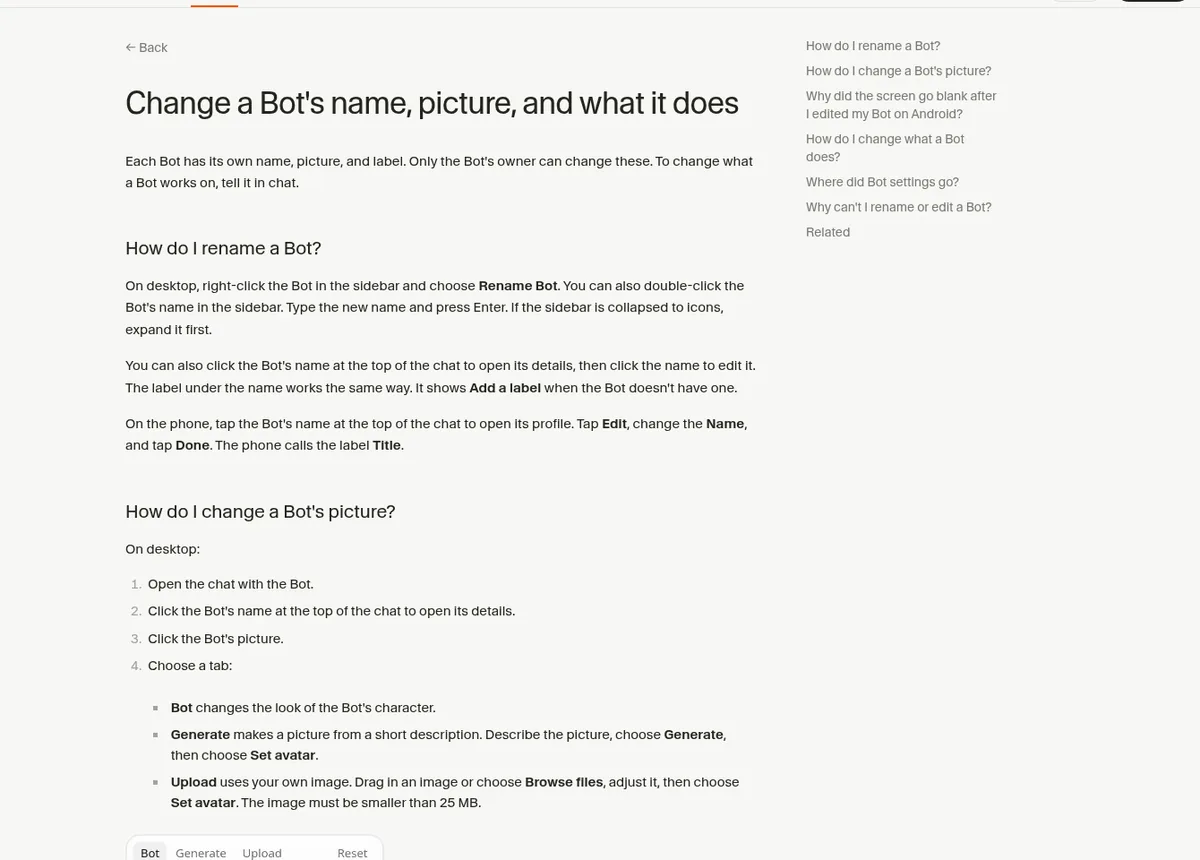
The help center says the Bot keeps lasting rules in its memory, and you should "Put one-time requests in a normal message." More on that in Grok Bot memory.
Prompts for a first task
4. The docs' five minute test. Attach a document and send this:
Summarize this document in five bullets. List every date, decision, and open question in a separate section, and cite the section for each item. Don't change the source file.
5. Research with sources.
Research [topic]. Use only official sites and recent sources from the last 90 days. Give me 5 key points with a link for each. Mark anything you could not confirm.
6. Compare options.
Compare [tool A], [tool B], and [tool C] for a small business. Use each one's official pricing and feature pages. Make a table with features, limits, and who each is best for. Link every fact.
7. Build a Page. Pages are reports and dashboards your Bot builds for you to read.
Make a page that shows this week's tasks by status, with a short summary at the top. Keep it private.
Prompts for daily work
8. Meeting prep. Nat Eliason shows a version of this in his Founders School tutorial.
Look at my calendar for tomorrow. For each meeting, write a short prep note: who it is with, what we last talked about, and 2 questions I should ask. Do not change any meeting.
9. Follow ups.
Find people I emailed in the last 30 days who never replied. Draft a short, friendly follow up for each. Return a review list. Do not send anything.
10. Weekly content ideas.
Find 10 questions my audience asked this week on YouTube, Reddit, and X, with links. Group them into 3 content ideas with a title and a one line hook. Do not post anything.
11. Expense summary. Based on the docs' expense manager example.
Build this week's expense summary from my receipts folder. Flag anything missing a category. Return the summary. Do not change any records.
12. Website check.
Open these 10 pages on my site. List any broken links, slow pages, or missing images. Do not change the site.
13. End of day wrap.
Sum up what you did today in 5 bullets, what is waiting on me, and what you plan to do next.
Prompts to save skills
When a task works, lock it in. See Grok Bot skills for more.
14. Save what just worked.
That was exactly right. Save the steps you just used as a skill called Weekly content ideas, so you do it the same way every time.
15. Write like me. This is the one Nat says to set up first.
Create a skill to write like me for emails and other places. Use my sent emails to learn how I write.
16. Improve a skill.
Update the Weekly content ideas skill: always include one idea for beginners, and skip anything older than 7 days.
From the Founders School channel (not mine): Nat Eliason's Founders School tutorial covers connecting email and calendar, routines for inbox drafts and meeting prep, a write like me skill, and using more than one Bot.
Prompts for routines
Only schedule a job after it works by hand. See Grok Bot routines.
17. A schedule.
Every Monday at 7:00 AM, run my Weekly content ideas skill. Post the list here. Do not post anything public. If a source is down, tell me instead of guessing.
18. A daily digest.
Every weekday at 7:30 AM, sort my inbox from the last 24 hours and post the summary here. Draft replies but do not send.
Prompts to check on your Bot
19. A memory check.
What do you remember about me and how I work? List it so I can fix anything wrong.
20. Plan before doing.
Before you start, show me your plan in steps, and say where you will stop for my approval. Wait for my OK.
Tips that make every prompt better
- One Bot, one job. Ask the Bot that owns the work, not a random one.
- Talk instead of typing. You can dictate or start a voice chat. Long, natural instructions often beat short typed ones.
- Attach examples. A sample of a good result teaches more than a paragraph of rules.
- Correct, then remember. When it gets something wrong, say why and ask it to remember the rule.
- Keep the stop point. Even when you trust it, keep sending, buying, and publishing behind approval.
Skip writing every prompt from scratch
Good prompts take time. You write one, test it, fix it, and save it as a skill. Then you do that again for every job in your business. That is where most people stall.
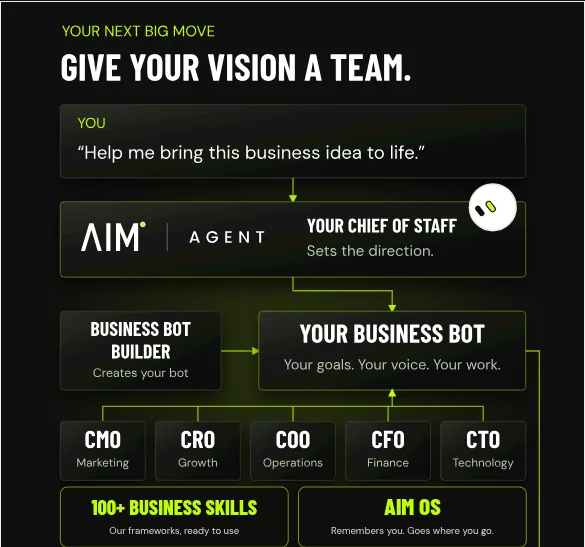
AIM Agent is an AI Chief of Staff for business owners. It comes with an AI C-suite (COO, CMO, CFO, CRO and CTO), a Business Bot Builder and 100+ business skills, and it runs on AIM OS, a private vault that holds your notes and memory. AIM Agent is a ready-made AI business team that works inside Grok Bot, so you skip the setup and get to work.
Here is what you get:
- An AI Chief of Staff that helps you plan and run your business
- An AI C-suite: COO, CMO, CFO, CRO and CTO
- A Business Bot for each business or project. Give it a real task and it brings the work back for you to review
- 100+ business skills for content, offers, research and more
- A step by step setup guide, with email support until your first bot finishes a real task
AIM Agent gives you an AI Chief of Staff, an AI C-suite (COO, CMO, CFO, CRO and CTO), a Business Bot Builder, and 100+ business skills, so most of the business prompts are already written and tested.
Where to go next
New to the app? Start with the beginner tutorial. Want ideas for what to hand off? See Grok Bot use cases and Grok Bot for small business. I also show real AI workflows in my free MakerAI workshop.
Start with 100+ business skills
AIM Agent gives you an AI Chief of Staff, an AI C-suite, a Business Bot Builder, and 100+ business skills, so you write fewer prompts and get more done.
See AIM AgentFrequently asked questions
What makes a good Grok Bot prompt?
The docs say a strong request states the outcome, the sources that matter, the constraints, the deliverable, and where the Bot should stop for you.
What should I say to a new Bot first?
Tell it its one job, its rules, and what it must never do, then ask it to remember that for future work.
How do I make a prompt reusable?
When a task works, ask the Bot to save the steps as a skill. Then it does the job the same way every time.
How do I schedule a prompt?
Ask the Bot for a routine in plain words, like every Monday at 7:00 AM, run this skill and post the result here.
How do I stop Grok Bot from sending things?
Say do not send in the prompt, and set a lasting rule like From now on, ask before sending any email.
Can I talk to Grok Bot instead of typing?
Yes. You can dictate a message or start a live voice chat with a Bot on desktop or phone.
Is there a faster way to get good business prompts?
AIM Agent gives you 100+ business skills plus an AI Chief of Staff and C-suite that work inside Grok Bot.
Sources
Checked October 28, 2026. Plans, prices, and rules can change.
