
Grok Bot · Nonprofits
Most nonprofits run on a small staff and a long to do list. Here is where a few Bots can help, and where people should stay in charge.
Grok Bot for nonprofits can take on the busywork that eats a small team's week. A Bot can sort shared email, draft volunteer updates, research grants, and turn notes into reports. Your people keep the relationships with donors and the community.
I read the Grok Bot docs and help pages on November 4, 2026. Facts below come from them. My own advice is marked that way. Nothing here is about Grok Bot pricing for nonprofits, because I did not find a page about that.
TL;DR
Nonprofits can use Grok Bot for weekly digests, volunteer and event email drafts, grant research, and report first drafts. Routines can run these on a schedule in the cloud. Emails from a routine wait as drafts until someone approves them. Teams on a Cursor team plan can share one Bot so staff use the same setup. Keep donor contact and money decisions with people.
Good first jobs for a small team
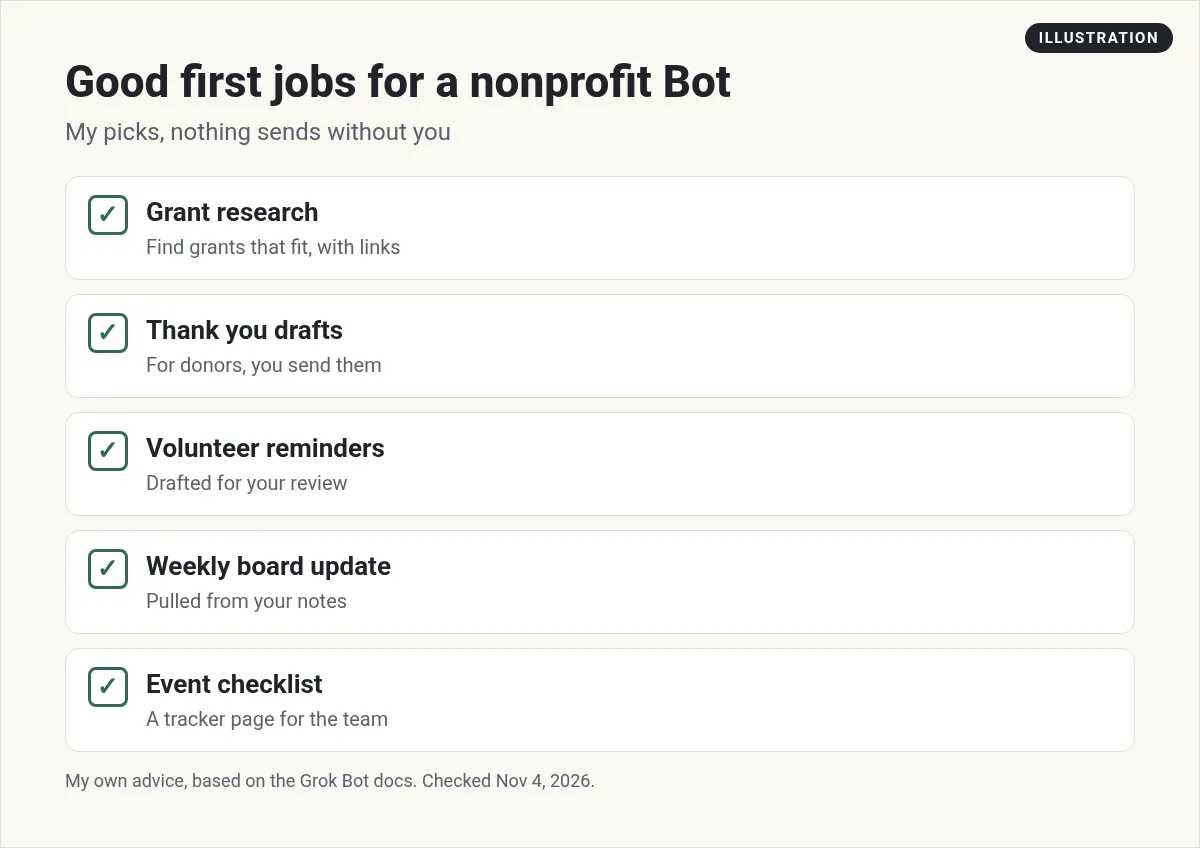
These are my picks, based on the docs' advice to give each Bot a repeatable outcome and end each job at a review point.
1. Monday digest
The docs describe a chief of staff Bot that reviews your inbox, calendar, and notes, and returns only what needs attention, with a source for each item. For a nonprofit, that is the start of the weekly staff meeting.
2. Volunteer and event email drafts
Ask a Bot to draft reminders for a volunteer shift or event. You read them and send them.
3. Grant research
Ask a Bot to find grants that fit your mission and list the deadline, amount, and link for each one. My advice: confirm every deadline on the funder's own page.
4. Report first drafts
Give the Bot your program notes and last year's report. Ask for a draft in the same format. A person checks every number.
5. Receipt and expense lists
The docs have an expense manager example that matches receipts, flags missing details, and drafts follow ups, but does not send messages or change payments.
Put the weekly work on a schedule
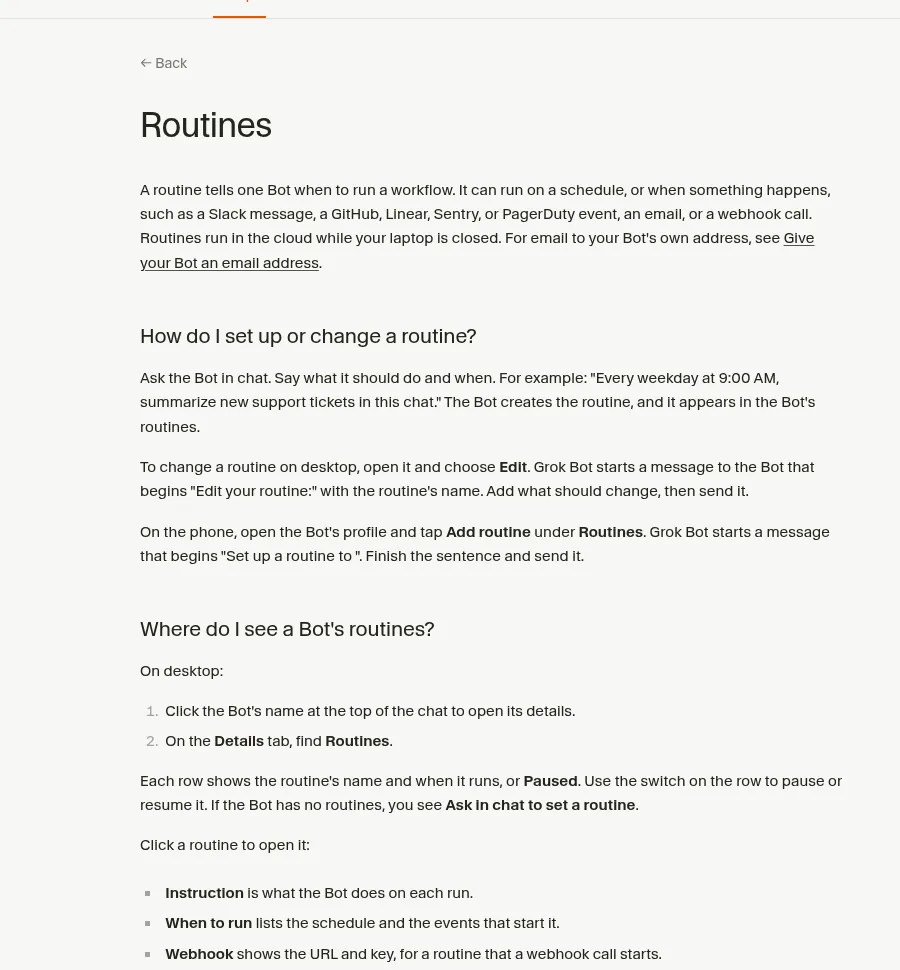
The help page says a routine tells one Bot when to run a job. It can run on a schedule, or when something happens, like an email. Routines run in the cloud while your laptop is closed. The help page uses an example like: every weekday at 9 AM, summarize new email in this chat.
The time zone for routines is set in Settings under Bot, so check it matches your office.
Email from the Bot's own address
The help page says you can claim one address for your Bots at mail.grokbot.com. It cannot be renamed or deleted, so pick it with care. A few rules matter for nonprofits:
- Email from a routine waits as a draft until you approve it.
- Newsletters and first contact emails go to one person per message and include a one click unsubscribe link.
- If someone unsubscribes or marks a message as spam, the Bot stops emailing that address and tells you.
- Each email can go to up to 50 people across To, Cc, and Bcc, and there are limits on how many new people a Bot can email.
My advice: keep your main donor email in the tool you already use for it. Use the Bot's address for receipts, sign ups, and internal drafts.
One Bot the whole staff can use
The docs say a Bot can be shared with your Cursor team, either with everyone or with chosen people. Sharing does not make a copy, and each person's chat with a shared Bot is private. Shared Bots always run in the cloud.
One warning from the docs: the apps, secrets, skills, and files you add to a shared Bot work in every teammate's chat. Only add what you are happy for everyone to use.
Approvals keep people in charge
The approvals help page says Auto-review checks each action before the Bot takes it. When an action needs your OK, the Bot shows a card and waits. Cards raised by a routine expire after 30 minutes if no one answers.
Text from an email or a web page does not count as your request. That matters for a nonprofit inbox, which gets a lot of outside email.
What to keep with people
This is my advice. Some work should stay with your staff, even when a Bot could draft it:
- Donor calls, thank yous, and any ask for money.
- Decisions about grants, budgets, and payments.
- Anything about the people you serve, especially private details.
The docs point the same way. Their use cases keep sending, publishing, and purchasing behind approval.
Two videos worth watching
Matt Palmer shows the Grok Bot Marketplace, where you can start from a ready Bot template instead of a blank page.
From the Matt Palmer channel (not mine): A quick tour. Templates are a fast way to see how other people set up Bots.
Level Up with Louis walks through installing Grok Bot and building a first Bot from scratch.
From the Level Up with Louis channel (not mine): Plan details in the video may have changed. Check the current Grok Bot FAQ for which plans include it.
Three requests to copy (my examples)
Every Monday at 8 AM, read last week's shared inbox and calendar. List what needs a staff decision this week, with a link to each item. Do not reply to anyone.
Find five grants that fit our mission statement in this doc. For each, give the funder, deadline, amount, and a link. Mark anything you could not confirm.
Draft a reminder email for Saturday's volunteer shift using the sign up list in this file. Leave it as a draft for me.
My own advice
This part is my opinion. Pick one person to own the Bot setup. Start with the Monday digest, since it only reads. Add grant research next. Keep donor thank yous personal, written or at least signed by a person.
More hands for a small team
Small teams carry big lists. A ready made team of Bots can take the admin so staff can focus on the mission.
AIM Agent is an AI Chief of Staff for business owners. It comes with an AI C-suite (COO, CMO, CFO, CRO and CTO), a Business Bot Builder and 100+ business skills, and it runs on AIM OS, a private vault that holds your notes and memory. AIM Agent is a ready-made AI business team that works inside Grok Bot, so you skip the setup and get to work.
Here is what you get:
- An AI Chief of Staff that helps you plan and run your business
- An AI C-suite: COO, CMO, CFO, CRO and CTO
- A Business Bot for each business or project. Give it a real task and it brings the work back for you to review
- 100+ business skills for content, offers, research and more
- Step by step setup guides and email support
So you skip the setup and get to work.

Want an AI team to help run your business? Meet AIM Agent, an AI Chief of Staff for business owners. I am a co-founder of AIM Agent and have a financial interest in the product.
Get a ready made team inside Grok Bot
AIM Agent gives you an AI Chief of Staff, an AI C-suite, and 100+ business skills, so you skip the setup and get to work.
See AIM AgentFrequently asked questions
Is Grok Bot useful for nonprofits?
Yes, for digests, email drafts, grant research, and report drafts. Keep donor contact and money decisions with people.
Is there a Grok Bot nonprofit discount?
I did not find a page about nonprofit pricing. Check the Grok Bot FAQ for current plans.
Can the whole staff use one Bot?
Yes, on a Cursor team. A shared Bot can be used by everyone or chosen people, and each person's chat is private.
Will a Bot email our donors on its own?
Email from a routine waits as a draft until someone approves it.
Can a Bot send a newsletter?
Newsletters from the Bot's address go to one person per message with an unsubscribe link. My advice is to keep donor email in your current tool.
Do routines need my computer on?
No. The help page says routines run in the cloud while your laptop is closed.
Is there a faster way to get a working team?
AIM Agent gives you an AI Chief of Staff, an AI C-suite, and 100+ business skills inside Grok Bot.
Sources
Checked November 4, 2026. Plans, prices, and rules can change.
