
Digital Products · Platforms
Gumroad lets you sell a digital product with no monthly fee. Here is what it takes from each sale, when you get paid, and how to set up your first product.
Gumroad is one of the simplest ways to sell something you made online. You upload a file, set a price, and share a link. There is no store to build and no monthly bill.
Before you start, you should know what Gumroad takes from each sale and when the money reaches you. I read Gumroad's pricing page and its help center on October 27, 2026. Here is the plain version.
Quick answer
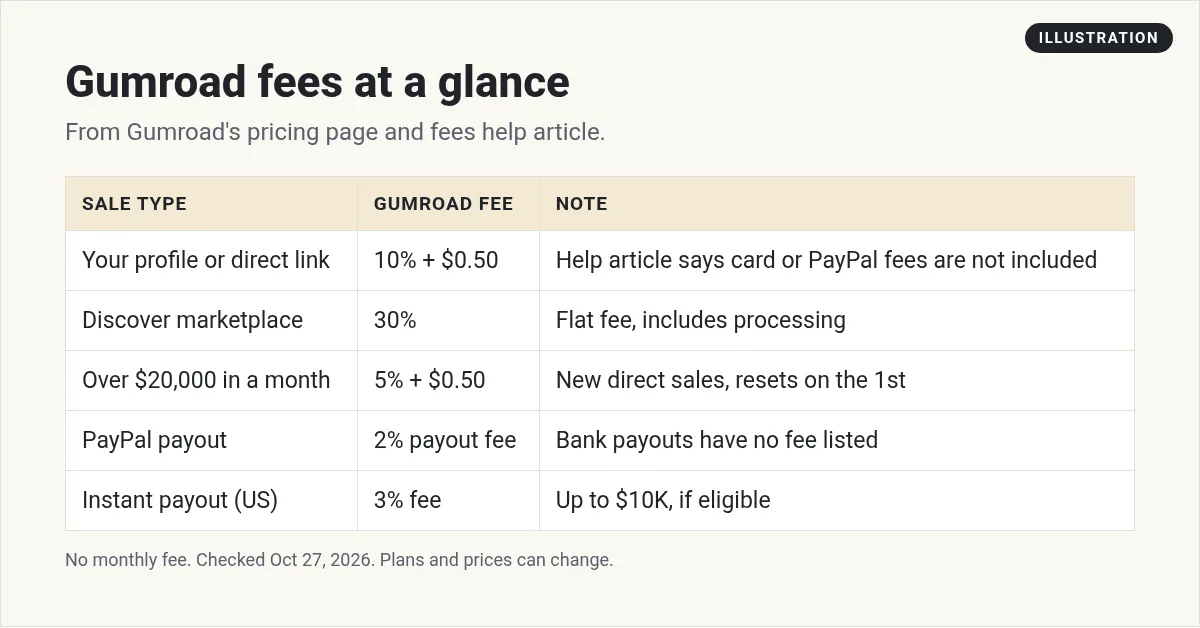
Gumroad is a platform for selling digital products like ebooks, templates, courses, and memberships. It has no monthly fee. Its pricing page lists 10% + $0.50 per sale through your profile or direct links, and 30% for sales through its Discover marketplace. Gumroad's fees help article says card processing (2.9% + $0.30) and PayPal fees are not included in the 10% + $0.50. Payouts need a $100 balance and go to your bank or PayPal.
What Gumroad is
Gumroad is a place to sell digital things. Its pricing page says you can sell "Digital products, e-books, courses, tutorials, and memberships." You get a simple product page and a checkout. Buyers pay, and they get the file or access right away.
You can share your own Gumroad link anywhere, like in your email, your bio, or a post. Gumroad also has a marketplace called Discover, where new buyers can find products.
Since January 1, 2025, Gumroad says it is the Merchant of Record. The pricing page says "Gumroad handles ALL your tax obligations" and manages "sales tax collection and remittance worldwide." That is a big help if you are just starting out and do not want to deal with sales tax in many places.
What Gumroad costs
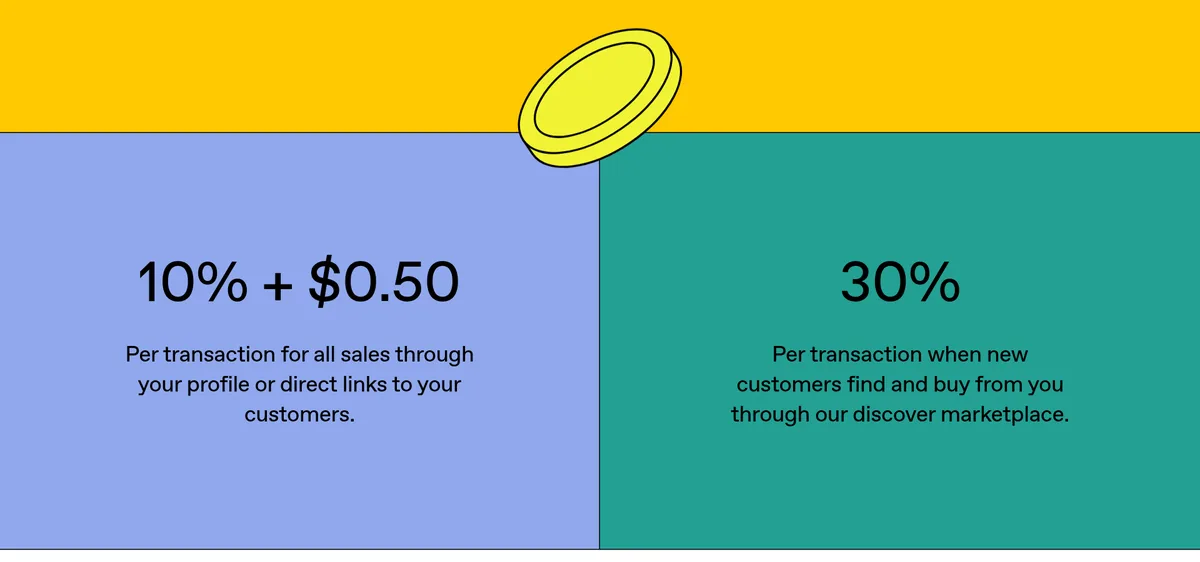
Gumroad does not charge a monthly fee. It takes a cut of each sale instead. The pricing page shows two rates:
- 10% + $0.50 per sale "through your profile or direct links to your customers."
- 30% per sale when "new customers find and buy from you through our discover marketplace."
Here is where it gets a bit tricky. The two Gumroad pages do not say the same thing about card fees.
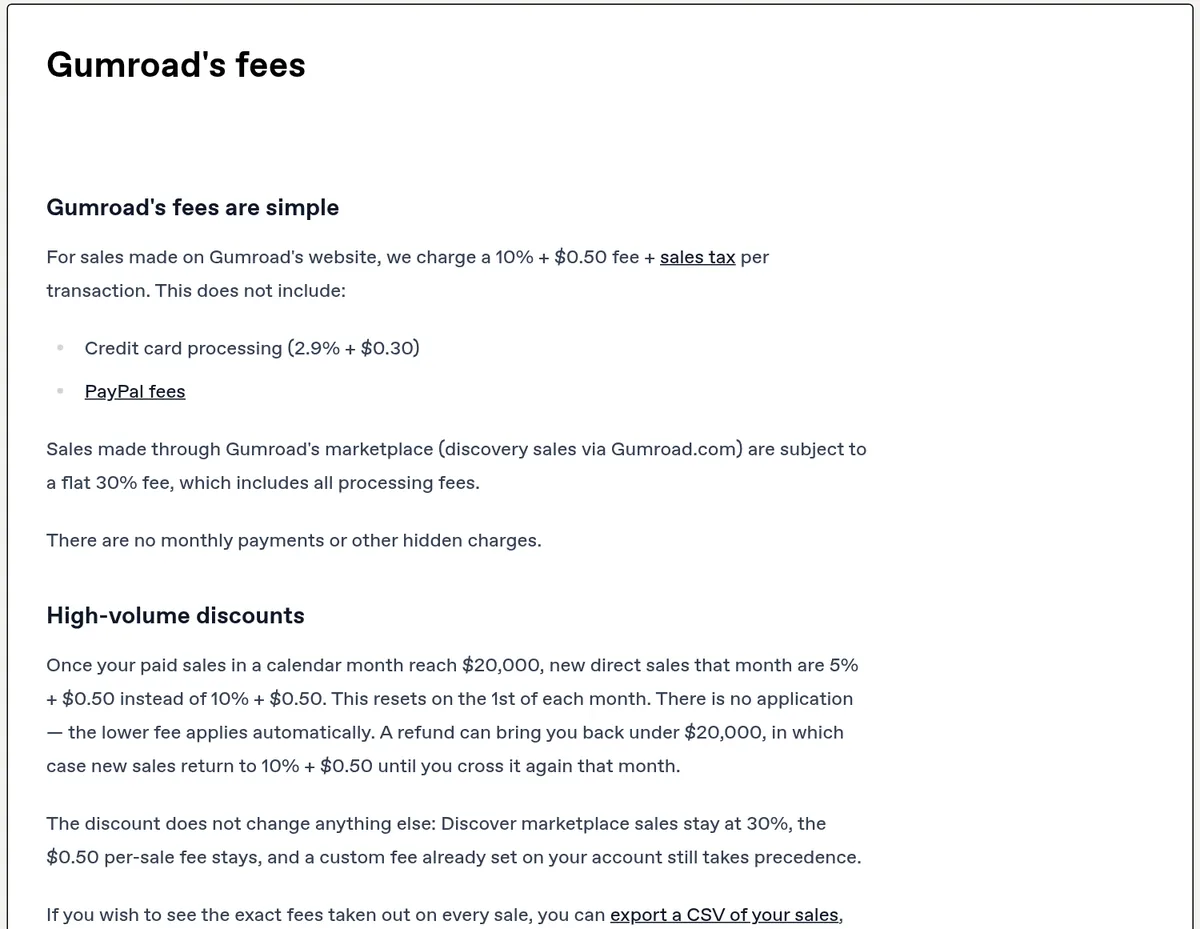
The pricing page says "No hidden fees, no monthly charges." But the fees help article says the 10% + $0.50 does not include "Credit card processing (2.9% + $0.30)" or "PayPal fees." The help article also says the 30% Discover fee "includes all processing fees."
So I am showing both. When you plan your price, assume the card fee may come out on top of the 10% + $0.50. Then check your own sales report. Gumroad says you can "export a CSV of your sales, giving a full breakdown of every sale."
A quick example
Here is my math for a $20 template sold through your own link. Gumroad's fee is 10% of $20, which is $2, plus $0.50. That is $2.50. If the 2.9% + $0.30 card fee also applies, that adds about $0.88. So you would keep about $16.62. If the card fee is already covered, you keep $17.50. The real number shows in your sales export.
The high-volume discount
Gumroad has a lower rate for big months. The help article says "Once your paid sales in a calendar month reach $20,000, new direct sales that month are 5% + $0.50 instead of 10% + $0.50." It resets on the 1st of each month, and there is no form to fill out. Discover sales stay at 30%.
Affiliates and refunds
If an affiliate sends you a sale, the fee is shared. The help article says "if an affiliate's commission is 30%, they'll be responsible for 30% of the fees on the purchase."
If you refund a sale, Gumroad gives back its own fee on the refunded part. It keeps the payment processing part, because processors do not return it.
How you get paid
Gumroad holds your sales in a balance. Then it pays you out on a schedule. Here is what the "Getting paid by Gumroad" help article says.
- Minimum. "You need a minimum balance of $100 USD to receive a payout." Some countries have a higher local minimum.
- Schedule. You can pick daily, weekly, monthly, or quarterly. Daily is only for some US users.
- Hold. On weekly, monthly, and quarterly schedules, each sale waits at least 7 days before it can be paid out.
- Payout day. US bank accounts are paid on Thursday. PayPal is paid on Friday. Other countries vary.
- Bank or PayPal. Gumroad pays to a local bank in most countries. If bank payouts are not offered in your country, it pays by PayPal. "PayPal payouts have a 2% payout fee."
- Instant payouts. US creators can get paid "within minutes for amounts up to $10K and a 3% fee." You need at least one past payout and 60 days of processing first.
There is also an account review. The help article says it "can take 1-3 weeks." Do not buy your own product to test it. Gumroad warns this can get you "suspended or permanently banned." Use the test purchase feature instead.
For US sellers, Gumroad also asks for your Social Security number, and the name must match your card. Have your ID ready before your first payout.
What you can and can't sell
Gumroad is built for digital goods. Good fits include:
- Ebooks and guides
- Templates, like Notion or Canva templates
- Video lessons and short courses
- Memberships with monthly payments
- Software with license keys
The pricing page lists what is not allowed. It says that "Outside of physical goods," things like "illegal or illicit goods or services, securities & financial instruments, credit repair, gambling & lotteries" and more "are not permitted on Gumroad." So if you want to sell T-shirts or mugs, you need a different tool.
Need ideas for what to make? My list of digital products to sell is a good place to start.
How to make your first Gumroad product
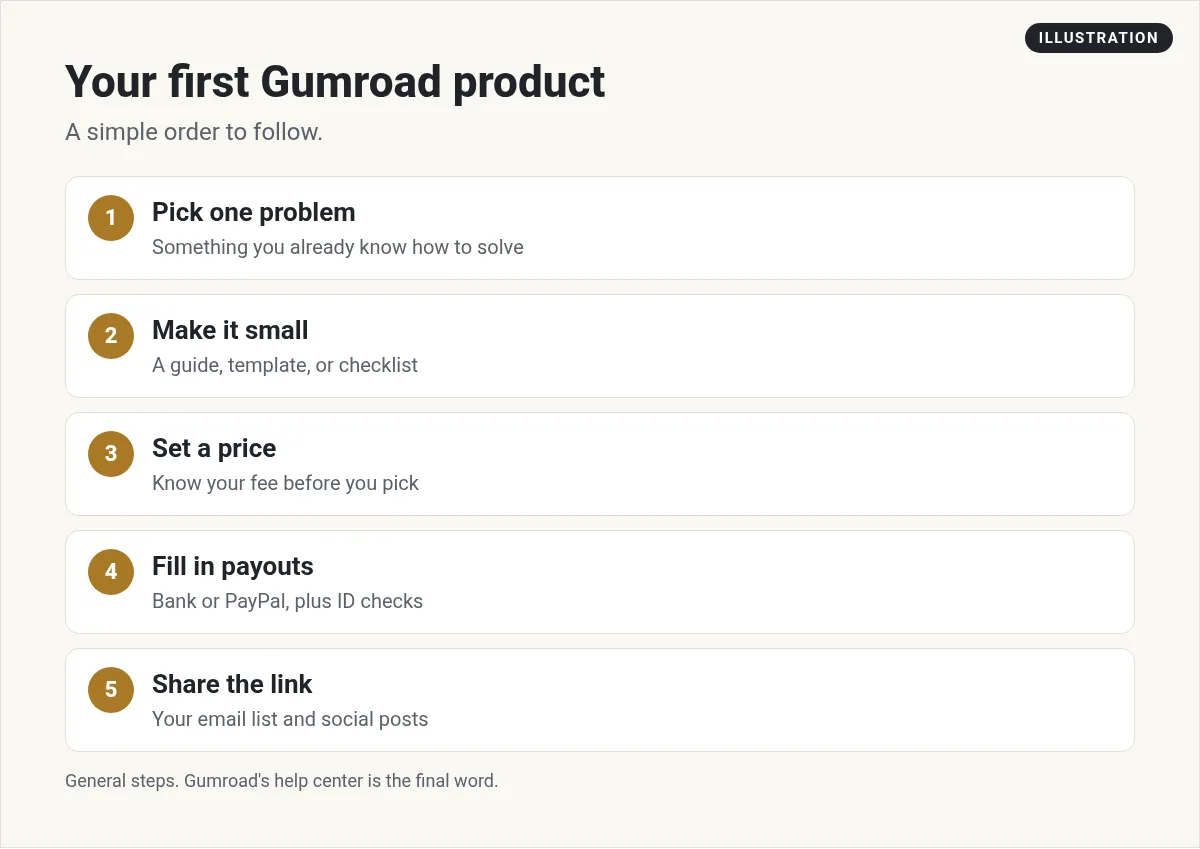
You do not need a big course to start. A small product is easier to finish, and it lets you learn fast. Here is the order I would follow:
- Pick one problem. Choose something you already know how to do. Write down the exact question people ask you.
- Make it small. A one-page checklist, a template, or a short guide is enough for a first product.
- Set a price. Use the fee math above so you know what you keep. Gumroad also lets buyers "pay what they want" if you turn it on.
- Fill in your payout settings. Add your bank or PayPal, your ID, and your tax details now, not after your first sale.
- Share the link. Put it in your bio, your email, and a few posts. Discover can help, but your own link costs less per sale.
Use AI to speed up the boring parts. It can help you outline a guide, write a product description, or turn your notes into a checklist. You still need to check every word.
Is Gumroad right for you?
Gumroad is a good fit if you want to sell one digital product fast, with no monthly fee. You pay only when you make a sale.
It may not fit if you sell a lot each month and the per-sale fee adds up. Then a monthly-fee tool could cost less. Compare the numbers for your own sales. If you are looking at other options, see my guides to Stan Store and Stripe fees.
If you want to sell through affiliates, Gumroad supports that too. My guide on what an affiliate link is explains the basics.
Before you sell on Gumroad
Nothing you check here is sent or saved. Download it if you want to keep it.
Meet AIM Agent
AIM Agent is an AI Chief of Staff for business owners. You give it a real task, and it brings the work back for you to review. You stay the one who approves.
Meet AIM AgentI am a co-founder of AIM Agent and have a financial interest in the product.
Frequently asked questions
What is Gumroad?
Gumroad is a platform for selling digital products like ebooks, templates, courses, and memberships. You get a product page and checkout, and buyers get the file or access right away. There is no monthly fee.
How much does Gumroad take per sale?
The pricing page lists 10% + $0.50 per sale through your profile or direct links, and 30% for sales through the Discover marketplace. The fees help article says card processing (2.9% + $0.30) and PayPal fees are not included in the 10% + $0.50.
Does Gumroad have a monthly fee?
No. Gumroad says there are no monthly charges. It takes a fee from each sale instead.
When does Gumroad pay you?
You need a $100 balance for a payout. You can choose daily (some US users), weekly, monthly, or quarterly. US bank accounts are paid on Thursday and PayPal on Friday.
Does Gumroad handle sales tax?
Yes. Since January 1, 2025, Gumroad says it is the Merchant of Record and handles sales tax collection and remittance worldwide.
Can I sell physical products on Gumroad?
No. Gumroad's pricing page says physical goods are not permitted, along with items like gambling, credit repair, and financial instruments.
Sources
Checked October 27, 2026. Plans, prices, and rules can change.
