
Creator Tools · Review
Stan Store is a link in bio shop for creators. Here is what it does, what the two plans cost, what fees still apply, and how to tell if it fits you.
You have seen the link in a creator's bio. You tap it, and you land on a neat page with a free guide, a course, and a booking link. Some of those pages run on Stan Store.
I checked Stan's homepage and its help center on October 25, 2026. Here is what Stan does, what it costs, what fees you still pay, and who should pick it.
Quick answer
Stan Store is a mobile friendly shop that lives in your social media bio. You can sell digital products, courses, and bookings, and collect emails, all from one link. On October 25, 2026, Stan's help center listed two plans: Creator at $29 a month or $300 a year, and Creator Pro at $99 a month or $948 a year. There is no free plan, but there is a 14 day free trial. Stan takes 0% of your sales, but Stripe or PayPal fees still apply.
What is Stan Store?
Stan is a shop you put in your bio on Instagram, TikTok, or YouTube. When someone taps your link, they see your store. They can buy a product, book a call, or join your email list without leaving the page.
It is built for creators who sell their own stuff. Think guides, templates, courses, coaching calls, and memberships. You do not need a website. Stan hosts the store for you.
The homepage pitch is "Try Stan for 14 Days Free." It also promises 0% transaction fees. I will explain what that means for your real costs below.
Stan Store plans and prices
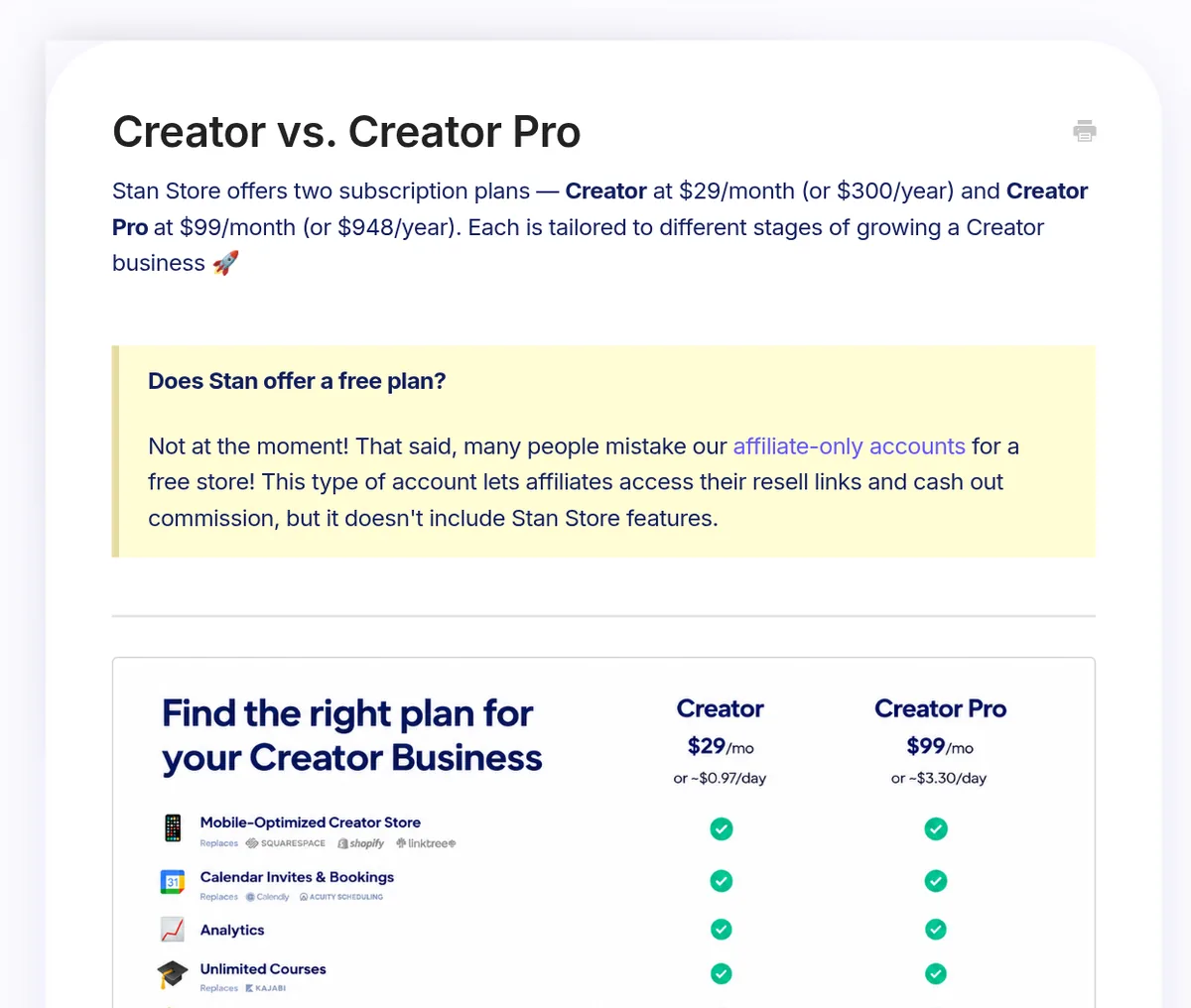
Stan has two plans. Here they are, as listed in Stan's help center on October 25, 2026:
- Creator: $29 a month billed monthly, or $300 a year billed yearly.
- Creator Pro: $99 a month billed monthly, or $948 a year billed yearly.
Is there a free plan? The help center says "Not at the moment!" It also notes that some people mistake affiliate only accounts for a free store. Those accounts let affiliates get their links and cash out, but they do not include Stan Store features.
Yearly billing saves money if you stay. Creator is $348 a year if you pay monthly, or $300 if you pay yearly. Creator Pro is $1,188 a year if you pay monthly, or $948 if you pay yearly.
What you get on Creator
The Creator plan covers the basics for selling. Per the help center, it includes:
- A store that works on phones and computers
- Calendar and booking tools
- Store and product analytics
- A course builder with course analytics
- Recurring subscriptions
- Lead magnets to collect emails
- Community features
That is enough to sell a guide, run paid calls, and grow a list.
What Creator Pro adds
Creator Pro is for when you have more than one product and want to sell more to each buyer. Stan's Creator Pro article lists these extras:
- Funnels: sell several products in one checkout flow, up to 20 products.
- Order bumps: offer an add on at checkout.
- Email flows and broadcasts: send marketing emails from inside Stan.
- Affiliate Share: let your customers resell your products for a commission you set.
- Advanced pricing: discount codes and payment plans.
- Pixel tracking: connect Meta, Google, TikTok, and Pinterest.
If you already pay for a separate email tool, the email features may cover part of the price jump. Compare your current bill before you decide.
Creator vs Creator Pro at a glance
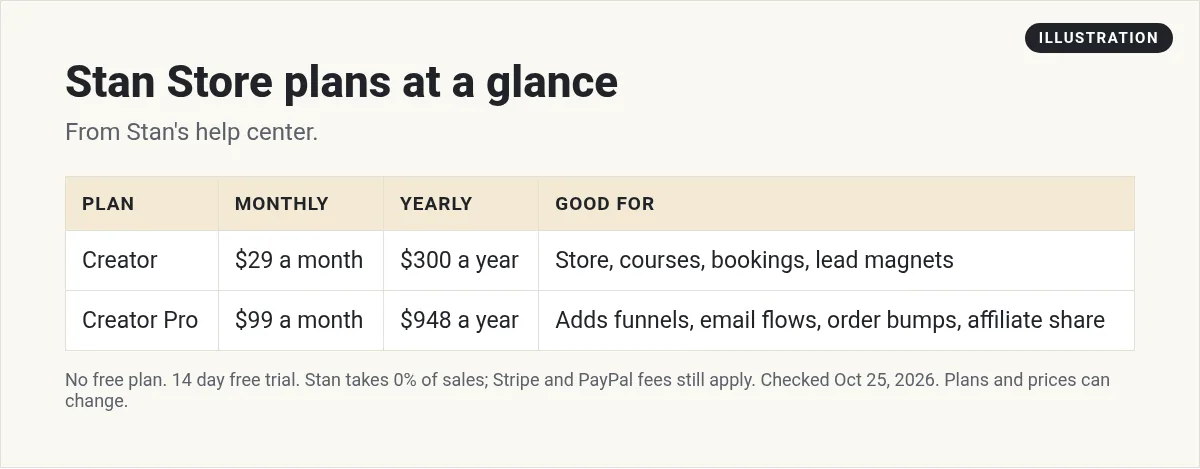
The big question is whether the extra $70 a month for Pro pays off for you. It comes down to two things: how many products you sell, and whether you email your list.
If you sell one product and send people to it from your posts, Creator is plenty. If you have three or more products, Pro lets you bundle them, add an order bump, and follow up by email. Those tools help you sell more to people who already said yes once.
You can switch later. Stan has a help article on how to upgrade or downgrade, and its refund policy says plan changes may get a prorated refund based on the unused time.
Stan Store fees: what "0%" really means
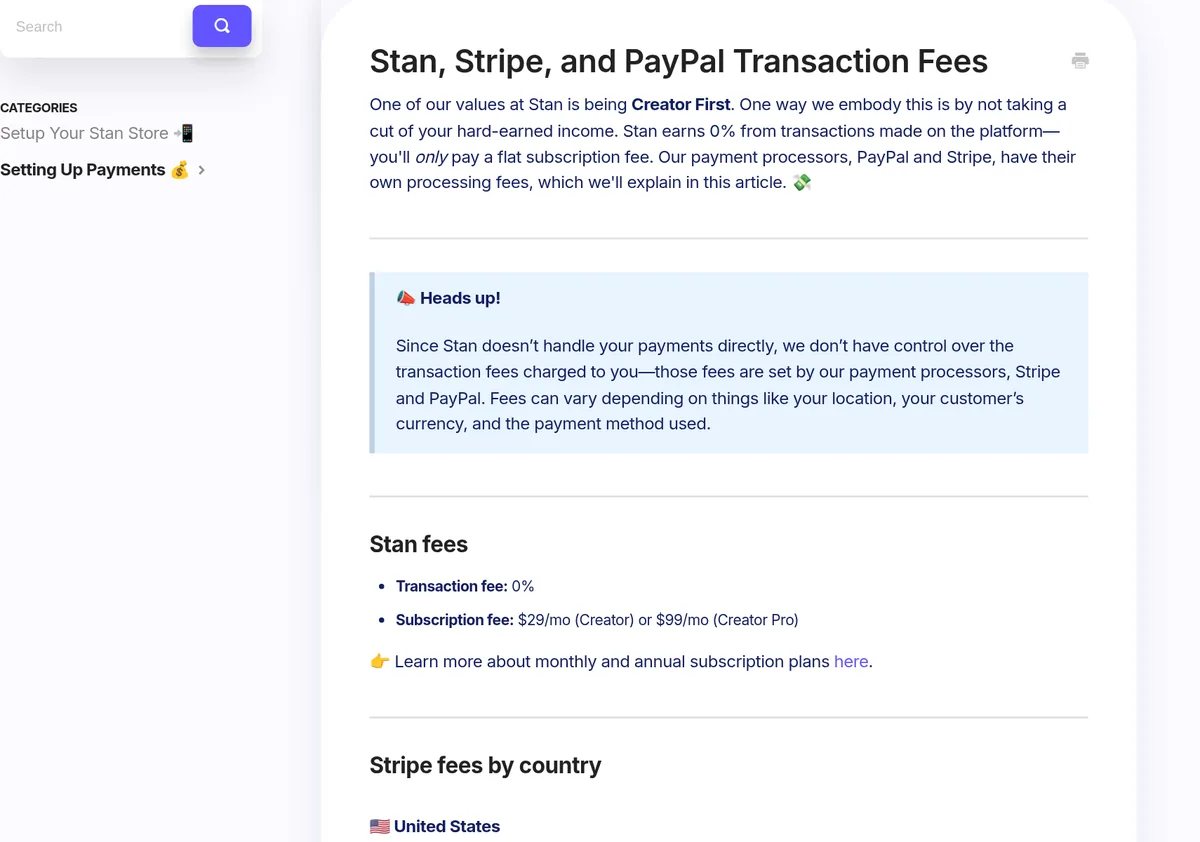
Stan takes no cut of your sales. Its fees article says Stan "earns 0% from transactions made on the platform." You only pay the plan price.
But your payment processor still charges you. Stan does not handle the money itself. Stripe or PayPal does. For US sellers using Stripe, the article lists:
- Card payments: 2.9% + $0.30 per sale
- Afterpay: 6.0% + $0.30 per sale
- Klarna: 5.99% + $0.30 per sale
- Buyer in another country: +1.5%
- Payouts: 0.25% + $0.25 per payout, with a $1 minimum
Here is a simple example. A $20 guide paid by card costs $0.88 in Stripe fees ($0.58 plus $0.30). Fees differ in other countries, so check the table for yours.
How the free trial works
Stan offers a 14 day free trial. You can sell during the trial. The help center says that once you connect Stripe or PayPal, you can start selling right away.
Two things to know:
- A $1 card check at signup. Stan's help center says Stripe may place a temporary $1 hold on your card to check it. Stan says this "is not an additional Stan subscription fee."
- Contact limits on trial. On a Creator Pro trial you can import up to 10 contacts. After you pay, you can upload the rest, up to 5k total.
How to set up a Stan Store
Stan's own setup guide is called "How to Build & Launch Your Stan Store in 30 Minutes." It starts with customizing your store, then building your products. Here is the order I would follow:
- Make it yours. Add your photo, your name, a short bio, and links to your social profiles.
- Add a free lead magnet. A short guide or checklist in exchange for an email is a good first step.
- Add one paid product. A guide, a template, or a coaching call. Keep it simple.
- Connect payments. Link Stripe or PayPal so you can get paid.
- Put the link in your bio. Then point to it in your posts.
One limit to know: the guide says Stan "does not currently support adding custom code or custom HTML" to store pages.
Canceling and refunds
You can cancel any time from your account. Per the help center, you keep access until the end of your billing cycle. Stan saves your store, so you can come back later and pick up where you left off.
Refunds have rules. The subscription must be fully canceled first. The payment must have been made within the last 30 days, and from one billing period. Stan says it is "unable to offer refunds based on non-usage." So if you are not using it, cancel before the next bill.
If you sell memberships, cancel those for your customers too. Stan warns that if you do not, they will keep being charged.
What Stan does not do
Every tool has tradeoffs. Here are the ones I would weigh:
- No custom domain. The help center says you cannot create or embed a custom domain in your Stan Store right now. You can forward your own domain to it, though.
- No free plan. You pay after the trial, even before your first sale.
- Email is a Pro feature. On Creator, you collect emails but send them from another tool.
- It is a store, not a full site. If you want a blog, many pages, or deep funnels, you will want more.
Who Stan Store fits
Pick Creator if you have a following and one or two simple products, like a guide or a coaching call.
Pick Creator Pro if you sell several products, want upsells, and want to email your list from the same place.
Look elsewhere if you need your own domain, a full website, or a free plan to start.
If you do not have a product yet, start there first. My guide to digital products to sell has ideas. And if you want to sell other people's products instead, see how affiliate marketing works.
Stan is not the only option, either. If you mainly sell courses or run a group, compare Skool pricing and Kajabi pricing before you commit.
Before you start a Stan Store
Nothing you check here is sent or saved. Download it if you want to keep it.
Meet AIM Agent
AIM Agent is an AI Chief of Staff for business owners. You give it a real task, and it brings the work back for you to review. You stay the one who approves.
Meet AIM AgentI am a co-founder of AIM Agent and have a financial interest in the product.
Frequently asked questions
How much does Stan Store cost?
On October 25, 2026, Stan's help center listed Creator at $29 a month or $300 a year, and Creator Pro at $99 a month or $948 a year.
Does Stan Store have a free plan?
No. Stan says it does not offer a free plan right now. It does offer a 14 day free trial.
Does Stan take a cut of my sales?
No. Stan says it takes 0% of sales. Stripe or PayPal still charge their own processing fees, like 2.9% + $0.30 per US card sale on Stripe.
What is the difference between Creator and Creator Pro?
Creator Pro adds funnels, order bumps, email flows and broadcasts, Affiliate Share, discount codes, payment plans, and pixel tracking.
Can I use my own domain with Stan Store?
Not directly. Stan says you cannot create or embed a custom domain, but you can forward your domain to your Stan Store.
Can I get a refund from Stan?
Stan reviews refunds for fully canceled subscriptions, for a payment made in the last 30 days, from one billing period. It does not refund for non-usage.
Sources
Checked October 25, 2026. Plans, prices, and rules can change.
- Stan help center: Creator vs. Creator Pro
- Stan help center: Creator Pro features
- Stan help center: Stan, Stripe, and PayPal transaction fees
- Stan help center: Can I start selling while in my trial period?
- Stan help center: $1 charge on a new subscription
- Stan help center: How to cancel your Stan account
- Stan help center: Stan's refund policy
- Stan help center: Can I create a custom domain?
- Stan: Homepage
- Stan help center: How to Build & Launch Your Stan Store in 30 Minutes
