
Affiliate Marketing · Guide
Instagram is a visual place to show products you use. Here is how to share affiliate links honestly, what Meta's rules say, and a plan you can start this week.
Instagram is built for showing, not telling. That makes it a natural place to share products you use. But it is easy to jump in, post a link, and wonder why nothing happens.
On October 24, 2026, I read Instagram's help pages on branded content and its Affiliate Tool terms, plus the FTC's endorsement guide. Here is how to start the right way.
Quick answer
Instagram affiliate marketing means sharing products you use and earning a commission when people buy through your link. Instagram's help center says content with an affiliate link should have the Paid partnership label. Instagram also has its own Affiliate Tool, but its terms say you must meet Meta's monetization standards and be located in the United States. Start with a professional account, teach in Reels, and label every affiliate post.
How Instagram affiliate marketing works
You join an affiliate program and get a special link. You share that product on Instagram. If someone buys through your link, you earn a commission.
There are two main ways to do it on Instagram:
- Outside affiliate programs. You join a program run by a company, then share your link.
- Instagram's Affiliate Tool. A tool inside Instagram that lets some creators tag products and earn fees. More on this below.
If you are new to the whole idea, start with how affiliate marketing works.
The labeling rule
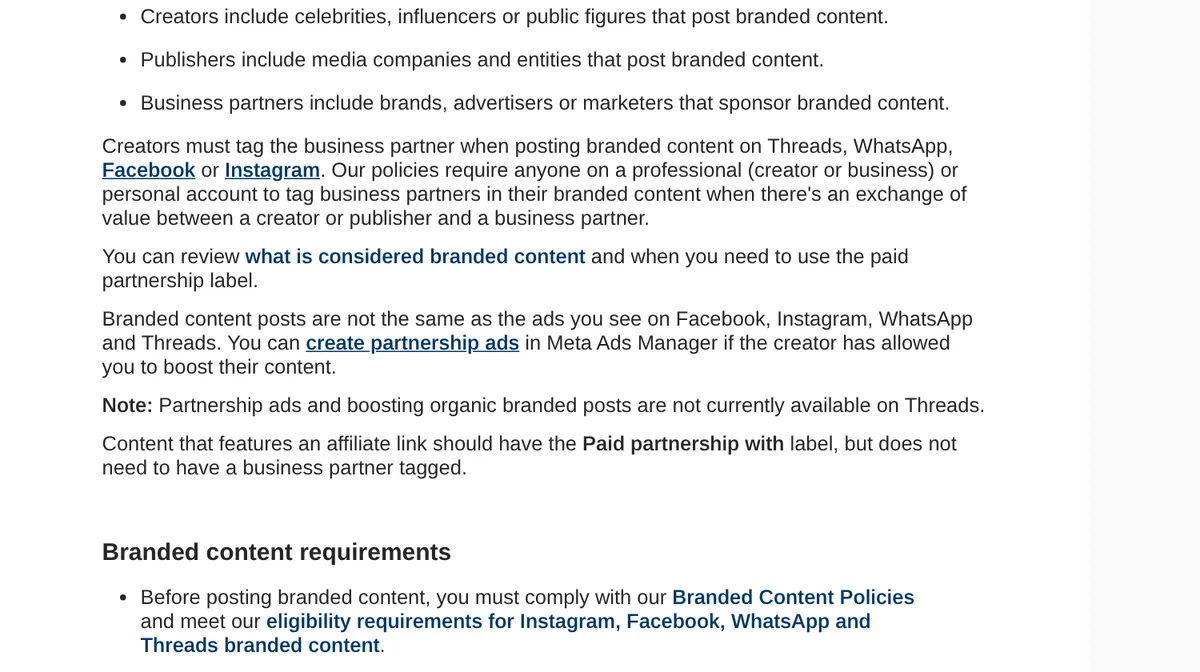
Instagram's help page on branded content says: "Content that features an affiliate link should have the Paid partnership with label, but does not need to have a business partner tagged."
So when you share an affiliate link, turn on the paid partnership label. You do not need to tag the brand for an affiliate post.
Instagram's help page on the label also says "This feature is only available on the Instagram mobile app." So add the label from your phone, not the desktop site.
The page says you can use the label in Feed, Stories, Reels, Live, and Broadcast Channels. It also says you need to enable branded content on your account first.
Add your own words too
The FTC's endorsement guide says platform tools are fine to use. But it also says it will look at whether the disclosure is clear on its own. So I add a plain sentence too.
The FTC gives this sample: "I get commissions for purchases made through links in this post." It also says "The closer the disclosure is to your recommendation, the better."
The FTC says "#ad," "Ad:," and "ad" at the beginning of a post are probably all equal. Just make sure people see it before they tap "more."
I am not a lawyer, and this is not legal advice. It is how I keep things simple and honest.
Instagram's Affiliate Tool: who can use it
Instagram has its own affiliate feature. The terms call it "Meta's native affiliate marketing tool made available on the Instagram Service."
To qualify, the terms say you must:
- Complete the onboarding process, which includes meeting Meta's monetization eligibility standards.
- Be located within the United States, which includes the District of Columbia.
- Meet any other eligibility rules Meta sets.
The terms also say you agree to disclose the commercial nature of your posts. If you do not qualify yet, you can still use outside affiliate programs with a label.
A simple 5 step plan
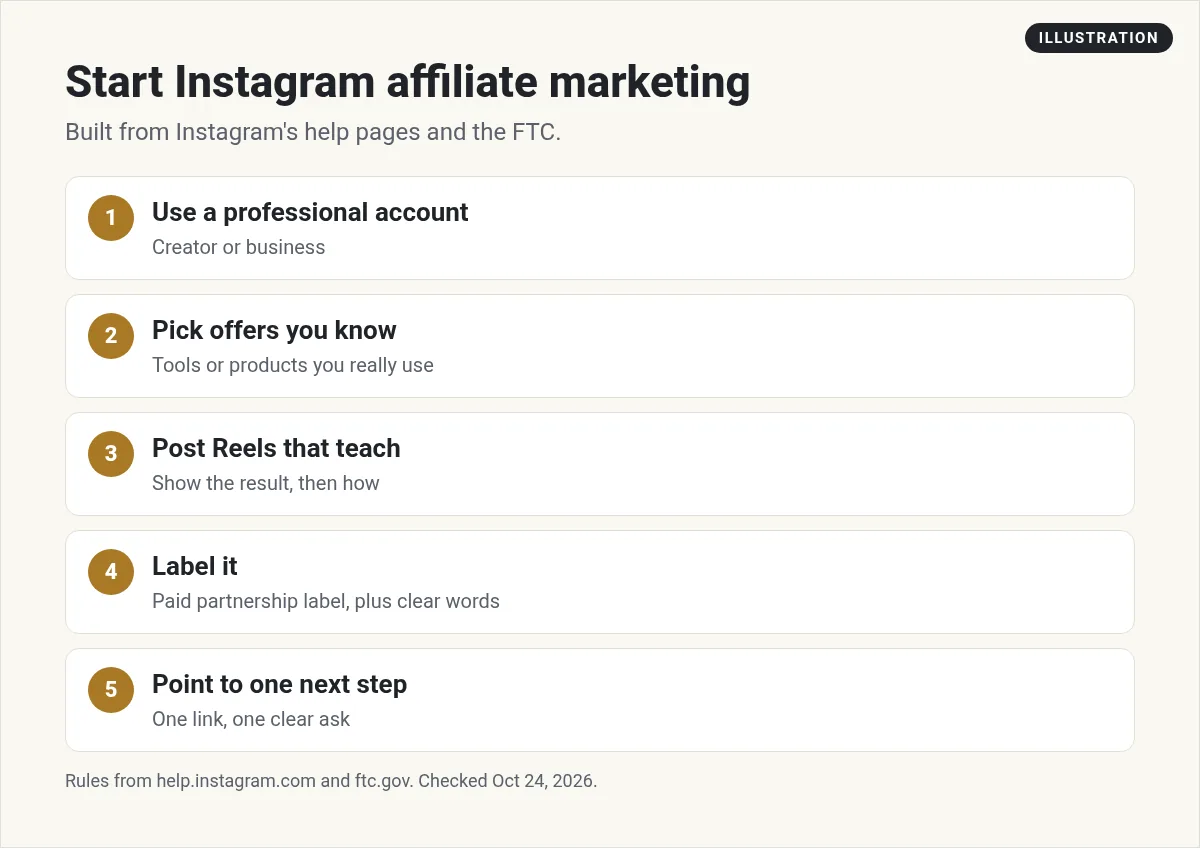
1. Use a professional account
Instagram calls creator and business accounts professional accounts. Meta's money tools, like the Affiliate Tool, have eligibility standards. So set this up early and check your eligibility in the app.
2. Pick offers you know
Share products you have used. You will talk about them better, and your followers will trust you more. My list of affiliate programs for beginners is a good place to look.
3. Post Reels that teach
Show how to do one thing with the product. Keep it short. Show the result, then show the steps. Teach first, link second.
4. Label it
Turn on the Paid partnership label when there is an affiliate link. Add a plain sentence that says you earn a commission.
5. Point to one next step
Tell people exactly what to do next. One clear step works better than five links. Even better, send them to a free guide where they can join your email list. That way you can reach them again. A lead magnet helps with this.
What kinds of products fit Instagram
Things you can show tend to fit a visual app. Ask yourself: can I show this in 30 seconds?
- Software and apps. A quick screen recording of a result.
- Online courses or tools you used. Show what you made after you learned it.
- Physical products. Show it in use, not just in the box.
Harder fits are things that take a long time to explain or that you cannot show at all. Those may do better in a longer YouTube video or a blog post. If you sell software, recurring programs can be a nice fit because you can keep teaching new ways to use the same tool.
Content ideas that help
- How I use it. A 30 second Reel of your real workflow.
- Before and after. Show the result, then how you got there.
- Three tips. Quick tips that help even if they never buy.
- Myth vs truth. Clear up one thing people get wrong.
- Answer a DM. Turn a common question into a post.
For more ideas, see my guide on creating content for affiliate marketing.
Do you have to show your face?
No. You can use screen recordings, hands-only shots, or simple text slides. A voiceover works well too. I explain how I think about this here:
My video: How to get leads without showing your face. The same ideas work on Instagram.
Any results mentioned in videos are not typical and are not a promise of income. Your results depend on your work and your market.
Read affiliate marketing without showing your face for more.
A simple caption you can copy
Here is a format I like. Fill in the blanks with your own words.
Ad: Here is how I use [product] to [result] in [time].
Step 1: [step]
Step 2: [step]
Step 3: [step]Want to try it? My link is in my profile. I earn a commission if you buy through it.
Then turn on the Paid partnership label before you share.
A simple weekly rhythm
You do not need to post every hour. A steady, simple plan beats bursts of effort. Here is one that fits around a job:
- Monday: a Reel that teaches one tip. No link.
- Wednesday: a carousel that answers a question people ask you. No link.
- Friday: a Reel that shows how you use a product, with your affiliate link and the label.
- Every day: reply to comments and messages. This is where trust grows.
That is two helpful posts for every one that sells. Adjust it to what you can keep up. Doing this for months matters more than doing it perfectly for a week.
AI can help here. I use it to turn one idea into a script, a caption, and a carousel outline. Then I edit it so it sounds like me.
How to tell what is working
Look at the numbers for your posts in the app each week. Here is what I watch:
- Saves and shares. These show a post was useful.
- Comments and DMs. These show people want to talk.
- Clicks to your link. Check your affiliate program dashboard for clicks and sales.
When a post does well, make another one like it. When one flops, do not panic. Try a new hook or a new topic next time.
Mistakes to avoid
- No label. Instagram's help page says affiliate content should have the Paid partnership label.
- Hiding the disclosure. Put it near the start so people see it.
- Promoting things you have not tried. People can tell.
- Big income promises. Talk about what the product does, not what someone will earn.
- Only selling. Plenty of your posts should just help. Links can come later.
Also on other platforms? See my guides to TikTok affiliate marketing, Pinterest affiliate marketing, and affiliate marketing on Facebook.
Instagram affiliate post checklist
Nothing you check here is sent or saved. Download it if you want to keep it.
Make content faster with AI
Want help planning and writing posts without burning out? Join my free AI workshop. I show the tools and steps I use.
Join my free AI workshopFree to join. No credit card needed.
Frequently asked questions
Can you do affiliate marketing on Instagram?
Yes. Instagram's help center explains how to label it. It says content with an affiliate link should have the Paid partnership label.
Do I need to tag the brand?
No. Instagram says affiliate content should have the Paid partnership label but does not need a business partner tagged.
Who can use Instagram's Affiliate Tool?
The terms say you must meet Meta's monetization eligibility standards, be located in the United States, and meet any other rules Meta sets.
Can I add the paid partnership label on desktop?
Instagram's help page says the feature is only available on the Instagram mobile app.
Do I need a lot of followers?
Not to start. Focus on helpful posts for a small group. Some Meta tools have their own eligibility rules, so check in the app.
What should my disclosure say?
Use the label and a plain sentence near the start, like: I earn a commission if you buy through my link.
Sources
Checked October 24, 2026. Plans, prices, and rules can change.
