
Affiliate Marketing · Guide
impact.com is a platform where brands run affiliate programs. Joining is free. Here is how to get approved, make your first link, and set up your payouts the right way.
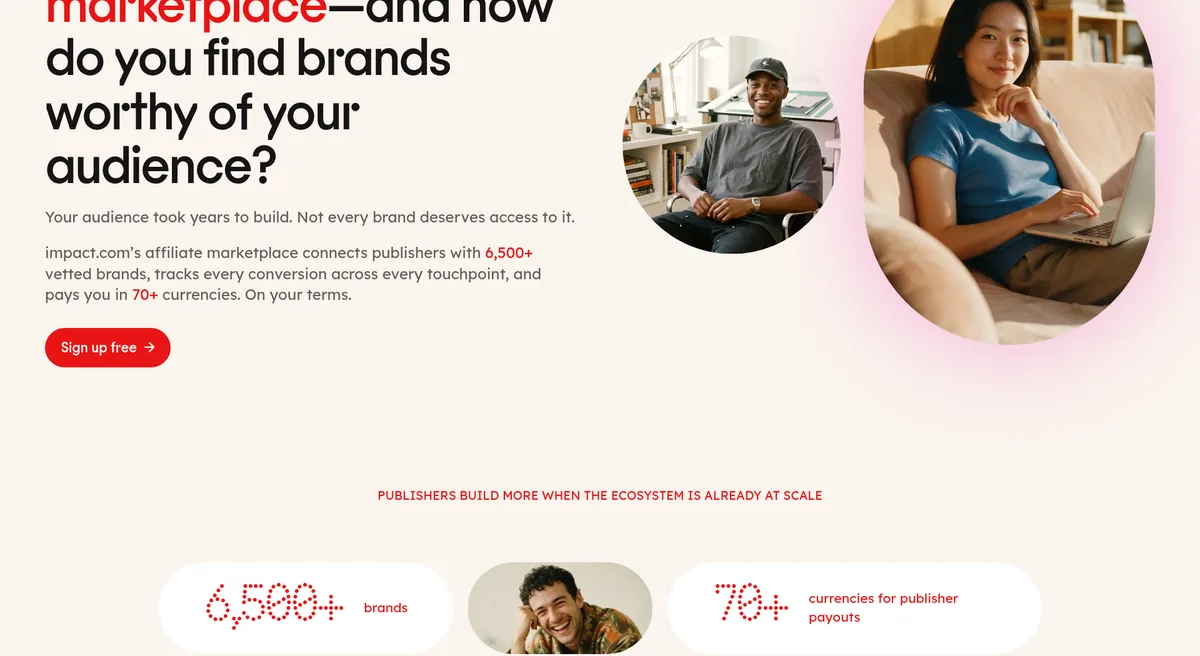
If you have looked for affiliate programs from well known brands, you have probably landed on impact.com. Its affiliate page listed 6,500+ brands on October 23, 2026.
On October 23, 2026, I went through impact.com's page for affiliates and its partner help center. Here is how it works, how to get started, and how the payout rules work so your money does not get stuck.
Quick answer
impact.com is a partnership platform where brands run affiliate programs and affiliates apply to promote them. On October 23, 2026, it was free for affiliates to sign up and listed 6,500+ brands. Once your balance reaches the $10 minimum payout, you can be paid to a bank or PayPal account on a balance threshold or on the 1st or 15th of the month.
What is impact.com?
impact.com is a platform that connects brands with partners. Partners can be bloggers, YouTubers, coupon sites, newsletters, or creators.
Here is how it works for you as an affiliate:
- You sign up for a free partner account.
- You find brands and apply to their programs.
- When a brand approves you, you get tracking links.
- You share those links in your content.
- When someone buys through your link, impact.com tracks it and pays you.
The important part: impact.com is not one affiliate program. Each brand sets its own commission, its own rules, and decides who to approve.
How many brands are on impact.com?
On its page for affiliate partners, impact.com said you can browse 6,500+ vetted brands. It also said you can filter by vertical, region, payout model, and eligibility, and apply to up to 10 programs in a single action.
A few more details from that page:
- Access to over 9 million products from brands in the marketplace
- Payouts in 70+ currencies
- A mobile app to make affiliate links
- Some pre approved programs that let you start without waiting
How to join impact.com as an affiliate
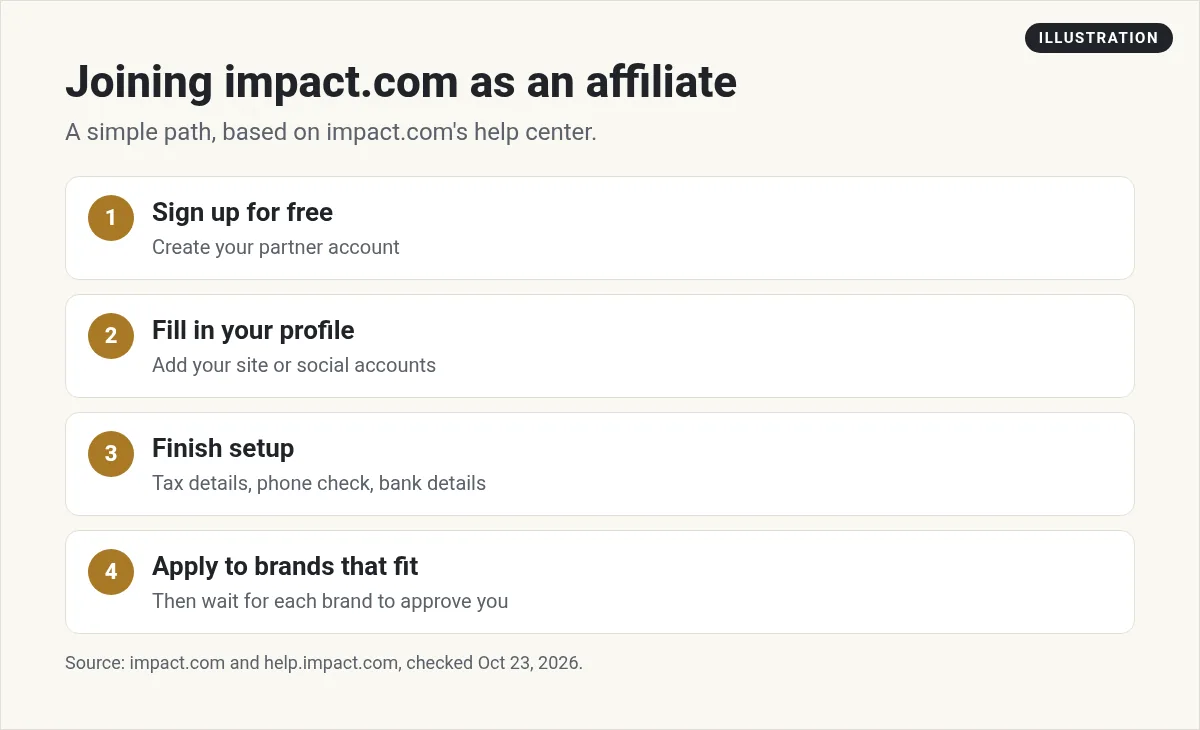
Here is the simple path:
- Sign up for free. Create your partner account on impact.com.
- Fill in your profile. Add your website or social accounts and say what you make. Brands look at this before they approve you.
- Finish the setup steps. The help center walks you through tax details, phone verification, and bank details.
- Apply to brands. Pick brands that fit your audience. Do not apply to everything.
- Wait for approval. Each brand decides on its own.
How to get your tracking links
Once a brand approves you, the help center says the first step is making a tracking link:
- From the top menu, go to Manage, then My Brands.
- Hover over the brand.
- Click Copy Link.
- Paste it into your content.
Some brands also give you product links, ads, images, videos, and deals you can share. What you get depends on the brand.
Your payout setup, step by step
The impact.com help center lays out the setup in a clear order. Do these early, before your first sale, so nothing holds up your money.
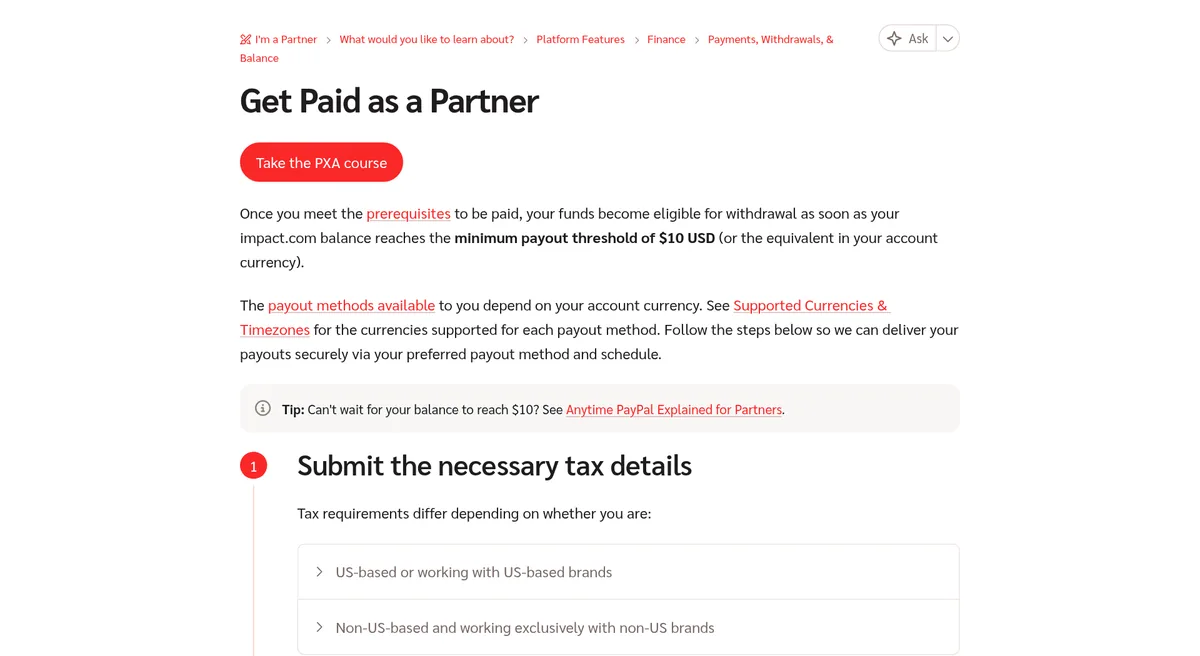
- Submit your tax details. If you are in the US, or you work with US brands, you will need an electronic tax document. Make sure the mailing address on it is right, since that is where your 1099 form goes at the end of the year. If you are outside the US and only work with non US brands, you do not need that document. Just confirm your tax info under Settings, then Company Information.
- Verify your phone number. This turns on two factor login. Go to Edit Profile, then Basic Info, enter your number, and type in the code you get by text.
- Clear any payment requirements. If something is missing, impact.com emails you and shows a banner on your dashboard. Fix each one.
- Set up your bank details. Pick where the money goes and when it gets sent.
That is it. Once these are done, your payouts can flow as soon as you pass the minimum.
How you get paid on impact.com
This is the part to get right. Here is what the help center said on October 23, 2026:
- Minimum payout: your balance must reach $10 USD, or the same in your currency.
- Where it goes: a bank account or a PayPal account.
- Before any payout: you must meet all payment requirements, like correct tax details and a verified identity.
You also pick when you get paid. impact.com calls this Autopay, and there are two options:
- Balance Threshold. A withdrawal starts when your balance goes above an amount you set. The minimum is $10.
- Fixed Day. A withdrawal starts on the 1st or the 15th of each month, as long as your balance is above $10. If that day is a weekend or holiday, it moves to the next business day.
There is also Anytime PayPal for people who qualify. It lets you withdraw your balance right away instead of waiting.
What can delay your payout
The help center lists a few common causes:
- Missing payment requirements. Tax details, identity, or billing address not done.
- Changing bank details. Every time you update your bank details, impact.com pauses withdrawals for 48 hours as a security step.
- Tax forms. If you are in the US, or work with US brands, an electronic tax form is required once your payouts in a US tax year reach the IRS line of $2,000. impact.com cannot release payouts until it is approved.
One more rule worth knowing. If impact.com cannot pay you for 6 months because your tax or payment info is wrong, a monthly maintenance fee starts in month 7. Keep your details up to date to avoid it.
The fee depends on how you are invoiced. The help center listed $10 USD a month for direct invoicing, and 25 British pounds a month when invoicing goes through an impact.com company. It keeps going until you fix your details or your balance hits zero.
Two smaller delays are worth knowing too. A bank detail change can take up to 2 working days to review. And payment processing pauses on major holidays, which can differ by region.
How to get approved by more brands
Each brand on impact.com reviews you on its own. Here is what makes a yes more likely:
- Have real content first. A few helpful posts or videos on the brand's topic.
- Fill in every part of your profile. Say who your audience is and how you plan to promote.
- Match the brand to your audience. A fitness channel applying to a fitness brand makes sense. A random fit does not.
- Use a real email and website. Brands want to see a real person or business.
- Be patient and apply again later. If you get a no, grow your content and try again.
Common mistakes to avoid
- Applying with an empty site. Brands decline accounts with no content. Build first, then apply.
- Applying to every brand. Pick the ones your audience actually needs.
- Skipping the tax form. Do it early so payouts are not held.
- Changing bank details right before payday. That 48 hour pause can push your money back.
- Not disclosing your links. Always tell people when you use an affiliate link.
How impact.com compares to other networks
impact.com is one of several big affiliate networks. Each has different brands and payout rules. If you are comparing, read my guides to CJ Affiliate and ClickBank.
You can join more than one network. That way you can promote the best product for your audience, no matter where it is listed.
My video: My beginner walkthrough of affiliate marketing.
Any results mentioned in videos are not typical and are not a promise of income. Your results depend on your work and your market.
Where to start
New to affiliate marketing? Start with my list of the best affiliate programs for beginners. If you like software, my SaaS affiliate programs post covers programs with recurring commissions.
Want to see how I use AI to create content and grow an affiliate business faster? I walk through it in my free AI workshop.
Want to grow an affiliate business with AI?
In my free workshop, I show how regular people use AI tools to create content and build simple online businesses.
Join my free AI workshopFree to join. No credit card needed.
Frequently asked questions
Is impact.com free for affiliates?
Yes. On October 23, 2026, impact.com's page for affiliate partners had a Sign up free button. Brands pay to run their programs.
What is the minimum payout on impact.com?
The help center says the minimum payout threshold is $10 USD, or the same amount in your account currency.
When does impact.com pay affiliates?
You choose. Balance Threshold pays when your balance passes an amount you set. Fixed Day pays on the 1st or 15th of the month if your balance is above $10.
How does impact.com pay?
Payouts go to a bank account or a PayPal account. Some partners also qualify for Anytime PayPal to withdraw right away.
Why is my impact.com payout on hold?
Common reasons are missing tax details, an unverified identity, or a recent bank change, which adds a 48 hour pause.
Do I need a tax form for impact.com if I am outside the US?
The help center says non US partners who only work with non US brands do not need an electronic tax document. You still need to confirm your tax details in Settings.
What is the impact.com maintenance fee?
If impact.com cannot pay you for 6 months because your tax or payment info is wrong, a monthly fee starts in month 7. It was $10 USD a month for direct invoicing.
Sources
Checked October 23, 2026. Plans, prices, and rules can change.
