
Get your app seen
Building an app is half the job. The other half is getting it in front of people. Here is how to list your app on the MakerAI Marketplace, step by step, and how to make the listing actually help buyers.
Disclosure: Some links in this post are affiliate links. I earn a commission if you buy through this link. It does not change the price you pay. MakerAI is my own company.
MakerAI is my company, and the MakerAI Marketplace is part of it. I want you to know that up front.
Quick answer
Go to the MakerAI Marketplace submit page, paste your app's website address, and let the AI fill in the details. Then check every field, add a logo and 2 to 6 screenshots, enter the prices buyers will see, and submit. The free listing needs no account. A person on the MakerAI team reviews every submission before it goes live, and approval is not guaranteed. MakerAI members can also list straight from their projects.
What the MakerAI Marketplace is
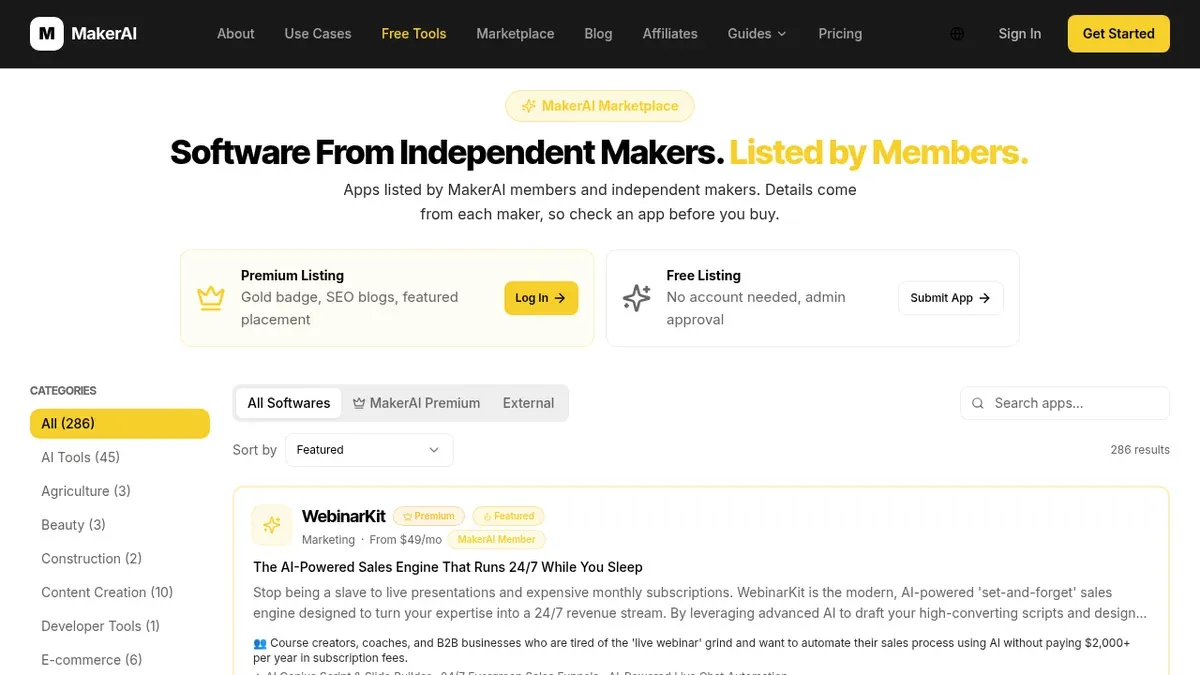
It is a public directory of software made by MakerAI members and independent makers. People browse it to find tools. When I checked on Oct 17, 2026, it showed 286 results across categories like AI Tools, Finance, Marketing, and Productivity.
The page says it plainly: "Details come from each maker, so check an app before you buy." That honesty matters. It is a place to be found, not a promise of sales.
I made a video about why I built it. The short version: makers need a place where buyers can find their software.
My video: Why I built the MakerAI Marketplace and how it sends people to makers' software.
The video is my own view. Any results mentioned are not typical and not a promise. Your results depend on your app and your work.
Free vs Premium listings
The marketplace page shows two ways in, side by side.
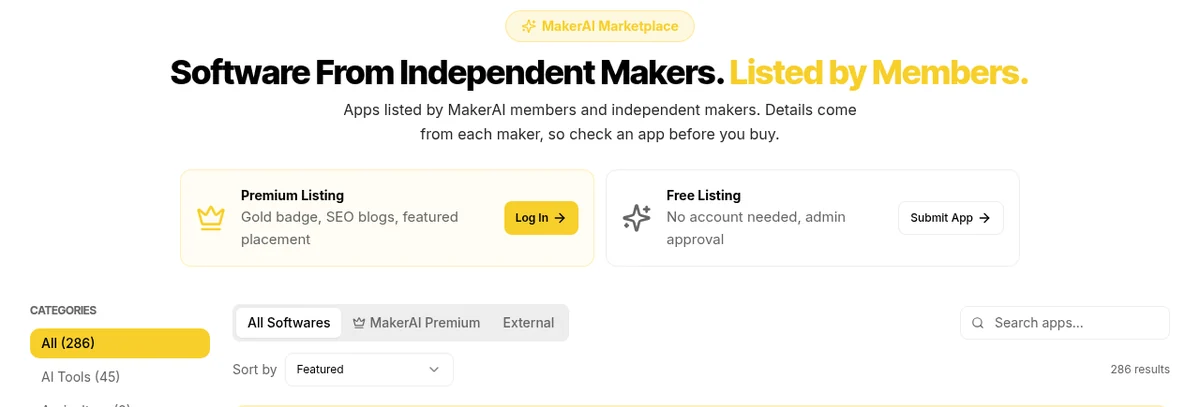
| Option | What the page says (Oct 17, 2026) | How you start |
|---|---|---|
| Free Listing | "No account needed, admin approval" | Click Submit App |
| Premium Listing | "Gold badge, SEO blogs, featured placement" | Click Log In |
Source: getmakerai.com/marketplace, checked Oct 17, 2026.
If you are a MakerAI member, the submit page says you "can list products from their projects and have fields drafted from their saved product details." If you are not, the free path works fine.
Get ready before you submit
A listing is only as good as the app behind it. Before you submit, make sure a stranger can use your app without you standing there.
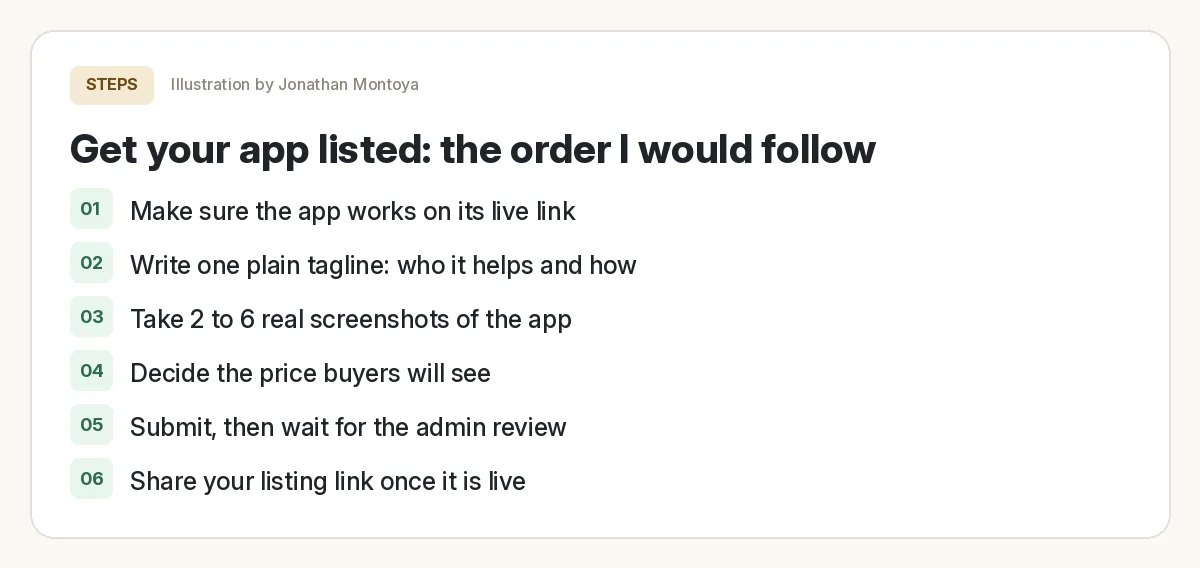
Before you submit your listing
Nothing you check here is sent or saved. Download it if you want to keep it.
If your app was built in Overskill (I earn a commission if you buy through this link.), test it on the live link first. My Overskill tutorial for beginners covers publishing, and how to sell an AI app built with Overskill covers setting up payments.
How to list your app, step by step
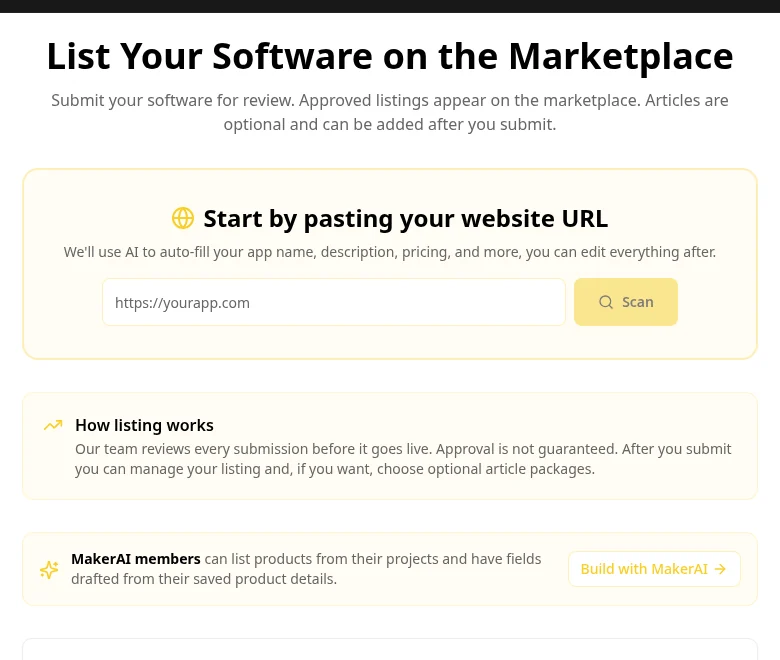
- Go to the submit page at getmakerai.com/marketplace/submit.
- Paste your app's website address and click Scan. The page says AI will "auto-fill your app name, description, pricing, and more."
- Fill in your name and email so the team can reach you. Phone is optional.
- Check every auto-filled field. Fix anything wrong. The AI is a first draft, not the final word.
- Pick a category and add your contact email.
- Enter your pricing tiers as buyers will see them.
- Upload your logo and 2 to 6 screenshots.
- Click Submit listing.
What each field needs
| Field | Required? | My advice |
|---|---|---|
| Your name and email | Yes | Use an inbox you check |
| App name | Yes | The name people will search for |
| Tagline or description | At least one | Who it helps and what it does, in plain words |
| Category | Yes | Pick where a buyer would look first |
| Contact email | Yes | Buyers may write to you |
| Demo URL or demo video | No | Worth adding; a demo answers questions fast |
| Community and affiliate links | No | Add them if you have them |
| About you | No | A short, honest bio builds trust |
| Pricing tiers | Yes, or mark "not listed yet" | Enter real prices; 0 means free |
| Logo | Yes | Square and clear at small sizes |
| Screenshots | Yes, 2 to 6 | Real screens of the app, not mockups |
Fields from the MakerAI Marketplace submit page, checked Oct 17, 2026. Advice is mine.
What a good listing looks like
Let me show you one I know well. Freedom Threads is my own product. Its listing shows a clear price, a Visit App button, a demo, and a line that tells buyers who listed it.
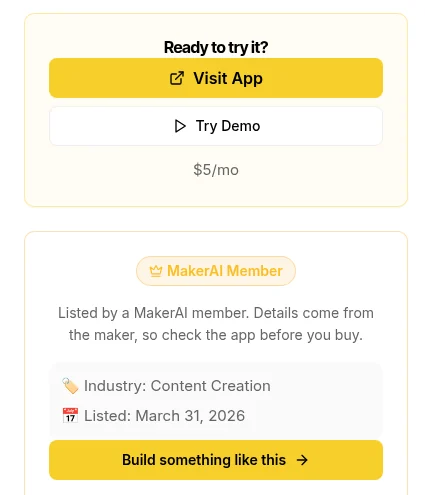
Look at the small note under the badge: "Listed by a MakerAI member. Details come from the maker, so check the app before you buy." Every listing carries a line like that. External listings say "Submitted by its maker" instead.
| Do | Do not |
|---|---|
| Name the buyer: "for cleaning companies" | Say "for everyone" |
| Say the result: "answer quotes after hours" | List 20 features |
| Show the real price | Hide it behind "contact us" unless you must |
| Add a short demo | Make people sign up to see anything |
| Write like you talk | Stuff in buzzwords |
Not sure how to price it? My guide on what to build with Overskill has ideas, and my post on making money with vibe coded apps covers the business side.
After you submit
The submit page says, "Our team reviews every submission before it goes live. Approval is not guaranteed." After you submit, you can manage your listing. The page also mentions optional article packages you can choose later.
- Wait for review. A person checks it. Be patient.
- Keep your app live. A broken link is a fast way to lose a buyer.
- Share your listing link. Post it where your buyers already hang out.
- Update it when your price or features change.
Other SaaS directories to try
The MakerAI Marketplace is one place to be found. It should not be the only one. Software directories work best as part of a plan, not as the plan.
Look for directories your buyers already use. A tool for real estate agents may do better in a real estate group than in a general list. Wherever you list, the same rules apply: a clear buyer, a real price, real screenshots, and a working app.
Want to build an app worth listing?
In my free AI workshop, I show how regular people use AI to build software and get it in front of buyers. Bring your idea.
Join my free AI workshopMakerAI is my company. The workshop is free. No income promises, just the process.
Need a tool to build it?
Overskill turns a plain English description into a working web app. Build it, test it, then list it.
Try OverskillI earn a commission if you buy through this link. Overskill is in invite-only beta, so you may need an invite code or a waitlist spot. Check the live pricing page before you buy.
Frequently asked questions
Is it free to list an app on the MakerAI Marketplace?
The marketplace page shows a Free Listing option that needs no account and gets admin approval. There is also a Premium Listing option with a gold badge, SEO blogs, and featured placement.
Do I need to be a MakerAI member to list my app?
No. The free listing needs no account. MakerAI members can also list products from their projects and have fields drafted from saved details.
How long does approval take?
The submit page does not give a time. It says the team reviews every submission before it goes live and that approval is not guaranteed.
What do I need to submit a listing?
Your name and email, app name, a tagline or description, a category, a contact email, pricing, a logo, and 2 to 6 screenshots. A demo link is optional but helpful.
Can I list an app built with Overskill?
The submit page asks for your software's website address and details. It does not limit which tool you built with. Make sure the app works on its live link first.
Will listing my app get me sales?
No listing can promise sales. The marketplace says details come from each maker and buyers should check an app before they buy. A clear, honest listing gives you the best chance.
Sources
All checked October 17, 2026. Overskill is in beta and changes often, so plans, features, and rules can change. Links to overskill.com below include my affiliate code. I earn a commission if you buy through this link.
