
AI Video · Pricing
OpusClip turns long videos into short clips. The price is simple, but the credits are where people get confused. Here is what each plan costs and how many videos it really covers.
OpusClip takes a long video, like a podcast or a webinar, and cuts it into short clips for TikTok, YouTube Shorts, and Reels. It adds captions and picks the parts it thinks will do best.
On October 23, 2026, I checked the OpusClip pricing page and its help center. Here is what each plan costs, how credits are counted, and which plan makes sense for you.
Quick answer
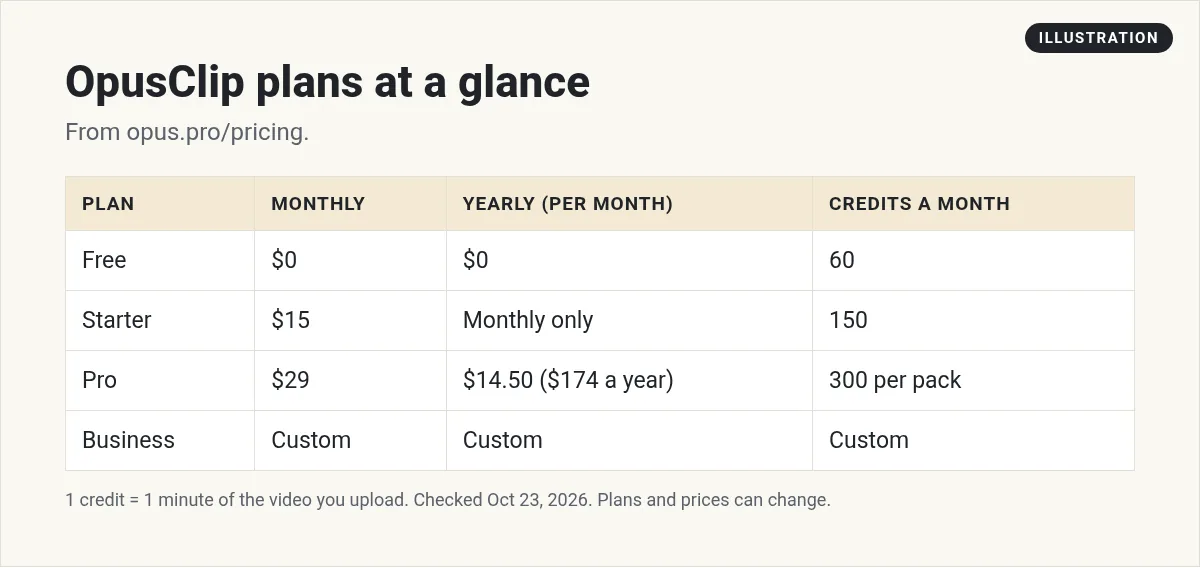
On October 23, 2026, OpusClip had four plans. Free was $0 with 60 credits a month and a watermark. Starter was $15 a month with 150 credits, monthly only. Pro was $29 a month, or $14.50 a month billed yearly at $174, with 300 credits a month per pack. Business had custom pricing. One credit equals one minute of the original video you upload.
OpusClip plans at a glance
Here is what the pricing page showed on October 23, 2026:
- Free: $0. 60 credits a month. Clips have a watermark, there is no editing, and after 3 days the clips can no longer be exported.
- Starter: $15 a month. 150 credits a month. Monthly billing only.
- Pro: $29 a month, or $14.50 a month on yearly billing ($174 billed once a year). 300 credits a month per pack.
- Business: custom pricing and packs.
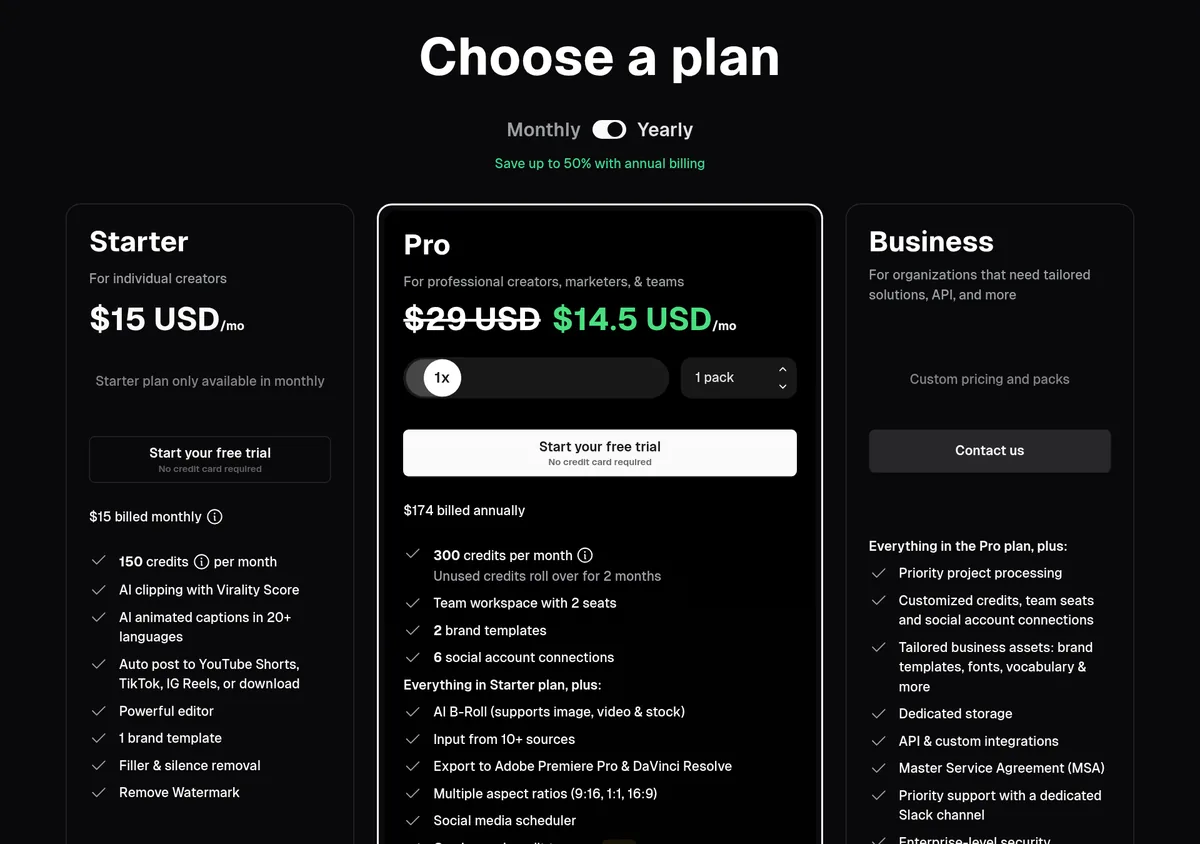
The page says you can save up to 50% with annual billing. That only applies to Pro, since Starter is monthly only.
How OpusClip credits work
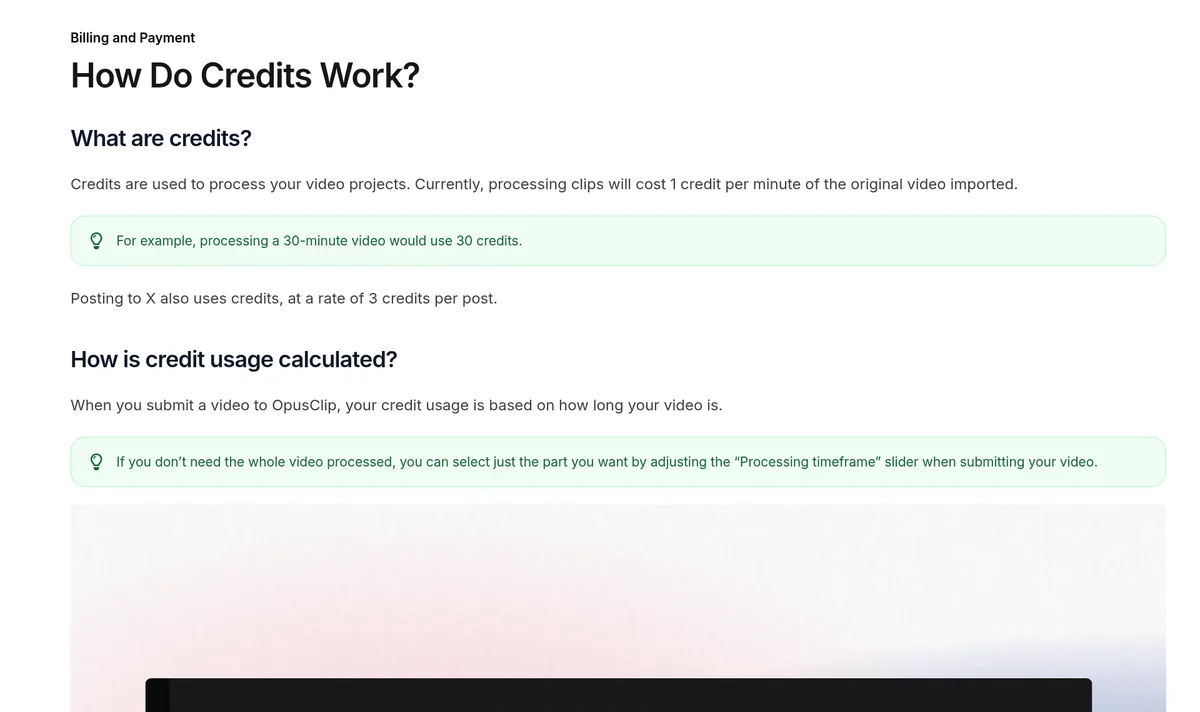
This is the part that matters most. The help center says processing costs 1 credit per minute of the original video you import.
So a 30 minute video uses 30 credits. It does not matter how many clips you get out of it. You pay for the length of the video you put in.
A few more rules from the help center:
- Short videos round up. A video under 1 minute costs 1 credit.
- Partial minutes round down. A 4.5 minute video counts as 4 minutes.
- You can trim first. Use the processing timeframe slider to only process part of a video. That saves credits.
- Posting to X costs credits too. Each X post is 3 credits per clip, per X account. One clip to two X accounts is 6 credits.
How many videos does each plan cover?
Since 1 credit is 1 minute of video, the math is easy:
- Free, 60 credits: about one 60 minute video a month, or two 30 minute videos.
- Starter, 150 credits: about two and a half hours of video a month.
- Pro, 300 credits per pack: about five hours of video a month for one pack.
Think about what you upload each week. If you record one 45 minute podcast a week, that is about 180 to 225 minutes a month. Starter would not cover it. One Pro pack would.
Do OpusClip credits expire?
Yes. Here is what the help center says:
- Monthly plans: credits expire in 60 days, so they roll over for one extra month.
- Yearly plans: you get the whole year of credits right away, and they are good for 12 months.
- If you cancel: leftover credits still expire on their original date.
The pricing page says the same for Pro: unused credits roll over for 2 months.
How to get more credits
The help center lists a few ways:
- Refresh your plan. Paid users can click Add More Credits to buy their plan again and get credits right away.
- Add more packs. On Pro, you can buy more than one pack each month. The page offered up to 15 packs.
- Upgrade. Starter users can move to Pro.
- Switch to yearly. The help center says yearly plans give credits at a 50% discount compared to monthly.
What you get on each paid plan
Starter includes AI clipping with a Virality Score, AI captions in 20+ languages, auto posting to YouTube Shorts, TikTok, and Instagram Reels, the editor, 1 brand template, filler and silence removal, and no watermark.
Pro adds:
- A team workspace with 2 seats
- 2 brand templates and 6 social account connections
- AI B Roll
- Export to Adobe Premiere Pro and DaVinci Resolve
- Multiple sizes: 9:16, 1:1, and 16:9
- A social media scheduler
- Custom fonts, speech enhancement, and video dubbing
- Limited API access
Business adds custom credits and seats, dedicated storage, API and custom integrations, and priority support with a dedicated Slack channel.
What the Free plan really gets you
The Free plan is fine for a test run, but it has real limits. The pricing page listed these for Free:
- Rendered clips up to 1080p
- AI captions with emoji and keyword highlights
- A watermark on every clip
- Clips that can no longer be exported after 3 days
- Media storage that expires after 3 days
So if you test it, download the clips you like right away. Do not plan to come back next week.
The page also showed a free trial button on Starter and Pro, with no credit card required. That is a better way to test the paid features, like watermark free exports.
What you can upload and how long clips can be
The compare table said Free and Starter can upload local video files up to 10GB per video. Pro and Business allow up to 30GB per video, plus a public mp4 link, and Pro adds input from 10+ sources.
You can also pick a clip length. The table listed ranges of 0 to 1 minute, 1 to 3, 3 to 5, 5 to 10, and 10 to 15 minutes. Short clips work for Shorts, TikTok, and Reels. Longer ones can work for YouTube or LinkedIn.
Pro also lists on demand credit top ups and Intercom chat support. Business lists priority processing, an MSA, dedicated storage, and a dedicated Slack channel for support.
Is OpusClip worth paying for?
Here is a simple test. Think about how long it takes you to cut one short clip by hand. Then count how many clips you want each week.
If you post a few clips a month, the Free plan or a manual editor may be enough. If you post every day from long videos, a tool like OpusClip saves a lot of hours. That is when a paid plan makes sense.
Just remember that AI picks are a starting point. You still need to watch each clip and fix captions before it goes out.
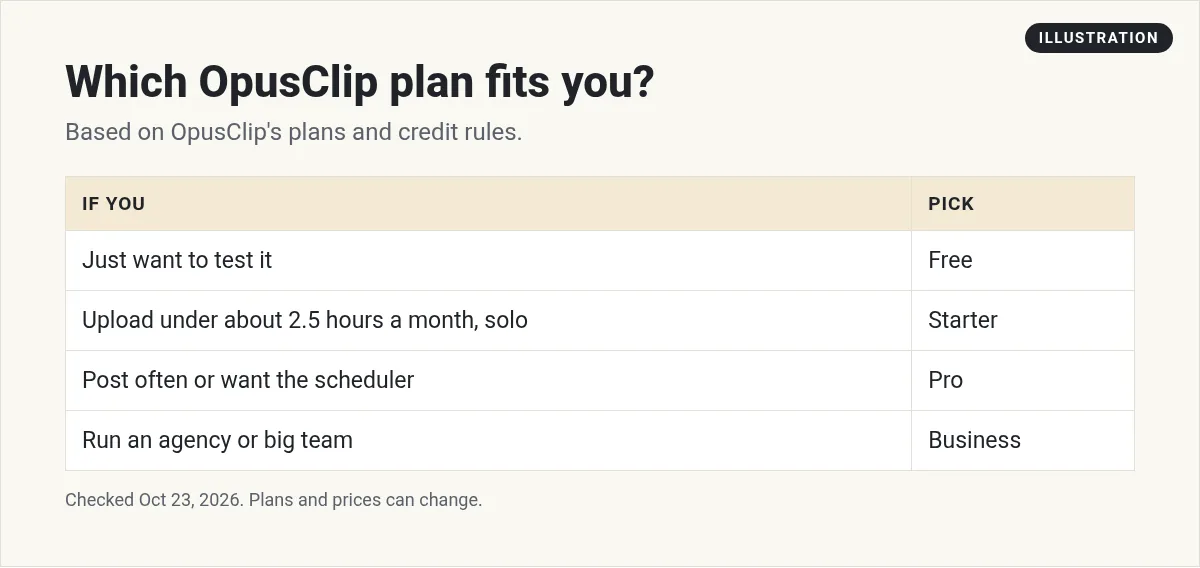
Which OpusClip plan should you pick?
- Pick Free if you just want to test it. Remember the watermark and the 3 day export window.
- Pick Starter if you upload less than about two and a half hours of video a month and work alone.
- Pick Pro if you post often, work with one other person, or want the scheduler. Pay yearly if you know you will stick with it.
- Talk to sales about Business if you run an agency or a big team.
Tips to get more out of OpusClip
- Start with your best long video. A clear talk with strong points gives better clips than a rambling call.
- Trim before you process. Only send the part worth clipping.
- Do not trust the score blindly. The Virality Score is a guess. Watch each clip before you post.
- Fix the captions. Names and brand words often come out wrong. Check them.
- Track your credits for a month. Then pick the plan that fits your real use.
Where to go next
OpusClip is one of several AI video tools. If you also edit long videos, see my guide to Descript pricing. If you want AI avatars, read my HeyGen pricing post. And if you want to post short videos without showing your face, my guide to faceless YouTube Shorts is a good start.
Want to see how I use AI tools to make content faster and grow online? I walk through it in my free AI workshop.
Want to make content faster with AI?
In my free workshop, I show how regular people use AI tools to create content, save time, and build simple online businesses.
Join my free AI workshopFree to join. No credit card needed.
Frequently asked questions
How much does OpusClip cost?
On October 23, 2026, Free was $0, Starter was $15 a month, Pro was $29 a month or $14.50 a month billed yearly at $174, and Business had custom pricing.
How do OpusClip credits work?
Processing costs 1 credit per minute of the original video you import. A 30 minute video uses 30 credits, no matter how many clips you get.
Does OpusClip have a free plan?
Yes. The Free plan gives 60 credits a month, but clips have a watermark, there is no editing, and clips can no longer be exported after 3 days.
Do OpusClip credits roll over?
On monthly plans, credits expire in 60 days, so they roll over for one extra month. On yearly plans, you get all credits up front and they last 12 months.
Can I pay yearly for Starter?
No. The pricing page says the Starter plan is only available monthly.
Does posting to X use credits?
Yes. Each X post costs 3 credits per clip, per X account.
Does OpusClip have a free trial?
Yes. On October 23, 2026, the pricing page showed a free trial button on Starter and Pro with no credit card required. There is also a Free plan with 60 credits a month.
What is the OpusClip upload limit?
The compare table on the pricing page said local uploads can be up to 10GB per video on Free and Starter, and up to 30GB per video on Pro and Business.
Sources
Checked October 23, 2026. Plans, prices, and rules can change.
