
Local clients
A local business does not want "an app" or "a CRM." It wants more booked jobs and fewer missed leads. Here is how I would pair Overskill and GoHighLevel to give it that.
Disclosure: Some links in this post are affiliate links. I earn a commission if you buy through this link. It does not change the price you pay. MakerAI is my own company.
Quick answer
Use Overskill (I earn a commission if you buy through this link.) to build the small app the customer uses, like a quote tool. Use GoHighLevel (I earn a commission if you buy through this link.) for what happens next: the CRM, texts, emails, and follow-up. Link them with a HighLevel webhook or Overskill's HighLevel connection. Then test with a fake lead first.
Why pair Overskill and GoHighLevel?
I use GoHighLevel in my own business. It is great at follow-up: the CRM, texts, emails, and booking. It is not built for a one-off custom tool, like a roof quote tool with your client's own price rules.
That is where Overskill fits. You describe the tool in plain English, and Overskill builds it. So the app does the fun, custom part. HighLevel does the boring, money part: making sure every lead gets a fast reply.
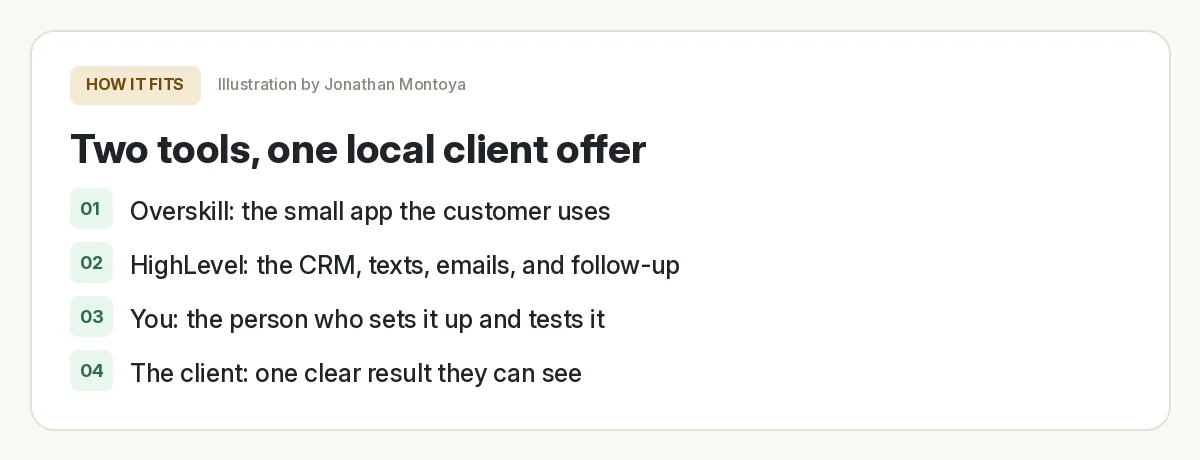
Who does what
| Job | Tool | Why |
|---|---|---|
| The page or tool a customer uses | Overskill | Custom logic, built from a plain English prompt |
| Saving the lead as a contact | HighLevel | The CRM your client already logs into |
| Text and email follow-up | HighLevel | Workflows run on their own, day and night |
| Booking a call or visit | HighLevel | Calendars and reminders are built in |
| Showing the client what happened | HighLevel | Pipelines and reports in one place |
My setup. Your client's needs may differ.
If you are new to HighLevel, start with my GoHighLevel tutorial for beginners. If you are new to Overskill, read what Overskill is first.
App ideas that fit this setup
The best ideas answer a question the customer has right before they call. Each one should end with a name, email, or phone number that flows into HighLevel.
| Business | Overskill app | What lands in HighLevel |
|---|---|---|
| Roofer or painter | Instant ballpark quote calculator | Contact plus the quote details |
| Cleaning company | "Which plan fits my home?" quiz | Contact plus a tag for the plan |
| Dentist or med spa | New patient intake form | Contact plus intake answers |
| Gym or coach | Free 7 day plan builder | Contact plus goal and start date |
| Landscaper | Photo upload "what will this cost?" request | Contact plus a job request |
Ideas only. Test them with a real business owner before you build.
Want more? See my list of Overskill app ideas for local businesses. If you would rather sell a voice tool, read how to build an AI receptionist.
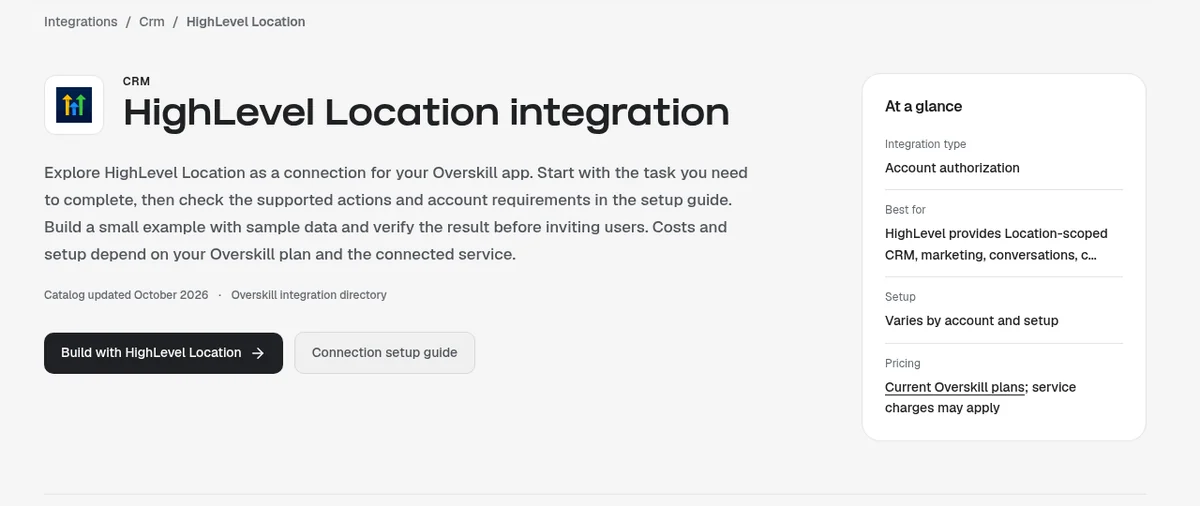
Two ways to connect Overskill and HighLevel
Here is the honest picture as of Oct 17, 2026. There are two routes, and I would pick based on what you need to test.
| Route | How it works | Good for |
|---|---|---|
| Overskill's HighLevel connection | Overskill's integration directory lists HighLevel Location, HighLevel Agency, and HighLevel MCP connections | Trying it from the app chat with your own account |
| HighLevel Inbound Webhook | Your Overskill app sends the lead to a unique HighLevel URL, which starts a workflow | A simple, well documented handoff you control |
Sources: Overskill integration directory and HighLevel help, checked Oct 17, 2026.
One caution on the first route. Overskill's directory pages are careful. They say to check the setup guide, test with sample data, and that "a directory listing does not establish that every action is free." So treat it as something to test, not a promise.
The webhook route is the one HighLevel documents step by step, so that is what I walk through below.
Step by step: the Inbound Webhook route
HighLevel gives each Inbound Webhook trigger its own URL. Its help says the URL is "unique for each trigger." Think of it as a private address. Data sent there starts your workflow.
In HighLevel
- Open or create a workflow in your client's sub-account.
- Pick Inbound Webhook as the trigger. HighLevel makes a unique URL.
- Copy that URL. Treat it like a password.
- Leave the trigger open so you can catch a test request later.
In Overskill
- Open your app's Settings, then Environment Variables. Add the URL as a secret, for example HIGHLEVEL_WEBHOOK_URL.
- Ask the AI to send each new lead to that URL from the server. Use the prompt below.
- Submit a test lead on your app.
This tip comes from Overskill's own help. It says to keep keys in Environment Variables, marked secret. It also says, "Never paste API keys into chat."
Back in HighLevel
- Click to test the trigger and pick the sample data that came in.
- Save the trigger. HighLevel then takes you to a Create or Update Contact step.
- Map the fields: first name, last name, email, phone.
- Add your follow-up: a tag, a text, an email, a task for the owner.
| Thing to know | What HighLevel's help says (checked Oct 17, 2026) |
|---|---|
| Premium trigger | Inbound Webhook is a premium workflow trigger |
| Free runs | Once premium triggers are on, sub-accounts get 100 free executions |
| After that | Executions can cost money unless your agency sets up rebilling; check your agency settings |
| Leaked URL | Delete the trigger and add a new one; the old URL stops working |
When you need the HighLevel API instead
The webhook only pushes data into one workflow. If your Overskill app needs to read data back, like showing a client their open jobs, you need the HighLevel API.
HighLevel's help says Private Integrations are the way to do that for your own account. You make one in Settings, pick only the scopes you need, and copy the token. It is shown once. HighLevel recommends you rotate the token every 90 days.
| Option | Best for |
|---|---|
| Private Integration token | Your own account or one client sub-account |
| OAuth 2.0 app | A product many HighLevel users connect to |
| Old API keys (v1) | Do not start here; HighLevel says v1 has reached end of support |
Source: HighLevel help, checked Oct 17, 2026.
Test the handoff before the client sees it
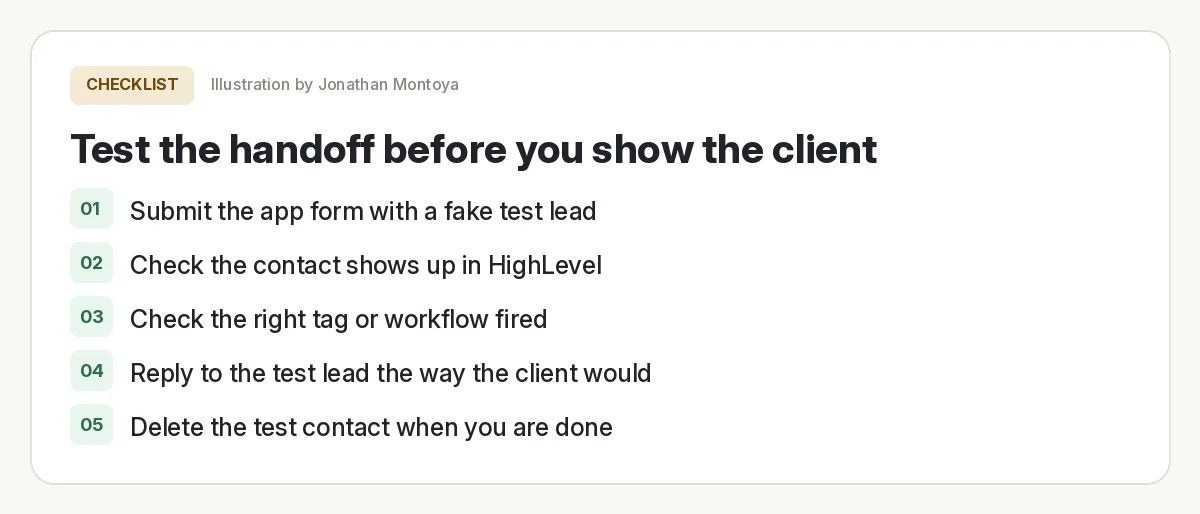
Overskill to HighLevel handoff test
Nothing you check here is sent or saved. Download it if you want to keep it.
Do this on the live app, not only the preview. And do it from your phone. Most local leads come in on a phone.
How to explain it to a client
Do not sell "an Overskill app connected by webhook to a HighLevel workflow." Nobody buys that. Sell the result in their words.
| Do not say | Say |
|---|---|
| "I will build you a custom app" | "People can get a ballpark quote on your site at midnight" |
| "I will set up a CRM" | "Every quote request gets a text back in under a minute" |
| "It uses AI" | "You stop losing leads who never got a call back" |
Then show it. A live demo with their own business name beats any slide. For a full selling playbook, read how to sell AI websites to local businesses.
Meet AIM Agent
AIM Agent is an AI Chief of Staff for business owners. You give it a real task, and it brings the work back for you to review. You stay the one who approves.
Meet AIM AgentI am a co-founder of AIM Agent and have a financial interest in the product.
Want to build the client app?
Start with one small tool for one type of business, then connect it to HighLevel and test it with a fake lead.
Try OverskillI earn a commission if you buy through this link. Check the live pricing page before you buy.
Frequently asked questions
Can Overskill connect to GoHighLevel?
Yes, in two ways. Overskill lists HighLevel connections in its directory. You can also send leads from your app to a HighLevel webhook. Test either one with sample data first.
Is the HighLevel Inbound Webhook free?
It is a premium trigger. HighLevel says each sub-account gets 100 free runs once premium triggers are on. After that, runs can cost money. Check your agency settings.
Why is my webhook not creating a contact in HighLevel?
HighLevel needs an email or a phone number in the data to create or match a contact. Make one of them a required field on your form, then test again.
Should I use the HighLevel API or a webhook?
Use the webhook to push new leads into one workflow. Use the API, with a Private Integration token, when your app needs to read data back or do more than start a workflow.
Where do I keep the HighLevel webhook URL in Overskill?
Store it as a secret in your app's Settings, under Environment Variables. Overskill says never to paste keys into chat. Have the AI send leads from the server, not the browser.
Do I need to know how to code for this?
No. You describe the app and the handoff to Overskill's AI in plain English, and you set up the HighLevel workflow by clicking. You do need to test it carefully.
Sources
All checked October 17, 2026. Overskill is in beta and changes often, so plans, features, and rules can change. Links to overskill.com below include my affiliate code. I earn a commission if you buy through this link.
- Overskill integration directory: HighLevel Location
- Overskill integration directory: HighLevel Agency
- Overskill integration directory: HighLevel MCP
- Help: Browsing the integrations marketplace
- Help: Connecting Mailjet or any other email provider (environment variable pattern)
- HighLevel help: Workflow Trigger, Inbound Webhook
- HighLevel help: How to use the Inbound Webhook premium trigger
- HighLevel help: Private Integrations, everything you need to know
- HighLevel API documentation
