
Overskill features
Welcome emails, receipts, and "your order is ready" notes make an app feel real. Here is how email works in an Overskill app, the limits nobody tells you about, and when to bring your own provider.
Disclosure: Some links in this post are affiliate links. I earn a commission if you buy through this link. It does not change the price you pay. MakerAI is my own company.
Quick answer
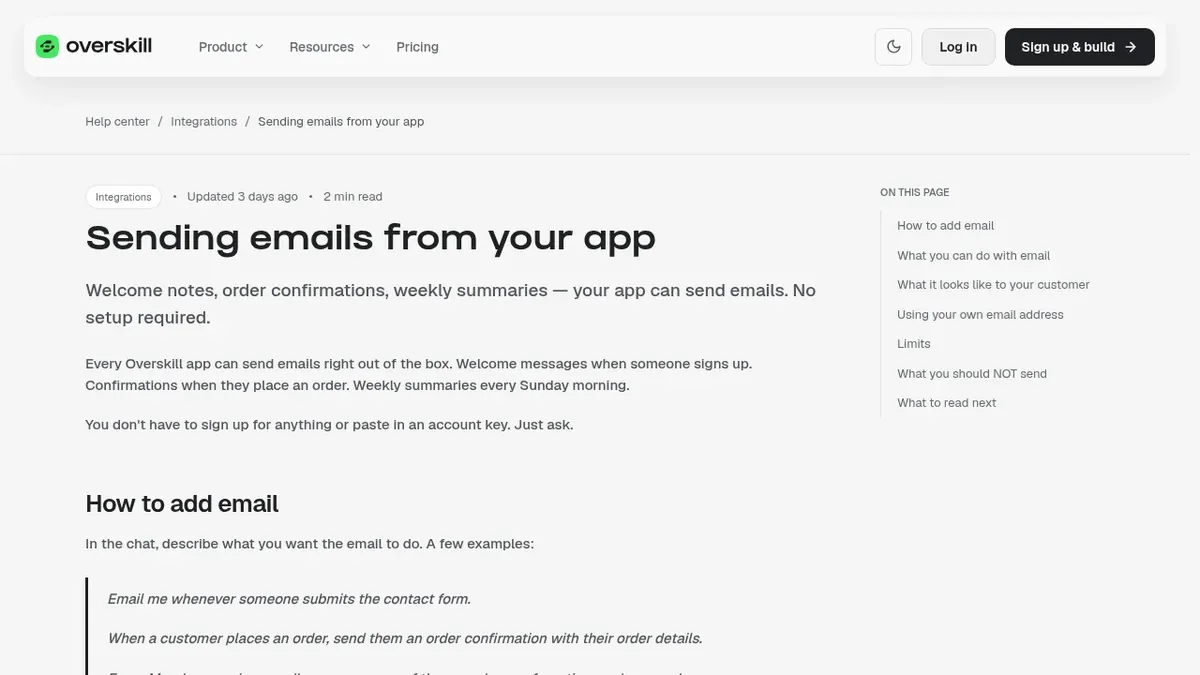
Every Overskill (I earn a commission if you buy through this link.) app can send email with no setup. You ask the AI in plain English, like "send a welcome email when someone signs up," and it wires it up. The built-in sender is for transactional email only. Overskill's help articles list a 100 a day cap for it. Its limits article also describes a trust ladder from 75 to 50,000 a day (checked Oct 17, 2026). To see your real limit, check Billing, then Email Health. To send from your own address or send more, connect Resend, SendGrid, or Postmark with your own account. Each accepted send costs 0.1 credits (checked Oct 17, 2026).
What "transactional email" means
There are two kinds of email. Transactional email is triggered by something a person did. They signed up, so they get a welcome. They paid, so they get a receipt. They expect it.
Marketing email is a message you send to a group, like a newsletter or a sale. It is not triggered by one action. That difference matters a lot in Overskill, because the built-in sender only allows the first kind.
| Transactional (built-in sender is fine) | Marketing (bring your own provider) |
|---|---|
| Welcome after sign up | Weekly newsletter |
| Order or payment receipt | "20% off this weekend" promo |
| Password reset or magic link | Launch announcement to a list |
| "Someone booked a time" alert to you | Re-engagement blast to old users |
My examples, based on Overskill help articles checked Oct 17, 2026.
The built-in sender: email with zero setup
Overskill's help says every app "can send emails right out of the box." You do not sign up for anything or paste in a key. You just ask.
- Welcome messages when users sign up
- Confirmations when they take an action
- Receipts when they pay
- Alerts to you when something important happens
- Scheduled summaries, daily, weekly, or monthly
- Forgot password and magic link emails, already handled if sign-in is on
The AI shows you a preview of the email before it is done. Emails come from a friendly shared address that includes your app's name. Overskill says they render cleanly in Gmail, Outlook, and Apple Mail.
Sending from your own address
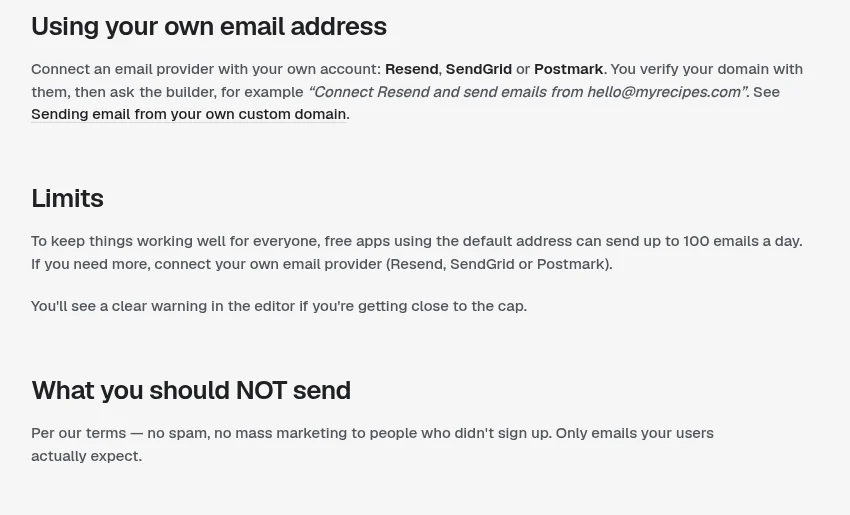
Want emails to come from [email protected] instead of a shared address? Overskill's help gives three providers: Resend, SendGrid, and Postmark. All three are in the Overskill integrations marketplace.
- Make an account with the provider.
- Verify your domain there. They give you a few DNS records to add where you bought your domain.
- Connect the provider in the Overskill integrations marketplace with your own account.
- Ask the AI to use it, for example: "Connect Resend and send order confirmations from [email protected]."
Once you do this, your limits are the provider's, based on your plan with them. Overskill says this is also "the right path for marketing or bulk email."
What about Mailjet, Brevo, or Gmail SMTP?
Overskill has an honest article on this. Raw SMTP does not work, for any provider. Overskill says its apps "run on a serverless platform that doesn't support opening raw SMTP connections."
But a provider with an HTTP API still works. Mailjet, Mandrill, and Brevo can be wired up that way, with the keys stored as secret environment variables.
Limits and the sender trust ladder
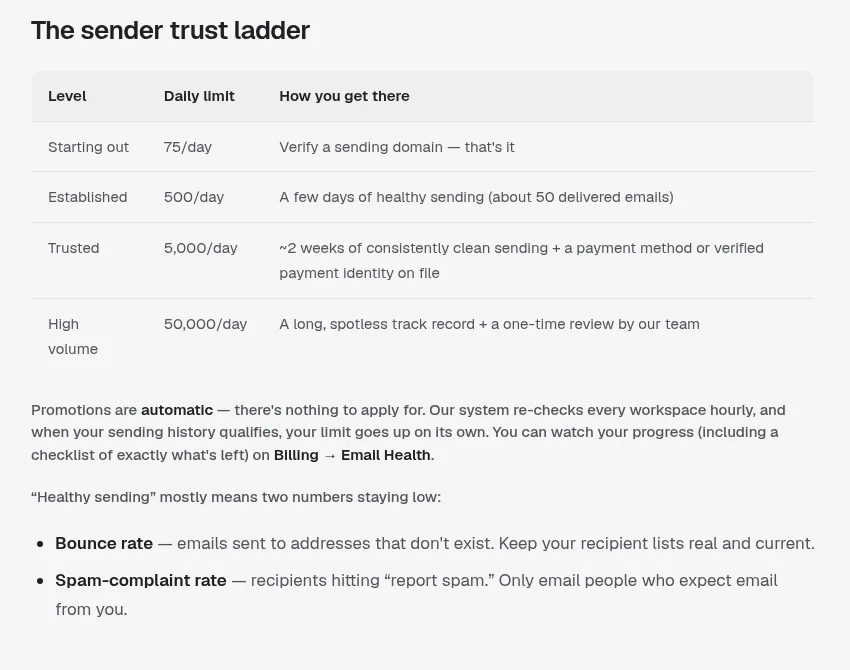
Email limits exist because Gmail and Outlook judge senders by reputation. A brand new sender that suddenly sends thousands of emails looks like spam. Limits that start small protect everyone's inbox placement.
| Setup | Daily limit (checked Oct 17, 2026) |
|---|---|
| Built-in shared sender | About 100 emails a day on the shared sender, transactional only |
| Your own Resend, SendGrid, or Postmark account | Set by your plan with that provider |
| Overskill sender trust ladder | Starts at 75 a day after you verify a sending domain, then 500, 5,000, and 50,000 as you build a clean record |
I want to be straight with you here. Overskill's limits article lists both the flat 100 a day cap and the trust ladder, and it does not say clearly which apps the ladder applies to. The best move is to check your real number on Billing, then Email Health. It shows your limit, today's use, and why any limit changed.
A few useful details from that article. Daily counters reset at midnight UTC. You can declare your use case on the Email Health page to move up faster. And if you are launching to a list that opted in, you can ask for a one-time 24 hour allowance of 500 emails.
If your email gets paused or slowed down
Overskill says none of these are punishments. They are guardrails. Here is the short version of its troubleshooting article.
| What you see | What happened | What to do |
|---|---|---|
| Daily limit reached | You used today's allowance | Wait for the midnight UTC reset |
| One app is throttled | That app had too many bounces or spam reports | Remove bad addresses; it lifts on its own |
| Limit stepped down | Bounces or complaints crossed a warning line | Fix the list; it recovers after 24 hours |
| Sending paused | Usually spam complaints over 1% or bounces over 10% | Clean the list, then contact support |
| Domain not verified | Your sending domain is not set up | Finish the DNS records with your provider |
Source: Overskill help, why was my email sending paused or throttled, checked Oct 17, 2026.
Which email path should you pick?
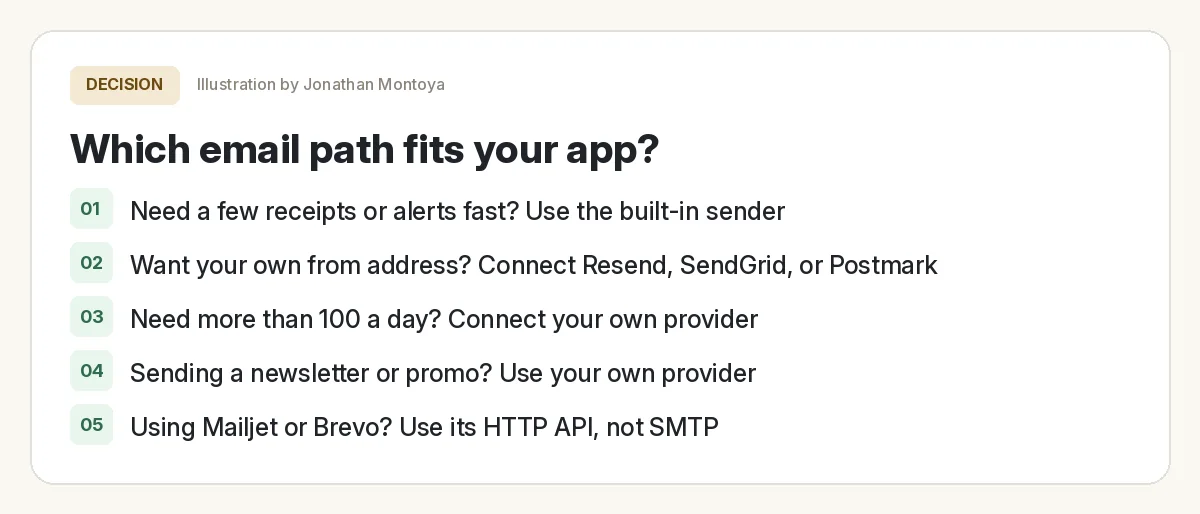
Starting out, I would use the built-in sender. It is free to set up, and its daily limit is plenty for most new apps. Once you have real users or want your brand on the from line, connect your own provider. For more on the full build, see my Overskill tutorial for beginners.
Prompts you can copy
Paste one of these into your app's chat. Change the details in brackets.
Scheduled emails use Overskill's scheduled jobs. The pricing page says a scheduled run itself is free, but each email costs 0.1 credits per accepted send. For more ways to stretch credits, see how to save Overskill credits.
My rules for app email
App email check before launch
Nothing you check here is sent or saved. Download it if you want to keep it.
Email is one of the small things that makes an app feel finished. Get it right and people trust you. If you are getting ready to charge, read how to sell an AI app built with Overskill next.
Meet AIM Agent
AIM Agent is an AI Chief of Staff for business owners. You give it a real task, and it brings the work back for you to review. You stay the one who approves.
Meet AIM AgentI am a co-founder of AIM Agent and have a financial interest in the product.
Want to try Overskill?
Build a small app and add one welcome email. It is a great first test of how the AI handles a real feature.
Try OverskillI earn a commission if you buy through this link. Check the live pricing page before you buy.
Frequently asked questions
Can an Overskill app send email without setup?
Yes. Overskill says every app can send email out of the box. You ask the AI in plain English, and it sets up the email and shows you a preview.
How many emails can an Overskill app send a day?
Overskill's help articles list 100 emails a day per workspace for the built-in shared sender, for transactional email only, but its limits article also describes a trust ladder (checked Oct 17, 2026). With your own Resend, SendGrid, or Postmark account, your limits are set by your plan with that provider. Check Billing, then Email Health, for your real limit.
Can I send email from my own domain in Overskill?
Yes. Connect Resend, SendGrid, or Postmark with your own account and verify your domain with them by adding DNS records. Then ask the AI to send from your address.
Can I send a newsletter from Overskill?
Not with the built-in sender. Overskill says it is for transactional email only. For marketing or bulk email, use your own provider account.
Does Overskill support SMTP?
No. Overskill says its apps run on a serverless platform that cannot open raw SMTP connections. Providers with an HTTP API, like Mailjet or Brevo, still work.
How much does email cost in Overskill?
The pricing page said each accepted email send costs 0.1 credits when checked on Oct 17, 2026. A scheduled run itself is free.
Sources
All checked October 17, 2026. Overskill is in beta and changes often, so plans, features, and rules can change. Links to overskill.com below include my affiliate code. I earn a commission if you buy through this link.
- Help: Sending emails from your app
- Help: Sending email from your own custom domain
- Help: Understanding your email sending limits
- Help: Why was my email sending paused or throttled?
- Help: Connecting Mailjet or any other email provider
- Overskill integration: Resend
- Overskill integration: SendGrid
- Overskill pricing
