
Affiliate Marketing · Platforms
PartnerStack runs partner programs for 600+ companies, per its homepage. Here is how you join as an affiliate, how long commissions take, and what each payout method costs.
PartnerStack is a platform that software companies use to run partner and affiliate programs. As an affiliate, you make one free account, apply to programs, and get your links. All your commissions show up in one dashboard.
The part to plan for is the timeline. A commission you earn today is not paid today. I read PartnerStack's partner help guides on October 27, 2026. Here is how it really works.
Quick answer
PartnerStack is a partner management platform used by software companies to run affiliate and referral programs. Partners make a free account, apply to the PartnerStack Network, then apply to programs and get referral links. Commissions start as Pending approval, companies review them after the month ends, and approved commissions are typically available around the 13th of the next month. You need at least $5 to withdraw, by PayPal, Stripe, or direct deposit.
What PartnerStack is
PartnerStack's homepage calls it "The PRM built for every partner type." PRM stands for partner relationship management. It says companies use it to "Scale revenue with co-sell, affiliate, influencer and customer referral partners." The homepage also says "JOIN 600+ COMPANIES THAT USE PARTNERSTACK."
So there are two sides. Companies pay PartnerStack to run their programs. Partners, like affiliates, use it free to join those programs and track their pay.
The intro guide says "Whether you're a creator, agency, or affiliate, we're here to empower you to unlock your partner potential and earn commissions along the way."
How to join PartnerStack as a partner
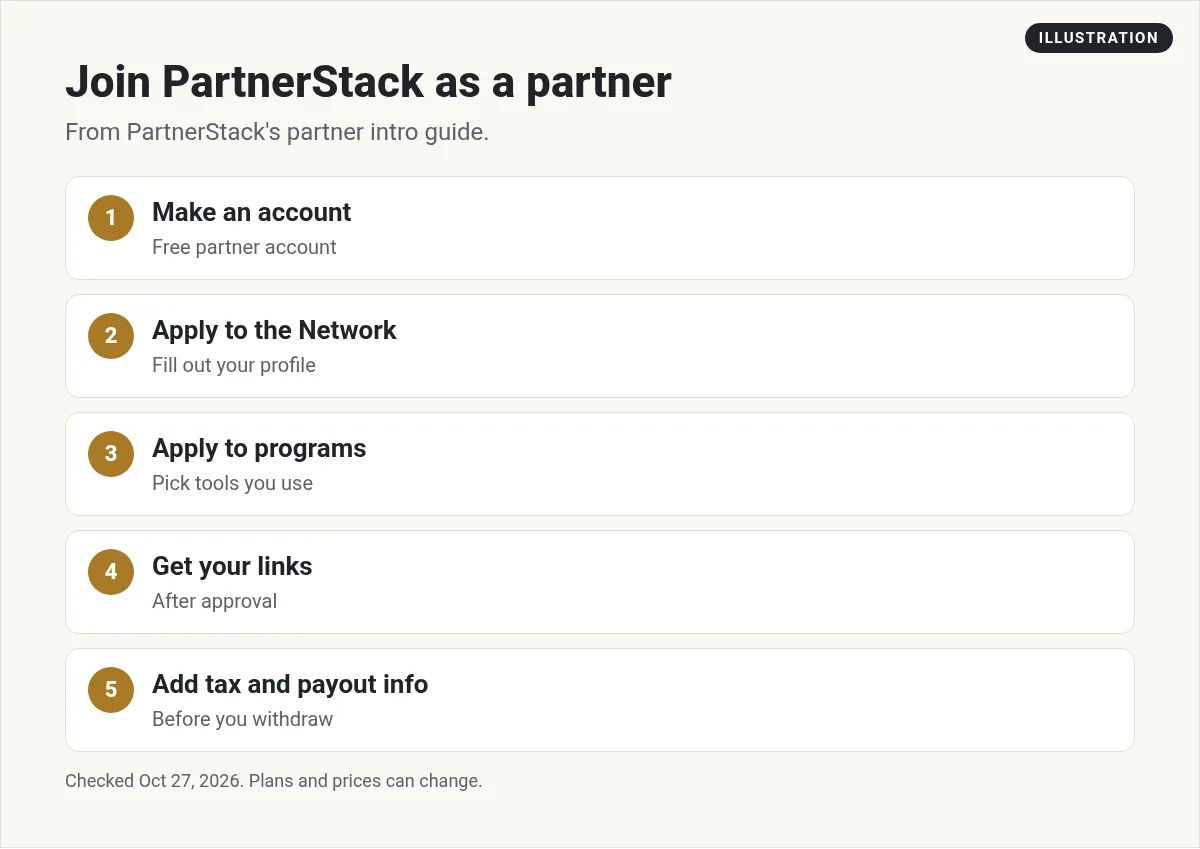
The intro guide lists these steps:
- Make a free partner account. The guide says "Create your free partner account on PartnerStack."
- Apply to the Network. Click Discover partnerships, then "Apply to the Network." The guide says joining "enables you to apply to programs in the PartnerStack Network Marketplace."
- Apply to programs. Once your Network application is approved, you can browse the Marketplace and apply to programs.
- Get your links. The guide says "When your Network and program applications are approved you will receive your referral link(s)."
- Add tax and payout info. Do this early, so you can withdraw your first commission.
Each program decides on its own whether to approve you. So fill out your Network profile with care. Say where you share content and who you help.
Brand new to this? Start with my guide on what an affiliate link is.
What your dashboard tracks
Your Home page shows your programs and your numbers. Here is how the intro guide defines them:
- Clicks: "the total number of times that any of your referral links have been clicked."
- Signups: people who signed up on a program's site "within 90 days of clicking your link."
- Revenue: revenue from your referred customers.
- Pending commissions: money earned but not yet paid.
- Paid commissions: money that has been approved and paid.
That 90-day signup window is worth knowing. A click today can still count as your signup weeks later, as long as it is within 90 days.
The PartnerStack commission timeline
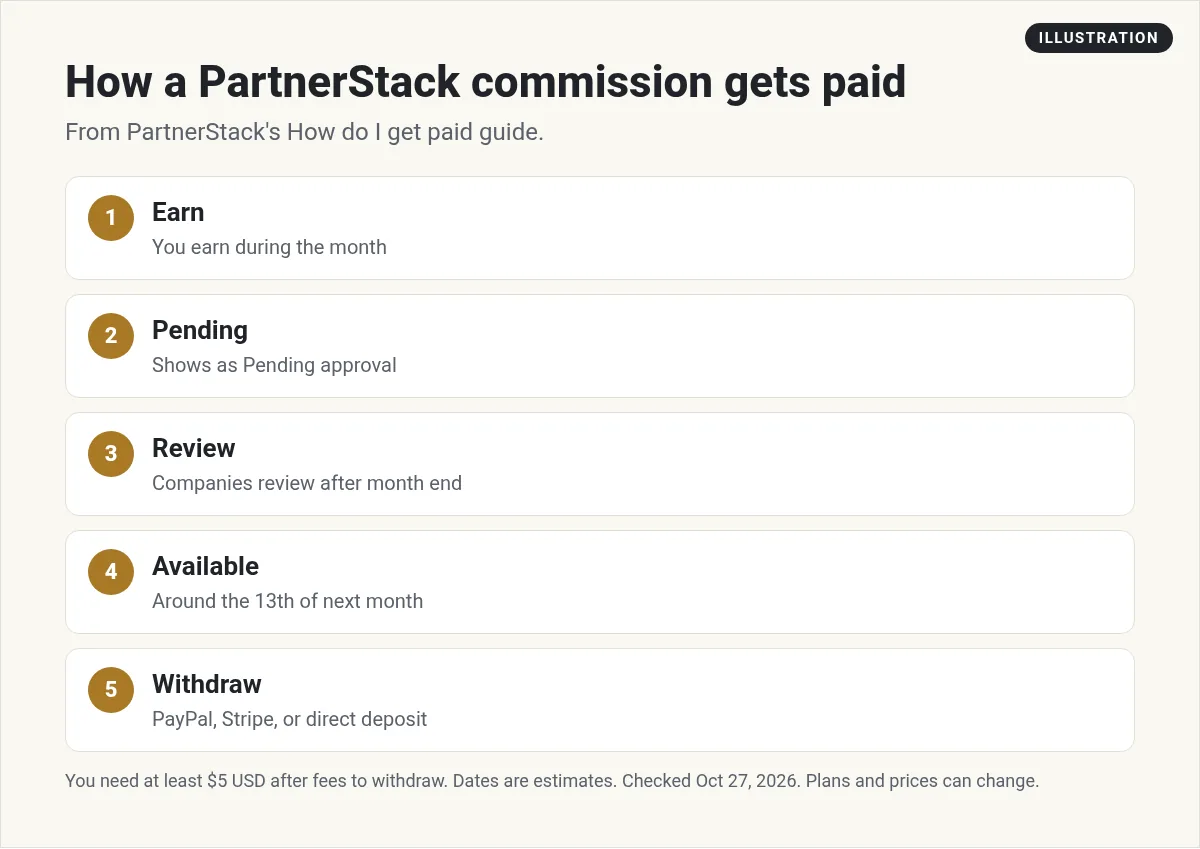
This is the part to understand before you start. The "How do I get paid?" guide lays it out:
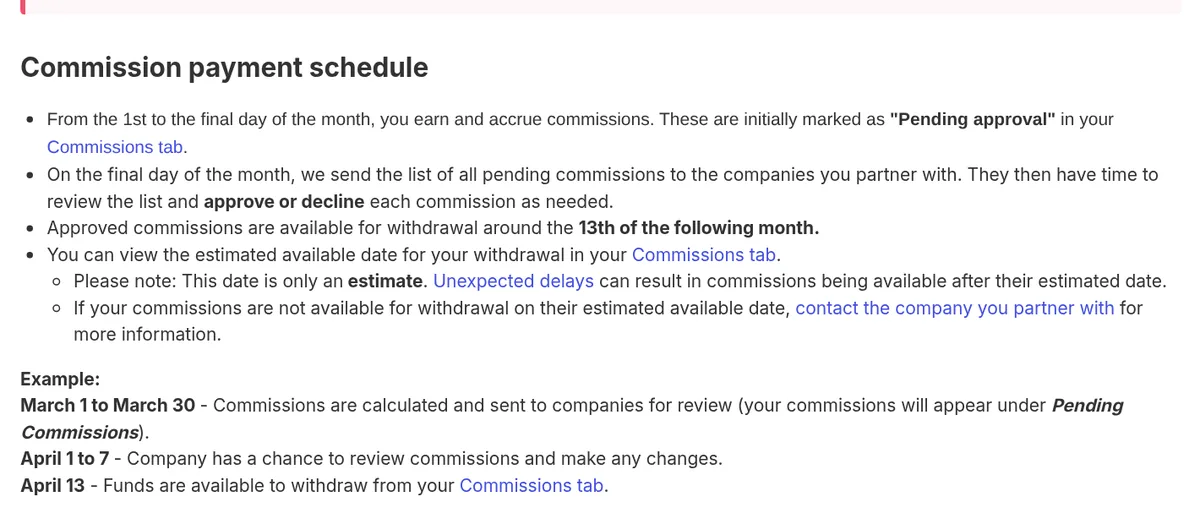
- You earn. "From the 1st to the final day of the month, you earn and accrue commissions." They show as "Pending approval."
- Companies review. "On the final day of the month, we send the list of all pending commissions to the companies you partner with." They approve or decline each one.
- You get paid. "Approved commissions are available for withdrawal around the 13th of the following month."
The guide gives an example. Commissions from March are sent for review, companies review them April 1 to 7, and the funds are available to withdraw on April 13. Some companies pay earlier, between the 8th and 13th.
Delays are normal
The guide is clear that the 13th is not a promise. It says "Please keep in mind that unexpected delays in processing could result in your commissions coming after the 13th."
Some programs also hold commissions longer. The guide says "Programs may schedule commissions to be paid out in increments over a set time period, or after a delay to account for customer trial and/or cancellation periods."
Commission statuses
- Pending Approval: not approved yet.
- On hold: held for more checks.
- Declined: the company said no. Ask them why if no reason is given.
- Approved & pending payment: approved, but the company has not paid yet.
- Funds Available: ready for you to withdraw.
Who decides? The company you partner with, not PartnerStack. You can message them from your Messages tab.
How to withdraw your money
The guide says "You must have at least $5 USD in commissions in order to withdraw." You also need tax info. The payout guide says "Tax information must be added at the time of withdrawal regardless of the payout provider you use."
You can pick one of three payout methods. Here are the fees and times from the payout providers guide:
- PayPal: "2% to a max of $20 USD." Delivery in 6-10 business days. "Some PayPal accounts have a maximum transaction amount of $10,000."
- Stripe: "$2.25 USD + 0.25% to a max of $20USD per payout." Delivery in 2-5 business days. No transaction maximum.
- Direct deposit (via Airwallex): fees vary by country and amount. For the USA, local transfers under $1,000 cost $1.00. Delivery in 2-5 business days.
Rules that catch new partners
- All or nothing. The guide says "All available commissions must be withdrawn in a single transaction." You cannot split a payout.
- Do not wait too long. The guide says "Commissions that have not been claimed (withdrawn) within 2 years will be charged a late (Admin) fee." That fee is 8.33% a month. After 3 years unclaimed, the value goes to $0.
- Teams. On a partner team, only the team Owner or a Finance member can withdraw.
- Email alert. The guide says "Once your commissions are available for withdrawal, you will receive an email notification from PartnerStack."
If a commission is declined, ask the company. The guide says "PartnerStack support will not have insight on why a company has declined a particular commission." It gives refunds as one example reason.
A quick example
Here is my math for a $300 withdrawal to the US. PayPal at 2% is $6.00. Stripe is $2.25 plus 0.25%, which is $3.00 total. Direct deposit to a US bank is $1.00. So for US partners, direct deposit costs the least in this example.
One more tip from the guide: "check that your PayPal account type will allow transfers in." Some PayPal accounts can only send money.
A note on store programs
Not every PartnerStack program is software. If the company is an online store, the timing works a bit differently. The guide says "your commission will not show up in your account until the company has marked your referrals order as fulfilled on their end." That usually happens when your customer gets a shipping email. So expect store commissions to show up later than software ones.
Tips for new PartnerStack partners
- Pick programs you would use. It is easier to explain a tool you know.
- Read each program's terms. Payout delays and hold periods are set by each company.
- Plan for a lag. A commission earned in early March may not be ready until mid April, or later.
- Set up tax and payout info now. Then nothing slows you down when money is ready.
- Use the export. The guide says you can export "All-time commissions" for your records.
Want to compare networks? See my Impact affiliate guide and my ClickBank review. If you do not have a site yet, read affiliate marketing without a website.
Before you join PartnerStack
Nothing you check here is sent or saved. Download it if you want to keep it.
Meet AIM Agent
AIM Agent is an AI Chief of Staff for business owners. You give it a real task, and it brings the work back for you to review. You stay the one who approves.
Meet AIM AgentI am a co-founder of AIM Agent and have a financial interest in the product.
Frequently asked questions
What is PartnerStack?
PartnerStack is a partner relationship management platform. Companies use it to run affiliate, referral, and co-sell programs, and partners use it free to join programs and track commissions.
Is PartnerStack free for affiliates?
Yes. PartnerStack's intro guide says you create a free partner account. Payout providers charge processing fees when you withdraw.
When does PartnerStack pay?
Commissions earned during a month are sent to companies for review on the last day of the month. Approved commissions are typically available to withdraw around the 13th of the following month. Delays can happen.
What is the PartnerStack minimum payout?
PartnerStack says you must have at least $5 USD in commissions to withdraw.
How does PartnerStack pay you?
You can withdraw by PayPal, Stripe, or direct deposit through Airwallex, depending on your country. You must add tax info when you withdraw.
What are PartnerStack payout fees?
PayPal is 2% up to $20. Stripe is $2.25 + 0.25% up to $20 per payout. Direct deposit fees vary by country and amount. US local transfers under $1,000 cost $1.00.
Sources
Checked October 27, 2026. Plans, prices, and rules can change.
