
AI agents for business · AIM Agent
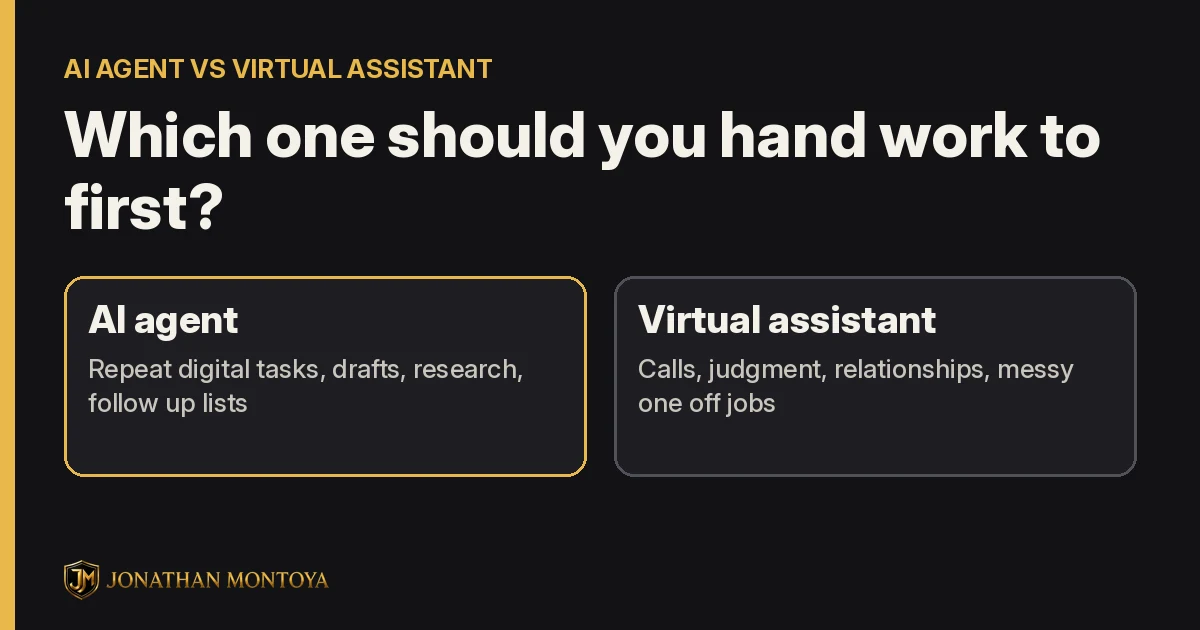
Give an AI agent the repeat work that lives on a screen. Give a virtual assistant the work that needs a person.
That is the short answer to AI agent vs virtual assistant. An AI agent is great at tasks with clear steps, like sorting, drafting and research. A virtual assistant is great at calls, feelings and messy jobs that change every time.
Most owners do not need to pick one forever. You need to know which one gets each task. This guide shows you how to split the work, what to hand off first, and how to test it safely.
Quick answer
Use an AI agent for repeat digital tasks that you can check, like an inbox sort, a daily brief or a first draft. Use a virtual assistant for phone calls, upset customers and judgment calls. Start with one small task, have the AI bring the work back to you, and approve it before anything goes out.
What is an AI agent?
An AI agent is software that works toward a goal for you. It can plan steps, use tools and come back with a result.
Google Cloud puts it this way: AI agents are "software systems that use AI to pursue goals and complete tasks on behalf of users." Google also says an AI assistant usually waits for your request, while an agent can take more steps on its own.
In plain words, a chatbot answers your question. An agent takes a task, like "sort my inbox and list who needs a reply," and works through it.
What is a virtual assistant?
A virtual assistant is a real person who helps your business from somewhere else. They might answer email, book calls, update your files, or talk to customers.
A good assistant brings things software does not have. They can hear the worry in a customer's voice. They can make a phone call. They can tell you, "This feels off," before anyone else notices.
AI agent vs virtual assistant, side by side
| Question | AI agent | Virtual assistant |
|---|---|---|
| What is it? | Software that plans steps and uses tools | A person who works for you remotely |
| Best at | Repeat screen tasks, drafts, sorting, research | Calls, relationships, judgment, one off jobs |
| Weak at | Feelings, unclear goals, things it was never told | Doing the same task many times in a row without a break |
| What it needs from you | Clear steps, examples and rules | Training, feedback and a clear role |
| How you check the work | Have it bring work back for you to approve | Review their work and talk it through |
What to hand an AI agent first
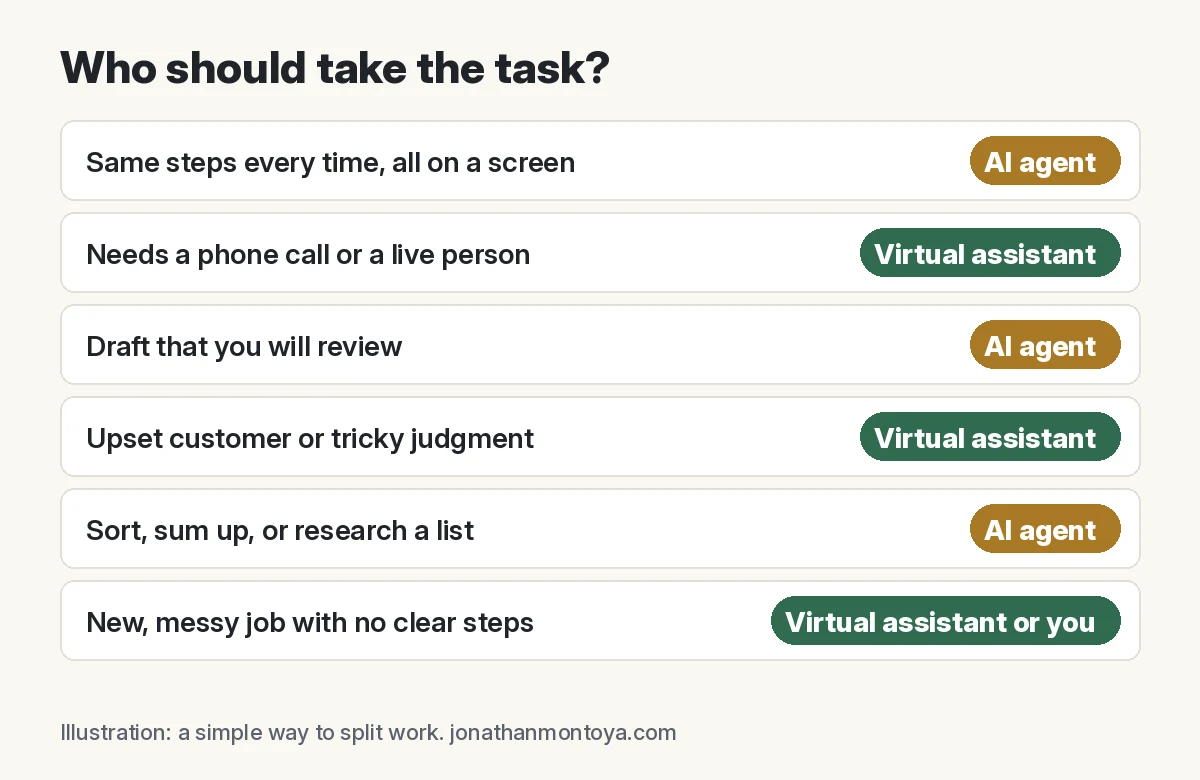
Pick work that follows the same steps each time and lives on a screen. Here are good first tasks:
- Inbox sort. List which emails need you today and which can wait.
- Daily brief. A short note each morning with what changed and what needs a decision.
- Follow up list. Who did you promise to get back to, and what did you promise?
- First drafts. Emails, posts and outlines that you edit before they go out.
- Research. Sum up a topic, a competitor, or a list of options, with links you can check.
- Meeting notes. Turn notes into a short list of tasks and owners.
What to keep with a person
- Phone calls and live chats where the customer needs a real person.
- Upset customers. A kind, human reply matters most here.
- Big judgment calls, like refunds, hiring or legal questions.
- New, messy jobs that change every time.
- Anything that sends, posts or spends money until you have tested it.
Can you use both?
Yes, and this is often the best setup. The AI agent does the first pass. A person, you or your assistant, does the final check.
Here is a simple example. The agent sorts the inbox and drafts replies. Your assistant reads the drafts, fixes the tone, and handles the calls. You only see the few items that need the owner.
I run my own business this way. My AI team drafts and checks work, and I make the final calls. The tool that does the work is never the only one who checks it.
How to test an AI agent on one task this week
- Pick one task. Choose something small that you do often, like the inbox sort.
- Write the steps. Put them on one page. Add one good example of the result you want.
- Set the rule. "Bring the work back to me. Do not send, post or spend anything."
- Run it three times. Mark what was right and what was wrong each time.
- Fix the steps. Add the rules it missed. Then run it again.
- Decide. Keep it, give it more, or hand the task back to a person.
Mistakes to avoid
Handing off everything at once. Start with one task. Add the next one after the first works.
No examples. An agent with no example has to guess what good looks like.
Letting it send on day one. Keep it in draft mode until you trust it.
Giving a person only boring tasks. Let the AI take the repeat work so your assistant can do the human work.
Where AIM Agent fits
Setting up AI agents for your business takes a lot of testing. Which roles do you need? What does each one own? Who checks the work? That is the hard part.
AIM Agent is an AI Chief of Staff for business owners. It comes with an AI C-suite (COO, CMO, CFO, CRO and CTO), a Business Bot Builder and 100+ business skills, and it runs on AIM OS, a private vault that holds your notes and memory.
Here is what you get:
- An AI Chief of Staff that helps you plan and run your business
- An AI C-suite: COO, CMO, CFO, CRO and CTO
- A Business Bot for each business or project. Give it a real task and it brings the work back for you to review
- 100+ business skills for content, offers, research and more
- Step by step setup guides and email support

It does not replace a person for calls or tough judgment. It gives you an AI team for the screen work, so you and your people can focus on the human work. I am a co-founder of AIM Agent and have a financial interest in the product.
Meet AIM Agent
AIM Agent is an AI Chief of Staff for business owners. You give it a real task, and it brings the work back for you to review. You stay the one who approves.
Meet AIM AgentI am a co-founder of AIM Agent and have a financial interest in the product.
Frequently asked questions
What is the difference between an AI agent and a virtual assistant?
An AI agent is software that can plan steps and use tools to finish a task. A virtual assistant is a person who works for you from somewhere else. The agent is best at repeat screen work. The person is best at calls, judgment and relationships.
Can an AI agent replace a virtual assistant?
For some tasks, yes. For work that needs a phone call, a kind word, or a tough judgment call, a person is still the better pick. Many owners use both.
What should I hand off to an AI agent first?
Pick one task that you do the same way each time and that lives on a screen. Good first picks are an inbox sort, a daily brief, a follow up list, or a first draft that you review.
Do I need to check what an AI agent does?
Yes. Have it bring work back to you before anything sends, posts, or spends money. Trust it with more once it gets the task right a few times.
Is AIM Agent an AI agent or a virtual assistant?
AIM Agent is AI software, not a person. It is an AI Chief of Staff for business owners, with an AI C-suite and 100+ business skills. You stay the one who approves the work.
Sources
Checked November 14, 2026.
