
AI Agents · Guide
An AI agent can take a goal and work through the steps on its own. That is powerful, but it is not always the right tool. Here is how to tell, with real tasks and real prices.
AI agents are a hot topic right now. But what are they, and should a small business use one? The honest answer is: sometimes. An agent is great for some jobs and too much for others.
On October 27, 2026, I read Anthropic's guide to building agents, Zapier's agents page, and Lindy's pricing page. Here is what an AI agent is, where it helps, what it costs, and how to start without making a mess.
Quick answer
An AI agent is an AI system that decides its own steps and which tools to use to reach a goal. Anthropic separates workflows, which follow set steps, from agents, which direct their own process. For a business, agents can help with tasks like lead research, support email drafts, and sorting expenses. Anthropic recommends starting with the simplest solution and only adding complexity when needed, and warns that agents can mean higher costs and compounding errors.
What an AI agent is
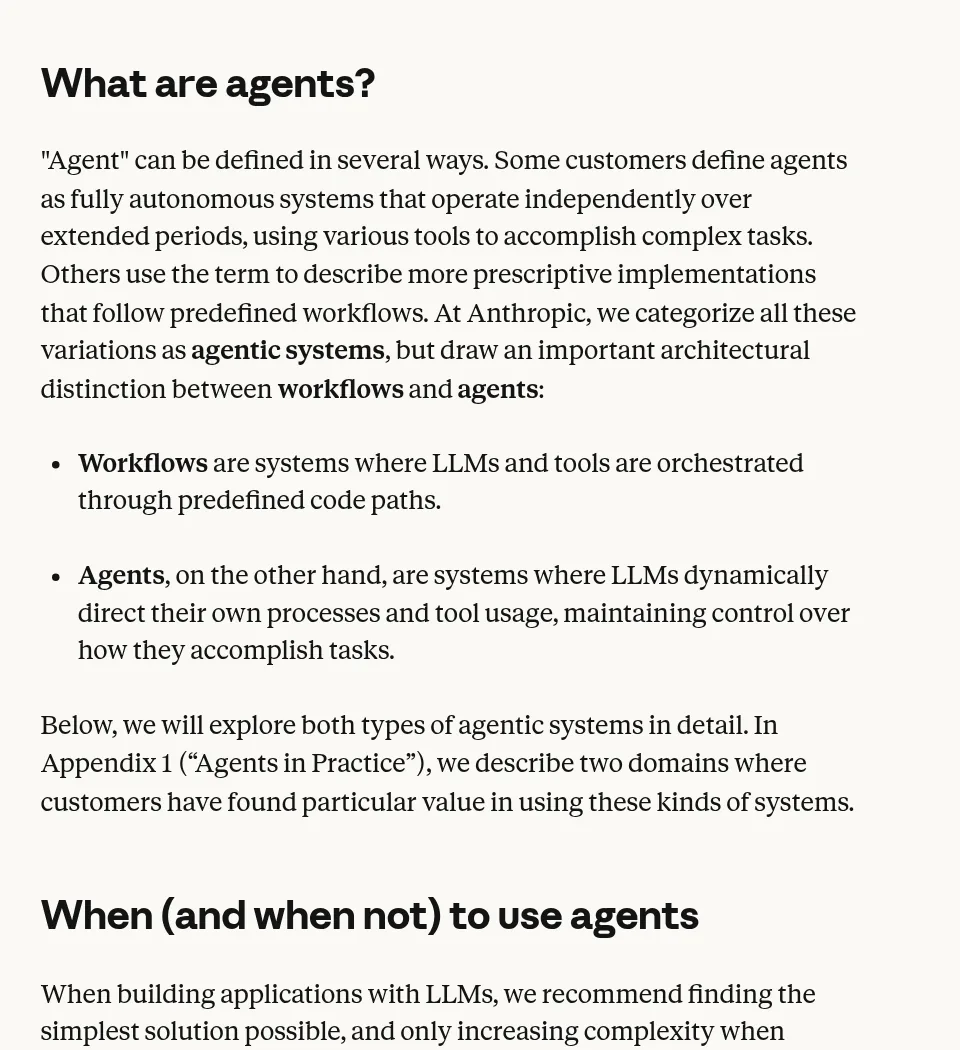
Anthropic, the company behind Claude, wrote a guide called Building effective agents. It draws a line between two kinds of AI systems:
- Workflows "are systems where LLMs and tools are orchestrated through predefined code paths." In plain words, the AI follows steps you set.
- Agents "are systems where LLMs dynamically direct their own processes and tool usage." In plain words, the AI decides the steps itself.
Here is a simple example. A workflow might be: when a form comes in, have AI write a thank-you email, then send it. Same steps every time. An agent might be: research this new lead and add what you find to my CRM. The agent picks which sites to check and when it is done.
A note on dates: Anthropic published that guide on December 19, 2024. My read: the tools have changed since then, but the core ideas still apply.
When you need an agent, and when you do not
This is the most useful part of Anthropic's guide. It says: "we recommend finding the simplest solution possible, and only increasing complexity when needed. This might mean not building agentic systems at all."
So when does an agent make sense? Anthropic says agents fit "open-ended problems where it's difficult or impossible to predict the required number of steps." If you can write the steps down ahead of time, a workflow is often simpler and cheaper.
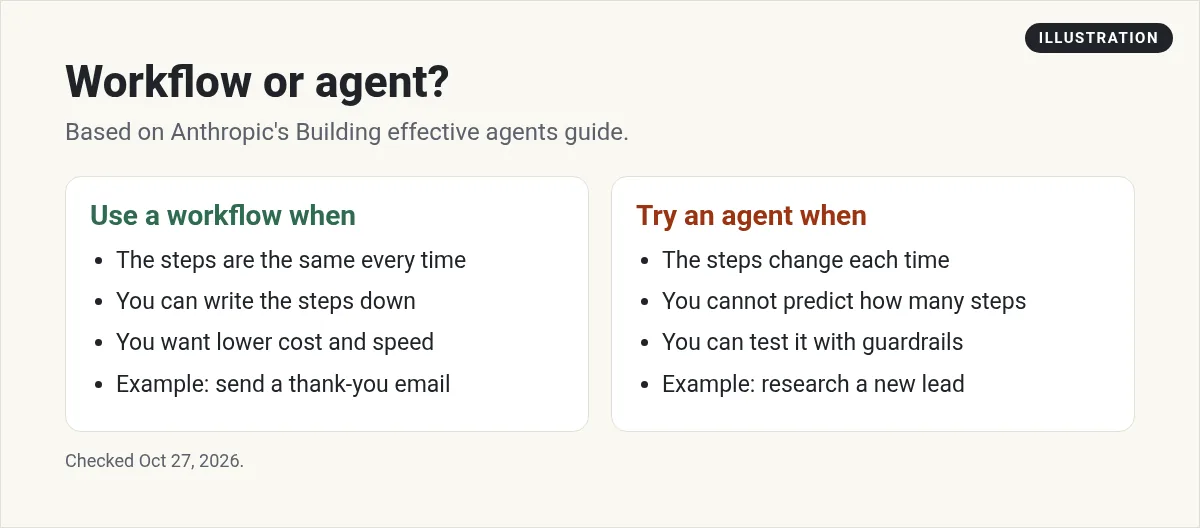
Anthropic also warns about the downside: "The autonomous nature of agents means higher costs, and the potential for compounding errors." That means one small mistake early on can grow as the agent keeps working. Its advice is to test a lot in a safe space first, with guardrails.
Here is where I would not use an agent yet. Skip it for anything that moves money, like refunds or payments, until you have tested it well. Skip it for legal or medical answers. And skip it when a simple form, template, or saved reply already does the job. A plain tool you trust beats a smart tool you have to watch all day.
Real ways businesses use AI agents
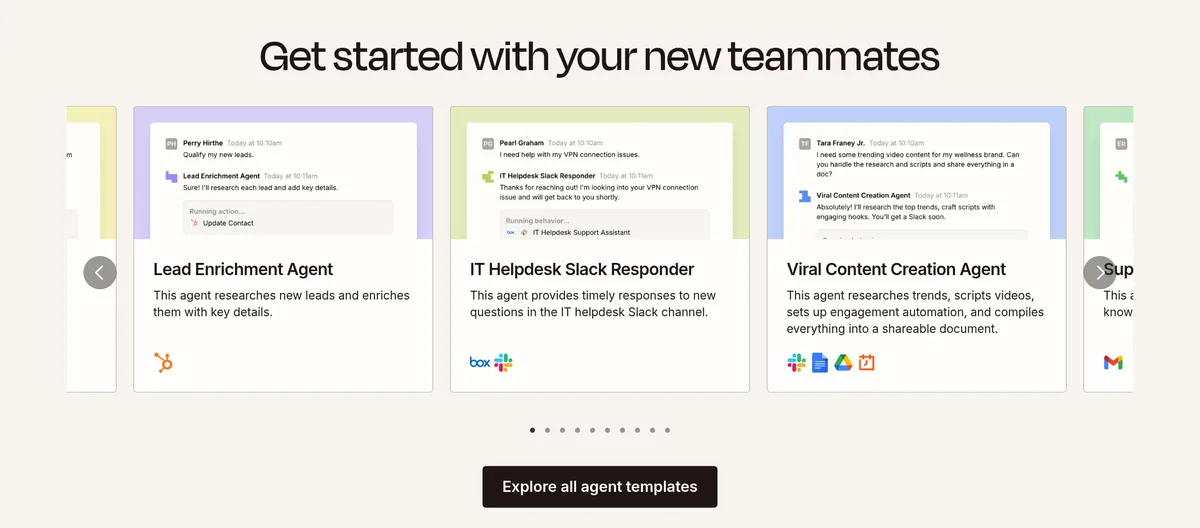
Zapier's agents page lists ready-made agent templates. Here are some that fit a small business:
- Lead Enrichment Agent: "This agent researches new leads and enriches them with key details."
- Support Email Agent: "This agent drafts customer replies using your knowledge base."
- Sales email writer: "This agent creates personalized sales emails by automatically pulling information from a website."
- Expense sorter: "This agent automatically organizes and categorizes expense data."
- Meeting prep: a Meeting Agent that prepares "a dossier on attendees" before your meetings.
Zapier says its agents can work across "9,000+ apps." Its FAQ mentions support "during the Beta," so expect the product to keep changing.
Customer support is a strong fit
Anthropic's guide calls customer support "a natural fit for more open-ended agents." It gives reasons: support follows a conversation, the agent can pull customer data and order history, and "Success can be clearly measured through user-defined resolutions."
My advice: start with drafts, not sending. Let the agent write the reply, and have a person approve it. Once you trust it, you can loosen the rules.
Coding is another strong fit
Anthropic also points to coding agents. It says they work well because "Code solutions are verifiable through automated tests," and the agent can use test results to try again. The lesson for any business task: agents do best when you can check the result clearly.
What an agent needs to work well
An agent is only as good as what you give it. Here are three things that matter:
- Your business info. Zapier says to "Connect your source of truth from across your tech stack, so your agents have the knowledge they need to get the job done." A support agent with no FAQ or order data cannot give good answers.
- Clear tools. Anthropic says to put as much care into how the agent uses tools as you would into a screen for people. Its guide says to "plan to invest just as much effort in creating good agent-computer interfaces."
- A way to approve work. Lindy's page lists "Approvals built in." Whatever tool you use, look for a way to check work before it goes out.
Also expect some variety in the results. Zapier's FAQ even has a question titled "Why don't I get the same outcome from AI every time?" That is normal for AI. It is one more reason to keep a person in the loop for anything a customer will see.
What AI agent tools cost
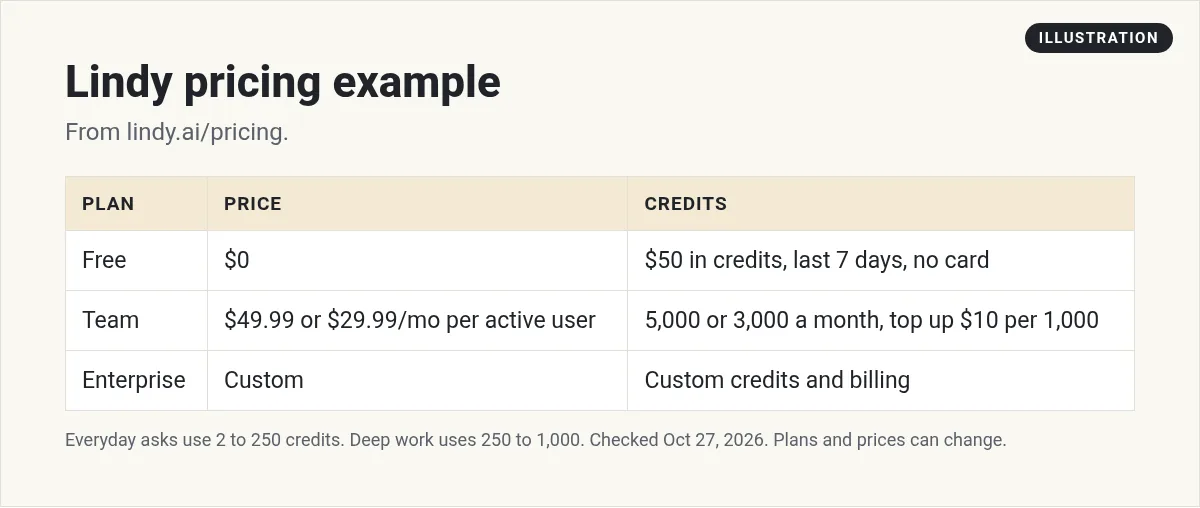
Prices vary a lot. Here is one example. Lindy's pricing page, checked October 27, 2026, showed:
- Free: $0, with "$50 in credits for free." No credit card needed. "Free credits last 7 days."
- Team: $49.99 a month with 5,000 credits a month on most loads. Other loads the same day showed $29.99 a month with 3,000 credits, so Lindy seems to be testing prices. Check the page before you buy. You can "Top up anytime, $10 per 1,000 credits."
- Enterprise: custom pricing.
Note the fine print: "Every active user in your workspace is billed, from $49.99 a month for 5,000 credits each." (or $29.99 for 3,000 on the other version). So a team of three pays for three users.
Lindy's page also explains credits. Everyday asks, like summaries or a reply draft, use 2 to 250 credits. Deep work uses 250 to 1,000 credits. My math: 5,000 credits could cover anywhere from 5 deep tasks at 1,000 credits each to many small asks. On 3,000 credits, that drops to 3 deep tasks. Watch your usage in the first week.
For more on these tools, see my reviews of Lindy AI and Zapier pricing.
How to start with AI agents: 5 steps
- Pick one task that eats your time. Lead research and support email drafts are good starting points.
- Write down the steps. If the steps are always the same, build a workflow instead. If they change each time, try an agent.
- Start with a template. Tools like Zapier offer ready-made agents you can adjust.
- Keep a person in the loop. Have the agent draft or suggest. A person approves before anything goes to a customer.
- Test, then grow. Run it on a small batch. Check every result. Only then give it more work.
Anthropic's three core principles are a good guide here. Keep the design simple. Show the agent's planning steps so you can see what it is doing. And document your tools well, so the agent knows how to use them.
Ready to build your own? Read my guide on how to build an AI agent. Curious about sales? See AI sales agents.
Before you add an AI agent
Nothing you check here is sent or saved. Download it if you want to keep it.
See AI agents at work
Want to see how I use AI tools and agents for real business tasks? Join my free AI workshop. I walk through it step by step.
Join my free AI workshopFree to join. No credit card needed.
Frequently asked questions
What is an AI agent for business?
An AI agent is an AI system that decides its own steps and tools to reach a goal. Businesses use agents for tasks like lead research, support email drafts, and sorting expenses.
What is the difference between an AI agent and a workflow?
Anthropic says workflows follow predefined code paths, while agents dynamically direct their own processes and tool use. Workflows suit set steps. Agents suit open-ended tasks.
Does my small business need an AI agent?
Maybe not. Anthropic recommends the simplest solution possible, which might mean no agent at all. If your task always has the same steps, a workflow is often simpler.
How much do AI agents cost?
It depends on the tool. On October 27, 2026, Lindy had a free plan with $50 in credits that last 7 days, and a Team plan at $49.99 a month per active user with 5,000 credits, though some loads showed $29.99 with 3,000 credits.
What are the risks of AI agents?
Anthropic says agents can mean higher costs and compounding errors. It recommends extensive testing in sandboxed environments with guardrails.
What tasks can AI agents do?
Zapier's templates include agents that research and enrich leads, draft customer replies from your knowledge base, write sales emails, and organize expense data.
Sources
Checked October 27, 2026. Plans, prices, and rules can change.
