
Build with AI · Claude
Artifacts turn a Claude chat into something you can keep: a doc, a deck, a design, or a small working tool. Here is how they work now.
If you have used Claude, you may have seen a panel open next to your chat with a document or a little app inside. That is an artifact. It is one of the most useful parts of Claude, and it changed a lot this fall.
On October 22, 2026, I went through Anthropic's help article on artifacts and its artifacts feature page. Here is what artifacts are now, how to make one, and the setting that trips people up.
Quick answer
A Claude artifact is something Claude makes that you would show to someone, like a document, a slide deck, a design, a dashboard, or a small interactive tool. It opens beside your chat, and you can edit it, come back to it, and share it. Artifacts work on Free, Pro, Max, Team, and Enterprise plans, and in Claude Code. To use them, turn on code execution and file creation in Settings, then Capabilities. Checked October 22, 2026.
What is a Claude artifact?
Anthropic's help center puts it simply. An artifact is "anything Claude makes for you that you'd put in front of someone." That could be a design, a deck, a document, a dashboard, or a small interactive tool.
It opens in its own panel beside your conversation. You can keep editing it, come back to it later, and share it with others.
When does Claude make one?
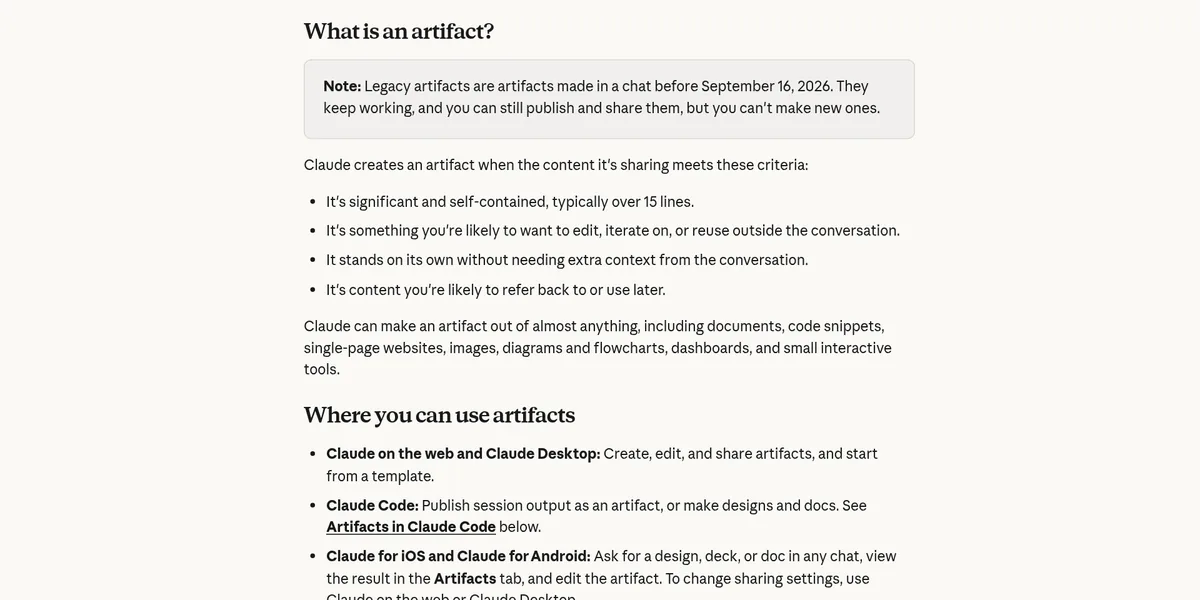
Claude does not turn every answer into an artifact. The help article says it makes one when the content is:
- Big and complete on its own, "typically over 15 lines."
- Something you will likely edit, improve, or reuse.
- Able to make sense without the rest of the chat.
- Something you will likely come back to later.
So a quick answer stays in the chat. A full sales page draft or a working calculator becomes an artifact.
The one setting you need to turn on
This is where a lot of people get stuck. The help article says artifacts need "Cloud code execution and file creation" turned on.
- Free, Pro, and Max: go to Settings, then Capabilities.
- Team and Enterprise: it is in Organization settings, then Capabilities, so an owner may need to turn it on.
If you ask for an artifact and nothing opens beside your chat, check this setting first.
The new templates: Docs, Slides, and Design
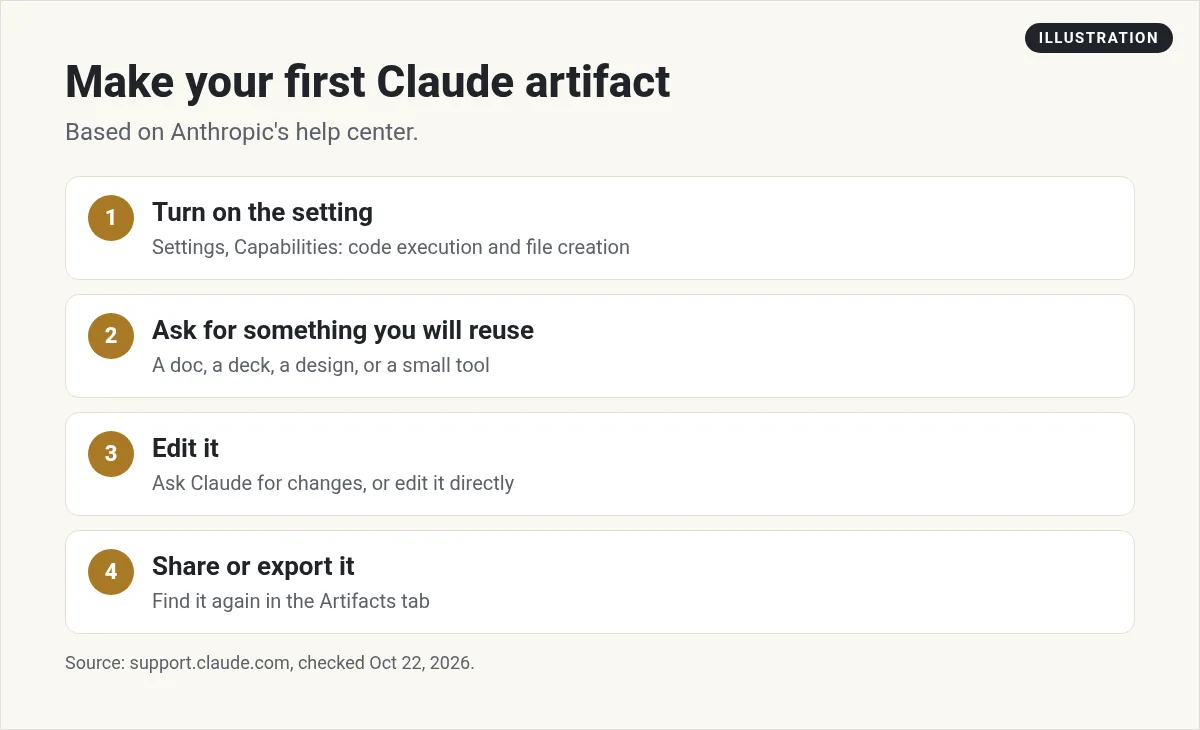
Artifacts now come with templates, which are starting points for work you plan to share. You can ask for one in a chat, pick a template from "Output" in the message box, or start from the Artifacts tab.
- Docs: living documents you write with Claude and your team.
- Slides: presentations built from your notes. You can edit any slide and export to PowerPoint or PDF. If you want a tool built just for slide decks, see my Gamma AI guide.
- Design: mockups, one-pagers, and landing pages.
- Dashboards (beta): charts built from your data. This is on Pro, Max, Team, and Enterprise.
- Motion (beta): short animated explainers you can export as an MP4 video. This is on Team and Enterprise only.
Docs, Slides, and Design are on every plan, including Free.
How to make your first artifact
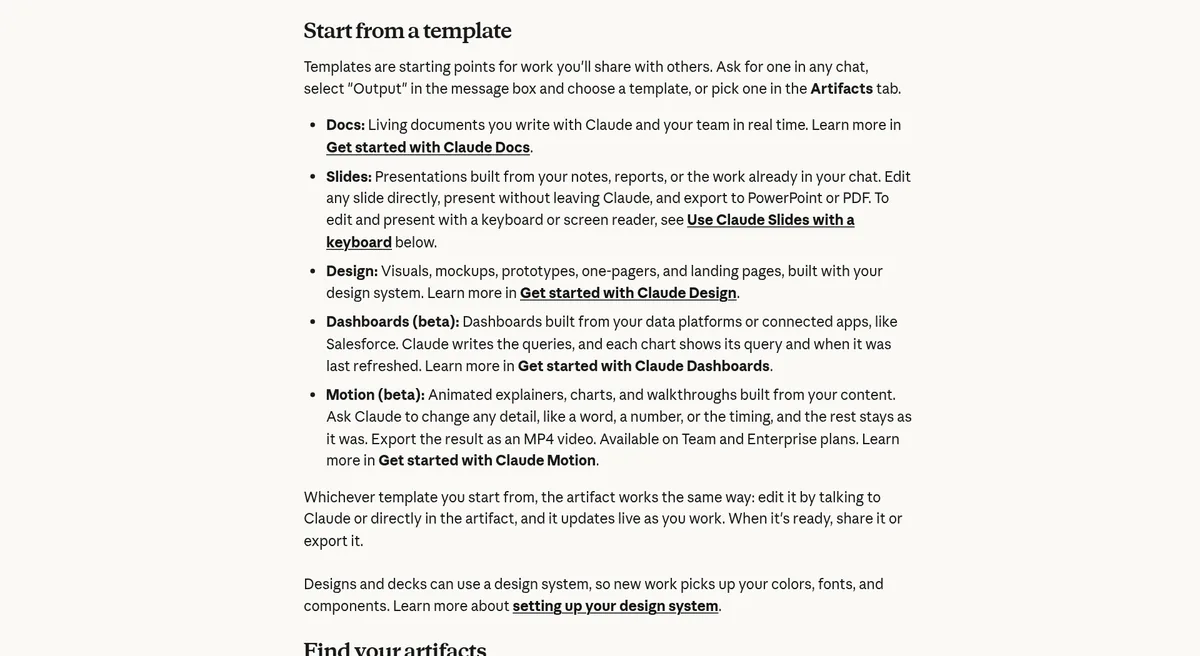
- Turn on code execution and file creation in Settings, then Capabilities.
- Start a chat and ask for something you will reuse. For example, ask Claude to make a one-page checklist for launching your first online course.
- Look for the artifact panel that opens beside your chat.
- Ask Claude for changes, or click into the artifact and edit it yourself.
- When it looks right, share it or export it.
Where to find your artifacts later
Everything you make is saved to the Artifacts tab in your Claude sidebar. From there you can see all your artifacts in one place, start a new one from a template, and keep things organized.
You can also use artifacts on your phone. The help article says the Claude apps for iOS and Android let you ask for a design, deck, or doc, view it in the Artifacts tab, and edit it. To change who can see it, use the web or desktop app.
How to export and share
For artifacts made from a template, click "Export." Here is what each type can become:
- Docs: Word, PDF, Markdown, or Google Docs.
- Decks: PowerPoint or PDF, or straight to Google Slides.
- Designs: a .zip, PDF, PowerPoint, or a standalone HTML file.
- Animations: MP4 video.
Artifacts start private to you. You choose when to share them.
Artifacts that use Claude: tiny apps you can share
This is my favorite part. You can build an artifact that calls Claude itself, so it works like a small app. Think of a quiz, a coaching tool, or a simple content helper.
The cost part is good news. The help article says, "No API keys are required, and there's no cost to you." People who use your artifact sign in with their own Claude account, and usage counts against each person's own plan limits rather than yours.
Some extras need a paid plan. Connecting an artifact to your apps, like Google Calendar or Slack, and saving data between visits are on Pro, Max, Team, and Enterprise. Stored data has a 20 MB limit per artifact and is text only.
A word of caution from Anthropic: whoever builds an artifact decides what data is shared. Before you type anything private into someone else's artifact, check whether it uses shared storage.
When an artifact breaks
Sometimes an artifact shows an error. Look for the "Try fixing with Claude" button near the error message. It copies the error into a new message so Claude can fix it. Anthropic notes that it may not always work, and some errors need more troubleshooting. You may need to try a couple of times.
You might also see older artifacts that work a little differently. The help article calls these legacy artifacts. They are "artifacts made in a chat before September 16, 2026." They still work, and you can still publish and share them, but you can't make new ones that way.
Ideas for your first artifacts
Not sure what to make? Here are simple ideas that fit what artifacts are built for. These are my own examples:
- A one-page offer sheet for your product or service, made with the Design template.
- A short slide deck for a client call or a workshop, made with Slides.
- A content calendar for the next month, as a Doc you can keep updating.
- A small calculator, like a price quote tool for your service.
- A simple quiz that helps visitors pick the right option.
Start with something you will really use this week. You will learn the tool faster when the result matters to you.
Artifacts in Claude Code
Artifacts also work in Claude Code on every plan that includes it. Claude Code can publish its work as a live page at a private link. It updates as your session goes on. New to Claude Code? Start with how to use Claude Code, and see Claude Code pricing for which plans include it.
My video: My full Claude walkthrough for beginners. Claude has added features since I recorded it, so use this post for the current artifact details.
Any results mentioned in videos are not typical and are not a promise of income. Your results depend on your work and your market.
When an artifact is not enough
Artifacts are great for docs, decks, and small tools. But if you want a real app with user accounts, payments, and your own web address, you will outgrow them. That is when people move to an AI app builder. I cover the options in the best vibe coding tools. One I use is Overskill (I earn a commission if you buy through this link).
My first Claude artifact
Nothing you check here is sent or saved. Download it if you want to keep it.
Learn to build with AI, step by step
In my free workshop, I show how regular people use tools like Claude to build simple online businesses.
Join my free AI workshopFree to join. No credit card needed.
Frequently asked questions
What is a Claude artifact?
It is something Claude makes that you would show someone, like a doc, a deck, a design, a dashboard, or a small tool. It opens beside your chat so you can edit and share it.
Are Claude artifacts free?
Yes. Artifacts are on Free, Pro, Max, Team, and Enterprise plans. Docs, Slides, and Design templates are on every plan. Some extras, like connecting apps and storing data, need a paid plan.
Why is Claude not making an artifact?
Check that code execution and file creation is turned on in Settings, then Capabilities. Also, Claude only makes artifacts for bigger, reusable content, typically over 15 lines.
Where do I find my old artifacts?
Everything you make is saved to the Artifacts tab in your Claude sidebar.
Can I export a Claude artifact?
Yes. Docs export to Word, PDF, Markdown, or Google Docs. Decks export to PowerPoint or PDF. Designs export as a .zip, PDF, PowerPoint, or HTML file.
Does sharing an AI-powered artifact cost me money?
No. Anthropic says there is no cost to you. People who use it sign in with their own Claude account, and usage counts against their own plan limits.
Sources
Checked October 22, 2026. Plans, prices, and rules can change.
