
Claude Code · Guide
Claude Code Router is a free, open source tool that sits between your coding agent and the AI providers you pick. Here is what it does, how to set it up, and what to watch for.
If you use Claude Code, you may have seen people talk about running it with other models. The tool they usually mean is Claude Code Router, or CCR.
On October 24, 2026, I read the CCR project page on GitHub, its npm page, and Anthropic's own doc on gateways. Here is what CCR is, how to set it up, and the catch you should know before you try it.
Quick answer
Claude Code Router (CCR) is a free, open source tool under the MIT license. Its README calls it "a local model gateway and control plane for coding agents." It lets Claude Code, Codex, Grok CLI, and other agents send requests to providers you choose, like OpenAI, Gemini, OpenRouter, or DeepSeek. Anthropic says it does not support routing Claude Code to non-Claude models through any gateway.
What is Claude Code Router?
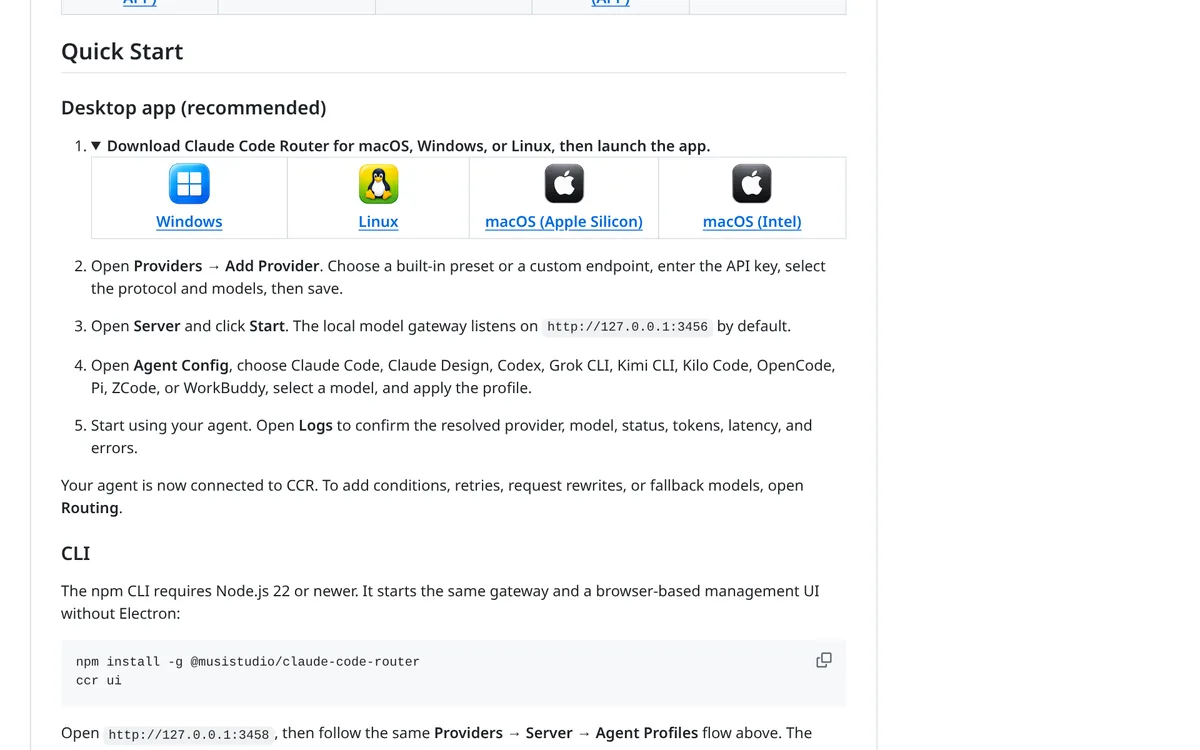
Claude Code Router is an open source project on GitHub by musistudio. On October 24, 2026, it had 37.8k stars and was on version 3.1.3. It uses the MIT license.
The README says: "Claude Code Router (CCR) is a local model gateway and control plane for coding agents."
In plain words, it is a middleman that runs on your computer. Your coding agent talks to CCR. CCR passes the request to the AI provider you set up. Then it sends the answer back.
Despite the name, it is not only for Claude Code. The README lists support for Claude Code, Codex, Grok CLI, Kimi CLI, Kilo Code, OpenCode, and others.
Why people use it
The README lists a few reasons. You can:
- Manage all your agents and providers in one place.
- Switch providers or models without editing every agent's settings.
- Keep requests running with retries, key rotation, and fallback models.
- See what happened in request logs, with tokens, speed, and cost estimates.
It supports OpenAI, Anthropic, Gemini, OpenRouter, DeepSeek, Mistral, Moonshot, and custom compatible providers, per the README.
The idea: you keep the coding agent you like, and pick the model behind it.
The catch: what Anthropic says
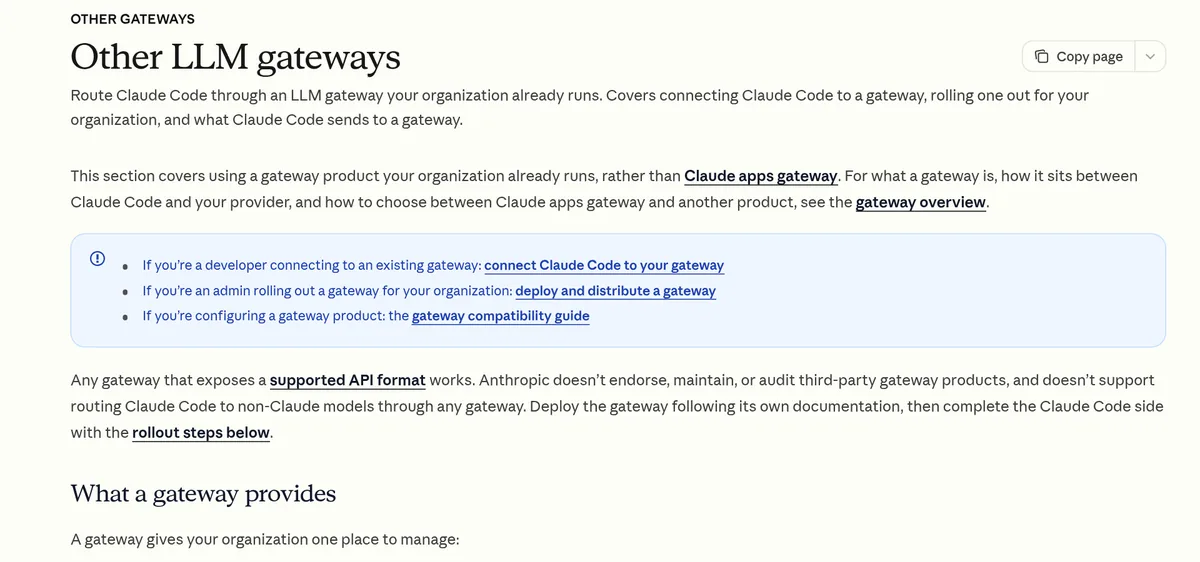
Read this part before you set anything up. Anthropic has a doc on using Claude Code with gateways. It says: "Anthropic doesn’t endorse, maintain, or audit third-party gateway products, and doesn’t support routing Claude Code to non-Claude models through any gateway."
So if you use CCR to run Claude Code on a different model, you are on your own. If something breaks, Anthropic will not help with that setup.
The same doc also covers billing. It says "ANTHROPIC_BASE_URL is the variable that points Claude Code at the gateway." When a gateway credential is active, requests use that credential instead of your claude.ai login. The doc says that traffic is billed per token to whoever owns the credential, and your subscription's usage limits do not apply to it.
That means you could pay a provider by the token on top of any Claude plan you have. Watch your usage. For what Claude plans cost, see my Claude Code pricing guide.
What does it cost?
CCR itself is free. It is open source under the MIT license. You can also sponsor the project if you want, but you do not have to.
What you pay for is the models. Each provider you add charges you in its own way, often by the token. CCR's logs show token usage and cost estimates, per the README, which helps you keep track.
Here is the billing detail to watch. If you also pay for a Claude plan, that plan does not cover requests that go through a gateway credential. Anthropic's doc says that traffic is billed per token to the credential owner. So you could end up paying twice if you are not careful. Decide which account each request should use before you start.
How to set up Claude Code Router
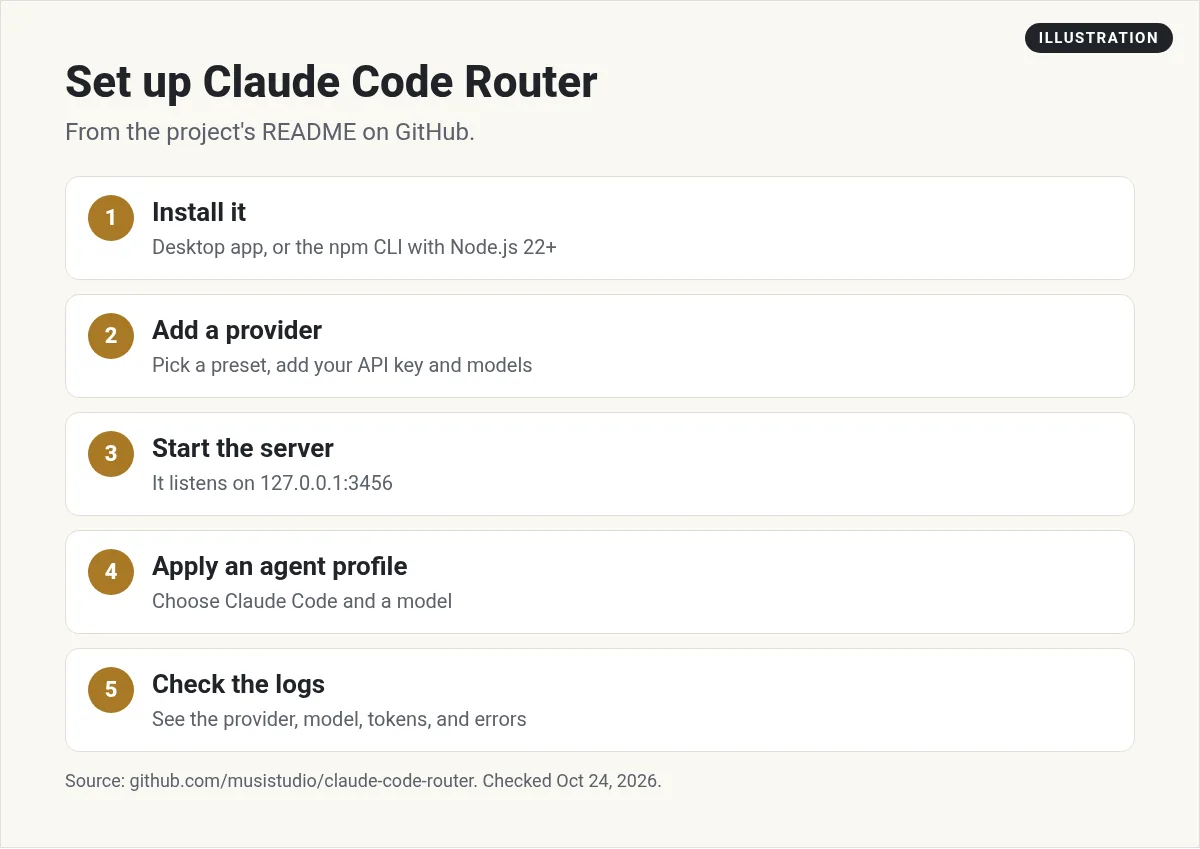
The README shows two ways: a desktop app (it calls this recommended) or a command line tool. Here are the steps from the README.
Option 1: desktop app
- Install. Download the app for macOS, Windows, or Linux from the GitHub page, then open it.
- Add a provider. Open Providers, then Add Provider. Pick a preset or a custom endpoint. Enter your API key, pick the models, and save.
- Start the server. Open Server and click Start. The README says the gateway listens on 127.0.0.1:3456 by default.
- Apply an agent profile. Open Agent Config, choose your agent, such as Claude Code, pick a model, and apply.
- Check the logs. Start using your agent. Open Logs to confirm which provider and model answered.
Option 2: command line
The README says the npm version needs Node.js 22 or newer. You install it with:
npm install -g @musistudio/claude-code-router
ccr ui
Then open 127.0.0.1:3458 in your browser and follow the same flow: Providers, Server, then Agent Profiles. The gateway still runs at 127.0.0.1:3456.
There is also a Docker option. The full docs live at ccrdesk.top, per the README.
Routing rules and extras
Once the basics work, CCR has more you can set up. The README says to open Routing "To add conditions, retries, request rewrites, or fallback models."
Here is what that means in plain words:
- Fallback models. If one provider fails, CCR can try the next one in your list.
- Retries. If a request fails, CCR can try again.
- Conditions. You can send some requests to one model and other requests to another.
The README also lists ways to add features to models that lack them, like vision, web search, and MCP tools. These are more advanced. Skip them until the basic setup works.
A simple first test
Here is how I would try CCR without risk:
- Make a new empty folder for a throwaway project.
- Set up one provider in CCR with a low spending cap.
- Ask your agent to build something tiny, like a page with a button that counts clicks.
- Open Logs in CCR. Check which model answered and how many tokens it used.
- Try the same prompt with a second model. Compare the results and the cost.
That one test tells you if CCR is worth keeping in your setup.
Who should use it
- Good fit: developers who want to test different models with the same agent, or who already pay for other providers.
- Maybe not: beginners who just want Claude Code to work. If you are new, use Claude Code the normal way first. My guide on how to use Claude Code walks you through it.
If what you really want is a different coding agent, not a different model, see my list of Claude Code alternatives.
Safety tips before you try it
- Protect your API keys. You will paste keys from your providers into CCR. Keep them private. Do not share screenshots that show them.
- Set spending limits. Check if your provider lets you cap spend in its dashboard. If it does, set a cap before you start.
- Keep it local. CCR runs on your own computer at 127.0.0.1 by default. Be careful if you change that.
- Test on a small project. Different models can act differently with the same agent. Try a throwaway project first.
- Check the logs. Make sure the model you picked is the one that answered.
Learn Claude Code first
If you are still learning Claude Code itself, this full course is a good start. It is not mine, but I found it helpful:
From the JavaScript Mastery channel (not mine): A full Claude Code course from the JavaScript Mastery channel.
Any results mentioned in videos are not typical and are not a promise of income. Your results depend on your work and your market.
For tools that plug into Claude Code, see my Claude Code MCP guide.
Mistakes to avoid
- Thinking it is from Anthropic. It is a third-party open source project.
- Expecting Anthropic support. Anthropic says it does not support routing Claude Code to non-Claude models.
- Forgetting the bill. Gateway traffic can be billed per token to your provider account.
- Skipping the logs. Without them, you may not know which model did the work.
Before you try Claude Code Router
Nothing you check here is sent or saved. Download it if you want to keep it.
Learn to build with AI coding tools
Want to see how I build apps with Claude Code and other AI tools? Join my free AI workshop. I show my process step by step.
Join my free AI workshopFree to join. No credit card needed.
Frequently asked questions
What is Claude Code Router?
It is a free, open source tool under the MIT license. Its README calls it a local model gateway and control plane for coding agents.
Is Claude Code Router made by Anthropic?
No. It is a third-party project on GitHub by musistudio. Anthropic says it does not endorse, maintain, or audit third-party gateway products.
Can I use Claude Code with other models?
CCR lets you route requests to other providers. But Anthropic says it does not support routing Claude Code to non-Claude models through any gateway.
How do I install Claude Code Router?
Use the desktop app for macOS, Windows, or Linux, or install the npm package with Node.js 22 or newer and run ccr ui.
Is Claude Code Router free?
The software is free and MIT licensed. You still pay your model providers for what you use.
Does my Claude subscription cover gateway use?
Anthropic's doc says that when a gateway credential is active, that traffic is billed per token to the credential owner and subscription usage limits do not apply.
Sources
Checked October 24, 2026. Plans, prices, and rules can change.
