
Build with AI · Claude Code
A skill is a saved set of steps that Claude Code can run for you. You write it once in a SKILL.md file, then call it with a slash or let Claude use it when it fits.
If you use Claude Code a lot, you probably paste the same instructions again and again. Check my changes. Write the release notes this way. Follow our style rules.
Skills fix that. You save those steps once, and Claude Code can use them any time. I read Anthropic's skills docs on October 20, 2026, and this guide walks you through the parts you actually need.
Quick answer
A Claude Code skill is a folder with a SKILL.md file inside. The file has a short description at the top and your instructions below it. You can run a skill by typing a slash and its name, like /summarize-changes, or Claude can load it on its own when your request matches the description. Personal skills live in ~/.claude/skills/ and project skills live in .claude/skills/ in your repo.
What is a Claude Code skill?
A skill is a set of instructions that Claude Code saves and reuses. Each skill is a folder. Inside the folder is a file called SKILL.md.
Anthropic's docs explain when to make one: "Create a skill when you keep pasting the same instructions, checklist, or multi-step procedure into chat."
Here is what that looks like in real life:
- A checklist you want Claude to follow before every commit.
- The way you like release notes written.
- The steps to deploy your app.
- Rules for how your team writes tests.
You run a skill in one of two ways. You can type a slash and the skill name. Or Claude can load it on its own when your request matches the skill's description.
New to Claude Code? Start with my guide on how to use Claude Code, then come back here.
Skills vs CLAUDE.md vs custom commands
Claude Code has a few ways to give it instructions. Here is the simple difference.
- CLAUDE.md is for facts about your project. Claude reads it every session.
- Skills are for steps and procedures. The docs say "a skill's body loads only when it's used," so a long skill does not fill up Claude's memory until you need it.
- Custom commands are now part of skills. The docs say "Custom commands have been merged into skills." Your old .claude/commands/ files still work.
My rule: if it is a fact, put it in CLAUDE.md. If it is a set of steps, make it a skill. If it must run every time, use a hook. My Claude Code hooks guide shows how.
How to make your first skill in 4 steps
Here are the four steps. The picture below is my own summary card, and the text list under it says the same thing.
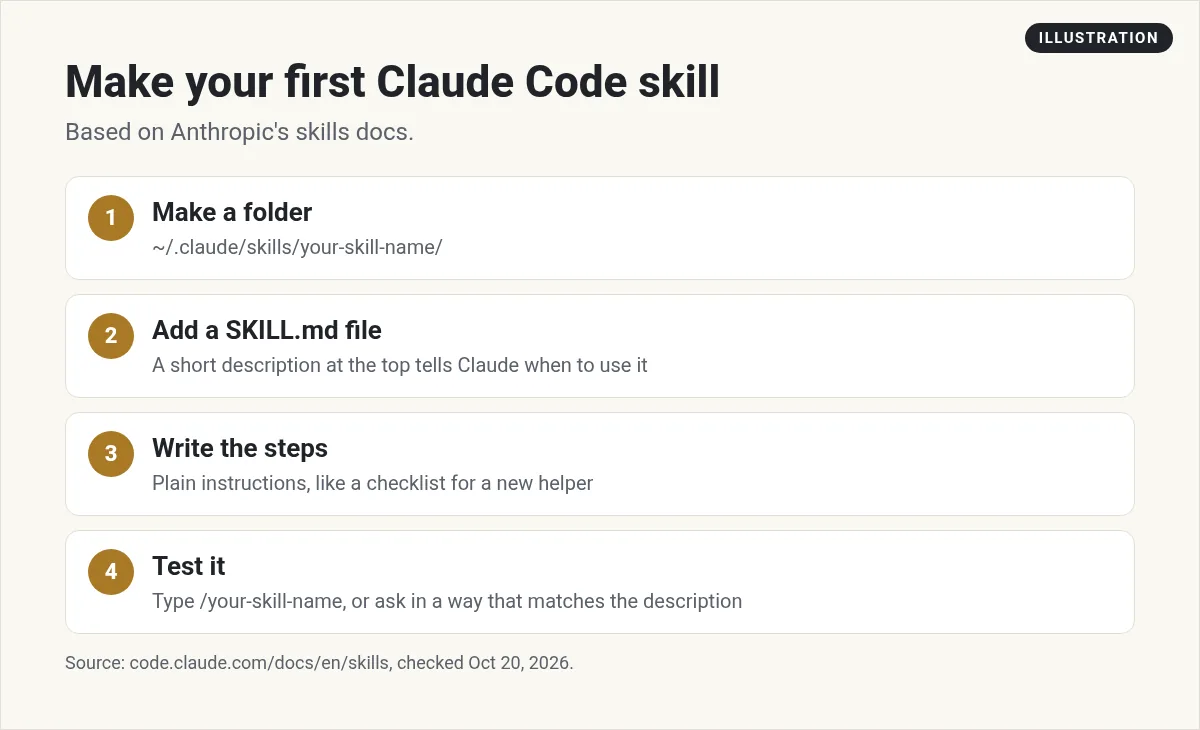
- Make a folder. For a skill you want in every project, use ~/.claude/skills/ and add a folder with your skill's name.
- Add a SKILL.md file. Put a short description at the top, between two lines of three dashes.
- Write the steps. Under the description, write what Claude should do, in plain words.
- Test it. Start Claude Code and type a slash plus the skill name. Or ask a question that matches the description.
Anthropic's docs use this example. It makes a skill that sums up your uncommitted changes and flags risks. First, make the folder:
mkdir -p ~/.claude/skills/summarize-changesThen save this as SKILL.md inside that folder:
---
description: Summarizes uncommitted changes and flags anything risky. Use when the user asks what changed, wants a commit message, or asks to review their diff.
---

## Current changes

!`git diff HEAD`

## Instructions

Summarize the changes above in two or three bullet points, then list any risks you notice such as missing error handling, hardcoded values, or tests that need updating. If the diff is empty, say there are no uncommitted changes.
The line that starts with an exclamation mark is a neat trick. The docs call it dynamic context injection. Claude Code runs that command first and puts the output into the skill. So Claude sees your real changes, not a guess.
To test it, make a small edit in a git project. Start Claude Code and ask, "What did I change?" Or type /summarize-changes.
Where skills live
Where you save a skill decides who can use it. These are the main spots from Anthropic's docs, checked October 20, 2026.
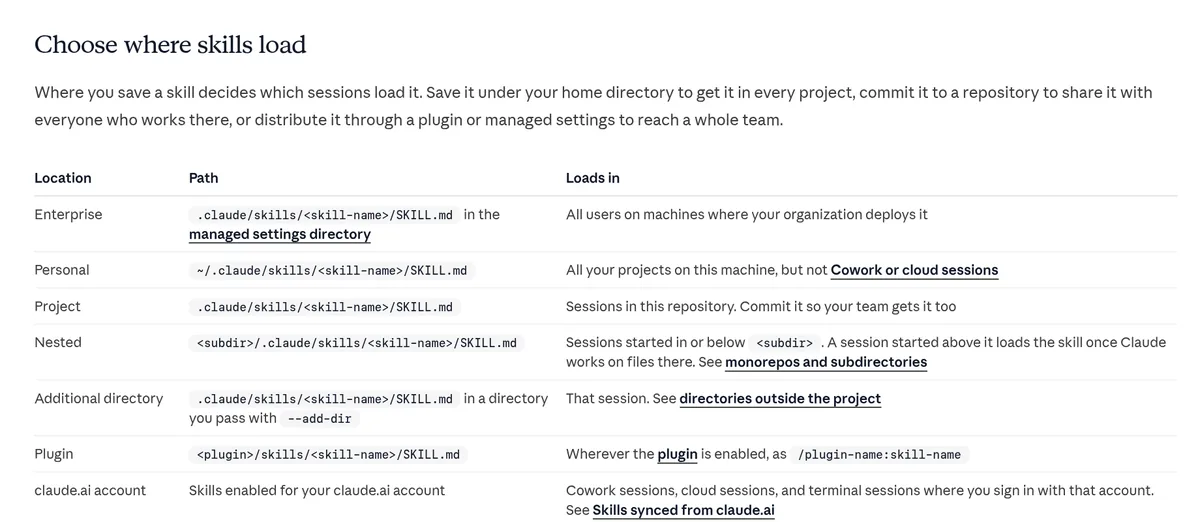
- Personal: ~/.claude/skills/ works in all your projects on that computer.
- Project: .claude/skills/ in your repo. Commit it so your team gets it too.
- Plugin: skills that come inside a plugin you install.
- Enterprise: skills your company pushes to everyone.
I keep my own habits in personal skills. I put anything my team should share in project skills.
Write a good description
The description is the most important line in the file. Claude reads it to decide when to use your skill.
The docs say all the top fields are optional, but "Only description is recommended so Claude knows when to use the skill." They also say to put the key use case first, because the description is cut off at 1,536 characters in the skill list.
Tips that help:
- Say what the skill does in the first few words.
- Add the phrases you would really type, like review my diff or write a commit message.
- Keep one job per skill. Two small skills beat one giant one.
Control who can run a skill
By default, both you and Claude can run a skill. You can change that with one line at the top of the file.
- disable-model-invocation: true stops Claude from running it on its own. Only you can, by typing the slash command. I use this for anything risky, like a deploy.
- user-invocable: false hides it from your slash menu. Only Claude uses it, as background knowledge.
Skills that come built in
Claude Code already ships with some skills. The docs list "/doctor, /code-review, /batch, /debug, /loop, and /claude-api." You run them the same way, with a slash.
Try /code-review on your next change before you write your own review skill. You may find it already does what you need.
Share skills and use ready-made ones
Skills are not locked to Claude Code. Anthropic's docs say they follow the Agent Skills open standard, "which works across multiple AI tools." The standard lives at agentskills.io.
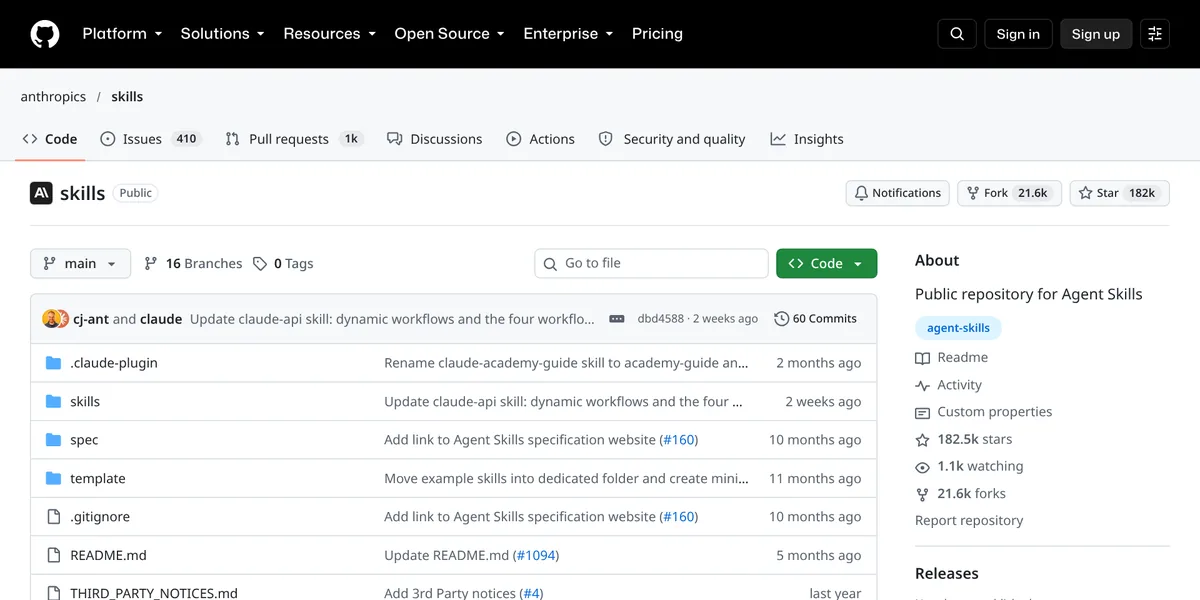
Anthropic also keeps a public skills repo on GitHub. When I checked it on October 20, 2026, it showed about 182k stars.
Skills also work in the Claude apps. Anthropic's help center says skills "are available for users on Free, Pro, Max, Team, and Enterprise plans" and need code execution turned on. Claude Code itself needs a paid plan. Claude Pro was $17 a month billed yearly or $20 billed monthly when I checked on October 20, 2026. See my Claude Code pricing guide for the details.
Be careful with skills from strangers
A skill can tell Claude to run commands. So only install skills you trust. Anthropic's docs put it plainly: "Use Skills only from trusted sources: those you created yourself or obtained from Anthropic."
Before you install a skill from someone else, open SKILL.md and read every line. Look at any scripts in the folder too.
Five easy skill ideas to start with
Not sure what to build first? Here are simple ideas. Each one is a single job, which is what makes a skill work well.
- Commit message writer. Read the diff and write a short commit message in your style.
- Release notes. Turn this week's changes into plain notes for customers.
- Test checklist. Before you call a task done, list what needs a test.
- Code style rules. Your naming and folder rules, so you stop repeating them.
- Bug report helper. Ask the right questions and write the steps to reproduce a bug.
Start with one. Use it for a week. Then fix the wording where Claude got it wrong. Small tweaks to the description and steps make a big difference.
If your skill does not trigger
- Check that the file is named SKILL.md and sits inside a folder.
- Make sure the three dashes are on the very first line of the file.
- Rewrite the description to match how you really ask.
- Type the slash command directly to test it.
Want my honest take on the tool itself? Read my Claude Code review.
My first Claude Code skill
Nothing you check here is sent or saved. Download it if you want to keep it.
Want to see AI tools like this in action?
In my free workshop, I show simple ways to use AI tools to build and save time, even if you are not a developer.
Join my free AI workshopFree to join. No credit card needed.
Frequently asked questions
What are Claude Code skills?
A skill is a folder with a SKILL.md file. The file has a description and a set of instructions. Claude Code can run it when you type its slash command, or on its own when your request matches the description.
Where do I put Claude Code skills?
Personal skills go in ~/.claude/skills/ and work in all your projects. Project skills go in .claude/skills/ inside your repo, so your team can share them.
Are skills the same as custom slash commands?
Custom commands have been merged into skills. Your old .claude/commands/ files still work, but skills add extras like supporting files and automatic loading.
How do I stop Claude from running a skill on its own?
Add disable-model-invocation: true to the top of the SKILL.md file. Then only you can run it, by typing the slash command.
Do Claude skills work outside Claude Code?
Anthropic's help center says skills work on Free, Pro, Max, Team, and Enterprise plans in the Claude apps, with code execution turned on. Skills also follow the Agent Skills open standard.
Are Claude Code skills safe?
Skills you write yourself are as safe as your own instructions. Anthropic says to use skills only from trusted sources, so read every line before you install someone else's.
Sources
Checked October 20, 2026. Plans, prices, and rules can change.
