
Grok Bot · Customer support
The company behind Grok Bot runs its own support desk with it. Here is how they rolled it out safely, five jobs you can copy, and the guardrails I would keep for a small business.
Grok Bot for customer support means giving a Bot real support work: reading tickets, digging into problems, drafting answers, and spotting trends. The company behind Grok Bot runs its own support desk this way.
I read their support story from September 22, 2026 and their support guide on October 30, 2026. Below is how they rolled it out step by step, five jobs you can copy, and the rules I would keep if you run a small team.
TL;DR
Start small. The team behind Grok Bot first let it write only internal notes, with a person approving every change. Then they moved it to the easiest tickets and checked its answers by hand on day one, and only then let it reply to customers and take on more. Good first jobs are a daily summary of new tickets, bug reports with a screen recording, churn reasons from recent tickets, refund reviews that wait for your approval, and a custom support report. Turn the ones that work into routines, and keep a person on anything that touches money or upset customers.
How the team behind Grok Bot uses it for support
In a September 22, 2026 post, the company explains that it rebuilt its combined support desk around Grok Bot. The Bot signed into the same tools the team used. Over time, its job grew from single tickets to helping run the whole desk.
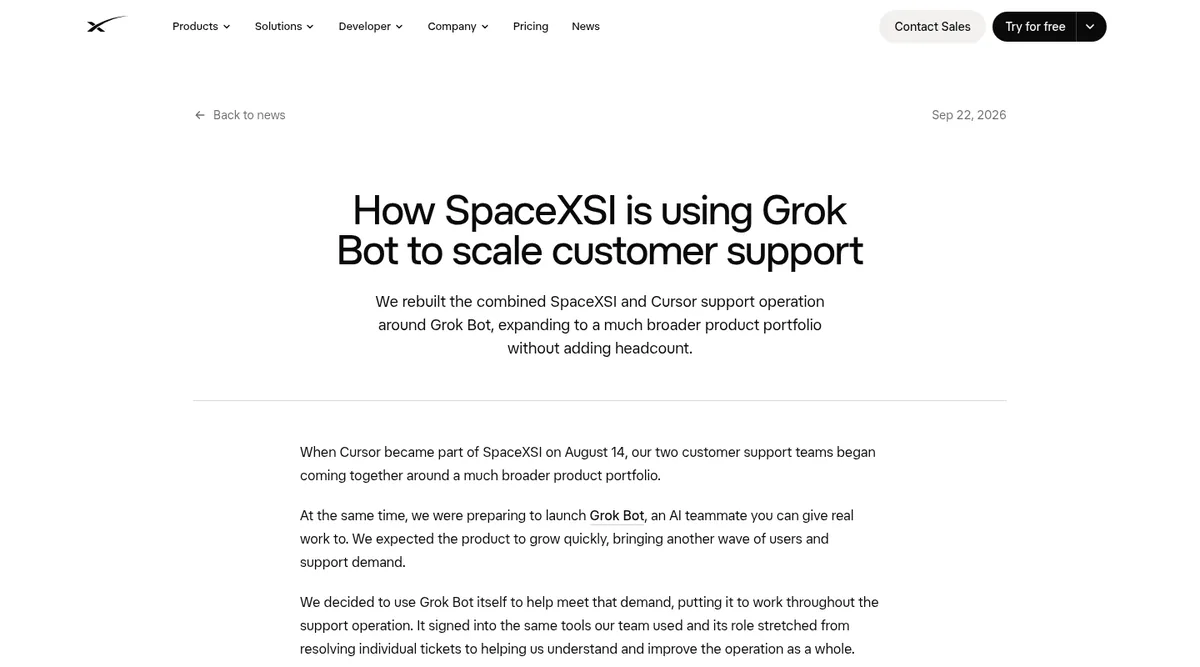
They say ticket volume went up 175% and they did not have to hire anyone new. That is their claim about their own team, and they are a very large company. Your results will depend on your tickets, your tools, and how carefully you set it up. What I find more useful is how they did it.
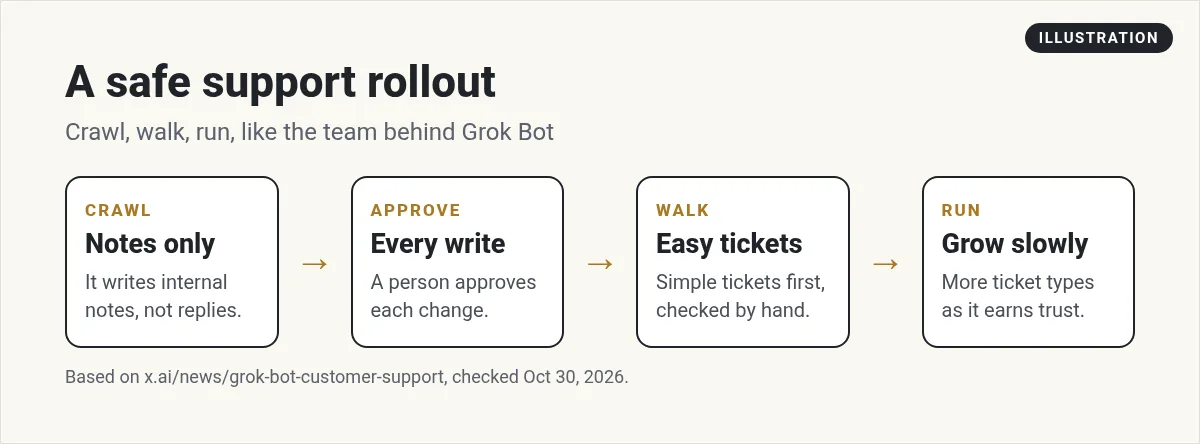
The rollout: crawl, walk, run
- Connect a few core tools. They started with their ticket system and their issue tracker.
- Notes only. The Bot acted like it owned tickets, but it could only write internal notes. A person had to approve every change.
- Check its work. They added logs and checks to every run. When it went off course, they could see where and fix it.
- Easiest tickets first. On day one, they reviewed each answer for accuracy and tone by hand. By the end of the day, they let it reply to customers on those simple tickets.
- Grow slowly. Then they added more ticket types over time.
This is the part to copy. Do not let a brand new Bot email your customers on day one. Let it write notes first, and read them.
What the Bot does on every ticket
The post says most of the time on a ticket goes to finding out what is wrong. So the Bot looks into each new ticket the moment it comes in. A few things it does:
- Checks the help center first, so it does not over think simple questions.
- Adds to a known issue, or opens a new one, when it spots a bug.
- Records a video of the bug happening, so engineers can fix it faster.
- Asks only questions the logs cannot already answer.
- Learned their tone from more than one million past customer conversations.
It also takes action, like refunds, from clear written rules. That is a big step. For a small business, I would keep refunds behind your approval for a long time.
From the How I AI channel (not mine): On How I AI, Claire Vo breaks down the Bots she uses every day, including a chief of staff Bot that sweeps her inboxes. Useful for seeing how a support style inbox Bot works in real life.
Watching the whole queue
Single tickets are only half the job. The post says the Bot also:
- Watches new ticket volume and moves urgent tickets up.
- Warns the team before they miss a response time promise.
- Spots when many tickets are about the same problem.
- Watches X for changes in how people feel and for repeat reports.
- Flags any ticket that goes back and forth more than three times, so a manager can step in.
- Sends leaders a weekly summary of where AI answers fall short.
- Suggests help center updates when the product changes.
Five support jobs you can copy
The company's support guide lists five jobs. They note the numbers and details in their examples are just examples. Here they are in plain words:
- Release tracking and feedback. Keep a calendar of what ships and when, and watch early feedback after each launch.
- Bug reproduction. Have the Bot try to recreate the problem, record a video of it, and write the steps.
- Churn analysis. Find customers who said they might leave in the last week, and group the reasons.
- Refunds. Give it your refund policy. It reviews each request, grants or denies it with your approval, and replies.
- Custom reporting. It sends you a simple picture of the support numbers you care about.
Then the guide says to put the good ones on autopilot. Turn a job into a routine that runs every day or every hour, and check results from your phone. See my guide to Grok Bot routines.
From the Grok channel (not mine): This is the official Grok Bot 101 workshop from the Grok team. It covers making your first Bot, connecting tools, and running a small team of Bots.
How I would start in a small business
You probably do not have a ticket system with a million past chats. That is fine. Here is a simple start:
- Connect your support inbox. My guide to Grok Bot email shows how.
- Give it your FAQ and policies as files.
- Daily summary only. Every morning, it lists new questions, groups them, and drafts replies for you.
- You send the replies for the first few weeks.
- Write down fixes. Each time you change a draft, tell the Bot why so it learns. See Grok Bot memory.
Where a person should still decide
- Refunds and anything else that moves money.
- Angry or upset customers.
- Legal, health, or safety questions.
- Anything that is not covered by a written policy.
Even the team behind Grok Bot says its people now spend more time setting guardrails and handling cases that need judgment. That is the right mindset. For approvals and safe settings, read my Grok Bot safety guide.
Get a team that already knows how support should work
Most of the work in AI support is the setup: the policies, the tone, the rules about when to escalate, and the daily reports.
AIM Agent is an AI Chief of Staff for business owners. It comes with an AI C-suite (COO, CMO, CFO, CRO and CTO), a Business Bot Builder and 100+ business skills, and it runs on AIM OS, a private vault that holds your notes and memory. AIM Agent is a ready-made AI business team that works inside Grok Bot, so you skip the setup and get to work.
Here is what you get:
- An AI Chief of Staff that helps you plan and run your business
- An AI C-suite: COO, CMO, CFO, CRO and CTO
- A Business Bot for each business or project. Give it a real task and it brings the work back for you to review
- 100+ business skills for content, offers, research and more
- Step by step setup guides and email support
So instead of training a blank Bot from scratch, you start with a team that knows how a business runs, and you keep the final say.

If you run a small shop, my guide to Grok Bot for small business has more ideas. Want an AI team to help run your business? Meet AIM Agent, an AI Chief of Staff for business owners. I am a co-founder of AIM Agent and have a financial interest in the product.
Give your support desk a ready AI team
AIM Agent gives you an AI Chief of Staff, an AI C-suite, and 100+ business skills, so your Bots can sort tickets, draft replies, and flag what needs you.
See AIM AgentFrequently asked questions
Can Grok Bot answer customer support tickets?
Yes. The team behind Grok Bot uses it to look into tickets, draft and send answers, and spot trends. Start with drafts that you approve.
How should I roll it out?
Notes only first, with a person approving every change. Then the easiest tickets, checked by hand. Then grow slowly.
Can Grok Bot handle refunds?
It can review refund requests against your policy. I would keep every refund behind your approval.
What support jobs work well?
Release tracking, bug reproduction with a video, churn analysis, refund reviews, and custom reports.
Can it run on a schedule?
Yes. Turn a job that works into a routine that runs every day or every hour.
Where should a person still decide?
Money, upset customers, legal or safety questions, and anything not covered by a written policy.
Is there a faster way to get a Bot team for my business?
AIM Agent gives you an AI Chief of Staff, an AI C-suite, and 100+ business skills, so you start with a team built for business work.
Sources
Checked October 30, 2026. Plans, prices, and rules can change.
